Minecraft version
Back to mods 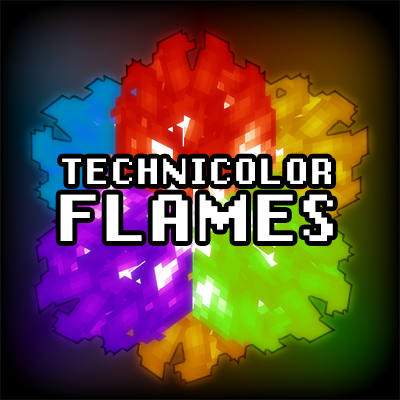
CurseForge · Minecraft mod
Technicolor Flames
Easily Dye flames in all of Minecraft's default colors!
Choose a version Pick your version below, then grab the matching file.
Quick answer
Which Technicolor Flames release matches 1.20.1 Forge?
Best match for your filters technicolor_flames-1.0.1-forge-1.20.1.jar
Game version 1.20.1
Loader Forge
Technicolor Flames technicolor_flames-1.0.1-forge-1.20.1.jar targets 1.20.1 with Forge. The project page does not say whether this file belongs on the client, dedicated server, or both. No extra mods listed for this file.
Where it goes
Is Technicolor Flames required on the client, server, or both?
The project page does not say whether this file belongs on the client, dedicated server, or both.
Client Source doesn’t say
Dedicated server Source doesn’t say
Loader for this release Forge
Required install it here Optional supported, not mandatory Not supported do not install here Source doesn’t say do not assume
The source does not explicitly classify this release as client-only or server-only.
What else does Technicolor Flames technicolor_flames-1.0.1-forge-1.20.1.jar need?
technicolor_flames-1.0.1-forge-1.20.1.jar on 1.20.1 Forge. Every mod below is checked against that same setup.
This file does not list any required mods. Do not add a library just because a different file uses it.
This file does not list any required or optional mods.
Before you install it
Add Technicolor Flames without breaking your instance.
Built for Technicolor Flames technicolor_flames-1.0.1-forge-1.20.1.jar on 1.20.1 Forge. Pick another file and the loader, install side or required mods may change.
- 01
Stick to this file
Use technicolor_flames-1.0.1-forge-1.20.1.jar. It targets 1.20.1 with Forge; another release may have different loader, side or dependency requirements.
- 02
Bring the mods it needs
This file does not list any required mods. Do not add a library just because a different file uses it.
- 03
Put it on the correct side
The project page does not say whether this file belongs on the client, dedicated server, or both.
- 04
Pick the file you checked
Use the “Get this file” button beside technicolor_flames-1.0.1-forge-1.20.1.jar. It opens that exact file at the source.
About this project
What does Technicolor Flames add?
Flames now come in all of minecraft's 14 colors! To dye flames, hold the item in your main hand and click any fire block.
This mod encourages experimentation to find what items dye flames what colors and what items have other interest effects!
Ingredients
Black = Wither Rose
Blue = Blue Ice
Brown = Rotten Flesh
Cyan = Sculk Vein
Gray = Iron Ignot
Green = Slime Ball
Light Gray = Bonemeal
Lime = Raw Copper
Magenta = Chorus Fruit
Pink = Ghast Tear
Purple = Amethyst
Red = Redstone
White = Blaze Powder
Yellow = Glow Stone Dust
Gunpowder causes fire to explode! You can adjust the explosion strenght with the gamerule or turn it off. If it is off, gunpowder instead reverts fire back to vanilla.
Soul Sand turns fire into Soul Fire.
COMING SOON!
- Configurable effects for each color that can be turned on or off.
- Config file to change what items can change flame colors.
Project description from CurseForge.
Pick your setup
Technicolor Flames by Minecraft version and loader
Choose the version and loader you play, then open the matching release.
Check the dependencies, then try the file in a copied instance before changing a world you care about.
Recent files
Technicolor Flames versions and loaders
technicolor_flames-1.0.1-forge-1.20.1.jar
31 Aug 2025
Client Source doesn’t say Server Source doesn’t say Dependencies No extras listed Listed on Release listing
Check the 1.20.1 · Forge setup 1.20.1Forge release
technicolor_flames-1.0.0-forge-1.20.1.jar
27 Aug 2025
Client Source doesn’t say Server Source doesn’t say Dependencies No extras listed Listed on Release listing
Check the 1.20.1 · Forge setup 1.20.1Forge release
Looking for an older file? The official CurseForge project page is in Resources.
 mod
CurseForge · Minecraft
Solaris (Map)
A map mod focused on ease of use, api strength, and beautiful aspects of your world.
 mod
CurseForge · Minecraft
ArchitectureCraft Reforged
ArchitectureCraft Reforged is a modern reimagining of the Minecraft mod ArchitectureCraft, which allows you to transform ordinary building materials into roofs, arches, columns, railings, and numerous other architectural structures.
 mod
CurseForge + Modrinth · Minecraft
Quick Skin
Sick of wasting time with Minecraft’s slow launcher just to change your skin? Quick Skin lets you swap skins instantly even on “offline” servers and gives you access to every official Minecraft cape.