Minecraft version
Back to mods 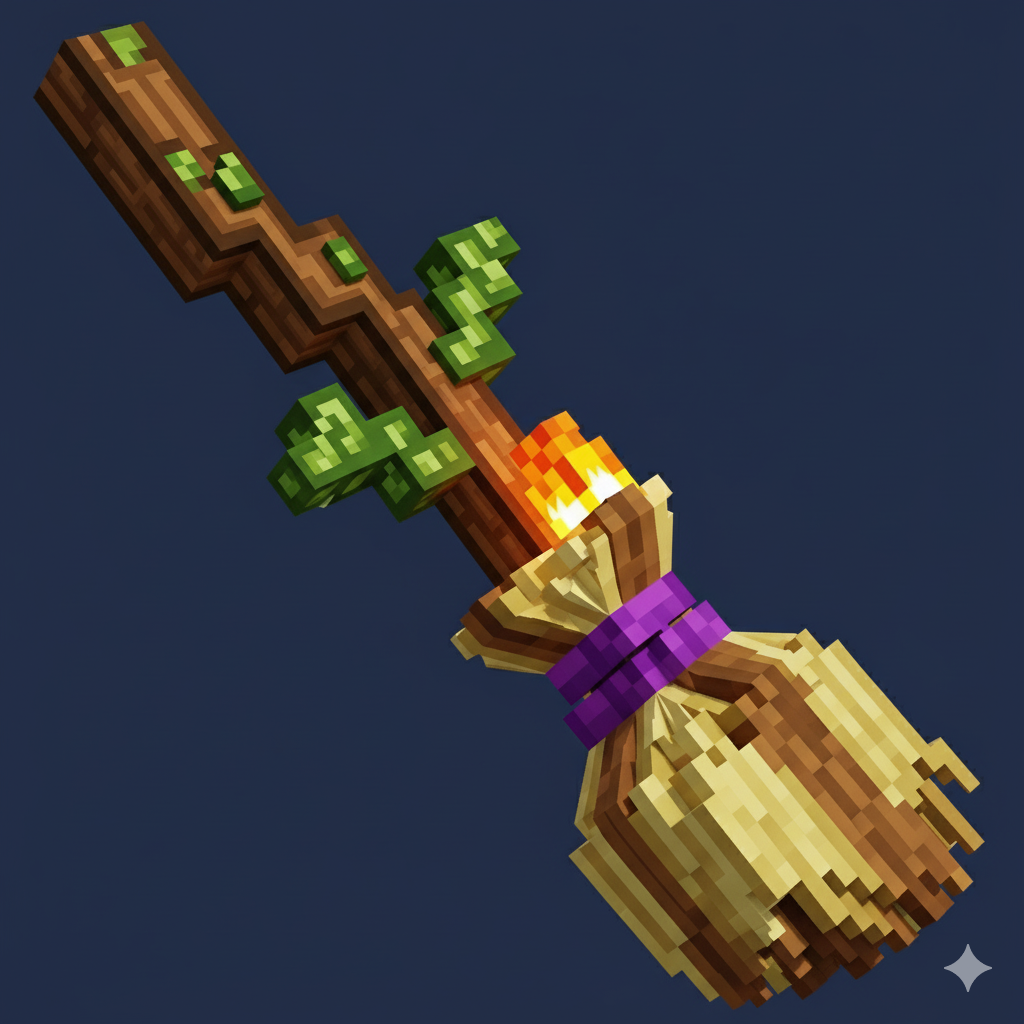
CurseForge · Minecraft mod
Ashen Witch Broom
This mod is based on Elaina, adding a rideable and configurable witch's broom, a dyeable hat, and her clothes to the game. Soar through the sky on your magic broom and experience the daily life of a witch!
Choose a version Pick your version below, then grab the matching file.
Quick answer
Which Ashen Witch Broom release should I use?
Latest stable file AshenWitchBroom-neoforge-1.21.1-1.0.2.jar
Game version 1.21.1
Loader NeoForge
Ashen Witch Broom AshenWitchBroom-neoforge-1.21.1-1.0.2.jar targets 1.21.1 with NeoForge. The project page does not say whether this file belongs on the client, dedicated server, or both. No extra mods listed for this file.
Where it goes
Is Ashen Witch Broom required on the client, server, or both?
The project page does not say whether this file belongs on the client, dedicated server, or both.
Client Source doesn’t say
Dedicated server Source doesn’t say
Loader for this release NeoForge
Required install it here Optional supported, not mandatory Not supported do not install here Source doesn’t say do not assume
The source does not explicitly classify this release as client-only or server-only.
What else does Ashen Witch Broom AshenWitchBroom-neoforge-1.21.1-1.0.2.jar need?
AshenWitchBroom-neoforge-1.21.1-1.0.2.jar. Change the file and its required mods may change too.
This file does not list any required mods. Do not add a library just because a different file uses it.
This file does not list any required or optional mods.
Before you install it
Add Ashen Witch Broom without breaking your instance.
Built for Ashen Witch Broom AshenWitchBroom-neoforge-1.21.1-1.0.2.jar. Pick another file and the loader, install side or required mods may change.
- 01
Stick to this file
Use AshenWitchBroom-neoforge-1.21.1-1.0.2.jar. It targets 1.21.1 with NeoForge; another release may have different loader, side or dependency requirements.
- 02
Bring the mods it needs
This file does not list any required mods. Do not add a library just because a different file uses it.
- 03
Put it on the correct side
The project page does not say whether this file belongs on the client, dedicated server, or both.
- 04
Pick the file you checked
Use the “Get this file” button beside AshenWitchBroom-neoforge-1.21.1-1.0.2.jar. It opens that exact file at the source.
About this project
What does Ashen Witch Broom add?
Introduction
This mod was born from a burning desire to become a witch in Minecraft 1.21.1, forged through sleepless nights of coding.
This is an unofficial remake of [Witch's Broom]. While it reuses the original assets, the code has been refactored to support NeoForge 1.21.x and above. (As of Oct. 20, 2025, the original author has also updated the mod to 1.21.1.)
The broom has been epically buffed (how fast you fly is only limited by your conscience!), can be summoned in any dimension, and is fully configurable to your liking.
Additionally, chunk loading commands have been added, allowing you to force-load strong or weak chunks for extended periods and manage them with ease.
Added Items
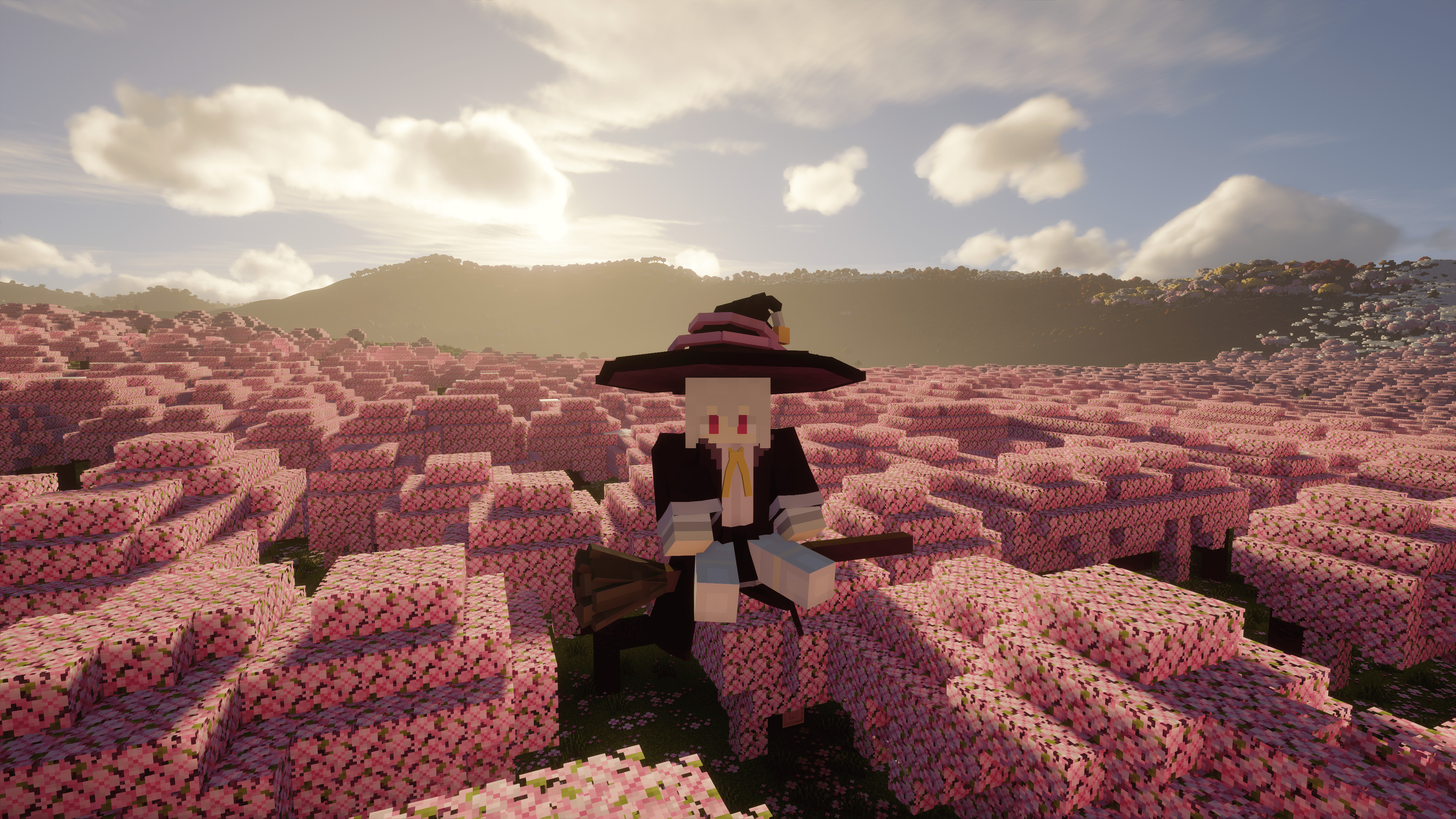
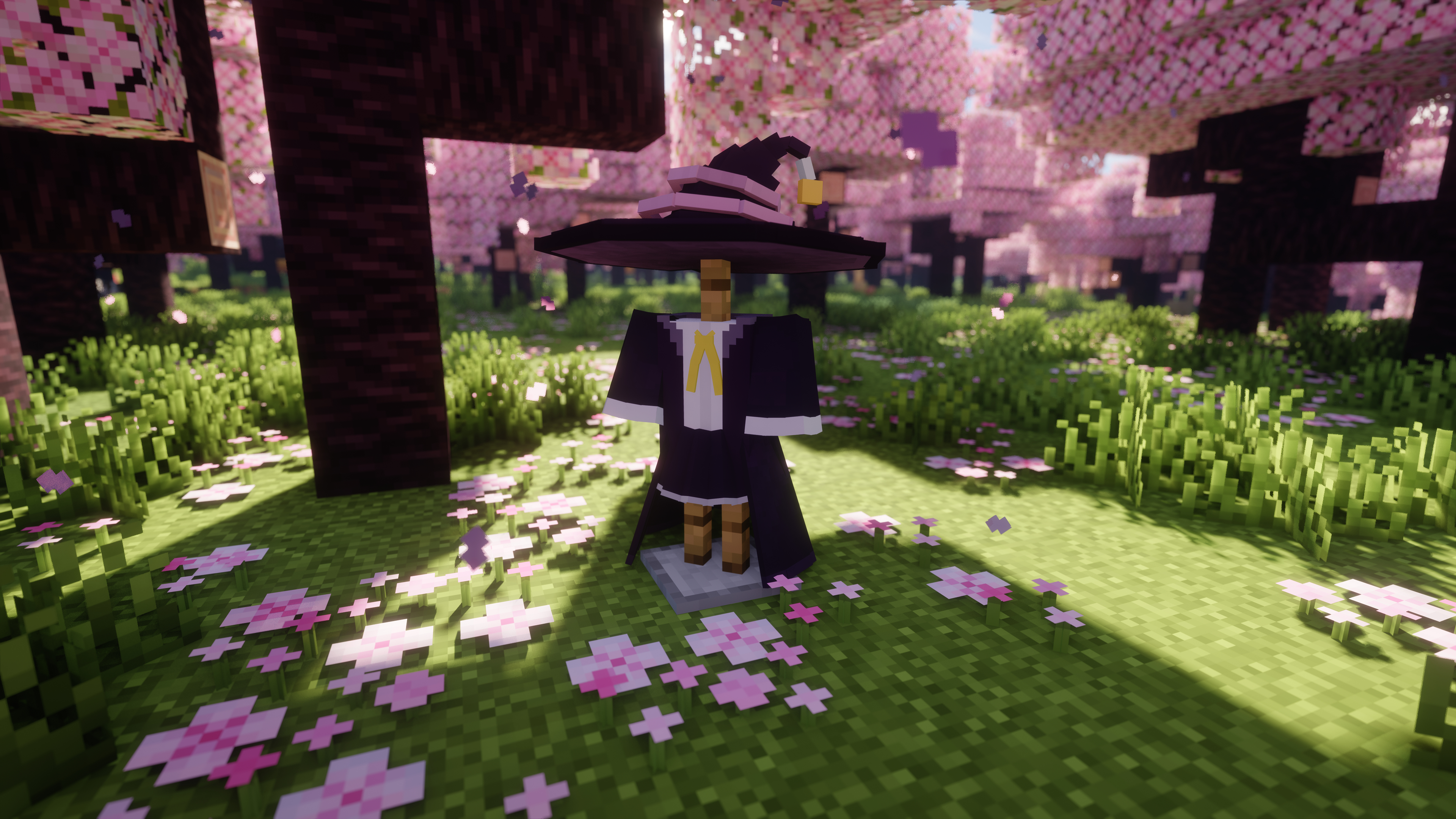
The mod adds a Witch's Broom (both as an item and an entity), as well as a Witch's Hat and a Witch's Outfit.
The design is inspired by Elaina's broom from the anime "Wandering Witch: The Journey of Elaina."
Broom Controls
The controls are intuitive and simple:
- W/S: Forward / Backward
- A/D: Turn Left / Turn Right
- Left Alt: Descend
- Space: Ascend
- Left Ctrl: Sprint (just like running)
Right-click the ground to summon your broom. Sneak + Left-click to dismiss it.
You can also press the R key to summon the broom from a distance. The summoning range can be adjusted in the config menu.
Crafting Recipes
| Hat | Outfit | Broom |
|---|---|---|
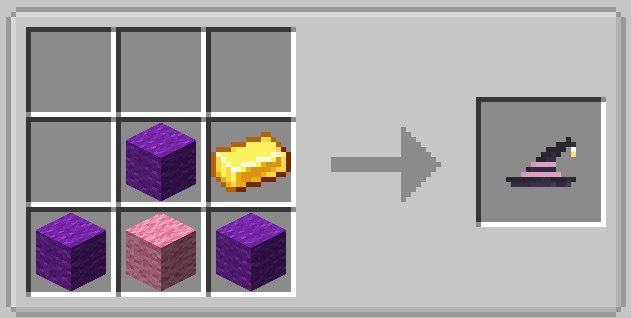 |
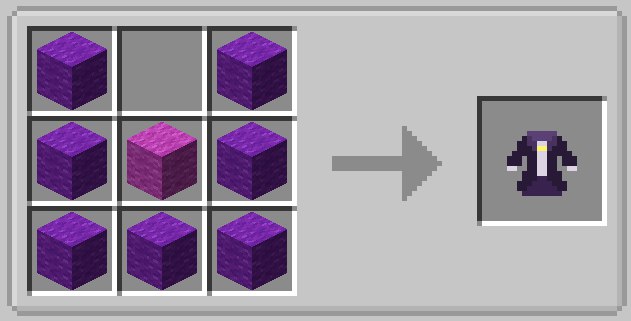 |
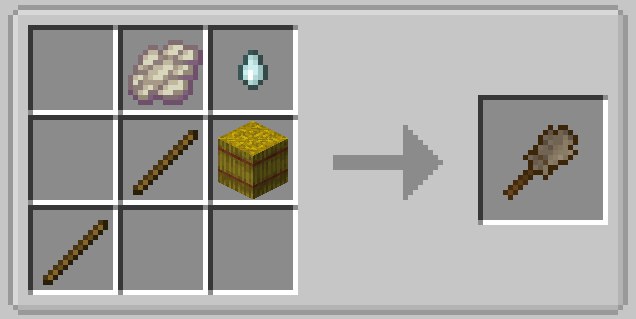 |
Mod Config Menu
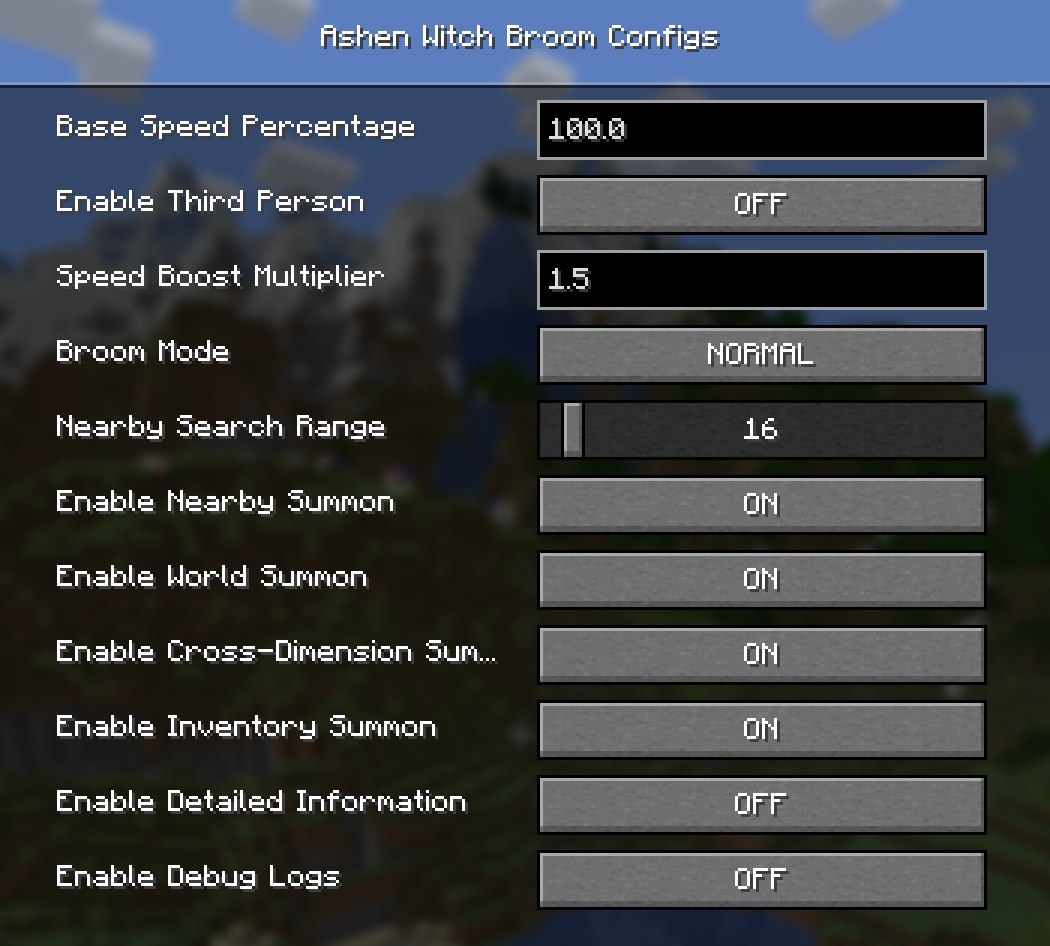
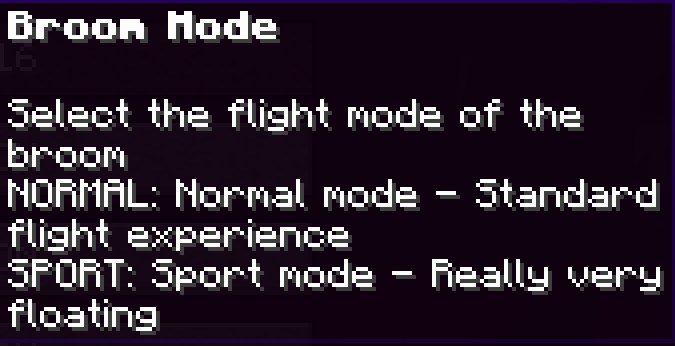
All settings for the broom can be found in-game via: Settings → Mods → Ashen Witch Broom → Config
| Config Menu | Broom Modes |
|---|---|
 |
 |
Mod Commands
The mod provides commands for managing your broom and for force-loading chunks.
Broom Command Usage: /broom detect [player]
player is the target player. If omitted, it defaults to yourself. Targeting other players requires OP permissions.
| Command | Function | Example |
|---|---|---|
/broom detect [player] |
Broom detection command. Displays detailed information about all stored brooms. | 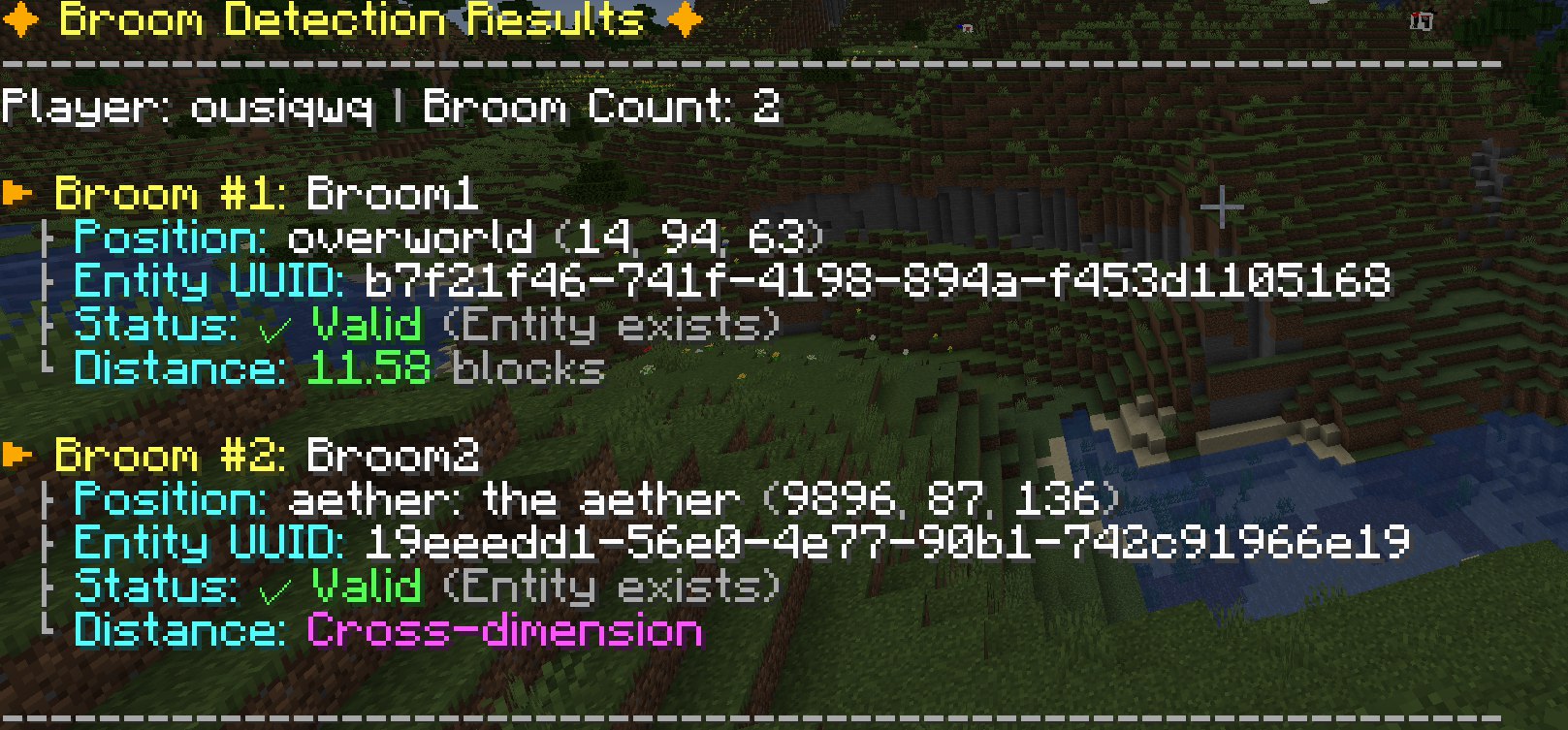 |
/broom stats [player] |
Broom statistics command. Shows broom usage stats. | 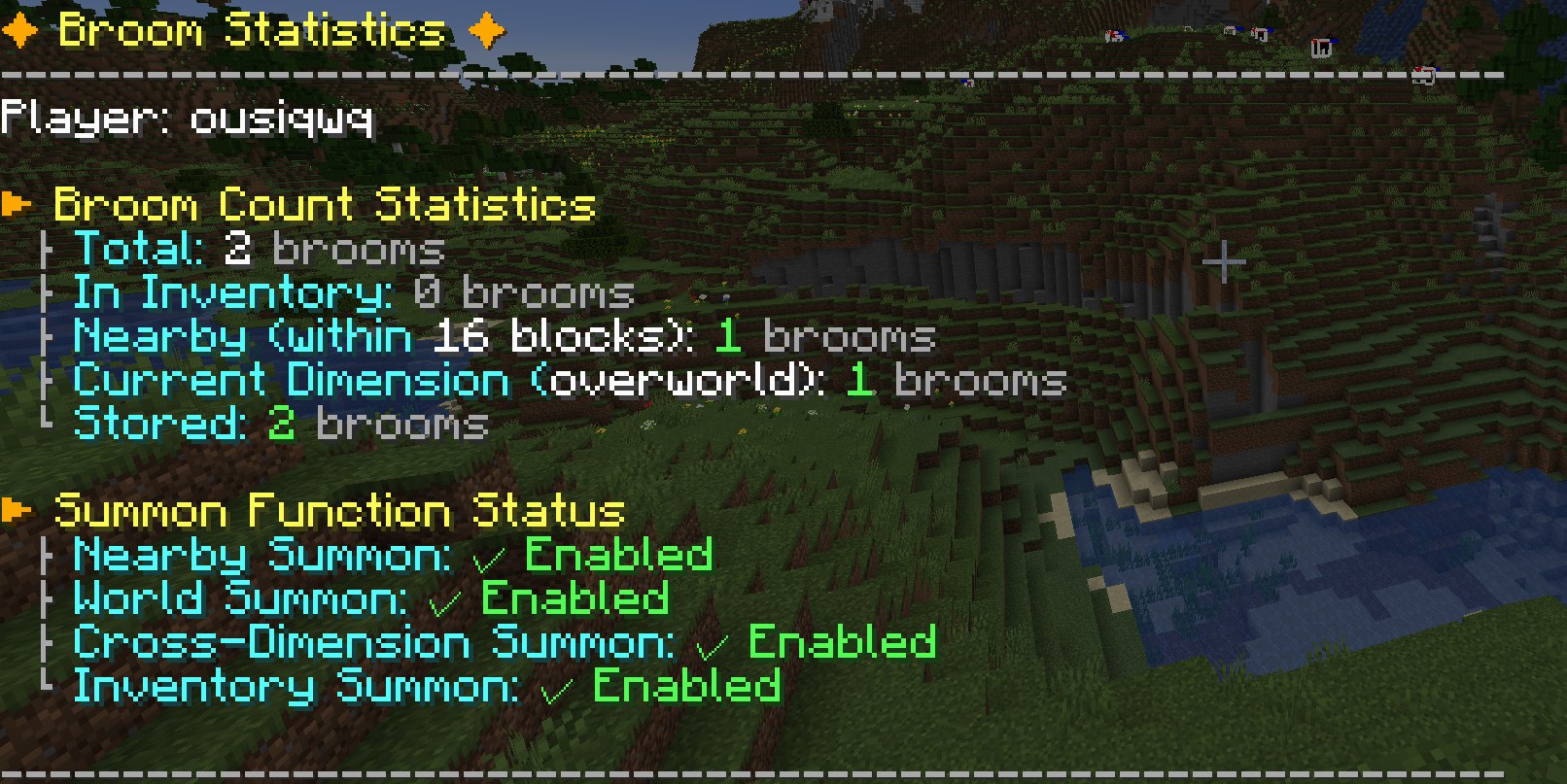 |
/broom cleanup [player] |
Broom cleanup command. Batch validates and removes invalid broom records. | 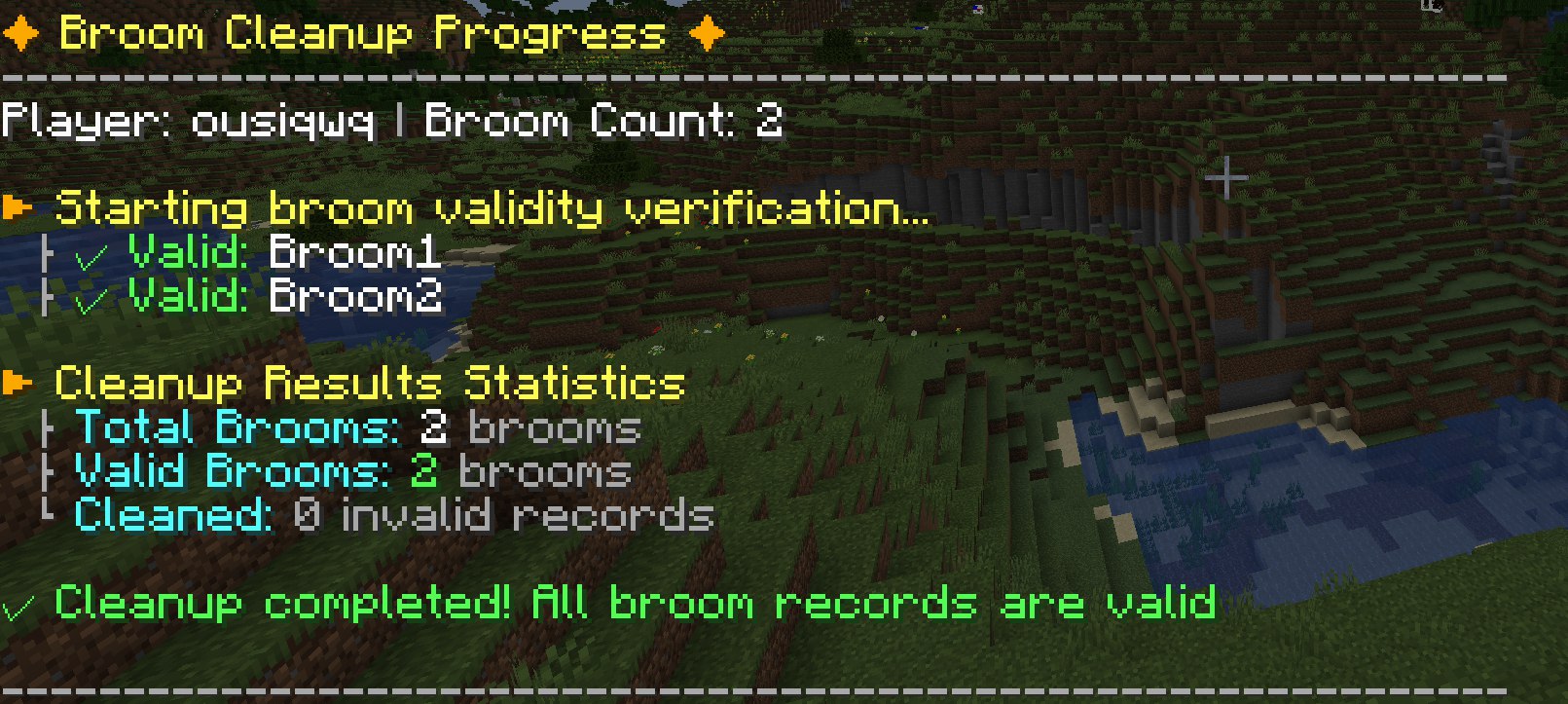 |
/broom help |
Displays the help menu. | 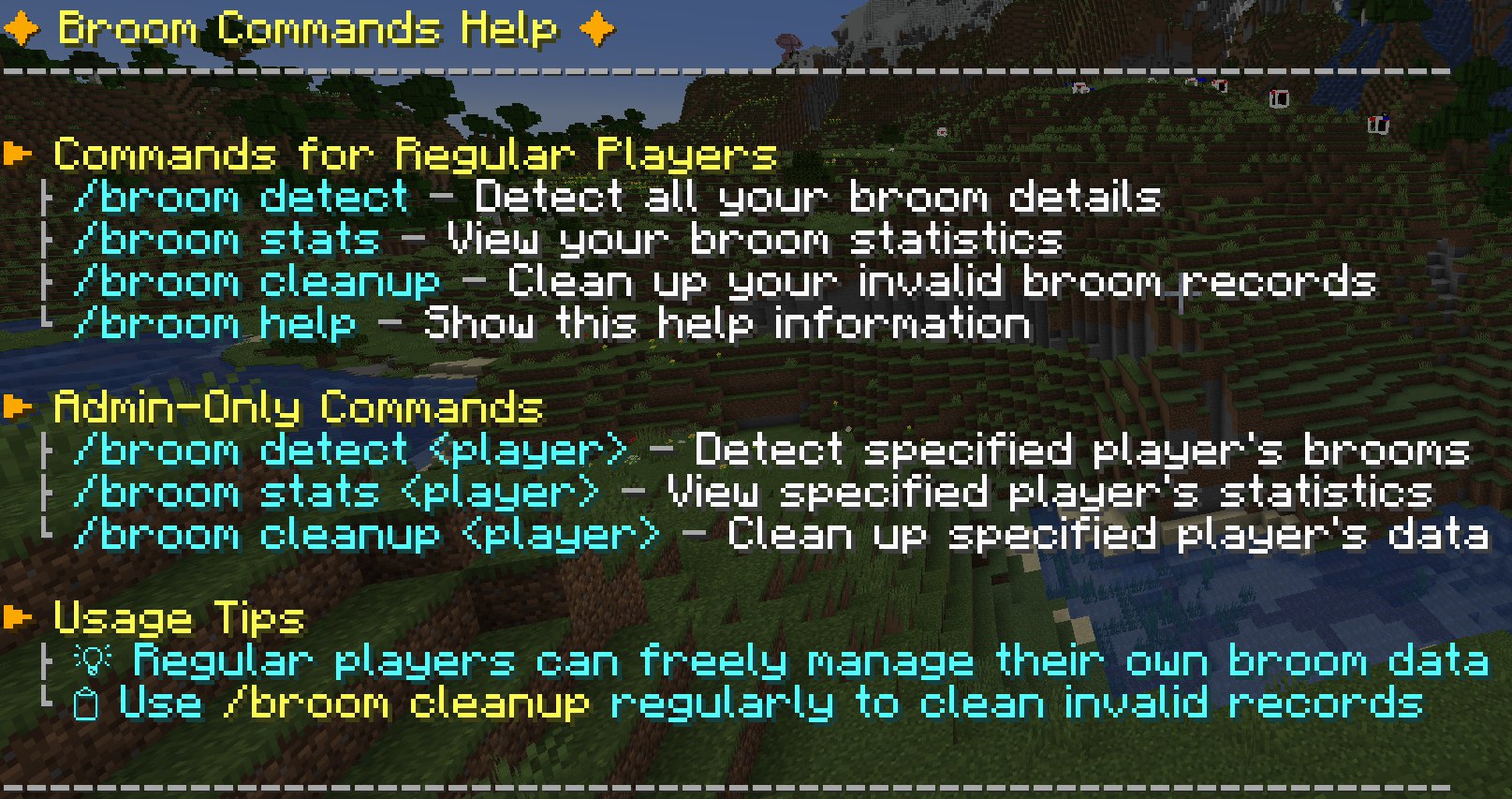 |
Chunk Loading Command Usage: /broom chunks add <lazy|ticking> <x> <z> [width] [height]
x and z are the chunk coordinates (not block coordinates, which are block_coordinate ÷ 16). x and z are required. w (width) and h (height) are optional; if omitted, only the single chunk at x, z will be targeted.
Running this command and its subcommands requires OP permissions.
After a server restart or game exit, the mod will automatically reload any previously set chunks upon startup.
| Command | Function |
|---|---|
/broom chunks add ... |
Adds chunks to the force-load list. Choose between lazy (weak loading) and ticking (strong loading). Re-adding a chunk will not change its type; you must use the del command first. |
/broom chunks del ... |
Removes chunks from the force-load list. Don't worry about errors; it will automatically skip chunks not loaded by this mod. |
/broom chunks list |
Lists all chunks currently being force-loaded by this mod in your current dimension. |
/broom chunks help |
Displays the help menu. |
A Quick Apology
My apologies! I rushed the initial release a bit, and as a result, versions 1.0.0 and 1.0.1 had some major bugs:
- The broom could not be retrieved in unloaded chunks.
- Riding data was not syncing correctly with the server.
These critical issues have now been fixed in version 1.0.2. Thank you for your patience! :)
Gallery
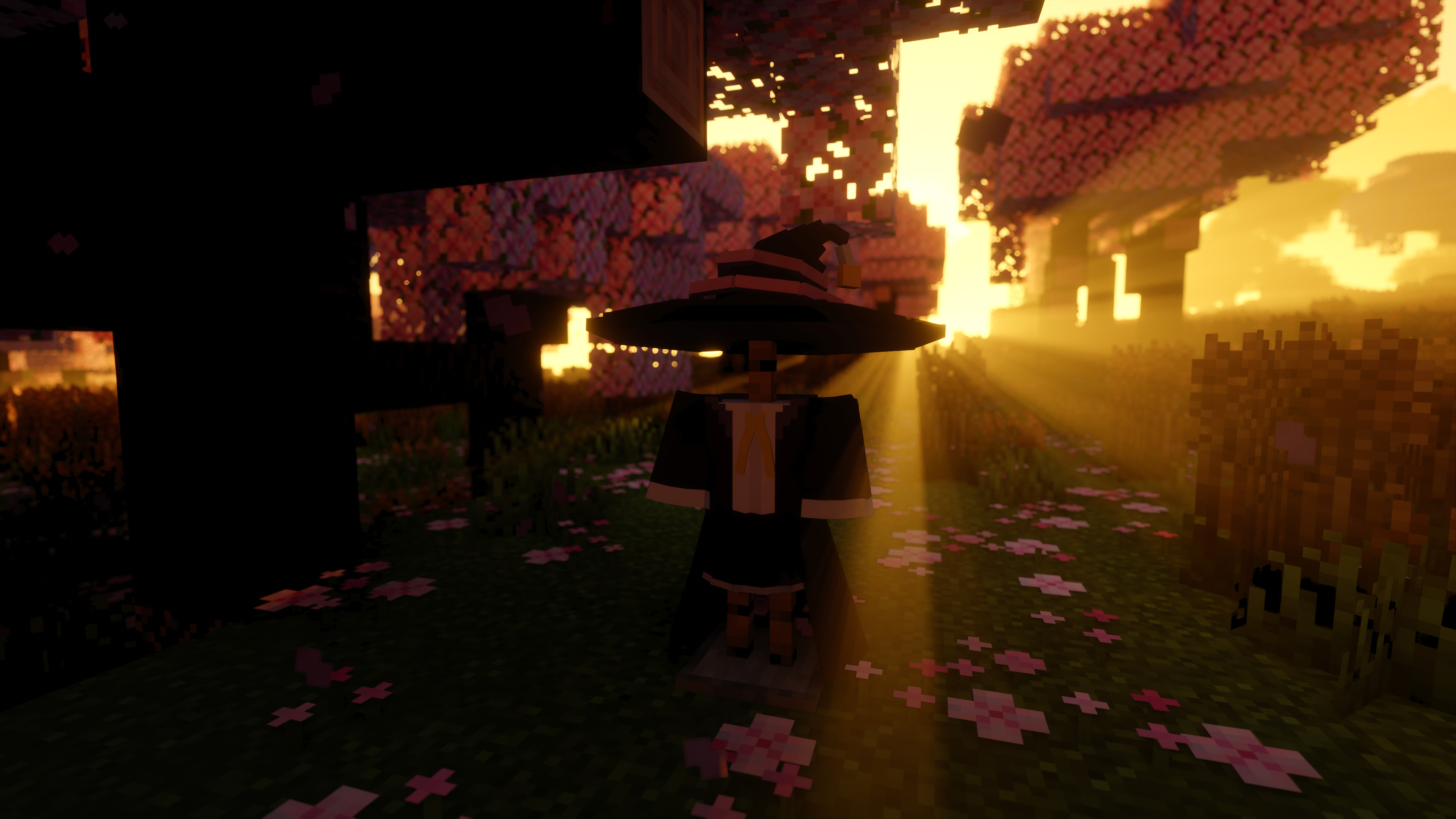
Project description from CurseForge.
Pick your setup
Ashen Witch Broom by Minecraft version and loader
Choose the version and loader you play, then open the matching release.
Check the dependencies, then try the file in a copied instance before changing a world you care about.
Recent files
Ashen Witch Broom versions and loaders
AshenWitchBroom-neoforge-1.21.1-1.0.2.jar
25 Oct 2025
Client Source doesn’t say Server Source doesn’t say Dependencies No extras listed Listed on Release listing
Check the 1.21.1 · NeoForge setup NeoForge1.21.1 release
AshenWitchBroom-neoforge-1.21.1-1.0.1.jar
18 Sept 2025
Client Source doesn’t say Server Source doesn’t say Dependencies No extras listed Listed on Release listing
Check the 1.21.1 · NeoForge setup NeoForge1.21.1 release
AshenWitchBroom-neoforge-1.21.1-1.0.0.jar
29 Aug 2025
Client Source doesn’t say Server Source doesn’t say Dependencies No extras listed Listed on Release listing
Check the 1.21.1 · NeoForge setup NeoForge1.21.1 release
Looking for an older file? The official CurseForge project page is in Resources.
 mod
CurseForge · Minecraft
Re:Magic - Yet another Magic System
A mod that adds Re:Zero Magic System to minecraft!
 mod
CurseForge · Minecraft
Re:Cecilus - Yet another Divine General
A mod that adds First Vollachian General, Cecilus Segmund's Swords, Murasame and Masayume alongside his abilities!
 mod
CurseForge · Minecraft
Re:Sloth - Yet another Sin Archbishop
A mod that adds Petelgeuse Romanee Conti's Authority of Sloth from Re:Zero!