Ex Nihilo Optional for Alan's Basalt Generator Basalt Generator-1.0.9-[MC1.7.10].jar
optionalNo matching file

CurseForge · Minecraft mod
Brings Basalt Generators to 1.7.10 for nether usage and compatibility for using Ex Nihilo in the nether.
Quick answer
Alan's Basalt Generator Basalt Generator-1.0.9-[MC1.7.10].jar targets 1.7.10 with Forge. The project page does not say whether this file belongs on the client, dedicated server, or both. 1 required mod needs a matching file.
Where it goes
The project page does not say whether this file belongs on the client, dedicated server, or both.
The source does not explicitly classify this release as client-only or server-only.
Basalt Generator-1.0.9-[MC1.7.10].jar. Change the file and its required mods may change too.
Install Netherlicious first, but 1 required mod has no matching file for this setup. Do not mix loader builds to force a match.
We only count dependency files that match this setup. A file for another loader does not fill the gap.
Before you install it
Built for Alan's Basalt Generator Basalt Generator-1.0.9-[MC1.7.10].jar. Pick another file and the loader, install side or required mods may change.
Use Basalt Generator-1.0.9-[MC1.7.10].jar. It targets 1.7.10 with Forge; another release may have different loader, side or dependency requirements.
Install Netherlicious first, but 1 required mod has no matching file for this setup. Do not mix loader builds to force a match.
The project page does not say whether this file belongs on the client, dedicated server, or both.
Use the “Get this file” button beside Basalt Generator-1.0.9-[MC1.7.10].jar. It opens that exact file at the source.
About this project
Alan's Basalt Generator brings Basalt Generators from 1.16 to 1.7.10 while adding compatibility and recipes to Ex Nihilo to be playable from starting in the Nether.
*Check out my other Mods here:
Alan's Bees - https://www.curseforge.com/minecraft/mc-mods/alans-bees
Back in Slime and Honey - https://www.curseforge.com/minecraft/mc-mods/back-in-slime-honey
youtube channel - https://youtu.be/0DgiIs-gya4
Alan's Basalt Generator has two required dependencies:
netherlicious-3.2.8 or higher (from creator DelirusCrux)
Either BlueIceV1.0 or higher (from creator SnowwyShiro) OR Et Futurum Requiem from Roadhog360 (can use both if you want aswell)
Optional Ex Nihilo support (will need these mods and the included .zs file for support):
Ex-Nihilo-1.38-53 or higher (from creator Erasmus_Crowley)
MineTweakerRecipeMaker-1.7.10-1.1.0.11 (from creator DoubleDoorDev) and it's dependcies CraftTweaker and ModTweaker shown below. - not version specific but this is the most up to date for 1.7.10
CraftTweaker-1.7.10-3.0.13 (from creator Jaredlll08) - not version specific but this is the most up to date for1.7.10
ModTweaker2-0.9.6 (from creator Jaredlll08) - not version specific but this is the most up to date for1.7.10
Recipes.zs file - If you've used Minetweaker before great! Copy and paste the code at the bottom of this description into a new .zs file in your .minecraft folder at the directory (scripts > MineTweakerRecipeMaker > scripts).
If you have no idea what I'm talking about watch my youtube setup tutorial here, (it's not difficult):
*NOTE: THESE RECIPES WILL NEED TO BE ADDED TO MINETWEAKER TO MAKE ITEMS/BLOCKS IN THIS MOD, AND NETHERLICIOUS, COMPATIBLE WITH EX NIHILO. DO NOT SKIP THIS STEP
Base Additions:
A new liquid similar to lava which is only placable in the Nether. when it flows into an air space with soul soil directly below it and a blue ice block somewhere adjacent to it, it will generate a Basalt block. (Basalt can be changed to another block in the config file)
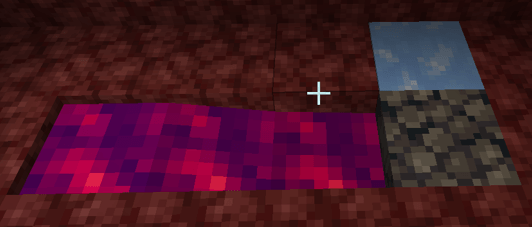
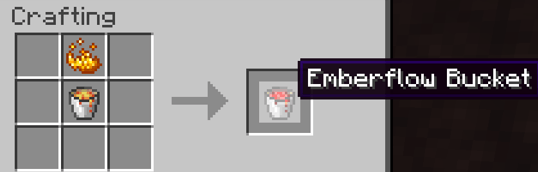
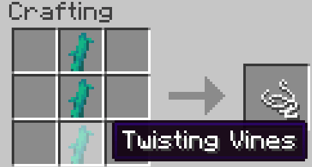
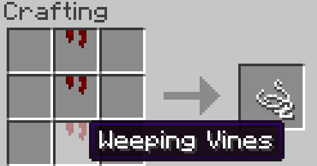
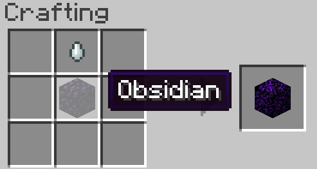
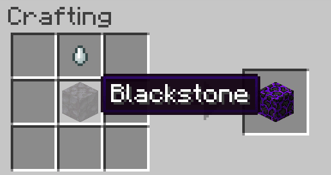
Obtain Spectral Dew by right clicking on either Crying Blackstone or Crying Obsidian with a vanilla Bucket.
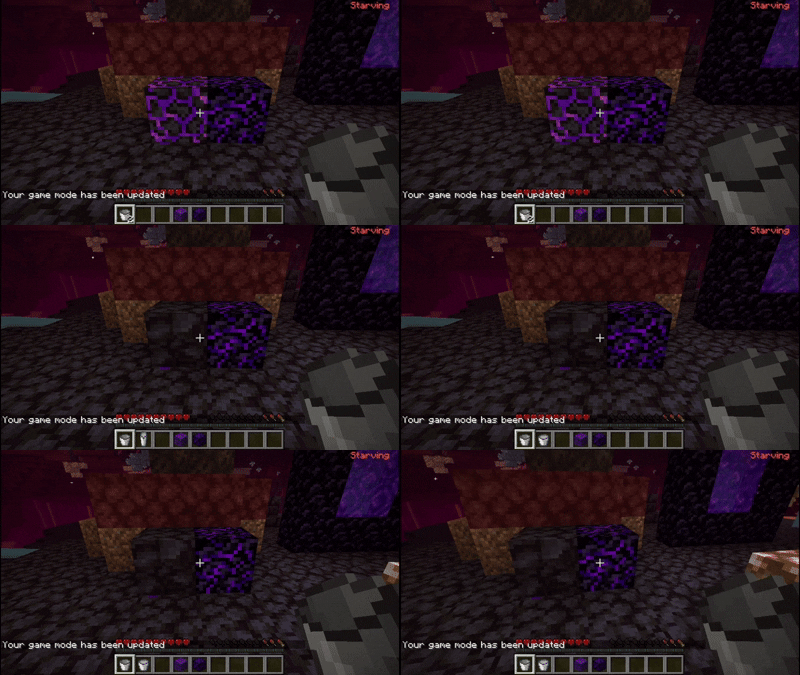
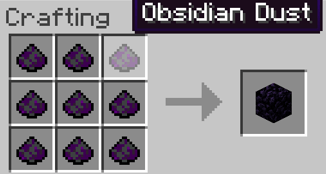
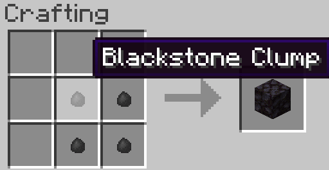
Blackstone recipe is added using my new item Blackstone clump.
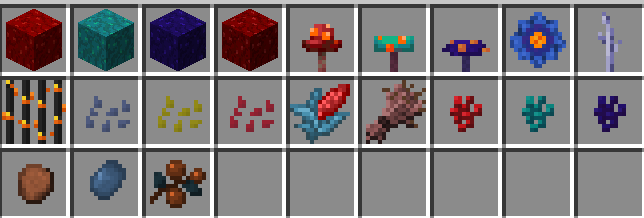
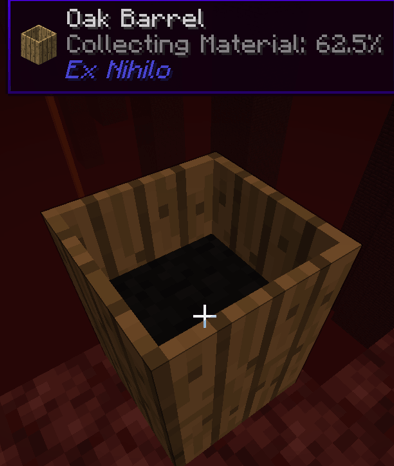
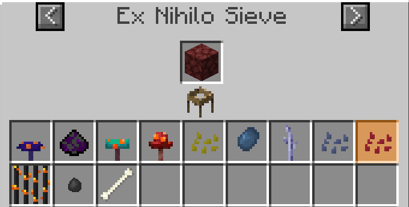
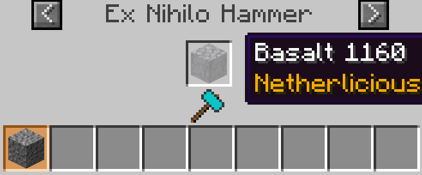
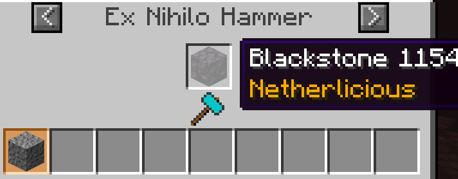
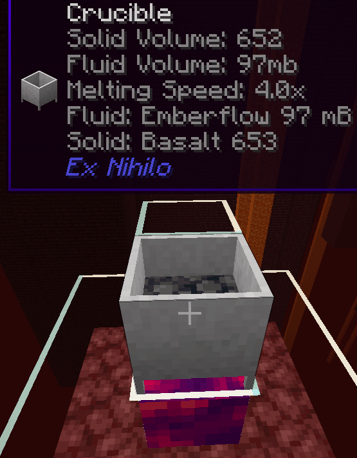
Ex Nihilo Compatibility Additons (These additions aim to make Ex Nihilo compatible with starting in the Nether and only work with Ex Nihilo loaded).
Disclaimer: this mod may be used in your modpacks but may not be directly monetized by itself or in part of any pack. Additionally, although you may copy and distribute the mod freely, it may not be modified without first receiving my permission. If you do monetize this mod despite this prohibiton I will not be held liable and you do so at your own risk.
Copy this into your Recipes.zs file
//RECIPES FOR BASALT GENERATOR MOD////////////////////////////////////////////////////////////////////////////
//Add shaped recipes
recipes.addShaped(<exnihilo:hammer_stone>, [[null, <ore:cobblestone>, null], [null, <ore:stickWood>, <ore:cobblestone>], [<ore:stickWood>, null, null]]);
recipes.addShaped(<exnihilo:hammer_stone>, [[null, <netherlicious:Blackstone>, null], [null, <ore:stickWood>, <netherlicious:Blackstone>], [<ore:stickWood>, null, null]]);
//add basaltgenmod:emberflow as a heatsource for the crucible
mods.exnihilo.Crucible.addHeatSource(<basaltgenmod:emberflow>, 0.4);
//add Blackstone and Basalt from netherlicious as blocks to make emberflow block in the crucible
mods.exnihilo.Crucible.addRecipe(<netherlicious:Blackstone>, <liquid:emberflow> * 250);
mods.exnihilo.Crucible.addRecipe(<netherlicious:Basalt>, <liquid:emberflow> * 250);
//Hammer: add recipes
mods.exnihilo.Hammer.addRecipe(<netherlicious:Basalt>, <minecraft:gravel>, 1.0, 0.0);
mods.exnihilo.Hammer.addRecipe(<netherlicious:Blackstone>, <minecraft:gravel>, 1.0, 0.0);
mods.exnihilo.Hammer.addRecipe(<minecraft:soul_sand>, <exnihilo:dust>, 1.0, 0.0);
//Composting using the Barrel additions
mods.exnihilo.Composting.addRecipe(<netherlicious:Wartblock>, 0.125, "4d5156");
mods.exnihilo.Composting.addRecipe(<netherlicious:Wartblock:1>, 0.125, "4d5156");
mods.exnihilo.Composting.addRecipe(<netherlicious:Wartblock:2>, 0.125, "4d5156");
mods.exnihilo.Composting.addRecipe(<netherlicious:Wartblock:3>, 0.125, "4d5156");
mods.exnihilo.Composting.addRecipe(<netherlicious:Fungus>, 0.125, "4d5156");
mods.exnihilo.Composting.addRecipe(<netherlicious:Fungus:1>, 0.125, "4d5156");
mods.exnihilo.Composting.addRecipe(<netherlicious:Fungus:2>, 0.125, "4d5156");
mods.exnihilo.Composting.addRecipe(<netherlicious:GloomHibiscus>, 0.1, "4d5156");
mods.exnihilo.Composting.addRecipe(<netherlicious:HellderBerryItem>, 0.1, "4d5156");
mods.exnihilo.Composting.addRecipe(<netherlicious:InfernalReedItem>, 0.1, "4d5156");
mods.exnihilo.Composting.addRecipe(<netherlicious:GhastlyGourdSeeds>, 0.1, "4d5156");
mods.exnihilo.Composting.addRecipe(<netherlicious:AbyssalOatSeeds>, 0.1, "4d5156");
mods.exnihilo.Composting.addRecipe(<netherlicious:DevilishMaizeItem>, 0.1, "4d5156");
mods.exnihilo.Composting.addRecipe(<netherlicious:AbyssalOatItem>, 0.1, "4d5156");
mods.exnihilo.Composting.addRecipe(<netherlicious:DevilishMaizeSeeds>, 0.1, "4d5156");
mods.exnihilo.Composting.addRecipe(<netherlicious:WartItem:2>, 0.1, "4d5156");
mods.exnihilo.Composting.addRecipe(<netherlicious:WartItem:1>, 0.1, "4d5156");
mods.exnihilo.Composting.addRecipe(<netherlicious:WartItem>, 0.1, "4d5156");
mods.exnihilo.Composting.addRecipe(<netherlicious:FungalTreat>, 0.1, "4d5156");
mods.exnihilo.Composting.addRecipe(<netherlicious:HellderBerrySeeds>, 0.1, "4d5156");
mods.exnihilo.Composting.addRecipe(<netherlicious:GhastlyGourdStem>, 0.1, "4d5156");
mods.exnihilo.Composting.addRecipe(<netherlicious:NetherFlowerShrub>, 0.1, "4d5156");
mods.exnihilo.Composting.addRecipe(<netherlicious:Roots:4>, 0.1, "4d5156");
mods.exnihilo.Composting.addRecipe(<netherlicious:Roots>, 0.1, "4d5156");
mods.exnihilo.Composting.addRecipe(<netherlicious:Roots:5>, 0.1, "4d5156");
mods.exnihilo.Composting.addRecipe(<netherlicious:CrimsonMoss>, 0.1, "4d5156");
mods.exnihilo.Composting.addRecipe(<netherlicious:Plants2:3>, 0.1, "4d5156");
mods.exnihilo.Composting.addRecipe(<netherlicious:GroundCover>, 0.1, "4d5156");
mods.exnihilo.Composting.addRecipe(<netherlicious:Plants2>, 0.1, "4d5156");
mods.exnihilo.Composting.addRecipe(<netherlicious:Roots:3>, 0.1, "4d5156");
mods.exnihilo.Composting.addRecipe(<netherlicious:NetherFlowerShrub:1>, 0.1, "4d5156");
mods.exnihilo.Composting.addRecipe(<netherlicious:Roots:2>, 0.1, "4d5156");
mods.exnihilo.Composting.addRecipe(<netherlicious:WeepingVines>, 0.1, "4d5156");
mods.exnihilo.Composting.addRecipe(<netherlicious:TwistingVines>, 0.1, "4d5156");
mods.exnihilo.Composting.addRecipe(<netherlicious:Roots:14>, 0.1, "4d5156");
mods.exnihilo.Composting.addRecipe(<netherlicious:Plants2:1>, 0.1, "4d5156");
mods.exnihilo.Composting.addRecipe(<netherlicious:Roots:9>, 0.1, "4d5156");
mods.exnihilo.Composting.addRecipe(<netherlicious:Roots:6>, 0.1, "4d5156");
mods.exnihilo.Composting.addRecipe(<netherlicious:Roots:7>, 0.1, "4d5156");
mods.exnihilo.Composting.addRecipe(<netherlicious:NetherFlowerShrub:3>, 0.1, "4d5156");
mods.exnihilo.Composting.addRecipe(<netherlicious:Roots:8>, 0.1, "4d5156");
mods.exnihilo.Composting.addRecipe(<netherlicious:Plants2:4>, 0.1, "4d5156");
mods.exnihilo.Composting.addRecipe(<netherlicious:Roots:1>, 0.1, "4d5156");
mods.exnihilo.Composting.addRecipe(<netherlicious:WarpedMoss>, 0.1, "4d5156");
mods.exnihilo.Composting.addRecipe(<netherlicious:Fungus:1>, 0.1, "4d5156");
mods.exnihilo.Composting.addRecipe(<netherlicious:NetherFlowerShrub:2>, 0.1, "4d5156");
mods.exnihilo.Composting.addRecipe(<netherlicious:GroundCover:1>, 0.1, "4d5156");
mods.exnihilo.Composting.addRecipe(<netherlicious:Plants2:2>, 0.1, "4d5156");
mods.exnihilo.Composting.addRecipe(<netherlicious:FoxfireLily>, 0.1, "4d5156");
mods.exnihilo.Composting.addRecipe(<netherlicious:Plants2:5>, 0.1, "4d5156");
mods.exnihilo.Composting.addRecipe(<netherlicious:FoxfireMoss>, 0.1, "4d5156");
mods.exnihilo.Composting.addRecipe(<netherlicious:Plants:1>, 0.1, "4d5156");
mods.exnihilo.Composting.addRecipe(<netherlicious:Plants>, 0.1, "4d5156");
mods.exnihilo.Composting.addRecipe(<netherlicious:Roots:11>, 0.1, "4d5156");
mods.exnihilo.Composting.addRecipe(<netherlicious:GloomHibiscus>, 0.1, "4d5156");
mods.exnihilo.Composting.addRecipe(<netherlicious:Roots:10>, 0.1, "4d5156");
mods.exnihilo.Composting.addRecipe(<netherlicious:GroundCover:2>, 0.1, "4d5156");
mods.exnihilo.Composting.addRecipe(<netherlicious:Roots:12>, 0.1, "4d5156");
mods.exnihilo.Composting.addRecipe(<netherlicious:Fungus:2>, 0.1, "4d5156");
//Sieve Recipe additions
mods.exnihilo.Sieve.addRecipe(<minecraft:netherrack>, <netherlicious:Fungus>, 50);
mods.exnihilo.Sieve.addRecipe(<minecraft:netherrack>, <netherlicious:Fungus:1>, 50);
mods.exnihilo.Sieve.addRecipe(<minecraft:netherrack>, <netherlicious:Fungus:2>, 50);
mods.exnihilo.Sieve.addRecipe(<minecraft:netherrack>, <netherlicious:InfernalReed>, 50);
mods.exnihilo.Sieve.addRecipe(<minecraft:netherrack>, <netherlicious:GhastlyGourdSeeds>, 50);
mods.exnihilo.Sieve.addRecipe(<minecraft:netherrack>, <netherlicious:AbyssalOatSeeds>, 50);
mods.exnihilo.Sieve.addRecipe(<minecraft:netherrack>, <netherlicious:DevilishMaize Seeds>, 50);
mods.exnihilo.Sieve.addRecipe(<minecraft:netherrack>, <netherlicious:HellderBerrySeeds>, 50);
mods.exnihilo.Sieve.addRecipe(<minecraft:netherrack>, <netherlicious:GhastlyGourdStem>, 50);
mods.exnihilo.Sieve.addRecipe(<minecraft:netherrack>, <minecraft:bone>, 10);
mods.exnihilo.Sieve.addRecipe(<minecraft:netherrack>, <basaltgenmod:obsidian_dust>, 50);
mods.exnihilo.Sieve.addRecipe(<minecraft:netherrack>, <basaltgenmod:blackstone_clump>, 1);
Project description from CurseForge.
Pick your setup
Choose the version and loader you play, then open the matching release.
Check the dependencies, then try the file in a copied instance before changing a world you care about.
Recent files
18 Apr 2026
6 Dec 2025
2 Nov 2025
3 Sept 2025
Looking for an older file? The official CurseForge project page is in Resources.