Better Zombie Ai Optional for The Pocketaverse - Pocket dimensions pocketdimentions-10.1-neoforge-1.21.5.jar
optionalNo matching file
CurseForge · Minecraft mod
This mod adds a way to create and go to pocket dimensions to provide more space ,add some extra exploration & imprisoning people :)
Quick answer
The Pocketaverse - Pocket dimensions pocketdimentions-10.1-neoforge-1.21.5.jar targets 1.21.5 with Forge, NeoForge. The project page does not say whether this file belongs on the client, dedicated server, or both. No extra mods listed for this file.
Where it goes
The project page does not say whether this file belongs on the client, dedicated server, or both.
The source does not explicitly classify this release as client-only or server-only.
pocketdimentions-10.1-neoforge-1.21.5.jar. Change the file and its required mods may change too.
This file does not list any required mods. Do not add a library just because a different file uses it.
We only count dependency files that match this setup. A file for another loader does not fill the gap.
Before you install it
Built for The Pocketaverse - Pocket dimensions pocketdimentions-10.1-neoforge-1.21.5.jar. Pick another file and the loader, install side or required mods may change.
Use pocketdimentions-10.1-neoforge-1.21.5.jar. It targets 1.21.5 with Forge, NeoForge; another release may have different loader, side or dependency requirements.
This file does not list any required mods. Do not add a library just because a different file uses it.
The project page does not say whether this file belongs on the client, dedicated server, or both.
Use the “Get this file” button beside pocketdimentions-10.1-neoforge-1.21.5.jar. It opens that exact file at the source.
About this project
Have you ever wanted more space, your own dimension or an easy way of imprisonment?
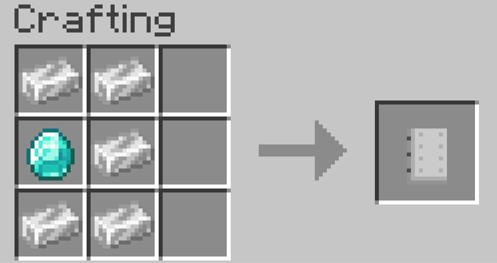
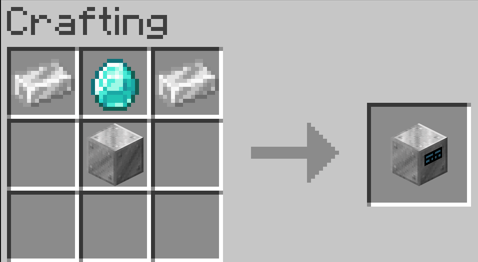
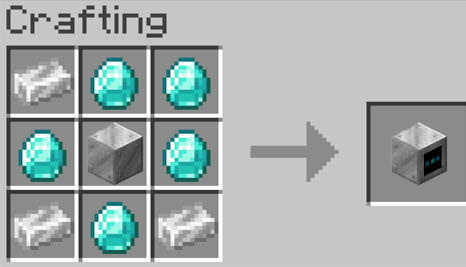
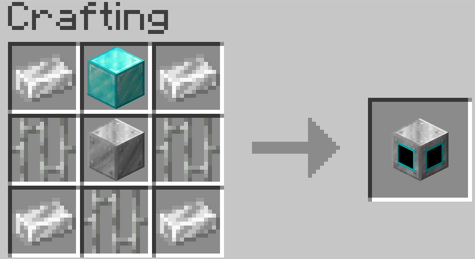
As you can see here, this is the basic setup only requiring a dimensional doorway, dimensional doorway confiurer, as well as a dimensional (The trapdoor is not nessary)
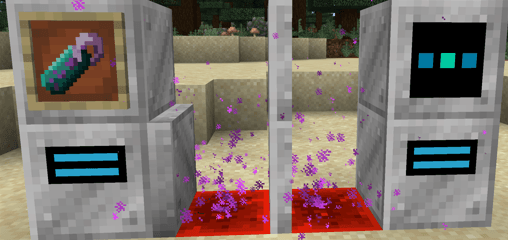
All crafting recipes:
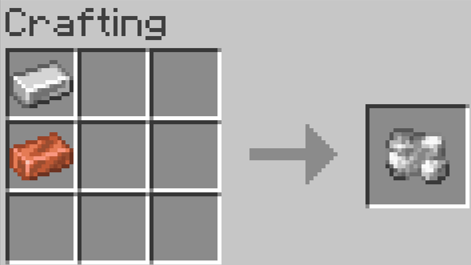
Raw Copper-iron alloy is made from iron and copper:
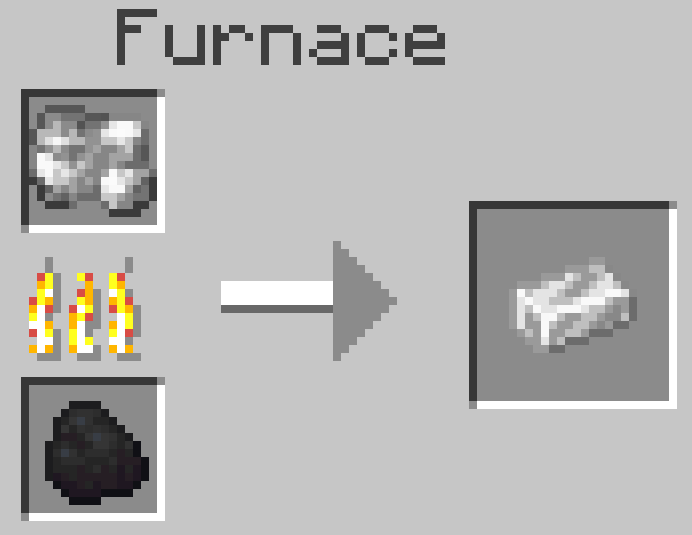
It then can be processed in a furnace or blast furnace:
Recipes:
Dimensional doorway:
Dimensional doorway configurer:
Dimensional creator:
As well as:
The Forceload block:
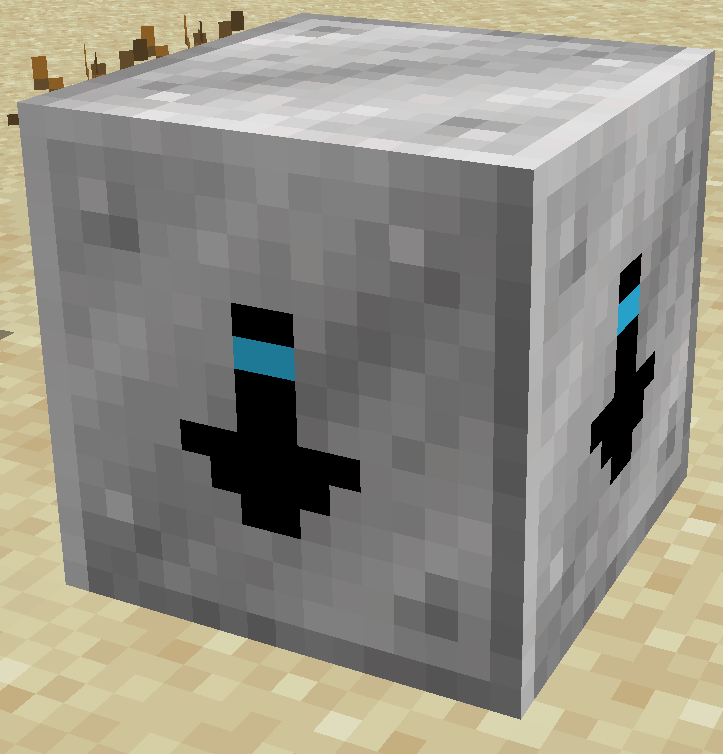
This block (While in a pocket dimension), automatically loads the chunks for you even when your not in the dimension.
Recipe:
Forceloader:
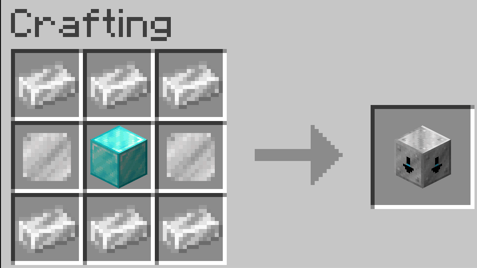
Dimensional Trapdoor:
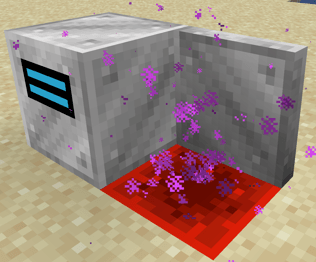
This acts a entrance to a pocket dimensional, working exactly like a dimensional doorway, except it cannot work as a exit to one
Recipe:
Dimensional Trapdoor:
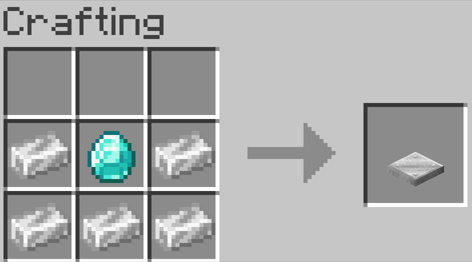
Dimensional Spawner:
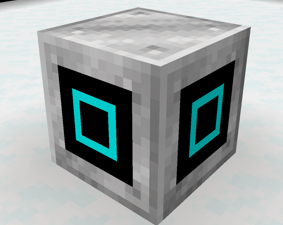
This spawns mobs inside of your pocket dimension with a (limit of 20 animals & 30 mobs) (The more that are placed increases spawn rates)
Recipe:
Dimensional Spawner:
Dimensional doorway and trapdoor varients:
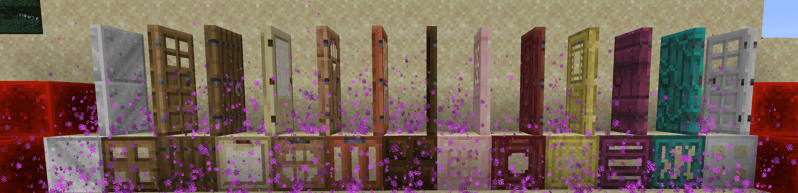
Recipes:
They are each crafted with any varient and your wanted door type
e.g. Normal dimensional doorway + Oak door = Oak dimensional doorway
Dimensional remote:
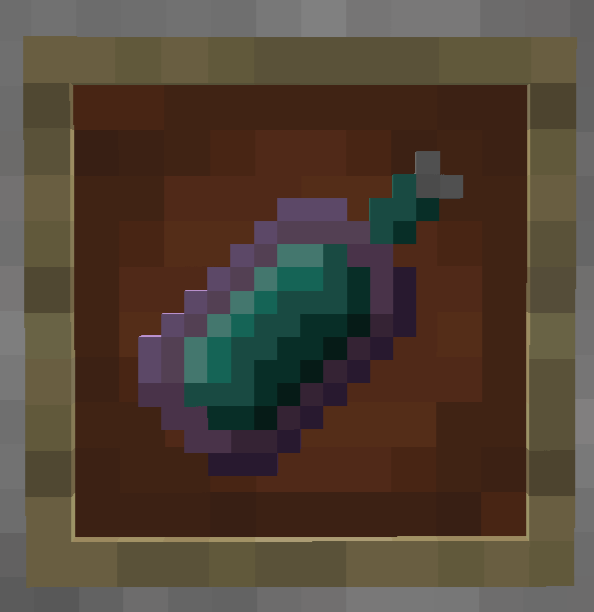
This item can be used on configurered doors to set a prioity exit (So you will always exit through the selected door)
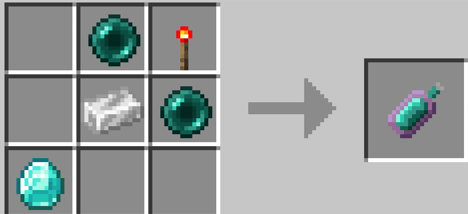
Recipe:
Dimensional remote:
In order to create & goto your dimension you must first craft all these componates and addtionally a size and biome template;
Sizes:
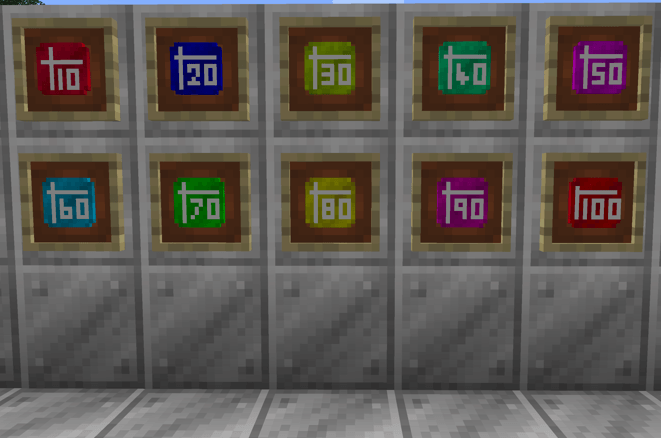
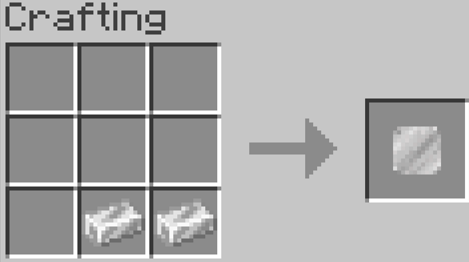
Recipes:
Blank template:
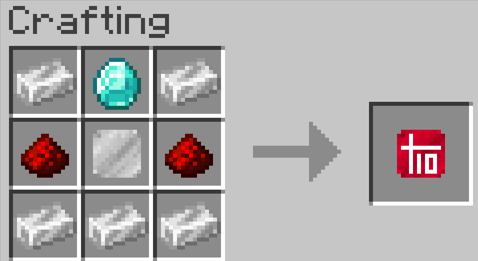
10 x 10 template:
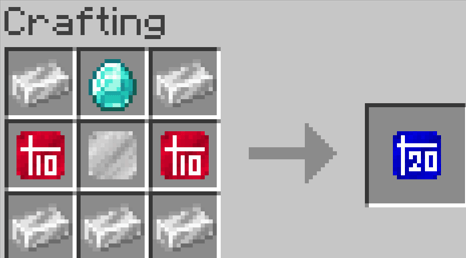
20 x 20 template:
30 x 30 template:
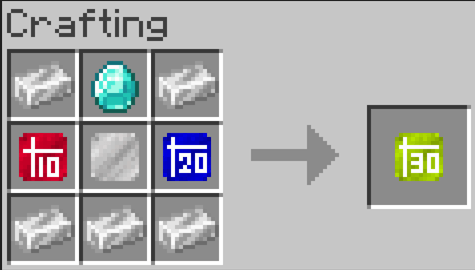
40 x 40 template:

50 x 50 template:
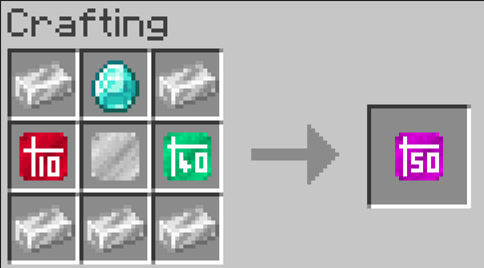
60 x 60 template:
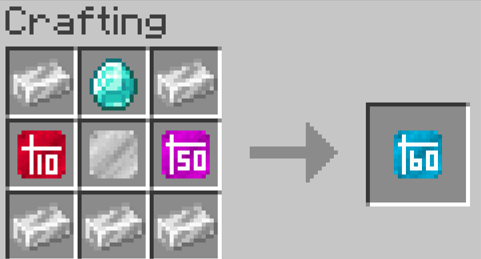
70 x 70 template:
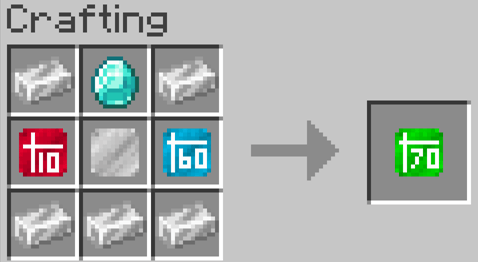
80 x 80 template:
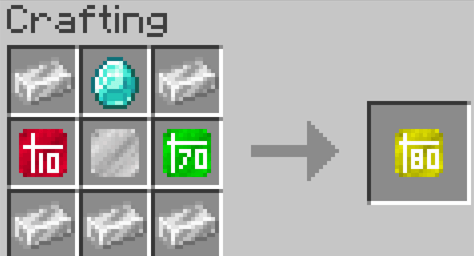
90 x 90 template:
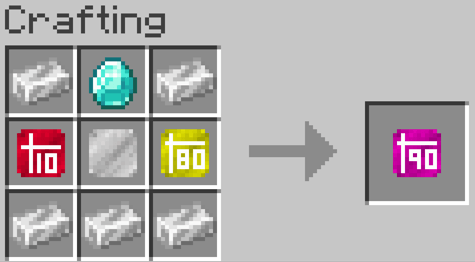
100 x 100 template:
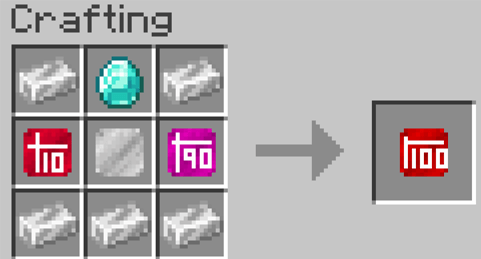
Biomes:
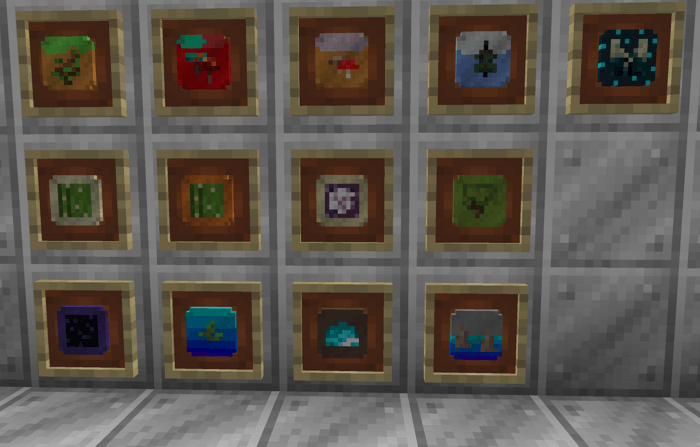
Recipes:
Blank template:
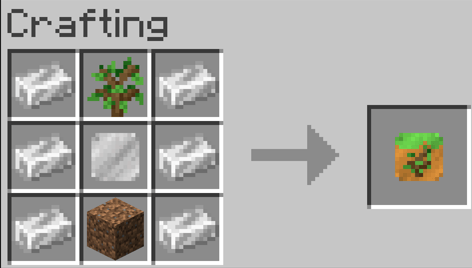
Plains template:
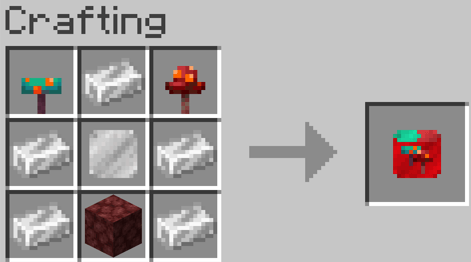
Nether forrests template:
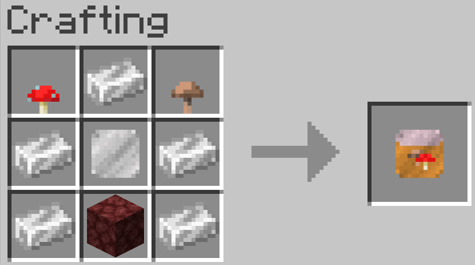
Mushroom template:
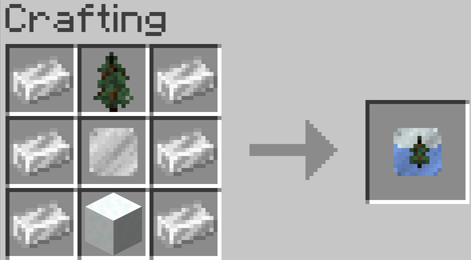
Ice and snow template:
Desert template:
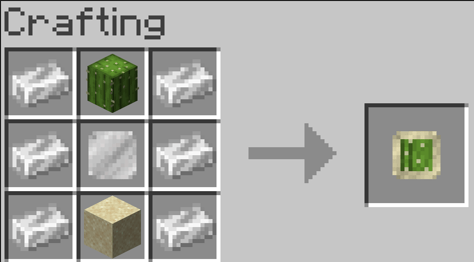
Red desert template:
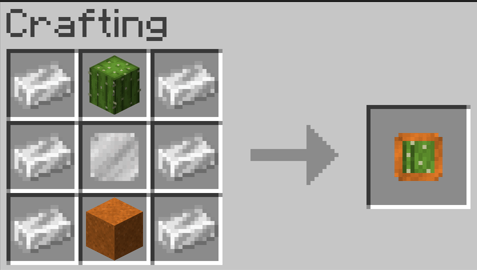
End template:
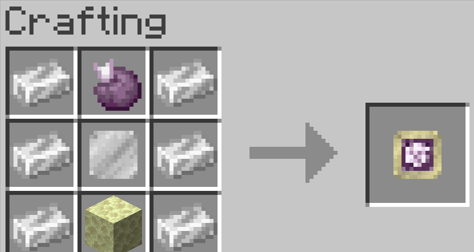
Moss template:
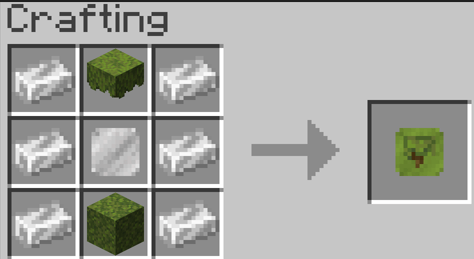
Obsidian Prison template:
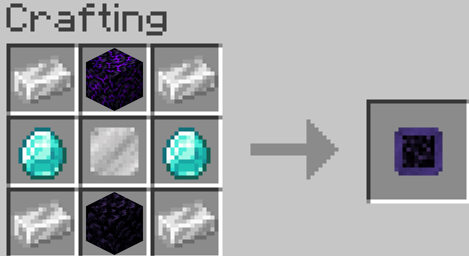
Ocean template:
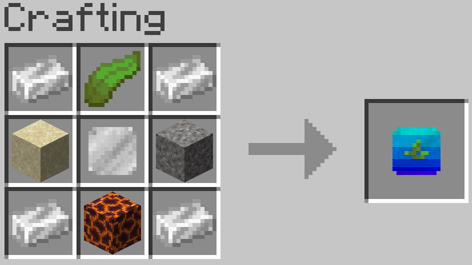
Soul Sand Vally template:
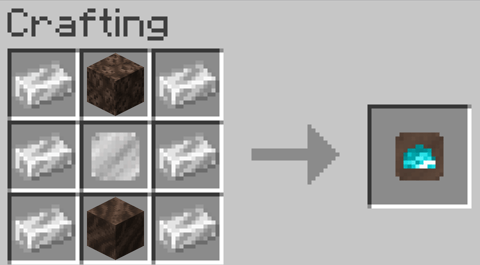
Dripstone template:
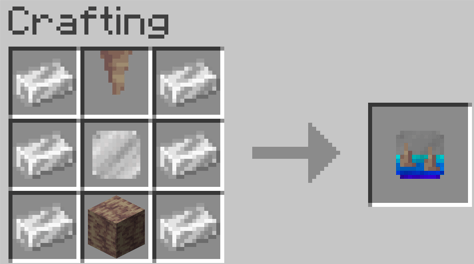
Sculk template:
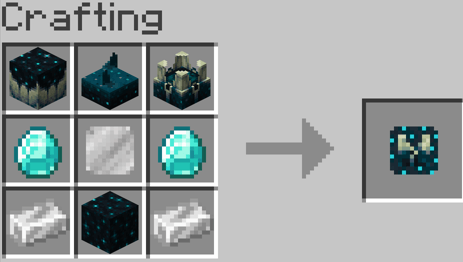
To create a pocket dimension simply add a size and biome template:
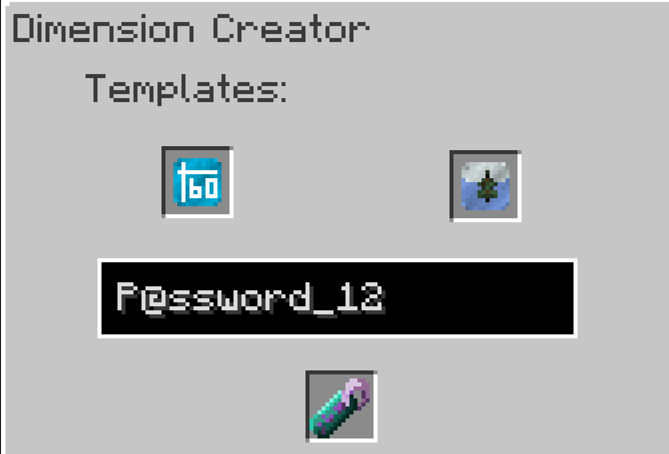
Remove the created pocket dimension tag, (look at it's Dimensional address and password.)
Next enter into a Dimensional doorway configurer (Next to a dimensional doorway) then either enter the dimensional address & password or add the tag item
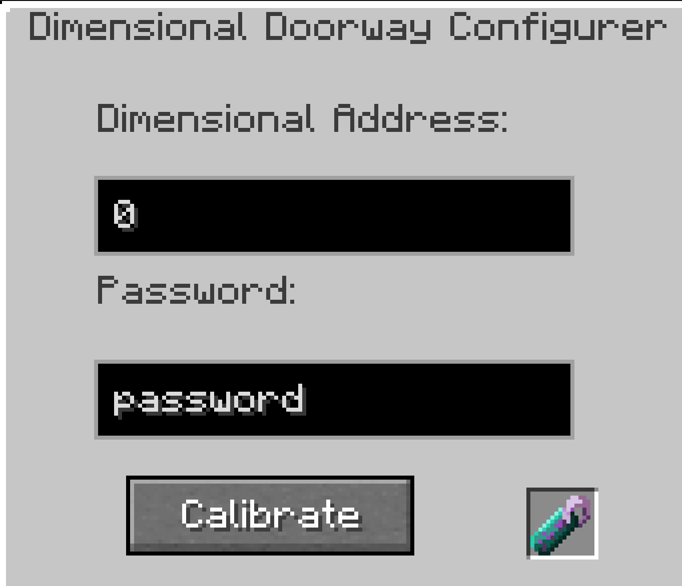
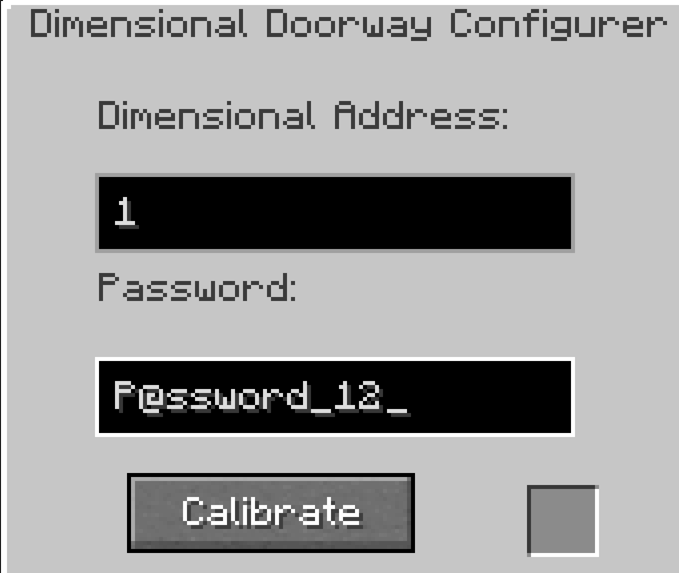
Then press "Calibrate" button
Finally power (With redstone) and step into the dimensional doorway (or trapdoor) to enter your dimension
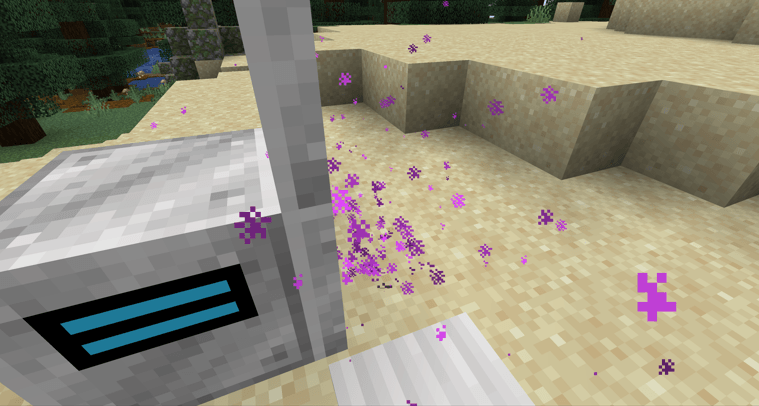
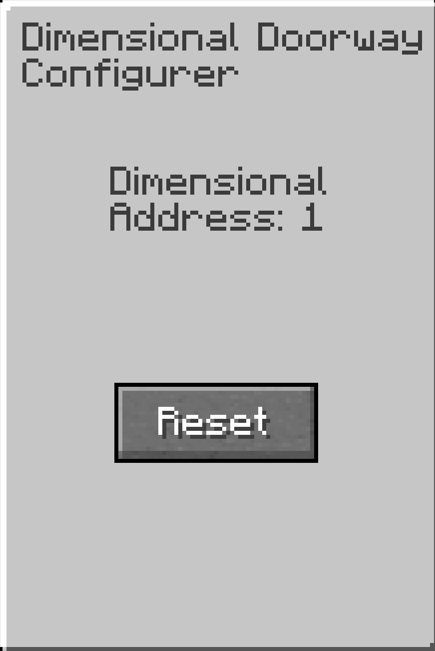
To reset a doorway, click on the dimensional doorway manager and press the "Reset" button, or use a new dimensional doorway manager:
Tips:
Extra:
If you are a fan of my work and want me to continue updates and support for all of my mods
Consider supporting me on my pateron (£1 - £3 per month)
Project description from CurseForge.
Pick your setup
Choose the version and loader you play, then open the matching release.
Check the dependencies, then try the file in a copied instance before changing a world you care about.
Recent files
27 Jan 2026
25 Dec 2025
25 Dec 2025
25 Dec 2025
25 Dec 2025
25 Dec 2025
25 Dec 2025
25 Dec 2025
3 Nov 2025
3 Nov 2025
3 Nov 2025
3 Nov 2025
Looking for an older file? The official CurseForge project page is in Resources.
 mod
Adds a new dimension, end game tools, and a portal link mechanic for end-game fast travel.
 mod
Required on both client and server — the server owns the slot data and the client draws the panels, so it genuinely needs both sides.
 mod
RDPL - Resource and Datapack loading to a new level. Run the same packs on any supported version of Minecraft. Restoring JOY back to Modpack building! The API that should have been. By MCT.