Minecraft version
Back to mods 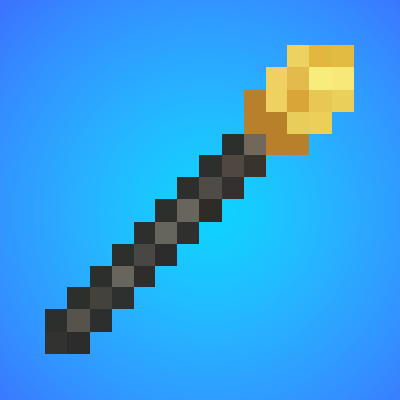
CurseForge · Minecraft mod
Build Buddy
Swap blocks instantly, copy & paste builds with ease, paint custom trails, fill holes automatically, and sculpt terrain naturally. Build Buddy puts powerful creative tools at your fingertips with simple controls and undo support.
Choose a version Pick your version below, then grab the matching file.
Quick answer
Which Build Buddy release matches Fabric?
Best match for your filters build-buddy-fabric-1.0.5.jar
Game version 1.20.1
Loader Fabric
Build Buddy build-buddy-fabric-1.0.5.jar targets 1.20.1 with Fabric. The project page does not say whether this file belongs on the client, dedicated server, or both. No extra mods listed for this file.
Where it goes
Is Build Buddy required on the client, server, or both?
The project page does not say whether this file belongs on the client, dedicated server, or both.
Client Source doesn’t say
Dedicated server Source doesn’t say
Loader for this release Fabric
Required install it here Optional supported, not mandatory Not supported do not install here Source doesn’t say do not assume
The source does not explicitly classify this release as client-only or server-only.
What else does Build Buddy build-buddy-fabric-1.0.5.jar need?
build-buddy-fabric-1.0.5.jar on Fabric. Every mod below is checked against that same setup.
This file does not list any required mods. Do not add a library just because a different file uses it.
This file does not list any required or optional mods.
Before you install it
Add Build Buddy without breaking your instance.
Built for Build Buddy build-buddy-fabric-1.0.5.jar on Fabric. Pick another file and the loader, install side or required mods may change.
- 01
Stick to this file
Use build-buddy-fabric-1.0.5.jar. It targets 1.20.1 with Fabric; another release may have different loader, side or dependency requirements.
- 02
Bring the mods it needs
This file does not list any required mods. Do not add a library just because a different file uses it.
- 03
Put it on the correct side
The project page does not say whether this file belongs on the client, dedicated server, or both.
- 04
Pick the file you checked
Use the “Get this file” button beside build-buddy-fabric-1.0.5.jar. It opens that exact file at the source.
About this project
What does Build Buddy add?
Build Buddy - Creative Tools for Minecraft Builders
Transform your Minecraft world with powerful, easy-to-use creative tools designed for builders and map makers!
Featured Tools:
Build Buddy Wand - Copy & Paste Made Easy
Select areas with two clicks copy, paste, rotate, and flip structures instantly. Visually preview before placing. Save and load schematics for later use.
Trail Buddy - Paint Custom Paths
Draw paths as you walk with multiple block types. Adjust trail width from 1-20 blocks on the fly. Mix blocks with custom percentages for natural variation. Hold-to-paint mode for smooth path creation.
Block Swapper - Instant Block Replacement
Replace all connected blocks with one click. Smart detection preserves block orientation. (stairs, slabs, etc.) Toggle between single block and adjacent mod.e Quick swap with remembered selections.
Land Buddy - Natural Terrain Sculpting
Raise or lower terrain with natural falloff. Creates smooth hills and valleys. Adjustable radius for different scales. Works with existing terrain for realistic results.
Hole Buddy - Smart Hole Filling
Automatically detects and fills holes. Analyzes surrounding blocks to match terrain. One-click solution for fixing creeper damage. Intelligent depth detection.
Smooth Buddy - Terrain Smoothing
Smooths rough terrain into natural curves. Perfect for blending builds with landscape. Adjustable intensity and radius. Preserves overall terrain shape.
Key Features
Universal Undo System - Ctrl/Cmd+Z works with every tool
- Visual Previews - See changes before you place them in the world
- Full multiplayer support
- Smart easy-to-use keybinds
- Intuitive GUI's
Simple Controls
Right-click to use tools. Shift for alternate functions. Arrow keys to adjust sizes G for quick settings Ctrl/Cmd+Z to undo.
Perfect for creative builders, server admins, and anyone who wants to build faster and smarter in Minecraft!
Project description from CurseForge.
Pick your setup
Build Buddy by Minecraft version and loader
Choose the version and loader you play, then open the matching release.
Check the dependencies, then try the file in a copied instance before changing a world you care about.
Recent files
Build Buddy versions and loaders
build-buddy-fabric-1.0.5.jar
build-buddy-1.0.5.jar
8 Oct 2025
Client Source doesn’t say Server Source doesn’t say Dependencies No extras listed Listed on Release listing
Check the 1.20.1 · Fabric setup Fabric1.20.1 release
build-buddy-fabric-1.0.4.jar
build-buddy-1.0.4.jar
7 Oct 2025
Client Source doesn’t say Server Source doesn’t say Dependencies No extras listed Listed on Release listing
Check the 1.20.1 · Fabric setup Fabric1.20.1 release
Looking for an older file? The official CurseForge project page is in Resources.
 mod
CurseForge + Modrinth · Minecraft
Adventure Item Names
Unique names for weapons, tools, armour and items found throughout your world.
 mod
CurseForge · Minecraft
Shuu's Hit/Damage Indicator
Adds a damage indicator to Minecraft; when you take damage, it will show you the relative location to where the enemy was when they hit you.
 mod
CurseForge · Minecraft
Quark Woven
Small things that make Minecraft better, bit by bit: an unofficial Fabric port of Quark for 1.20.1.