
Minecraft version
Back to mods 
CurseForge · Minecraft mod
MineTube
Adds music to your Minecraft world using YouTube. Set up location + range and choose whether you want proximity or stable volume based on the chosen setup location.
Choose a version Pick your version below, then grab the matching file.
Quick answer
Which MineTube release should I use?
Latest stable file minetube-fabric-1.4.0+1.20.1.jar
Game version 1.20.1
Loader Fabric
minetube-fabric-1.4.0+1.20.1.jar targets 1.20.1 with Fabric. The project page does not say whether this file belongs on the client, dedicated server, or both. No extra mods listed for this file.
Where it goes
Is MineTube required on the client, server, or both?
The project page does not say whether this file belongs on the client, dedicated server, or both.
Client Source doesn’t say
Dedicated server Source doesn’t say
Loader for this release Fabric
Required install it here Optional supported, not mandatory Not supported do not install here Source doesn’t say do not assume
The source does not explicitly classify this release as client-only or server-only.
What else does minetube-fabric-1.4.0+1.20.1.jar need?
minetube-fabric-1.4.0+1.20.1.jar. Change the file and its required mods may change too.
This file does not list any required mods. Do not add a library just because a different file uses it.
This file does not list any required or optional mods.
Before you install it
Add MineTube without breaking your instance.
Built for minetube-fabric-1.4.0+1.20.1.jar. Pick another file and the loader, install side or required mods may change.
- 01
Stick to this file
Use minetube-fabric-1.4.0+1.20.1.jar. It targets 1.20.1 with Fabric; another release may have different loader, side or dependency requirements.
- 02
Bring the mods it needs
This file does not list any required mods. Do not add a library just because a different file uses it.
- 03
Put it on the correct side
The project page does not say whether this file belongs on the client, dedicated server, or both.
- 04
Pick the file you checked
Use the “Get this file” button beside minetube-fabric-1.4.0+1.20.1.jar. It opens that exact file at the source.
About this project
What does MineTube add?
 About
MineTube is a lightweight music integration mod that lets you create custom music zones inside your Minecraft world. Place invisible "zones" in any dimension or coordinates, and when you enter the area, music from YouTube will automatically start playing on the MineTube dashboard.
🎵 Features
- Create unlimited music zones with a custom name, position, radius, and custom song.
- Works with YouTube videos/playlists and livestreams/radio.
- Support for all dimensions, including Nether, End, and modded dimensions.
- Adjustable volume with the ability to set either dynamic volume based on location or stable volume.
- Real-time player position tracking via an integrated web server with no extra setup or dependencies.
- Works on both singleplayer and multiplayer (client-side setup)
- Ability to export/import profiles using the code generation feature or exporting the profile.
- Works with almost all mods and has the ability to work in most vanilla servers using the fabric version.
- Adjustable theme for the MineTube web client to match the mood.
⚠️How to use
MineTube is completely standalone—no external dependencies required. Simply install the mod on a supported mod loader (currently Neoforge or Fabric), launch your game, and enter /minetube in chat. You’ll receive a clickable link that opens the MineTube web dashboard, where you can easily manage and customize all of the mod’s features.
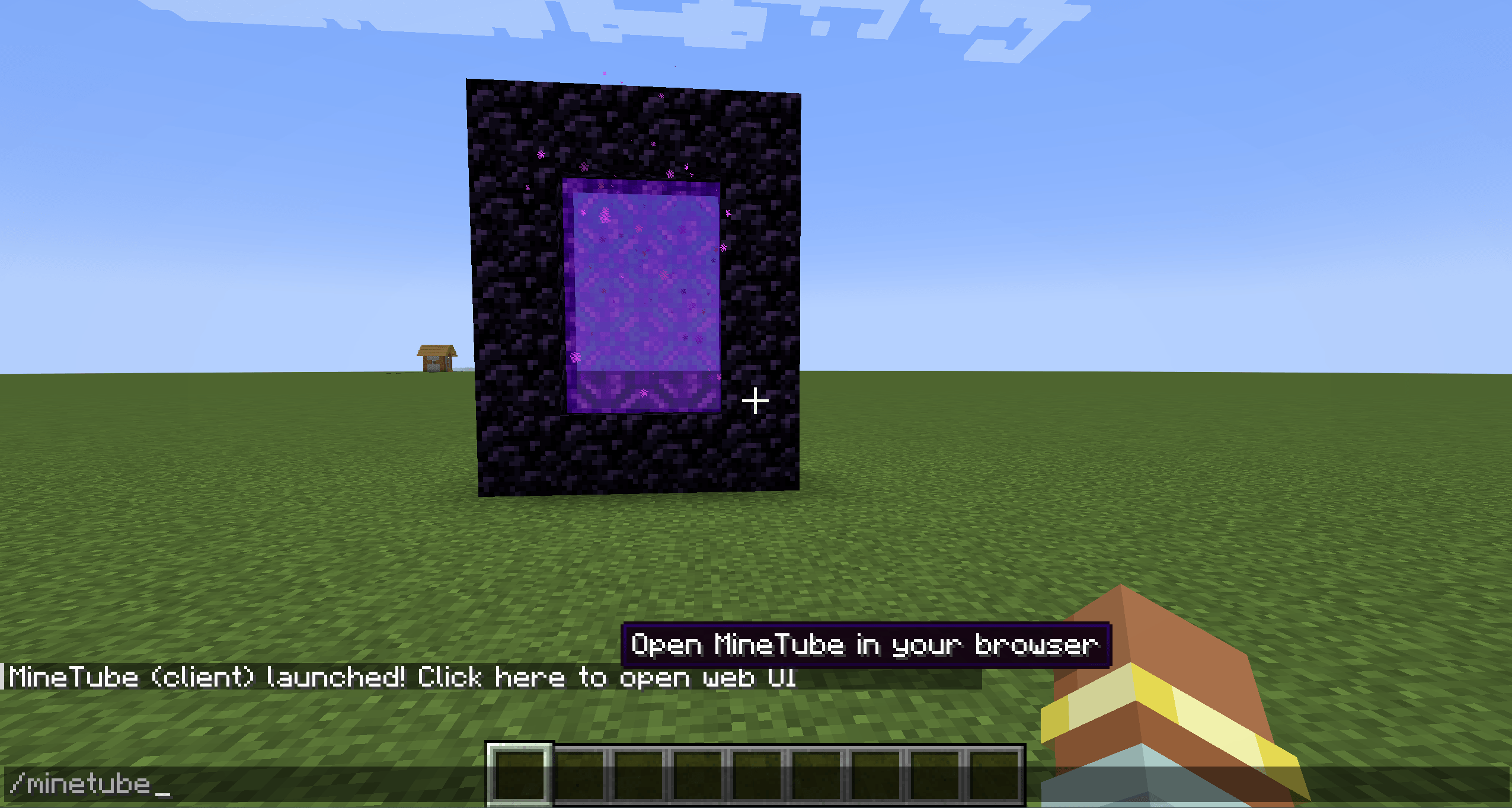
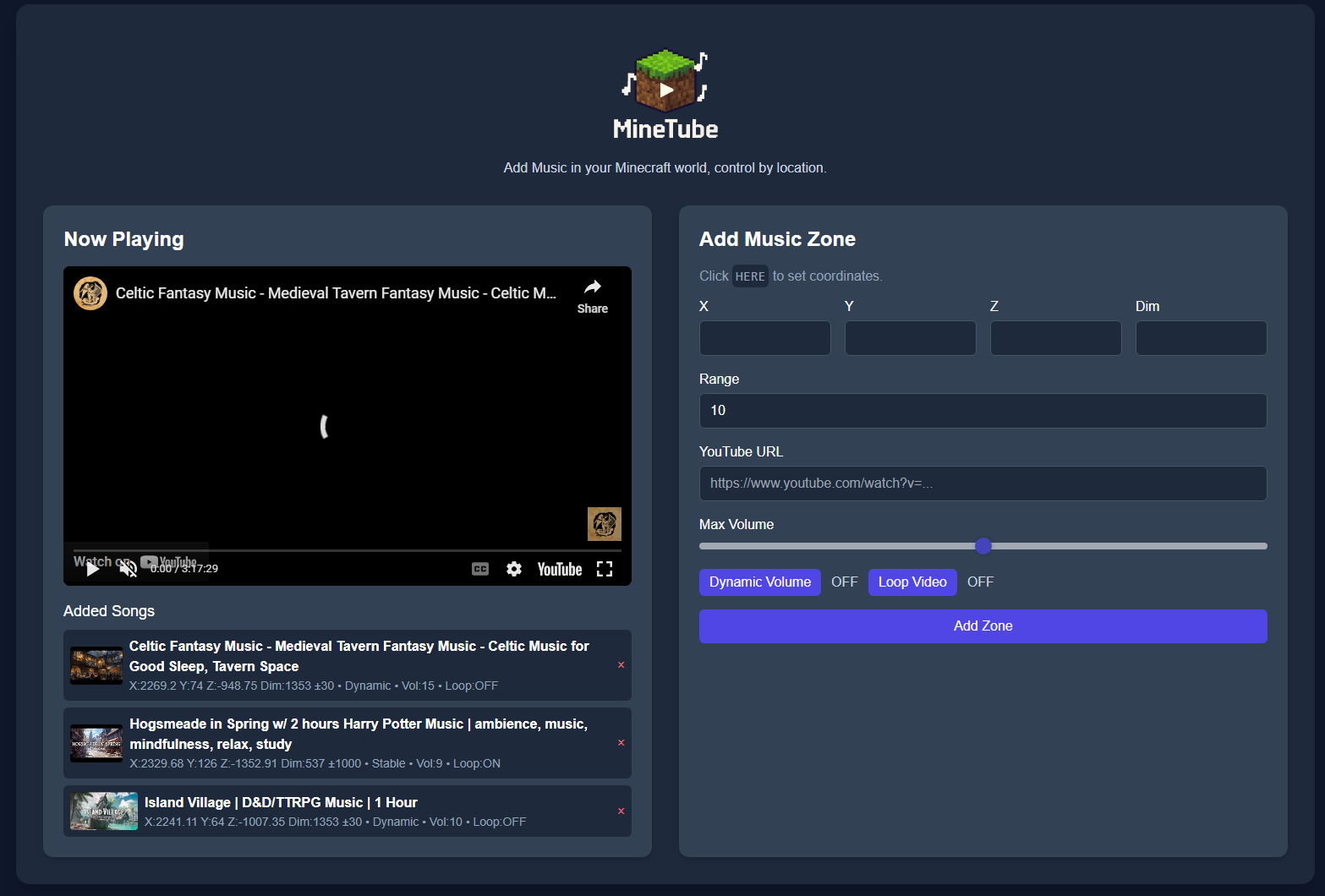
Video Guide:
🛑Permissions
You are welcome to include MineTube in modpacks, public or private, without needing to ask permission.
MineTube is licensed as All Rights Reserved by default, with the above granted use for modpack inclusion.
If you wish to redistribute the mod outside of modpacks, rehost it, or integrate it into another project, please contact me first.
Perfect for adventure maps, community servers, or just adding atmosphere to your own world. Imagine walking into a Nether fortress with custom battle music, or building a cozy base with your favorite song running in the background!

Project description from CurseForge.
Pick your setup
MineTube by Minecraft version and loader
Choose the version and loader you play, then open the matching release.
Minecraft version
26.1.1
2 loader buildsMinecraft version
26.1
2 loader buildsMinecraft version
1.21.11
2 loader buildsMinecraft version
1.21.10
2 loader buildsMinecraft version
1.21.9-snapshot
2 loader buildsMinecraft version
1.21.9
2 loader buildsMinecraft version
1.21.8
2 loader buildsMinecraft version
1.21.7
2 loader buildsMinecraft version
1.21.6-snapshot
2 loader buildsMinecraft version
1.21.6
2 loader buildsMinecraft version
1.21.5-Snapshot
2 loader buildsShowing the newest 12 of 23 game versions. Older files are in the list below.
Check the dependencies, then try the file in a copied instance before changing a world you care about.
Recent files
MineTube versions and loaders
minetube-fabric-1.4.0+1.20.1.jar
17 Sept 2026
Client Source doesn’t say Server Source doesn’t say Dependencies No extras listed Listed on Release listing
Check the 1.20.1 · Fabric setup Fabric1.20.1 release
minetube-1.4.1_1.20.1_forge_neoforge
minetube-1.4.0_1.20.1_forge_neoforge.jar
17 Jun 2026
Client Source doesn’t say Server Source doesn’t say Dependencies No extras listed Listed on Release listing
Check the 1.20.1 · Forge setup 1.20.1ForgeNeoForge release
minetube-1.4.1-26.1_Fabric
minetube-1.4.1-26.1_Fabric.jar
26 Apr 2026
Client Source doesn’t say Server Source doesn’t say Dependencies No extras listed Listed on Release listing
Check the 26.1.2 · Fabric setup Fabric26.126.1.126.1.2 release
minetube-1.4.0_26.1_NeoForge
minetube-1.4.0_26.1_NeoForge.jar
10 Apr 2026
Client Source doesn’t say Server Source doesn’t say Dependencies No extras listed Listed on Release listing
Check the 26.1.2 · NeoForge setup NeoForge26.126.1.126.1.2 release
minetube-1.4_Fabric_1.21.11
minetube-1.4_Fabric_1.21.11.jar
7 Mar 2026
Client Source doesn’t say Server Source doesn’t say Dependencies No extras listed Listed on Release listing
Check the 1.21.11 · Fabric setup Fabric1.21.11 release
minetube-1.4.0_1.21.11
minetube-1.4.0_1.21.11.jar
7 Mar 2026
Client Source doesn’t say Server Source doesn’t say Dependencies No extras listed Listed on Release listing
Check the 1.21.11 · NeoForge setup NeoForge1.21.11 release
minetube-1.4_Fabric_1.21.10
minetube-1.4_Fabric_1.21.10.jar
14 Oct 2025
Client Source doesn’t say Server Source doesn’t say Dependencies No extras listed Listed on Release listing
Check the 1.21.10 · Fabric setup Fabric1.21.10 release
minetube-1.4.0_1.21.10
minetube-1.4.0_1.21.10.jar
14 Oct 2025
Client Source doesn’t say Server Source doesn’t say Dependencies No extras listed Listed on Release listing
Check the 1.21.10 · NeoForge setup 1.21.10NeoForge release
minetube-1.4_Fabric_1.21.9
minetube-1.4_Fabric_1.21.9.jar
30 Sept 2025
Client Source doesn’t say Server Source doesn’t say Dependencies No extras listed Listed on Release listing
Check the 1.21.9-snapshot · Fabric setup Fabric1.21.91.21.9-snapshot release
minetube-1.4.0_1.21.9
minetube-1.4.0_1.21.9.jar
30 Sept 2025
Client Source doesn’t say Server Source doesn’t say Dependencies No extras listed Listed on Release listing
Check the 1.21.9-snapshot · NeoForge setup 1.21.9NeoForge1.21.9-snapshot release
minetube-1.4-Fabric_1.21.8
minetube-1.4-Fabric_1.21.8.jar
25 Sept 2025
Client Source doesn’t say Server Source doesn’t say Dependencies No extras listed Listed on Release listing
Check the 1.21.8 · Fabric setup Fabric1.21.8 release
minetube-1.4.0_1.21.8
minetube-1.4.0_1.21.8.jar
25 Sept 2025
Client Source doesn’t say Server Source doesn’t say Dependencies No extras listed Listed on Release listing
Check the 1.21.8 · NeoForge setup 1.21.8NeoForge release
Looking for an older file? The official CurseForge project page is in Resources.
 mod
CurseForge + Modrinth · Minecraft
Particle Rain
replaces the default weather with particle effects
 mod
CurseForge · Minecraft
AOSO BETTER WITCH HUTS
The swamp hut raised anew as the Coven's Hollow: a house on stilts with walkways to three places, three ingredients for the Coven Cauldron, a coven and its Matriarch to defeat, and her warded loft.
 mod
CurseForge · Minecraft
AOSO BETTER RUINED PORTALS
The ruined portal raised anew as the Shattered Gate: a great broken portal on a plinth, four braziers to kindle, the Nether's guard pouring out, and a warded vault under the gate. Works as a real portal.