Architectury API Needed by OmniCompass-neoforge-1.2.jar
requiredMatching file found Matched file: [NeoForge 1.21] v13.0.11

CurseForge · Minecraft mod
Quickly locate biomes and structures with the new compasses! Create your own biome and structure compasses using datapacks!
Quick answer
OmniCompass-neoforge-1.2.jar targets 1.21.1 with NeoForge. The project page does not say whether this file belongs on the client, dedicated server, or both. All 1 required mods have matching files.
Where it goes
The project page does not say whether this file belongs on the client, dedicated server, or both.
The source does not explicitly classify this release as client-only or server-only.
OmniCompass-neoforge-1.2.jar. Change the file and its required mods may change too.
Install Architectury API first. We found matching files for this game-version and loader setup.
We only count dependency files that match this setup. A file for another loader does not fill the gap.
Before you install it
Built for OmniCompass-neoforge-1.2.jar. Pick another file and the loader, install side or required mods may change.
Use OmniCompass-neoforge-1.2.jar. It targets 1.21.1 with NeoForge; another release may have different loader, side or dependency requirements.
Install Architectury API first. We found matching files for this game-version and loader setup.
The project page does not say whether this file belongs on the client, dedicated server, or both.
Use the “Get this file” button beside OmniCompass-neoforge-1.2.jar. It opens that exact file at the source.
About this project
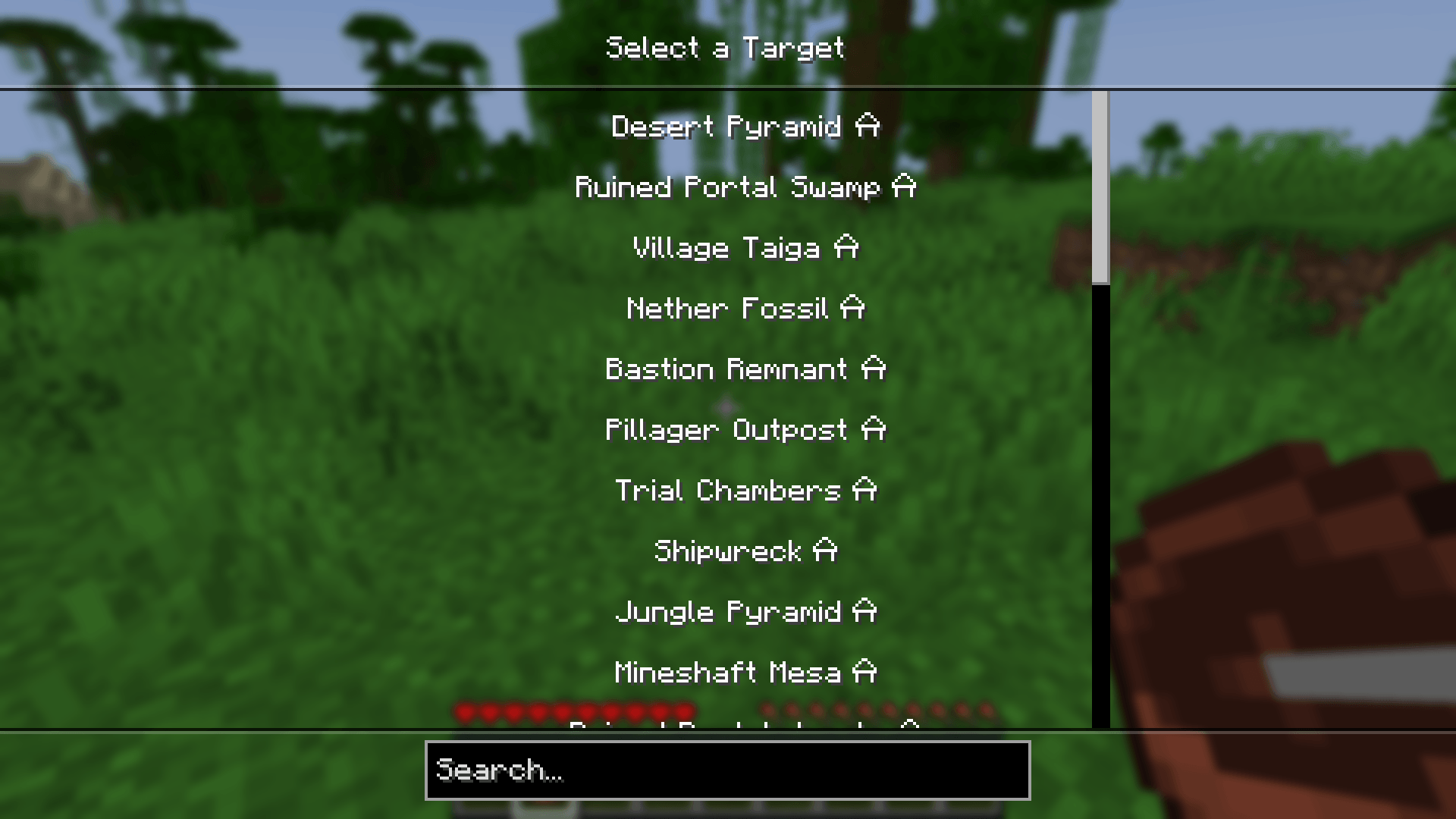
OmniCompass adds compasses capable of tracking any biome or structure!
By default, there are 2 compasses:
Both compasses can be disabled in the config!
To use a compass, simply right-click while holding it. This will open a menu, allowing you to select a target.
OmniCompass comes with extensive data pack support, which allows you to easily add your own compasses or edit and remove the default ones. This includes:
Full documentation is available on the wiki.
If the existing system doesn’t support your use case, make sure to open an issue on Github or to join the Discord and share your suggestions!
Project description from CurseForge.
Pick your setup
Choose the version and loader you play, then open the matching release.
Check the dependencies, then try the file in a copied instance before changing a world you care about.
Recent files
25 Aug 2026
25 Aug 2026
4 Apr 2026
29 Mar 2026
29 Mar 2026
15 Sept 2025
15 Sept 2025
Looking for an older file? The official CurseForge project page is in Resources.
 mod
modYou can gain a special buff by consuming a Totem of Undying.
 mod
modUniversal block/cable facades, remote controls for out-of-range chests/machines, fluid XP utilities, and more!
 mod
modVisual mod integrations & tweaks, as well as memory leak fixes for various mods