Minecraft version
Back to mods 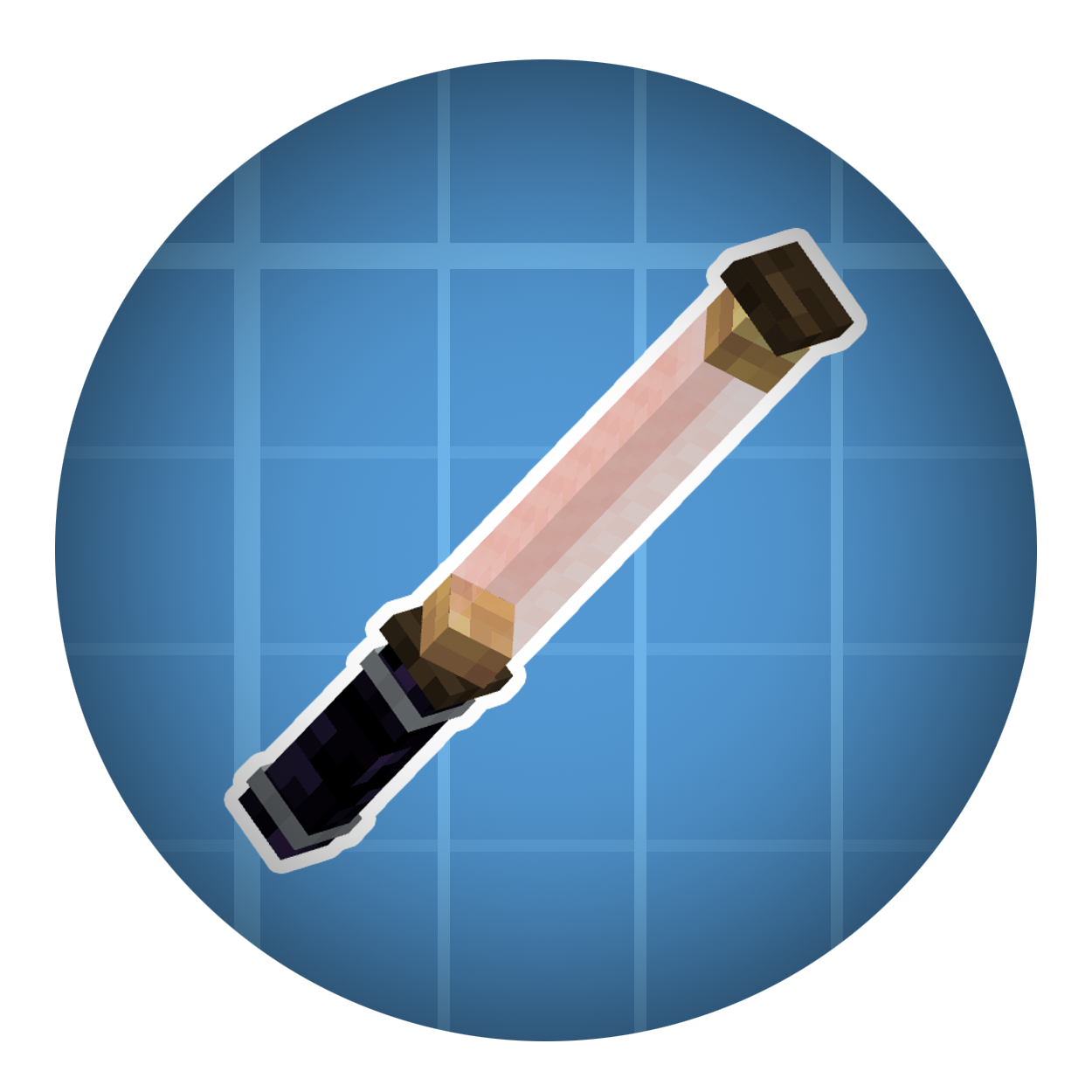
CurseForge · Minecraft mod
Create: Fluid
Enhance fluid logistics and processing system for Create
Choose a version Pick your version below, then grab the matching file.
Quick answer
Which Create: Fluid release should I use?
Latest stable file Create Fluid 2.1.6 Neoforge 1.21.1
Game version 1.21.1
Loader NeoForge
Create: Fluid Create Fluid 2.1.6 Neoforge 1.21.1 targets 1.21.1 with NeoForge. The project page does not say whether this file belongs on the client, dedicated server, or both. No extra mods listed for this file.
Where it goes
Is Create: Fluid required on the client, server, or both?
The project page does not say whether this file belongs on the client, dedicated server, or both.
Client Source doesn’t say
Dedicated server Source doesn’t say
Loader for this release NeoForge
Required install it here Optional supported, not mandatory Not supported do not install here Source doesn’t say do not assume
The source does not explicitly classify this release as client-only or server-only.
What else does Create: Fluid Create Fluid 2.1.6 Neoforge 1.21.1 need?
Create Fluid 2.1.6 Neoforge 1.21.1. Change the file and its required mods may change too.
This file does not list any required mods. Do not add a library just because a different file uses it.
This file does not list any required or optional mods.
Before you install it
Add Create: Fluid without breaking your instance.
Built for Create: Fluid Create Fluid 2.1.6 Neoforge 1.21.1. Pick another file and the loader, install side or required mods may change.
- 01
Stick to this file
Use Create Fluid 2.1.6 Neoforge 1.21.1. It targets 1.21.1 with NeoForge; another release may have different loader, side or dependency requirements.
- 02
Bring the mods it needs
This file does not list any required mods. Do not add a library just because a different file uses it.
- 03
Put it on the correct side
The project page does not say whether this file belongs on the client, dedicated server, or both.
- 04
Pick the file you checked
Use the “Get this file” button beside Create Fluid 2.1.6 Neoforge 1.21.1. It opens that exact file at the source.
About this project
What does Create: Fluid add?
Create: Fluid
Welcome to Create Fluid 2.0.0!
This mod is designed to enhance the fluid logistics and processing system for the Create mod.
✨Core Features
Mechanical Pipette: A Mechanical Arm for fluids, automatically extracts and injects between containers.
Conductor's Baton: A versatile tool for configuring interaction points for the Mechanical Arm, Mechanical Pipette, Ejector Depot, Postbox and Frogport. Right-clicking with the baton enters "conducting mode," allowing you to highlight and adjust interaction points without removal.
Centrifugal Pump: Transports further and faster than Mechanical Pumps, encasable with Copper Casing.
Copper Tap: Draws fluid from behind to fill Cauldrons, Basins, or perform spout processing below.
Can Filler & Copper Can & Fluid Manifest: Packages fluid into Copper Cans for logistics; only Can Fillers can unpack.
Fluid Atomizer: Uses stored fluid as a fan catalyst for bulk processing, also expels potion clouds.
Communicating Vessel: Connects adjacent containers without power, automatically balances fluid levels.
Gutter Outlet: Collects fluid, rain, snow, and dripping lava above, or drains to containers below.
Redstone Valve & Triple Valve: Fluid valves and junctions controlled by redstone signals.
Fluid Interface: A proxy block for direct interaction with adjacent fluid containers.
Smart Fluid Interface: Advanced interface with filtering to restrict which fluids may pass.
New Fan Catalysts: Powder Snow, Quicksand, Slime Fluid, Haunting Fluid, and Smoking Fluid for bulk processing.
Honeycomb Mold: Used in honeycomb compacting recipes, enabling specialized fluid-based crafting processes.
If you have any suggestions, feel free to chat with us on discord: https://discord.gg/QTkadxUfK
Also glad if you would like to provide translation for our mod: Create-Fluid translation project on Crowdin
If you have issues about this mod, here is the github link: https://github.com/adonis-baffin/CreateFluid
This project is a mixed-license project. Original code is MIT. Portions derived from CreateFluidLogistics remain under BSD-3-Clause. Only the fan-processing related files derived from Create: Dragons Plus remain under LGPL-3.0-or-later. Full notices and bundled license texts are included in the distributed jar and source jar.
Project description from CurseForge.
Pick your setup
Create: Fluid by Minecraft version and loader
Choose the version and loader you play, then open the matching release.
Minecraft version
1.20.1
1 loader buildCheck the dependencies, then try the file in a copied instance before changing a world you care about.
Recent files
Create: Fluid versions and loaders
Create Fluid 2.1.6 Neoforge 1.21.1
fluid-2.1.6.jar
13 Sept 2026
Client Source doesn’t say Server Source doesn’t say Dependencies No extras listed Listed on Release listing
Check the 1.21.1 · NeoForge setup 1.21.1NeoForge release
Create Fluid 2.1.5 Neoforge 1.21.1
fluid-2.1.5.jar
27 Jul 2026
Client Source doesn’t say Server Source doesn’t say Dependencies No extras listed Listed on Release listing
Check the 1.21.1 · NeoForge setup 1.21.1NeoForge release
Create Fluid 2.1.4 Neoforge 1.21.1
fluid-2.1.4.jar
9 Jul 2026
Client Source doesn’t say Server Source doesn’t say Dependencies No extras listed Listed on Release listing
Check the 1.21.1 · NeoForge setup 1.21.1NeoForge release
Create Fluid 2.0.4 Forge 1.20.1
fluid-1.20-2.0.4.jar
5 Jun 2026
Client Source doesn’t say Server Source doesn’t say Dependencies No extras listed Listed on Release listing
Check the 1.20.1 · Forge setup 1.20.1Forge release
Create Fluid 1.2.4 Neoforge 1.21.1
fluid-1.2.4.jar
20 Apr 2026
Client Source doesn’t say Server Source doesn’t say Dependencies No extras listed Listed on Release listing
Check the 1.21.1 · NeoForge setup 1.21.1NeoForge release
Create Fluid 1.2.4 Forge 1.20.1
fluid-1.20-1.2.4.jar
20 Apr 2026
Client Source doesn’t say Server Source doesn’t say Dependencies No extras listed Listed on Release listing
Check the 1.20.1 · Forge setup 1.20.1Forge release
Create Fluid 1.2.1 Neoforge 1.21.1
fluid-1.2.1.jar
2 Apr 2026
Client Source doesn’t say Server Source doesn’t say Dependencies No extras listed Listed on Release listing
Check the 1.21.1 · NeoForge setup 1.21.1NeoForge release
Create Fluid 1.2.0 Neoforge 1.21.1
fluid-1.2.0.jar
2 Apr 2026
Client Source doesn’t say Server Source doesn’t say Dependencies No extras listed Listed on Release listing
Check the 1.21.1 · NeoForge setup 1.21.1NeoForge release
Create Fluid 1.2.3 Forge 1.20.1
fluid-1.20-1.2.3.jar
28 Mar 2026
Client Source doesn’t say Server Source doesn’t say Dependencies No extras listed Listed on Release listing
Check the 1.20.1 · Forge setup 1.20.1Forge release
Create Fluid 1.2.2 Forge 1.20.1
fluid-1.20-1.2.2.jar
5 Mar 2026
Client Source doesn’t say Server Source doesn’t say Dependencies No extras listed Listed on Release listing
Check the 1.20.1 · Forge setup 1.20.1Forge release
Create Fluid 1.2.1 Forge 1.20.1
fluid-1.20-1.2.1.jar
22 Dec 2025
Client Source doesn’t say Server Source doesn’t say Dependencies No extras listed Listed on Release listing
Check the 1.20.1 · Forge setup 1.20.1Forge release
Create Fluid 1.2.0 Forge 1.20.1
fluid-1.20-1.2.0.jar
17 Dec 2025
Client Source doesn’t say Server Source doesn’t say Dependencies No extras listed Listed on Release listing
Check the 1.20.1 · Forge setup 1.20.1Forge release
Looking for an older file? The official CurseForge project page is in Resources.
 mod
mod CurseForge · Minecraft
Cobblemon Utility+ (IVs, EVs, & More)
Adds utility items to Cobblemon for a better experience
 mod
mod CurseForge · Minecraft
Easy Recipes (KubeJS)
Build KubeJS recipes in-game with a visual editor instead of writing JavaScript — vanilla and Create stations.
 mod
mod CurseForge · Minecraft
Bad Backrooms Mod (BBM)
this is a backroom mod that does not change normal gameplay , until you find an oddly placed house in the plains ...