AzureLib Needed by biomech-1.21.1-1.27.jar
requiredMatching file found Matched file: azurelib-neo-1.21.1-3.1.14.jar
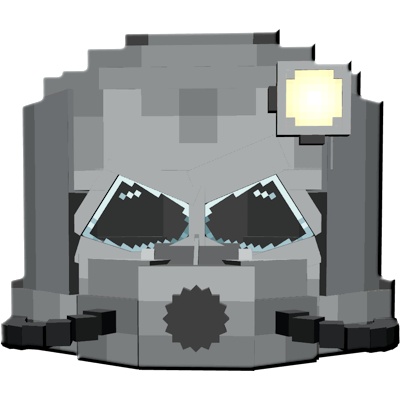
CurseForge · Minecraft mod
Man and machine become one. Replace body parts with machine parts and enhance your own body with new functionality.
Quick answer
biomech-1.21.1-1.27.jar targets 1.21.1 with NeoForge. The project page does not say whether this file belongs on the client, dedicated server, or both. All 1 required mods have matching files.
Where it goes
The project page does not say whether this file belongs on the client, dedicated server, or both.
The source does not explicitly classify this release as client-only or server-only.
biomech-1.21.1-1.27.jar. Change the file and its required mods may change too.
Install AzureLib first. We found matching files for this game-version and loader setup.
We only count dependency files that match this setup. A file for another loader does not fill the gap.
Before you install it
Built for biomech-1.21.1-1.27.jar. Pick another file and the loader, install side or required mods may change.
Use biomech-1.21.1-1.27.jar. It targets 1.21.1 with NeoForge; another release may have different loader, side or dependency requirements.
Install AzureLib first. We found matching files for this game-version and loader setup.
The project page does not say whether this file belongs on the client, dedicated server, or both.
Use the “Get this file” button beside biomech-1.21.1-1.27.jar. It opens that exact file at the source.
About this project

Replace your body parts with machine parts - and become even stronger
This project is for submission to ModJam The Future
https://mod.curseforge.com/minecraft-modjam/
<Required Dependency AzureLib>

Begin building your brand new mech body!
Chests now have a small chance of containing BioMech parts in them. Or - specifically seek out dungeons, mineshafts, shipwrecks, nether fortresses, or ancient cities, which have a greatly boosted chance to contain BioMech parts.
After acquiring a part, build the BioMech Station to begin assembling your new body
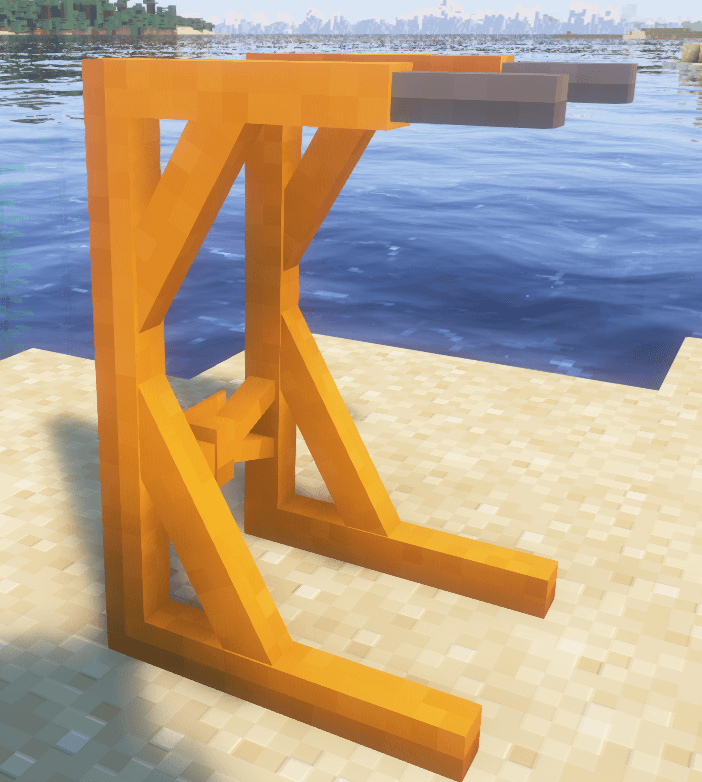
Place your newly acquired parts onto the grid and become a whole new person!
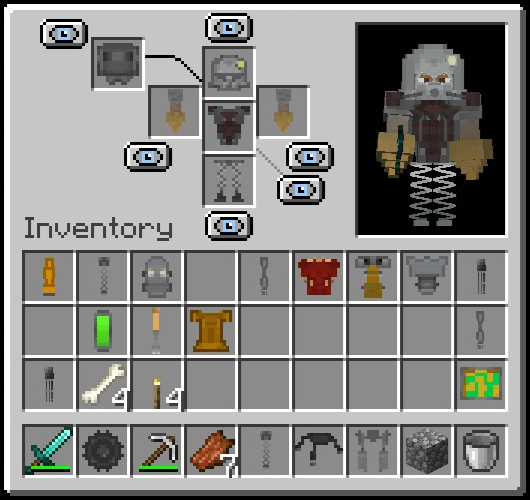
Each part has unique attributes which can greatly enhance your person.
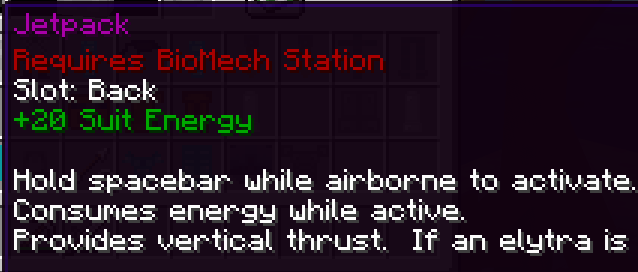
Each suit has energy and energy regeneration as innate attributes. Certain items like the Jetpack can consume this energy.
Some items include hand items. These can be used by holding alt+left-click or alt+right-click depending on which hand is being used. As of 1.02, you can activate your hands whether you are holding an item or not. For example, if you have a sword equipped (or nothing at all equipped), press alt+left-click and you will use your arm function despite wielding a sword. Alternatively, if you want to put your hands "on your hotbar" you can craft the BioMech Activator item which lets you use the hands as a hotbar slot.
After activating a hand, you can let go of alt and just hold the mouse button.
Trying to acquire the perfect part for your new body? Craft it! To craft a BioMech part, you can either craft it directly for the Iron/Diamond set - or, for more exotic parts, you need to accumulate scrap. To acquire scrap, place a looted BioMech part on the crafting grid with any pickaxe and you can scrap the part (your pickaxe will be retained after the craft). After scrapping several parts, you can use the scrap to craft a brand new BioMech part.
Misc:
A new command is added: /biomech energy <number>
Used for testing, this command set your current BioMech suit energy to the specified value.
Known graphical glitch:
If using the Mobility Treads leg item, these will fail to animate if GeckoLib4 is in your modlist (this has a conflict with AzureLib which is required for this mod to function).
Accepting tips! https://ko-fi.com/dairymoose
Project description from CurseForge.
Pick your setup
Choose the version and loader you play, then open the matching release.
Check the dependencies, then try the file in a copied instance before changing a world you care about.
Recent files
12 Jun 2026
9 Nov 2025
5 Nov 2025
5 Nov 2025
3 Nov 2025
1 Nov 2025
31 Oct 2025
31 Oct 2025
22 Oct 2025
21 Oct 2025
21 Oct 2025
20 Oct 2025
Looking for an older file? The official CurseForge project page is in Resources.