Minecraft version
Back to mods 
CurseForge · Minecraft mod
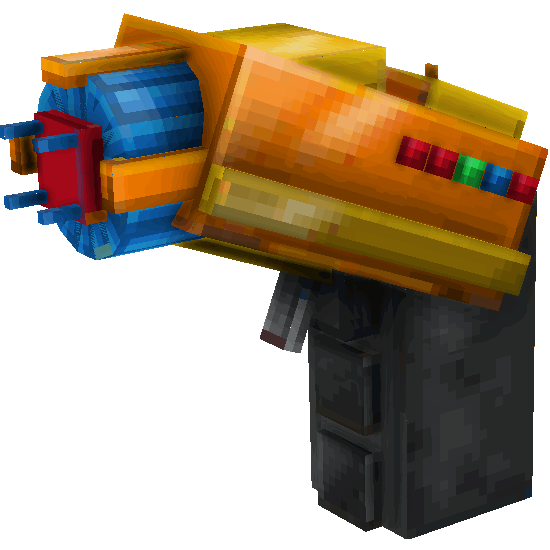
Cryonix: Scanner-Gun
A handheld scanner that paints the world with an X-ray-style overlay to reveal ores, spawners, and mobs. Fire temporary light
Choose a version Pick your version below, then grab the matching file.
Quick answer
Which Cryonix: Scanner-Gun release should I use?
Latest stable file cryonix-scanner-gun-1.0.0.jar
Game version 1.21.1
Loader Fabric
Cryonix: Scanner-Gun cryonix-scanner-gun-1.0.0.jar targets 1.21.1 with Fabric. The project page does not say whether this file belongs on the client, dedicated server, or both. No extra mods listed for this file.
Where it goes
Is Cryonix: Scanner-Gun required on the client, server, or both?
The project page does not say whether this file belongs on the client, dedicated server, or both.
Client Source doesn’t say
Dedicated server Source doesn’t say
Loader for this release Fabric
Required install it here Optional supported, not mandatory Not supported do not install here Source doesn’t say do not assume
The source does not explicitly classify this release as client-only or server-only.
What else does Cryonix: Scanner-Gun cryonix-scanner-gun-1.0.0.jar need?
cryonix-scanner-gun-1.0.0.jar. Change the file and its required mods may change too.
This file does not list any required mods. Do not add a library just because a different file uses it.
This file does not list any required or optional mods.
Before you install it
Add Cryonix: Scanner-Gun without breaking your instance.
Built for Cryonix: Scanner-Gun cryonix-scanner-gun-1.0.0.jar. Pick another file and the loader, install side or required mods may change.
- 01
Stick to this file
Use cryonix-scanner-gun-1.0.0.jar. It targets 1.21.1 with Fabric; another release may have different loader, side or dependency requirements.
- 02
Bring the mods it needs
This file does not list any required mods. Do not add a library just because a different file uses it.
- 03
Put it on the correct side
The project page does not say whether this file belongs on the client, dedicated server, or both.
- 04
Pick the file you checked
Use the “Get this file” button beside cryonix-scanner-gun-1.0.0.jar. It opens that exact file at the source.
About this project
What does Cryonix: Scanner-Gun add?


A modular handheld scanner that paints the world with an X-ray style overlay to reveal ores, spawners, and mobs. Fire temporary light darts, and manage a rechargeable energy system
Key Features
Overlay Filters
Paint the world with a clean, X-ray-style overlay that highlights ores, spawners, and mobs.
• Per-type colors: assign distinct hues so diamonds ≠ spawners ≠ mobs at a glance.
• Distance caps: set how far each layer is visible to keep things readable and performant.
• On-the-fly clarity: dial the palette to your liking—from subtle tints to bold neon.
• Plays nice with content mods: detects registered blocks/entities, so most new ores and custom mobs show up without extra work.
Energy System
Every scan costs charge, so information has a price—and a rhythm.
• Capacity & efficiency upgrades: extend uptime or reduce per-scan drain to match your playstyle.
• Meaningful choices: save juice for long-range sweeps or run quick, frequent pings.
• Progress you can feel: as you upgrade, scans last longer and recover faster, keeping exploration snappy.
HUD & Controls
A minimal HUD shows current energy and active overlay state at a glance.
• Toggle overlays and adjust range via rebindable keybinds.
• Clean, unobtrusive readouts designed for exploration.
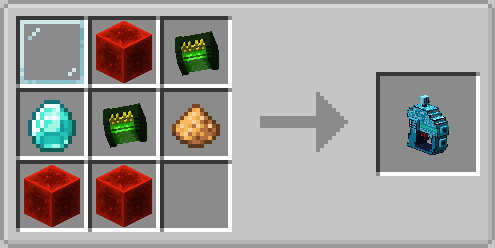
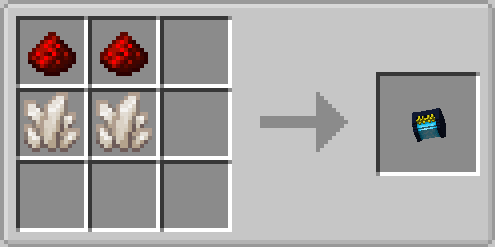
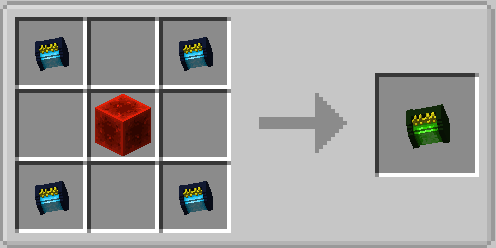
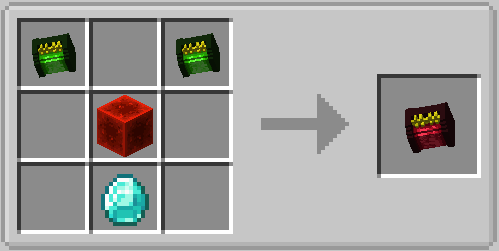
RECIPES:
Scanner Gun:
Laser Charge Level 1:
Laser Charge Level 2:
Laser Charge Level 3:
Showcase
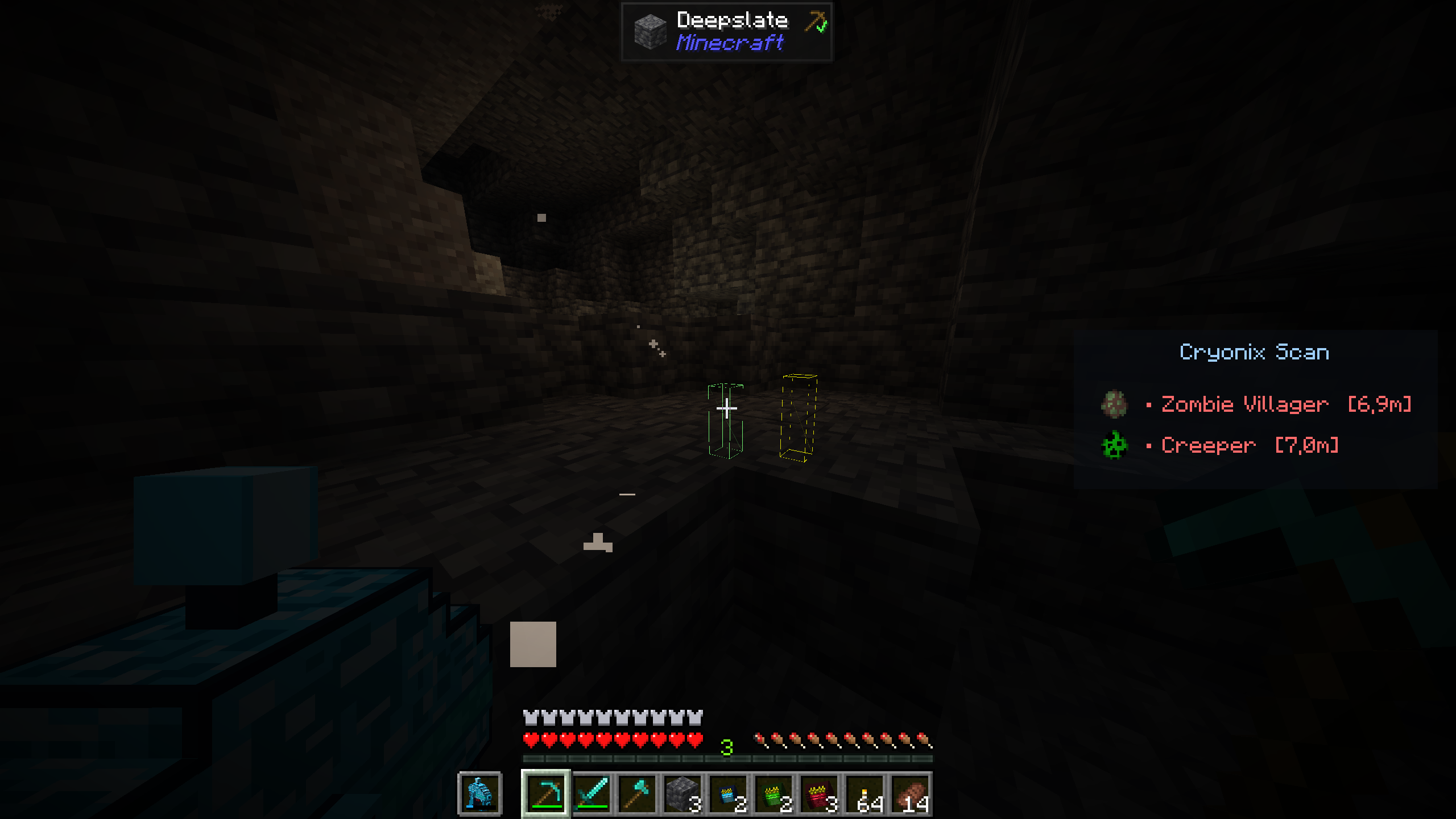
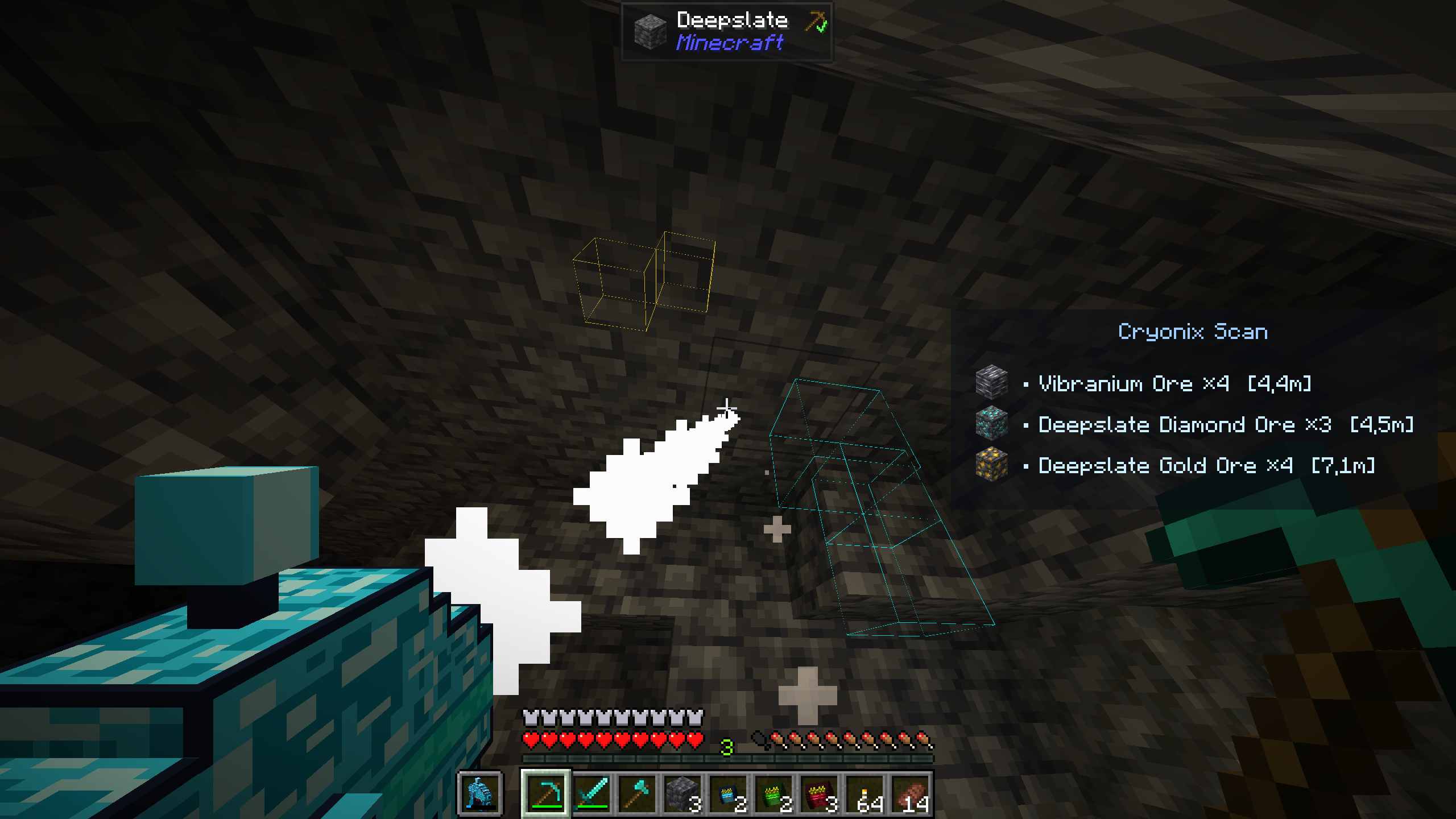
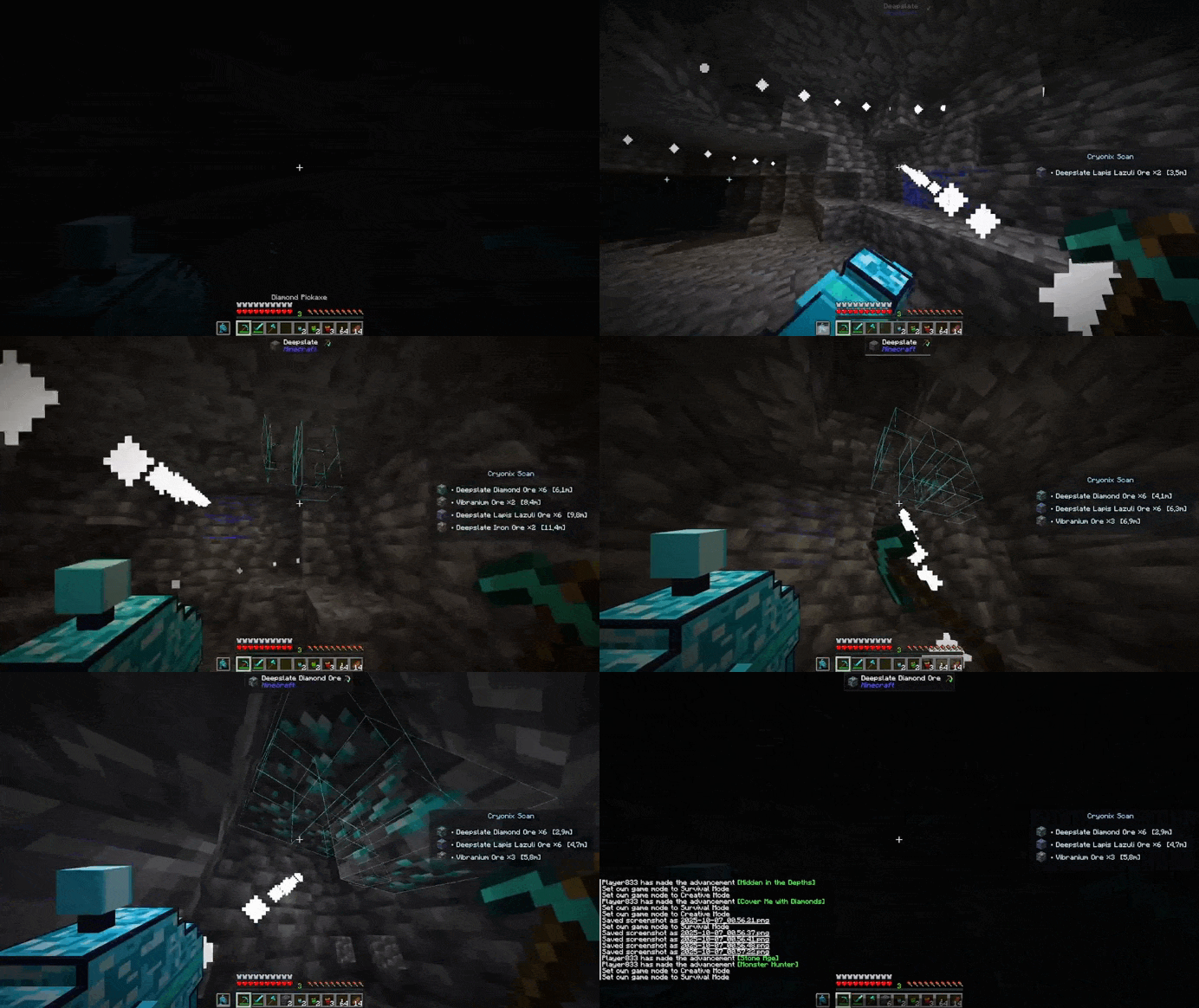
Compatibility
- Fabric mod loader 1.21.1
- Designed to be compatible with ore and mob-adding mods. The overlay reads registered blocks/entities, so new ores and custom mobs from other mods are supported automatically in most cases.
Config & Controls
- Full color and range configuration for each overlay layer.
- Toggle overlays and module behavior via keybinds (rebindable).
- Optional JSON config for advanced users.

My Discord:

If you want to help me!! You can help me financially with this! [click here]
Project description from CurseForge.
Pick your setup
Cryonix: Scanner-Gun by Minecraft version and loader
Choose the version and loader you play, then open the matching release.
Check the dependencies, then try the file in a copied instance before changing a world you care about.
Recent files
Cryonix: Scanner-Gun versions and loaders
cryonix-scanner-gun-1.0.0.jar
7 Oct 2025
Client Source doesn’t say Server Source doesn’t say Dependencies No extras listed Listed on Release listing
Check the 1.21.1 · Fabric setup Fabric1.21.1 release
Looking for an older file? The official CurseForge project page is in Resources.
 mod
mod CurseForge + Modrinth · Minecraft
Better Farming + +
Better Farming is a lightweight and easy-to-use mod that enhances farming in Minecraft by introducing crop automation and quality-of-life features for growers of all experience levels
 mod
mod CurseForge + Modrinth · Minecraft
Multi Builder Tool
Build Multiblocks with one click
 mod
mod CurseForge · Minecraft
Creative Drawers Producer 2 Core
Added many new machines and functional items