
Minecraft version
Back to mods 
CurseForge · Minecraft mod
Redecorate The Future
Futuristic Furniture Mod
Choose a version Pick your version below, then grab the matching file.
Quick answer
Which Redecorate The Future release should I use?
Latest stable file redecoratethefuture-1.1.0-NeoForge-1.21.jar
Game version 1.21, 1.21.1
Loader NeoForge
Redecorate The Future redecoratethefuture-1.1.0-NeoForge-1.21.jar targets 1.21, 1.21.1 with NeoForge. The project page does not say whether this file belongs on the client, dedicated server, or both. No extra mods listed for this file.
Where it goes
Is Redecorate The Future required on the client, server, or both?
The project page does not say whether this file belongs on the client, dedicated server, or both.
Client Source doesn’t say
Dedicated server Source doesn’t say
Loader for this release NeoForge
Required install it here Optional supported, not mandatory Not supported do not install here Source doesn’t say do not assume
The source does not explicitly classify this release as client-only or server-only.
What else does Redecorate The Future redecoratethefuture-1.1.0-NeoForge-1.21.jar need?
redecoratethefuture-1.1.0-NeoForge-1.21.jar. Change the file and its required mods may change too.
This file does not list any required mods. Do not add a library just because a different file uses it.
This file does not list any required or optional mods.
Before you install it
Add Redecorate The Future without breaking your instance.
Built for Redecorate The Future redecoratethefuture-1.1.0-NeoForge-1.21.jar. Pick another file and the loader, install side or required mods may change.
- 01
Stick to this file
Use redecoratethefuture-1.1.0-NeoForge-1.21.jar. It targets 1.21, 1.21.1 with NeoForge; another release may have different loader, side or dependency requirements.
- 02
Bring the mods it needs
This file does not list any required mods. Do not add a library just because a different file uses it.
- 03
Put it on the correct side
The project page does not say whether this file belongs on the client, dedicated server, or both.
- 04
Pick the file you checked
Use the “Get this file” button beside redecoratethefuture-1.1.0-NeoForge-1.21.jar. It opens that exact file at the source.
About this project
What does Redecorate The Future add?
[2025 ModJam Entry]
Redecorate The Future
from the dev that brought you Re:Deco!
Currently adds:
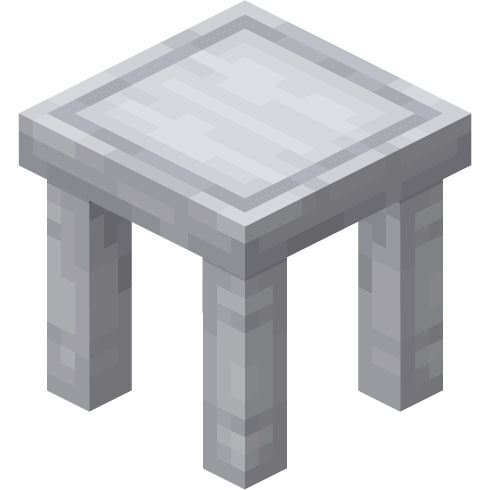
- Composite ( A new crafting ingredient)
- Composite Table (Stylish white tables)
- Composite Chair (Sleek white chairs)
- Composite Block and Stairs
- Composite Lamps (sci-fi inspired light source)
- Item Lockers (A cool place to store your items)
- Carbon (Dark black alternative)
And much more to come in future updates!
suggestions? ideas? bug reports?
> @oopsonlydelta on discord <
Project description from CurseForge.
Pick your setup
Redecorate The Future by Minecraft version and loader
Choose the version and loader you play, then open the matching release.
Minecraft version
1.21
1 loader buildCheck the dependencies, then try the file in a copied instance before changing a world you care about.
Recent files
Redecorate The Future versions and loaders
redecoratethefuture-1.1.0-NeoForge-1.21.jar
redecoratethefuture-1.1.0.jar
21 Oct 2025
Client Source doesn’t say Server Source doesn’t say Dependencies No extras listed Listed on Release listing
Check the 1.21.1 · NeoForge setup 1.21NeoForge1.21.1 release
redecoratethefuture-1.0.0-NeoForge-1.21.jar
redecoratethefuture-1.0.0.jar
7 Oct 2025
Client Source doesn’t say Server Source doesn’t say Dependencies No extras listed Listed on Release listing
Check the 1.21.1 · NeoForge setup 1.21NeoForge1.21.1 release
Looking for an older file? The official CurseForge project page is in Resources.
 mod
mod CurseForge · Minecraft
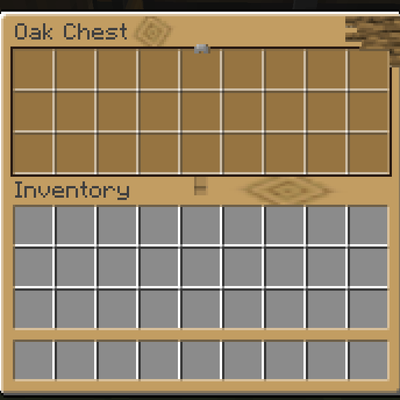
Chest Interiors: Container Retexturing
Apply different menu texture for different chests
 mod
mod CurseForge · Minecraft
ZoneInventory
A complete inventory and survival overhaul featuring equipment slots, carry weight, backpacks, custom interfaces, thirst, stamina and exploration-focused gameplay.
 mod
mod CurseForge · Minecraft
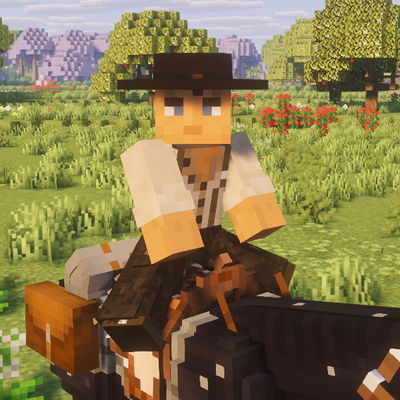
Western Wares
I got tired of the lack of good looking hats and equipment for this genre.