Athena Optional for betterblockz-0.3.3-26.1.2-neoforge.jar
optionalMatching file found Matched file: [NeoForge] Athena 4.7.3
CurseForge · Minecraft mod
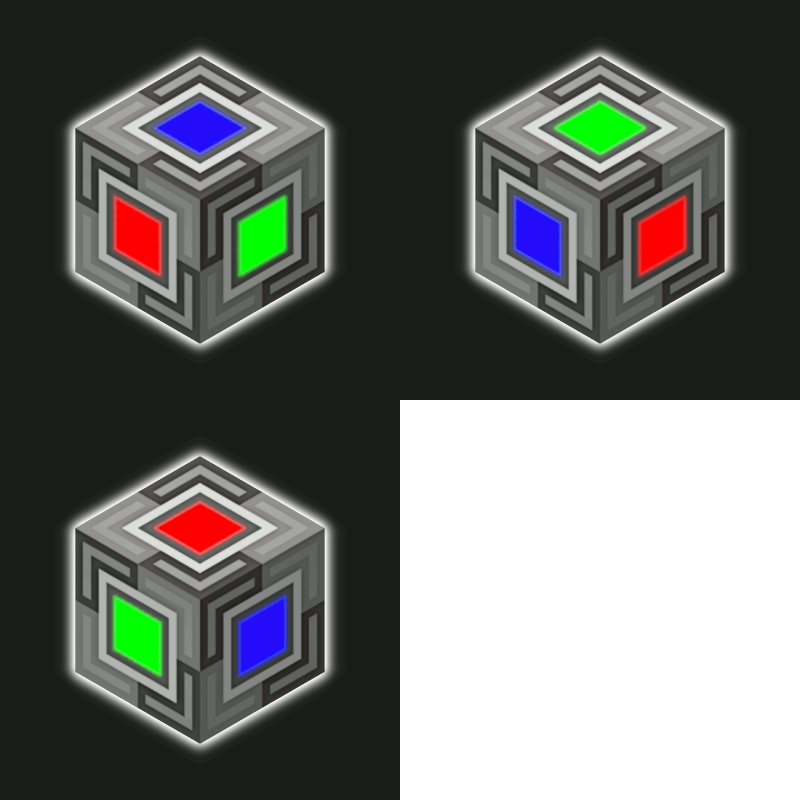
BetterBlockZ(Ztones Continuation) adds a variety of decorative block sets, ranging from modern and futuristic to fantasy and beyond.
Quick answer
betterblockz-0.3.3-26.1.2-neoforge.jar targets 26.1.2 with NeoForge. The project page does not say whether this file belongs on the client, dedicated server, or both. No extra mods listed for this file.
Where it goes
The project page does not say whether this file belongs on the client, dedicated server, or both.
The source does not explicitly classify this release as client-only or server-only.
betterblockz-0.3.3-26.1.2-neoforge.jar. Change the file and its required mods may change too.
This file does not list any required mods. Do not add a library just because a different file uses it.
We only count dependency files that match this setup. A file for another loader does not fill the gap.
Before you install it
Built for betterblockz-0.3.3-26.1.2-neoforge.jar. Pick another file and the loader, install side or required mods may change.
Use betterblockz-0.3.3-26.1.2-neoforge.jar. It targets 26.1.2 with NeoForge; another release may have different loader, side or dependency requirements.
This file does not list any required mods. Do not add a library just because a different file uses it.
The project page does not say whether this file belongs on the client, dedicated server, or both.
Use the “Get this file” button beside betterblockz-0.3.3-26.1.2-neoforge.jar. It opens that exact file at the source.
About this project
Available on Forge 1.20.1 and NeoForge 1.21.1, 26.1.2
A decorative mod that adds modern, industrial, fantasy, and futuristic block sets, with expanded variants and refined designs for creative building. Built on the foundation of Ztones, it introduces new blocks, reworked textures, and fresh design sets, along with tools and new features to enhance building experience.
Thank you for 1M+ downloads! 🙌🎉
Choose how you want to change block variants:
While Holding the Block:
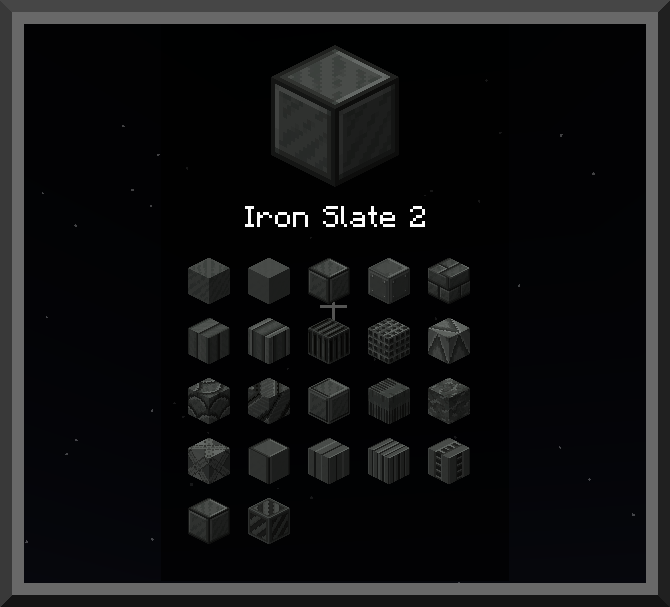
In Inventory:
Note: Alt and V are default keybinds, configurable in settings. Other mods may use the same keys, which can cause conflicts. If that happens, rebind them in the controls menu.
Placed Blocks (In‑World):
Crafting Options:
Creative Only Tools:
Note: Not all tools are currently available on Forge.
BlockZ Core is the main ingredient for all sets.
It’s crafted from stone, cobblestone, and smooth stone, then combined with a set-specific material to create the base variant.
Building Tips: For shaped variants such as stairs, slabs, or slopes, consider using complementary mods like FramedBlocks, Create Copycat, or Copycats+.
Full Changelog: Link
BetterBlockZ is now part of StoneBlock 4!
Big thanks to Saereth and the FTB Team for including us in such an iconic pack. Can’t wait to see the awesome bases you all build with the new blocks!
Thanks to all the modpack creators who include BetterBlockZ. I’ll do my best to check them out!
Thanks to Athena for CTM loader support, enabling connected textures when installed.
Project description from CurseForge.
Pick your setup
Choose the version and loader you play, then open the matching release.
Check the dependencies, then try the file in a copied instance before changing a world you care about.
Recent files
1 Aug 2026
31 Jul 2026
31 Jul 2026
19 May 2026
12 May 2026
12 May 2026
8 May 2026
3 May 2026
28 Mar 2026
28 Mar 2026
15 Mar 2026
15 Mar 2026
Looking for an older file? The official CurseForge project page is in Resources.
 mod
Build your own Minecraft casino with eight games, craftable machines, player-managed banks, item wagers and live table spectating.
 mod
Storage, computation and crafting extensions for Neo ECO AE Extension, with KubeJS integration for custom infinite matrices.
 mod
Universal Wood Compat: Quark, Twilight Forest, Twigs, Another Furniture, Farmers Delight, Macaw's, Valhelsia, Architects Palette, Deco Blocks, Crayfish FM