Minecraft version
Back to mods 
CurseForge · Minecraft mod
Landmarksㅤ
Procedurally generated rock formations, ponds, clearings, and more.
Choose a version Pick your version below, then grab the matching file.
Quick answer
Which Landmarksㅤ release should I use?
Latest stable file landmarks-neoforge-26.2-1.2.1.jar
Game version 26.2
Loader NeoForge
Landmarksㅤ landmarks-neoforge-26.2-1.2.1.jar targets 26.2 with NeoForge. The project page does not say whether this file belongs on the client, dedicated server, or both. No extra mods listed for this file.
Where it goes
Is Landmarksㅤ required on the client, server, or both?
The project page does not say whether this file belongs on the client, dedicated server, or both.
Client Source doesn’t say
Dedicated server Source doesn’t say
Loader for this release NeoForge
Required install it here Optional supported, not mandatory Not supported do not install here Source doesn’t say do not assume
The source does not explicitly classify this release as client-only or server-only.
What else does Landmarksㅤ landmarks-neoforge-26.2-1.2.1.jar need?
landmarks-neoforge-26.2-1.2.1.jar. Change the file and its required mods may change too.
This file does not list any required mods. Do not add a library just because a different file uses it.
This file does not list any required or optional mods.
Before you install it
Add Landmarksㅤ without breaking your instance.
Built for Landmarksㅤ landmarks-neoforge-26.2-1.2.1.jar. Pick another file and the loader, install side or required mods may change.
- 01
Stick to this file
Use landmarks-neoforge-26.2-1.2.1.jar. It targets 26.2 with NeoForge; another release may have different loader, side or dependency requirements.
- 02
Bring the mods it needs
This file does not list any required mods. Do not add a library just because a different file uses it.
- 03
Put it on the correct side
The project page does not say whether this file belongs on the client, dedicated server, or both.
- 04
Pick the file you checked
Use the “Get this file” button beside landmarks-neoforge-26.2-1.2.1.jar. It opens that exact file at the source.
About this project
What does Landmarksㅤ add?
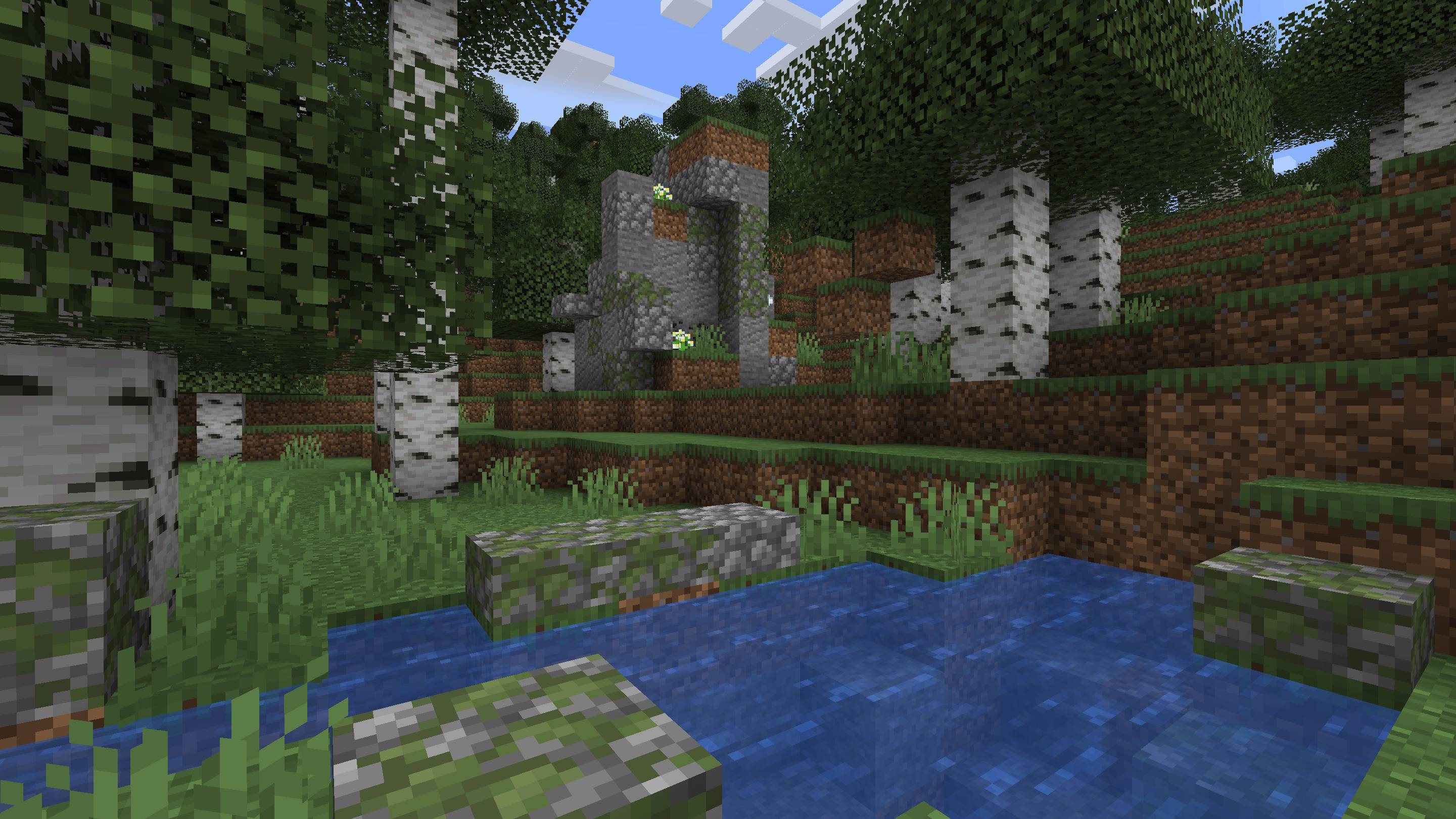
Landmarks is a worldgen mod that adds some natural features to the Overworld.
Other than aesthetics, the purpose of this mod is to make each area more distinctive through small-scale details that complement the existing large-scale terrain and biomes variations, and make it easier to recognize a certain place from looking around rather than using coordinates, hence the name. For this reason, the features are all procedurally generated and are neither ubiquitous nor rare.
This mod is server-side.
You can now add, modify and remove palettes with datapacks.
Rock Formations
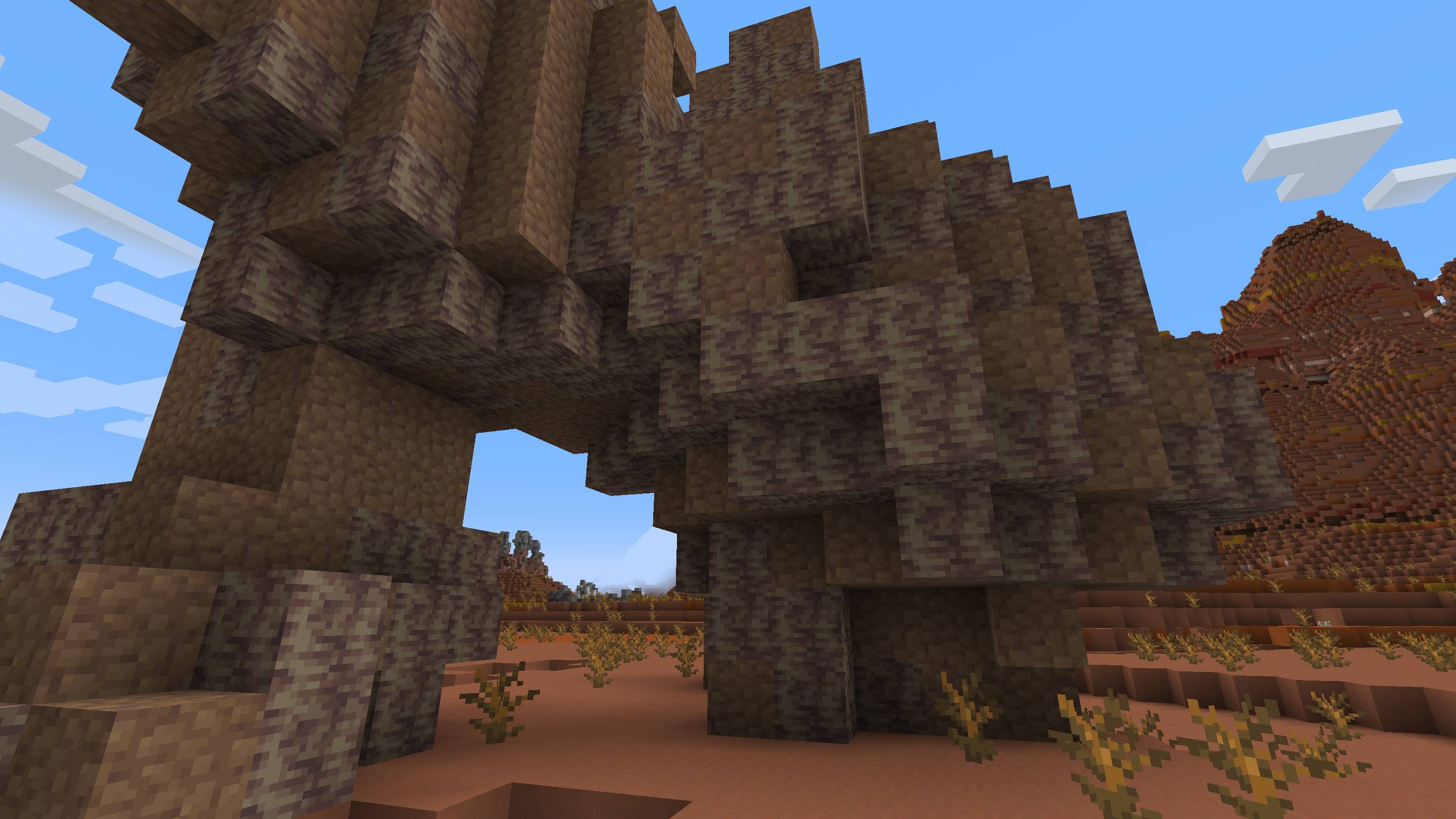
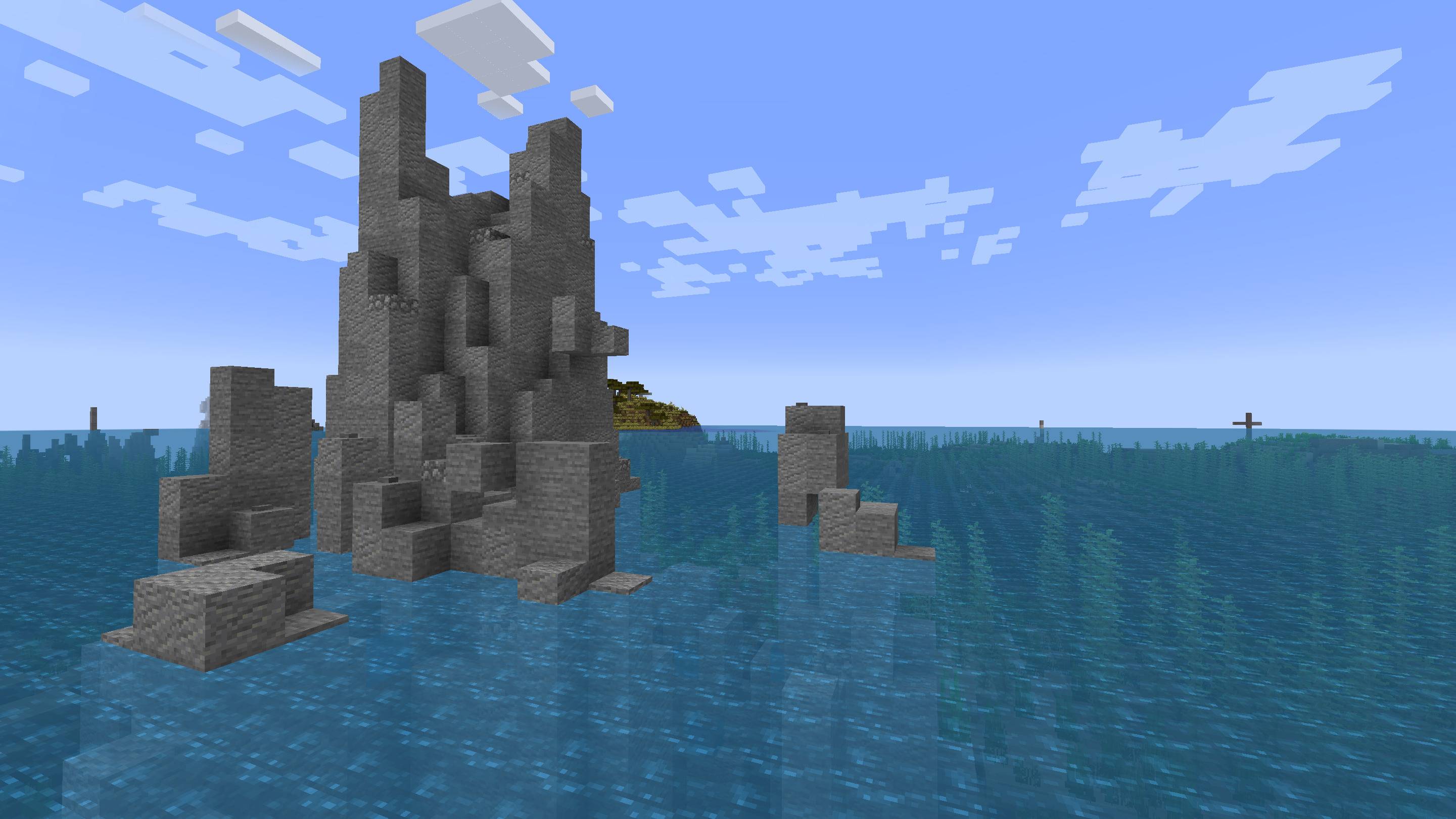
Rock formations are highly diverse features that generate in every overworld biome (with some biome-specific variants). They can be made of different materials and can be small, big, isolated, clustered, smooth, rugged, etc.
Ponds
The loathed ponds are back from the grave. But they're not as frequent as in <1.17, and the partially buried kind is even rarer. They're also a lot more varied in appearance:
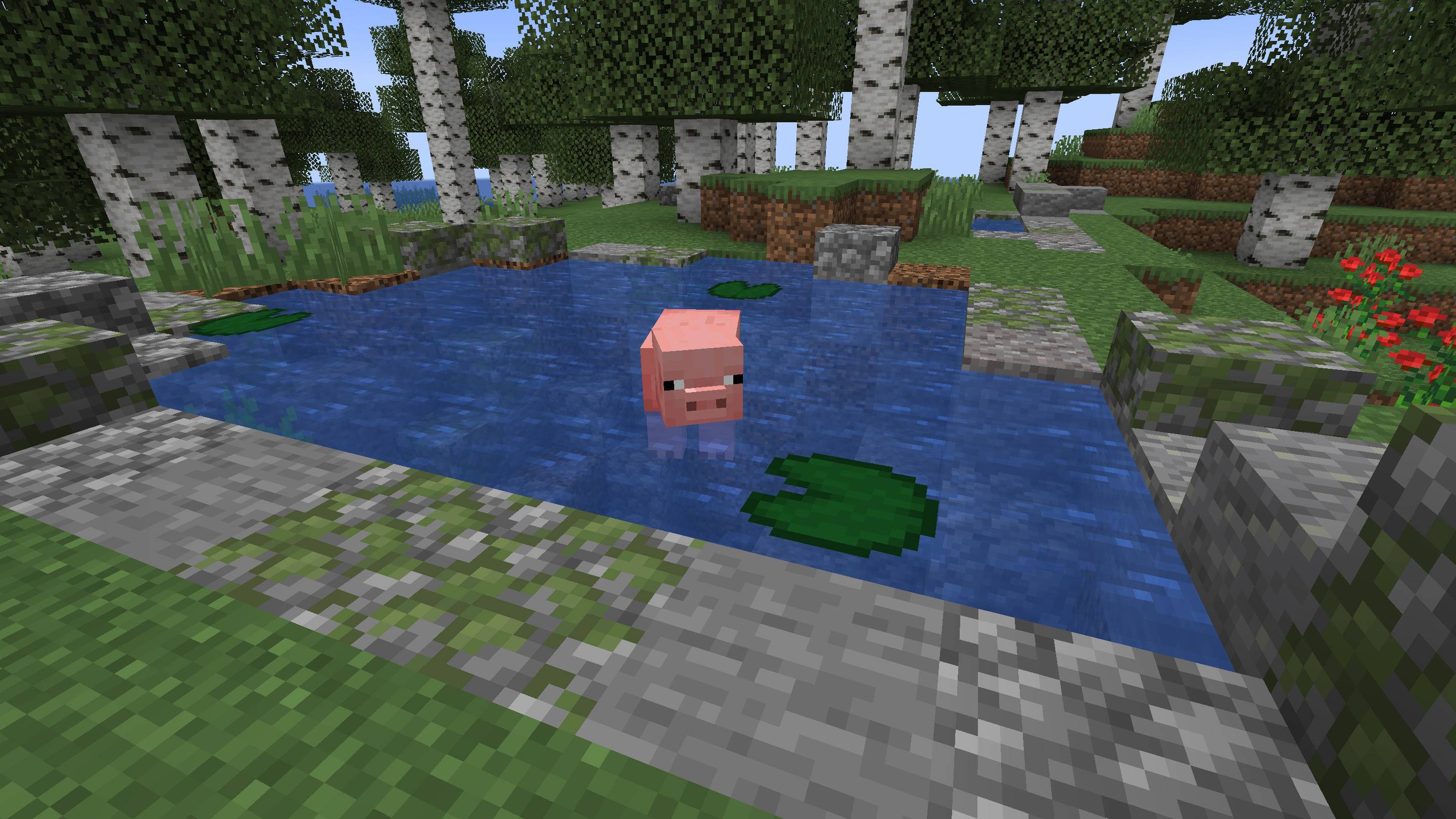
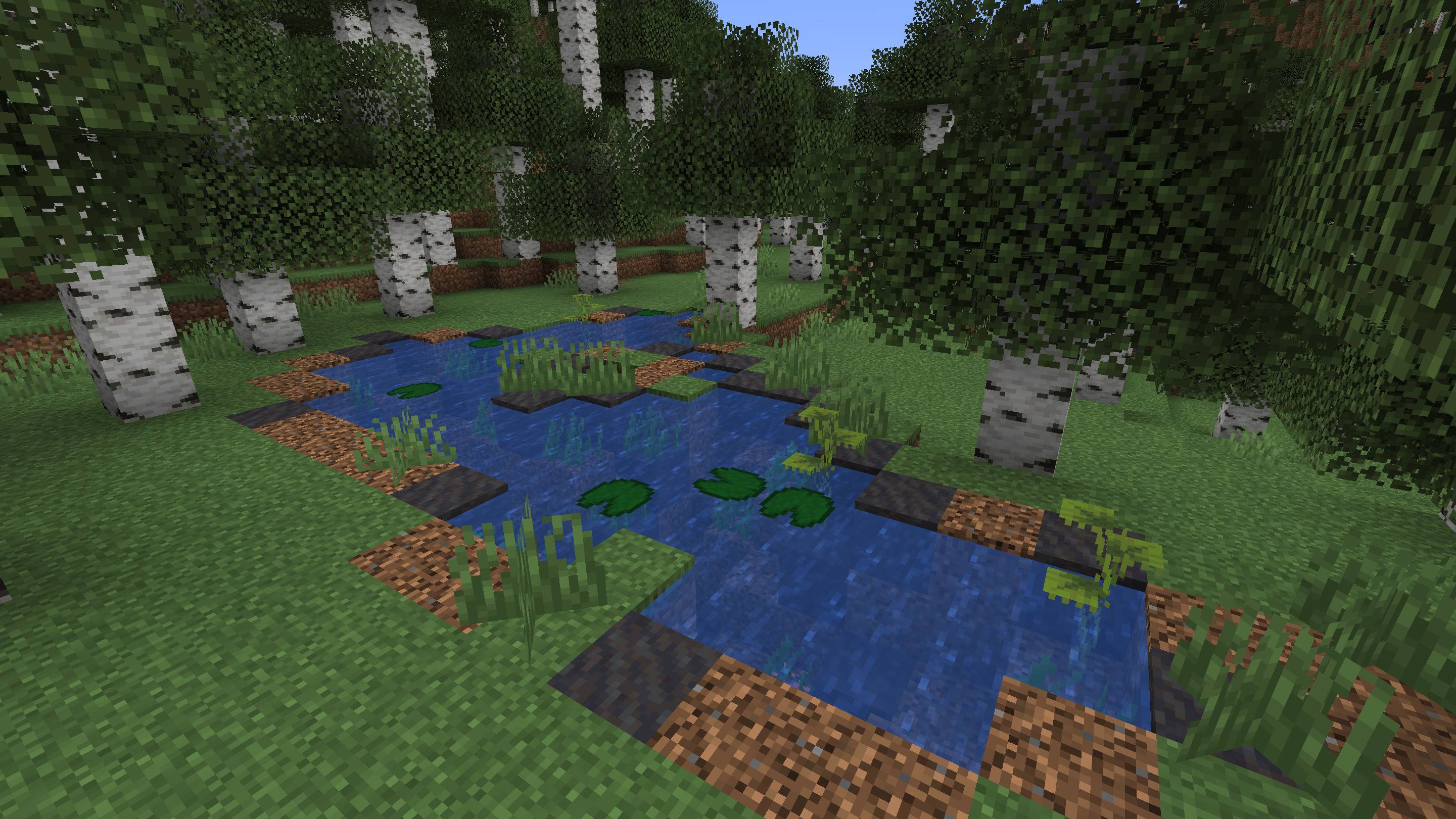
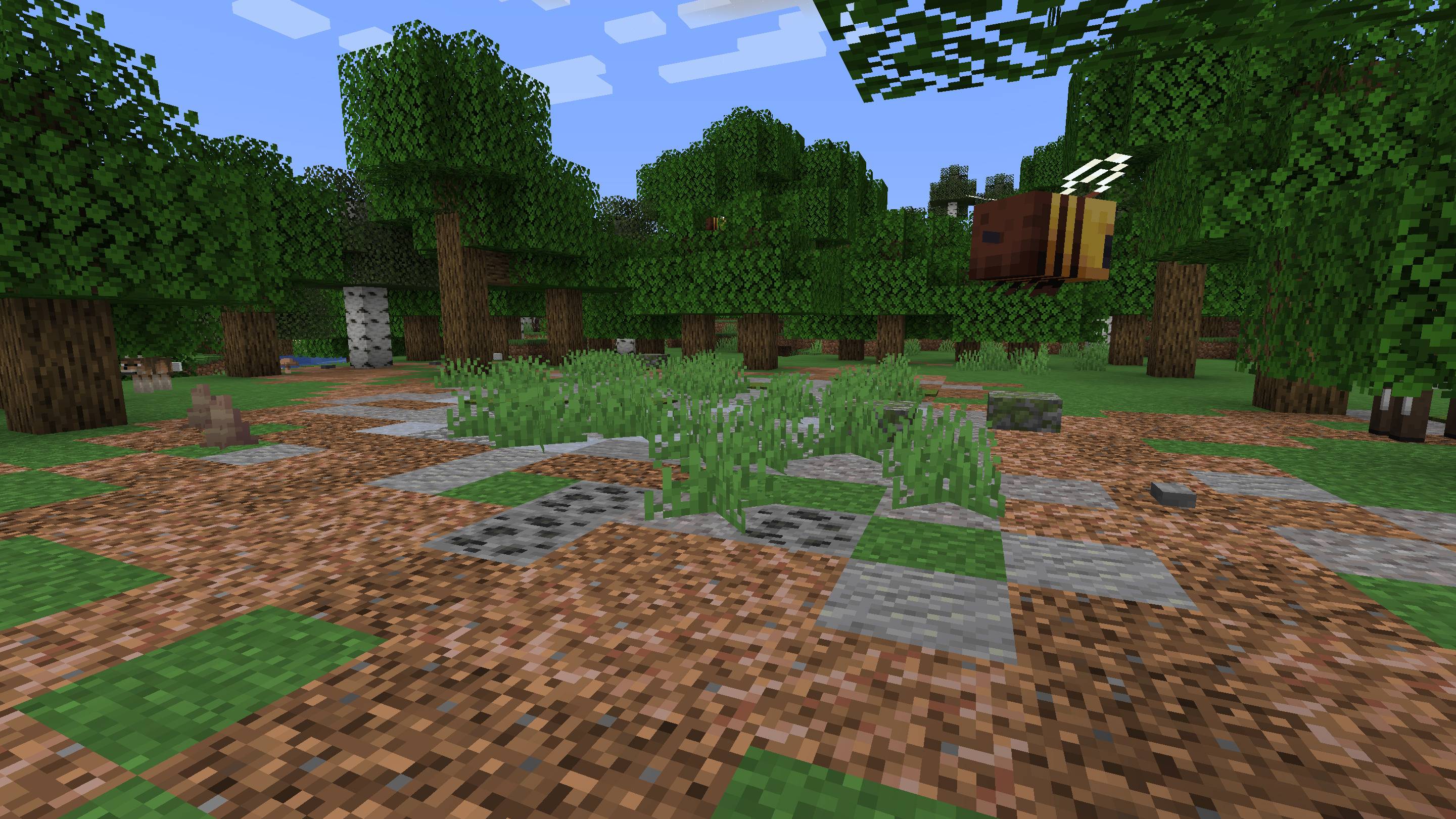
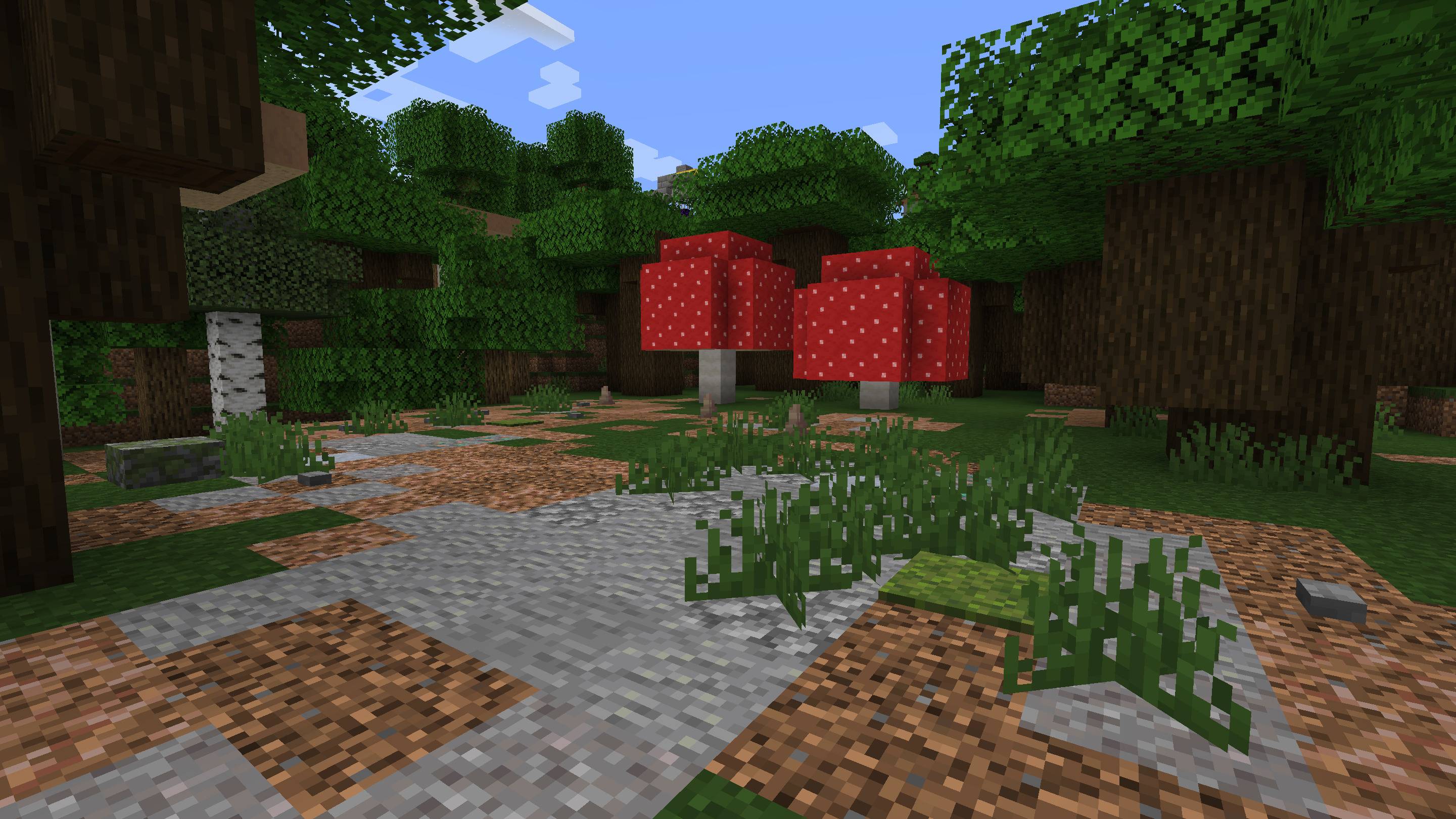
Forest Clearings
Areas without trees that break the monotony within forests:
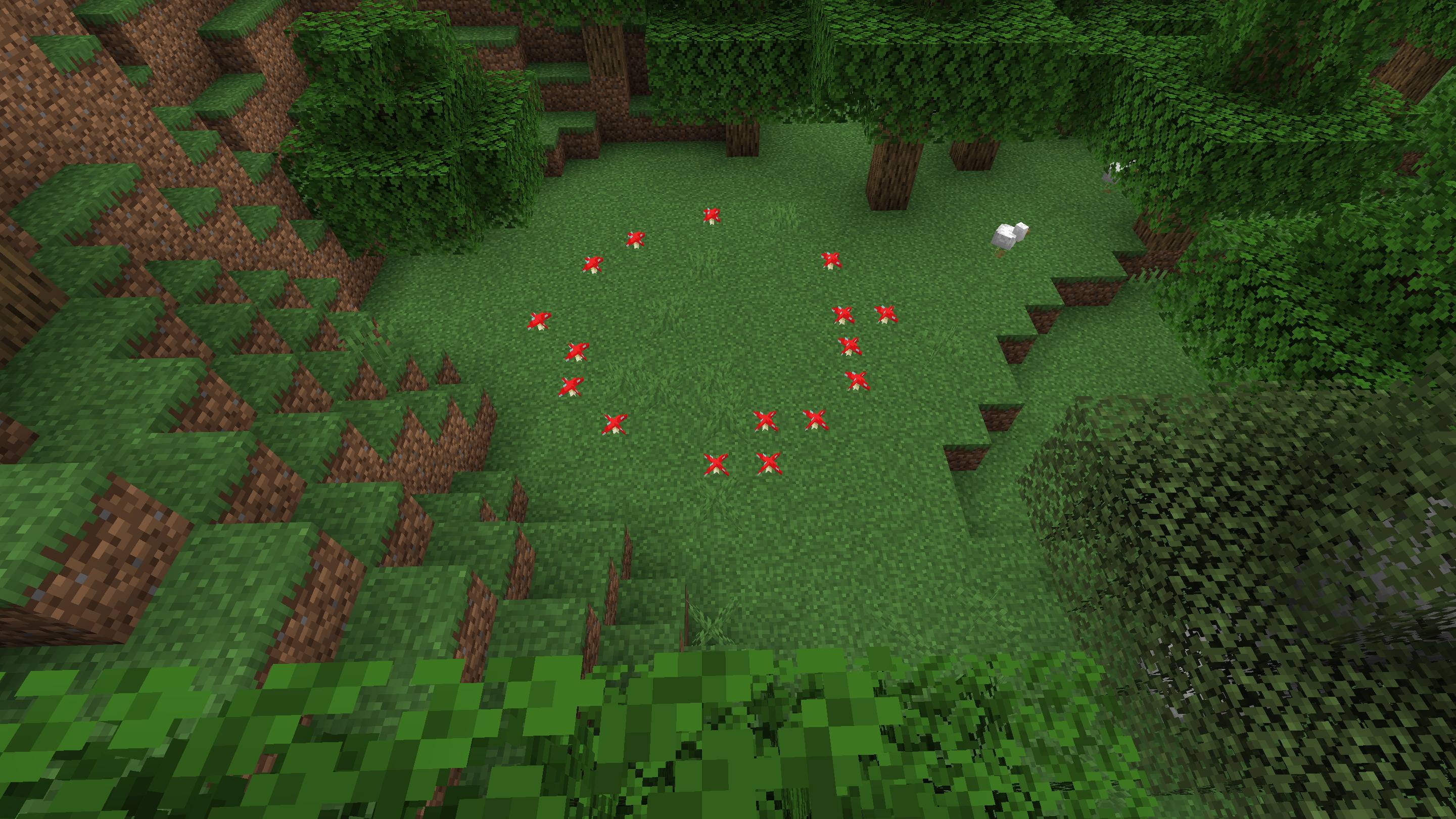
Fairy Rings
Circular mushroom patches that generate within forests:
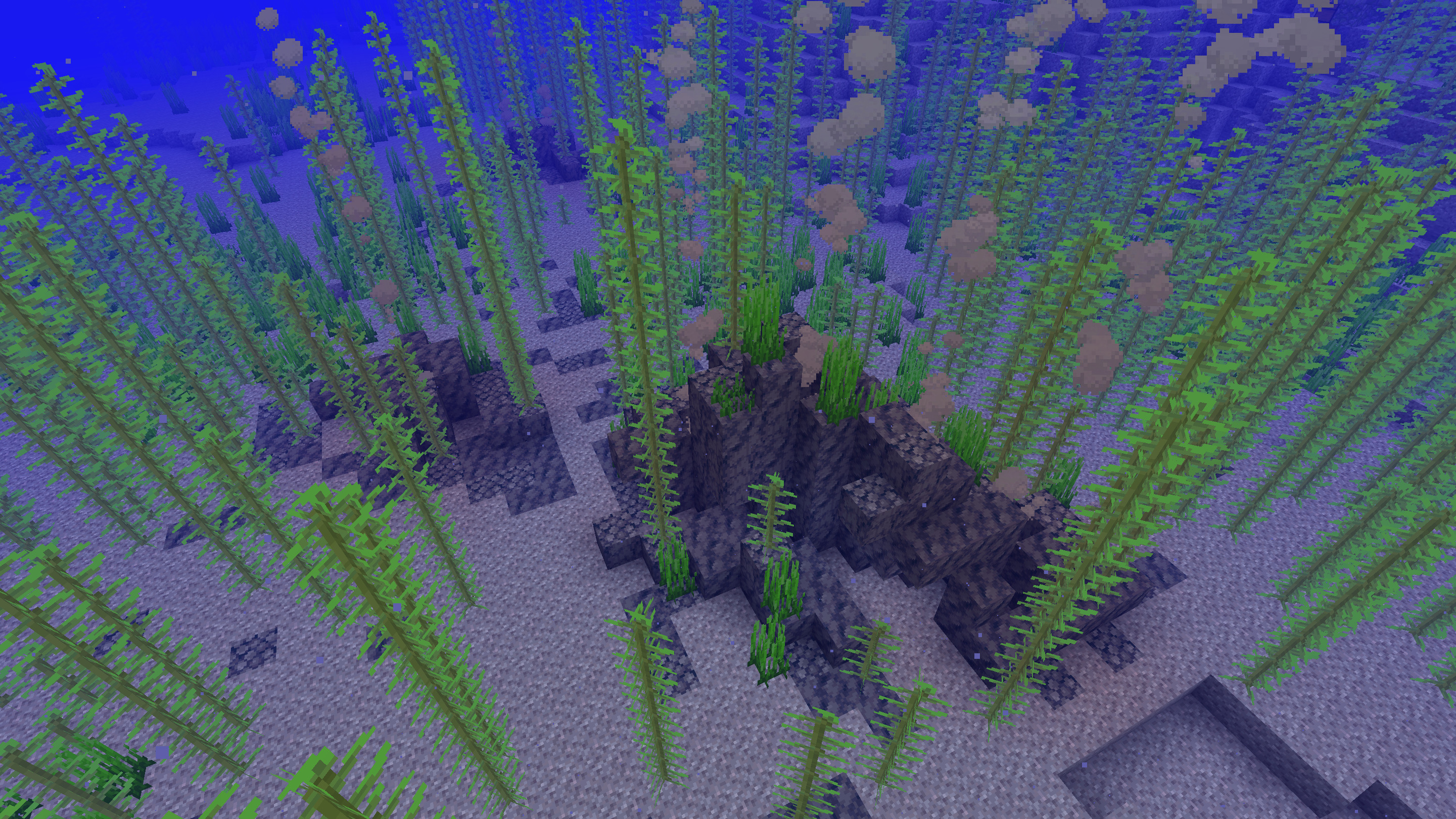
Thermal vents
They generate at the bottom of all deep oceans.
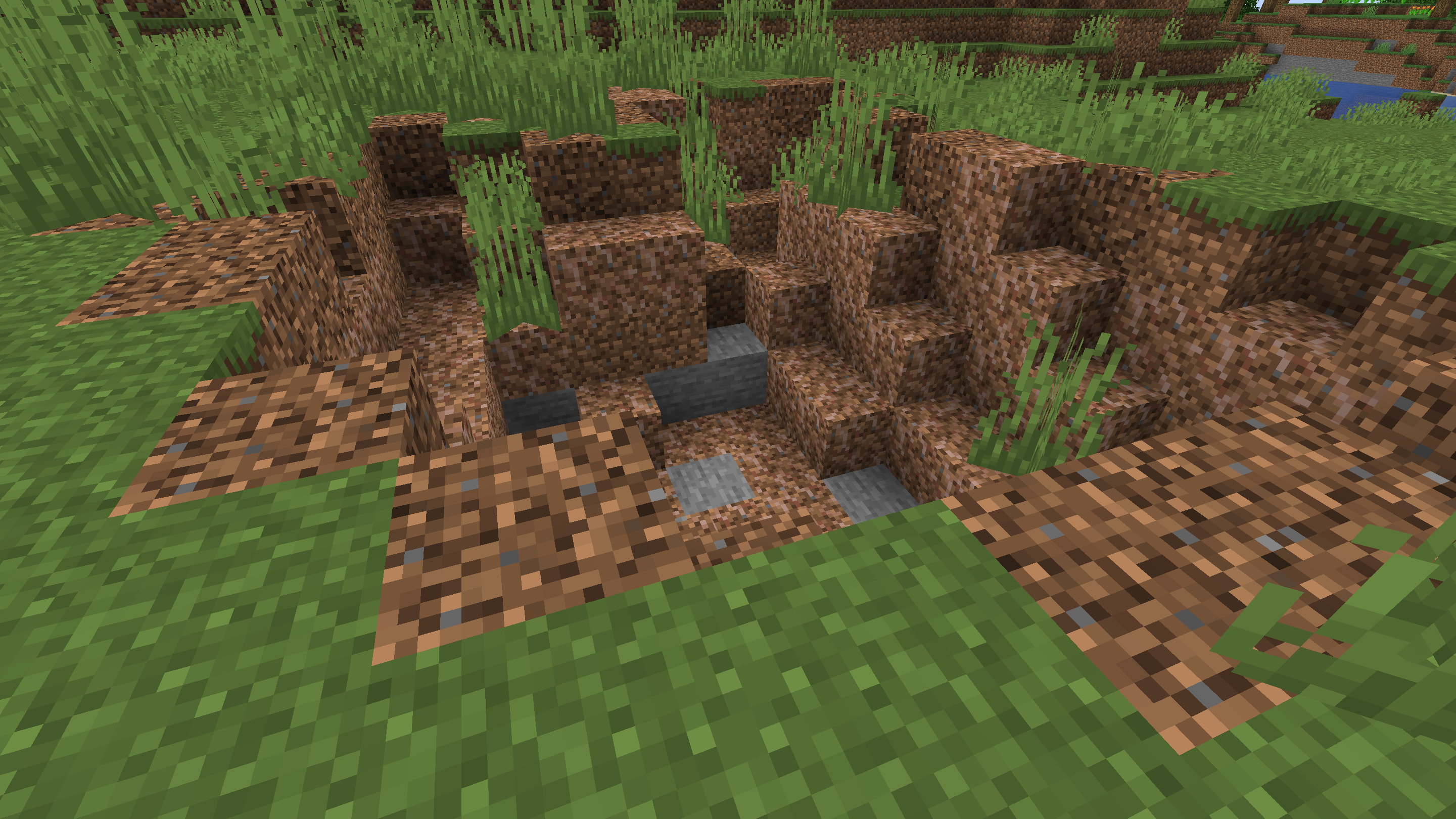
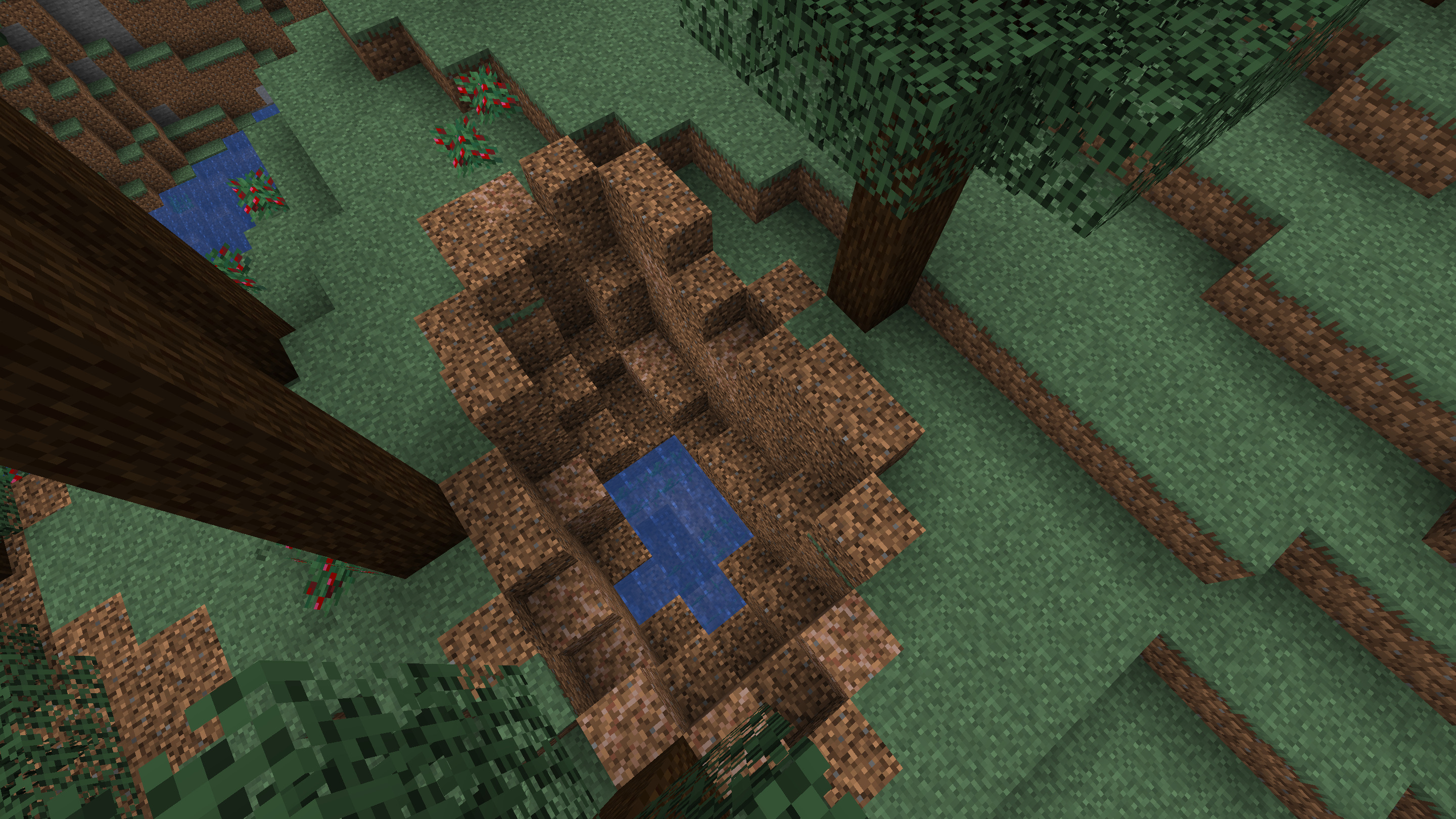
Sinkholes
They can have stagnant water.
More will be added...
Configuration
The mod is configured through datapacks that replace the integrated JSON files. Some of those are:
- landmarks/tags/worldgen/biome/has_...
Control the biomes in which the features are generated.
- landmarks/worldgen/placed_feature/rocks.json (Continental rocks)
- landmarks/worldgen/placed_feature/ocean_rocks_deep.json (Rocks that emerge from deep oceans)
- landmarks/worldgen/placed_feature/ocean_rocks_shallow.json (Rocks that emerge from shallow oceans)
- landmarks/worldgen/placed_feature/underwater_rocks.json (Submerged rocks)
- landmarks/worldgen/placed_feature/forest_clearing.json (Forest clearings)
- landmarks/worldgen/placed_feature/pond.json (Ponds, oases, frozen lakes)
- landmarks/worldgen/placed_feature/fairy_ring.json (Mushroom rings)
Can be used to tweak the rarity of the features, or disable them altogether.
- landmarks/worldgen/configured_feature/rocks.json
- landmarks/worldgen/configured_feature/pond.json
- landmarks/worldgen/configured_feature/forest_clearing.json
- landmarks/worldgen/configured_feature/fairy_ring.json
Also check the wiki.
Note that although this mod appears to reuse Minecraft's density function system, in practice most vanilla function types (noise, cache and interpolation ones in particular) and everything that depends on them (such as overworld biome parameters) don't work on Landmarks features, and Landmarks analogues don't work outside of its feature type.
Future plans/ideas
- Improve the aesthetics of the rocks and clearings, I'm not yet satisfied with them
- Add more types of ponds
- Ocean isles, volcanic islands, atolls?
- Floating islands above deep oceans? Not sure if they fit into the theme of the mod, but they would make oceans more interesting
- Moss patches and tree stumps in forests
- Mud volcanoes?
- Animal trails?
- Tidal pools?
- Animal nests?
- Mini caves?
- Make use of the new 1.21.8+ blocks
- Improve the documentation of the config format
Project description from CurseForge.
Pick your setup
Landmarksㅤ by Minecraft version and loader
Choose the version and loader you play, then open the matching release.
Minecraft version
1.21.10
2 loader buildsMinecraft version
1.21.9
1 loader buildMinecraft version
1.21.8
2 loader buildsMinecraft version
1.21.1
2 loader buildsMinecraft version
1.21
2 loader buildsMinecraft version
1.20.1
3 loader buildsMinecraft version
1.20
3 loader buildsCheck the dependencies, then try the file in a copied instance before changing a world you care about.
Recent files
Landmarksㅤ versions and loaders
landmarks-neoforge-26.2-1.2.1.jar
9 Aug 2026
Client Source doesn’t say Server Source doesn’t say Dependencies No extras listed Listed on Release listing
Check the 26.2 · NeoForge setup NeoForge26.2 release
landmarks-neoforge-26.2-1.2.0.jar
1 Jul 2026
Client Source doesn’t say Server Source doesn’t say Dependencies No extras listed Listed on Release listing
Check the 26.2 · NeoForge setup NeoForge26.2 release
landmarks-fabric-26.2-1.2.0.jar
1 Jul 2026
Client Source doesn’t say Server Source doesn’t say Dependencies No extras listed Listed on Release listing
Check the 26.2 · Fabric setup Fabric26.2 release
landmarks-fabric-1.2.0-1.20-java17.jar
30 Jun 2026
Client Source doesn’t say Server Source doesn’t say Dependencies No extras listed Listed on Release listing
Check the 1.20.1 · Fabric setup Fabric1.20.11.20 release
landmarks-fabric-1.2.0-1.21.10.jar
9 Nov 2025
Client Source doesn’t say Server Source doesn’t say Dependencies 1 required · 1 unchecked Listed on Release listing
Check the 1.21.10 · Fabric setup Fabric1.21.101.21.9 release
landmarks-neoforge-1.2.0-1.21.10.jar
9 Nov 2025
Client Source doesn’t say Server Source doesn’t say Dependencies No extras listed Listed on Release listing
Check the 1.21.10 · NeoForge setup 1.21.10NeoForge release
landmarks-fabric-1.2.0-1.21.8.jar
9 Nov 2025
Client Source doesn’t say Server Source doesn’t say Dependencies No extras listed Listed on Release listing
Check the 1.21.8 · Fabric setup Fabric1.21.8 release
landmarks-neoforge-1.2.0-1.21.8.jar
9 Nov 2025
Client Source doesn’t say Server Source doesn’t say Dependencies No extras listed Listed on Release listing
Check the 1.21.8 · NeoForge setup 1.21.8NeoForge release
landmarks-fabric-1.2.0-1.21.jar
9 Nov 2025
Client Source doesn’t say Server Source doesn’t say Dependencies 1 required · 1 unchecked Listed on Release listing
Check the 1.21.1 · Fabric setup 1.21Fabric1.21.1 release
landmarks-neoforge-1.2.0-1.21.jar
9 Nov 2025
Client Source doesn’t say Server Source doesn’t say Dependencies No extras listed Listed on Release listing
Check the 1.21.1 · NeoForge setup 1.21NeoForge1.21.1 release
landmarks-fabric-1.2.0-1.20.jar
9 Nov 2025
Client Source doesn’t say Server Source doesn’t say Dependencies 1 required · 1 unchecked Listed on Release listing
Check the 1.20.1 · Fabric setup Fabric1.20.11.20 release
landmarks-forge-1.2.0-1.20.jar
9 Nov 2025
Client Source doesn’t say Server Source doesn’t say Dependencies No extras listed Listed on Release listing
Check the 1.20.1 · Forge setup 1.20.1Forge1.20 release
Looking for an older file? The official CurseForge project page is in Resources.
 mod
mod CurseForge · Minecraft
PlushesO'Plenty
Adds Multiple New Plushies to the game
 mod
mod CurseForge · Minecraft
Tensura: Reincarnated
Tensura: Reincarnated is a mod bringing the popular light novel "That Time I Got Reincarnated as a Slime" into the world of Minecraft! With everything from the old mod being completely reworked, this mod is a perfect sandbox to fight, explore or create in.
 mod
mod CurseForge · Minecraft
Deep Abyss
A mod that adds a really deep ocean dimension