Minecraft version
Back to mods 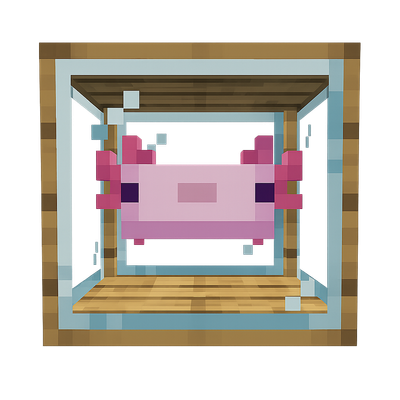
CurseForge · Minecraft mod
Axolostry
The axolotl breeding is great
Choose a version Pick your version below, then grab the matching file.
Quick answer
Which Axolostry release should I use?
Latest stable file axolostry 2.0.3
Game version 1.21.1
Loader NeoForge
axolostry 2.0.3 targets 1.21.1 with NeoForge. The project page does not say whether this file belongs on the client, dedicated server, or both. No extra mods listed for this file.
Where it goes
Is Axolostry required on the client, server, or both?
The project page does not say whether this file belongs on the client, dedicated server, or both.
Client Source doesn’t say
Dedicated server Source doesn’t say
Loader for this release NeoForge
Required install it here Optional supported, not mandatory Not supported do not install here Source doesn’t say do not assume
The source does not explicitly classify this release as client-only or server-only.
What else does axolostry 2.0.3 need?
axolostry 2.0.3. Change the file and its required mods may change too.
This file does not list any required mods. Do not add a library just because a different file uses it.
This file does not list any required or optional mods.
Before you install it
Add Axolostry without breaking your instance.
Built for axolostry 2.0.3. Pick another file and the loader, install side or required mods may change.
- 01
Stick to this file
Use axolostry 2.0.3. It targets 1.21.1 with NeoForge; another release may have different loader, side or dependency requirements.
- 02
Bring the mods it needs
This file does not list any required mods. Do not add a library just because a different file uses it.
- 03
Put it on the correct side
The project page does not say whether this file belongs on the client, dedicated server, or both.
- 04
Pick the file you checked
Use the “Get this file” button beside axolostry 2.0.3. It opens that exact file at the source.
About this project
What does Axolostry add?

Axolostry expands Minecraft’s axolotls with a progression system built around breeding, genetics, vivariums, machines, and resource production.
The mod is inspired by Forestry and follows a similar approach: study inherited traits, select suitable parents, discover new species, and develop breeding lines that produce increasingly valuable resources.
Breeding
Axolotls are bred inside vivariums using dedicated breeding recipes.
Recipes can require:
- Specific parent species
- A particular fluid
- A suitable vivarium tier
- A specific block placed beneath the vivarium
Breeding creates a temporary hybrid. Its health is calculated from the average health of both parents, and each health point corresponds to one second of transformation time.
When the transformation is complete, the hybrid becomes one of the possible results defined by the breeding recipe.
Genetics
Axolotls inherit traits from their parents.
The genetic system includes:
- Color
- Health
- Speed
- Regeneration
- Resource production speed
The Axolotl Analyzer can be used to inspect these traits and select suitable specimens for further breeding.
Species and hybrids
Different parent combinations can produce new axolotl species.
Some species are available through simple crosses, while others require multiple breeding stages, higher-tier vivariums, specific fluids, or supporting blocks.
During transformation, the vivarium displays a hybrid appearance based on both parents.
Vivariums
Vivariums are used to house axolotls, breed new species, and support resource production.
Different vivarium tiers provide access to more advanced breeding recipes. Vivariums can store fluids and interact with compatible fluid pipes.
Axolotls can also be fed:
- Regular fish restores health
- Pufferfish reduces adult health and accelerates hybrid transformation
Resource production
Adult axolotls produce resources based on their species.
Basic species provide common materials, while advanced breeding lines unlock more valuable outputs. Production speed is affected by inherited traits.
Resources can be collected and processed using Axolostry machines.
Machines and equipment
Axolostry includes dedicated equipment for breeding, analysis, processing, and resource extraction:
- Multiple vivarium tiers
- Axolotl Analyzer
- Incubator
- Mixer
- Resource Extractor
- Axolotl Forge
- Axolotl Cloning Chamber
- Magnifying Glass
- Upgrade modules
Recipe viewer support
Axolostry includes recipe categories for its custom processes.
Supported recipe viewers:
- JEI
- EMI
It is best to use EMI.
Breeding, incubation, mixing, extraction, forging, cloning, and other custom recipes can be viewed directly through the recipe interface.
Project description from CurseForge.
Pick your setup
Axolostry by Minecraft version and loader
Choose the version and loader you play, then open the matching release.
Check the dependencies, then try the file in a copied instance before changing a world you care about.
Recent files
Axolostry versions and loaders
axolostry 2.0.3
axolostry-2.0.3.jar
1 Aug 2026
Client Source doesn’t say Server Source doesn’t say Dependencies No extras listed Listed on Release listing
Check the 1.21.1 · NeoForge setup 1.21.1NeoForge release
axolostry-2.0.2.jar
30 Jul 2026
Client Source doesn’t say Server Source doesn’t say Dependencies No extras listed Listed on Release listing
Check the 1.21.1 · NeoForge setup 1.21.1NeoForge release
axolostry-2.0.1.jar
29 Jul 2026
Client Source doesn’t say Server Source doesn’t say Dependencies No extras listed Listed on Release listing
Check the 1.21.1 · NeoForge setup 1.21.1NeoForge release
Axolostry 2.0.0
axolostry-2.0.0.jar
29 Jul 2026
Client Source doesn’t say Server Source doesn’t say Dependencies No extras listed Listed on Release listing
Check the 1.21.1 · NeoForge setup 1.21.1NeoForge release
Axolostry-1.2.2.jar
v1axolostry-1.2.2.jar
2 Mar 2026
Client Source doesn’t say Server Source doesn’t say Dependencies 1 required · 1 unchecked Listed on Release listing
Check the 1.21.1 · Fabric setup Fabric1.21.1 release
Axolostry-1.2.1.jar
v1axolostry-1.2.1.jar
1 Mar 2026
Client Source doesn’t say Server Source doesn’t say Dependencies 1 required · 1 unchecked Listed on Release listing
Check the 1.21.1 · Fabric setup Fabric1.21.1 release
axolostry-1.2.jar
v1axolostry-1.2.jar
28 Feb 2026
Client Source doesn’t say Server Source doesn’t say Dependencies 1 required · 1 unchecked Listed on Release listing
Check the 1.21.1 · Fabric setup Fabric1.21.1 release
v1axolostry-1.1.0.jar
v1axolostry-3.0.0.jar
23 Dec 2025
Client Source doesn’t say Server Source doesn’t say Dependencies 1 required · 1 unchecked Listed on Release listing
Check the 1.21.1 · Fabric setup Fabric1.21.1 release
v1axolostry-1.1.jar
v1axolostry-1.0.0.jar
22 Oct 2025
Client Source doesn’t say Server Source doesn’t say Dependencies No extras listed Listed on Release listing
Check the 1.21.1 · Fabric setup Fabric1.21.1 release
v1axolostry-1.0.1.jar
v1axolostry-1.0.0.jar
18 Oct 2025
Client Source doesn’t say Server Source doesn’t say Dependencies 1 required · 1 unchecked Listed on Release listing
Check the 1.21.1 · Fabric setup Fabric1.21.1 beta
v1axolostry-1.0.0.jar
17 Oct 2025
Client Source doesn’t say Server Source doesn’t say Dependencies 1 required · 1 unchecked Listed on Release listing
Check the 1.21.1 · Fabric setup Fabric1.21.1 alpha
Looking for an older file? The official CurseForge project page is in Resources.
 mod
mod CurseForge + Modrinth · Minecraft
I don't want to kill them!!
Adds alternatives to leather, ink etc. without killing animals. Makes chicken drop feathers. Vegan and children-friendly mod.
 mod
mod CurseForge + Modrinth · Minecraft
Farm 3x3 Farmer's Delight Compatibility
Provides compatibility with Farm 3x3 and Farmer's Delight.
 mod
mod CurseForge · Minecraft
OREBOUND Core
Progress from hand prospecting to industrial mining, deep-strata exploration, the Quantum Bore, and the Worldheart in a custom underground resource system.