







Back to mods
ForgeCraft - Equipment Extension project artwork

CurseForge · Minecraft mod

ForgeCraft - Equipment Extension

Mod Packed version of ForgeCraft Datapack. Inspired by Hypixel Skyblock Reforge System. Upgrade your equipments and enhance the progression!

Choose a version Pick your version below, then grab the matching file.

Quick answer

Which ForgeCraft - Equipment Extension release should I use?

Updated yesterday
Latest stable file ForgeCraft V1.8.1
Game version 1.21.8, 1.21.5, 1.21.6
Loader Fabric, Forge, NeoForge

ForgeCraft - Equipment Extension ForgeCraft V1.8.1 targets 1.21.8, 1.21.5, 1.21.6 with Fabric, Forge, NeoForge. The project page does not say whether this file belongs on the client, dedicated server, or both. No extra mods listed for this file.

Where it goes

Is ForgeCraft - Equipment Extension required on the client, server, or both?

The project page does not say whether this file belongs on the client, dedicated server, or both.

Client Source doesn’t say
Dedicated server Source doesn’t say
Loader for this release Fabric, Forge, NeoForge
Required install it here Optional supported, not mandatory Not supported do not install here Source doesn’t say do not assume

The source does not explicitly classify this release as client-only or server-only.

What else does ForgeCraft - Equipment Extension ForgeCraft V1.8.1 need?

ForgeCraft V1.8.1. Change the file and its required mods may change too.

No extra mods listed for this file

This file does not list any required mods. Do not add a library just because a different file uses it.

This file does not list any required or optional mods.

Before you install it

Add ForgeCraft - Equipment Extension without breaking your instance.

Built for ForgeCraft - Equipment Extension ForgeCraft V1.8.1. Pick another file and the loader, install side or required mods may change.

  1. 01

    Stick to this file

    Use ForgeCraft V1.8.1. It targets 1.21.8, 1.21.5, 1.21.6 with Fabric, Forge, NeoForge; another release may have different loader, side or dependency requirements.

  2. 02

    Bring the mods it needs

    This file does not list any required mods. Do not add a library just because a different file uses it.

  3. 03

    Put it on the correct side

    The project page does not say whether this file belongs on the client, dedicated server, or both.

  4. 04

    Pick the file you checked

    Use the “Get this file” button beside ForgeCraft V1.8.1. It opens that exact file at the source.

About this project

What does ForgeCraft - Equipment Extension add?

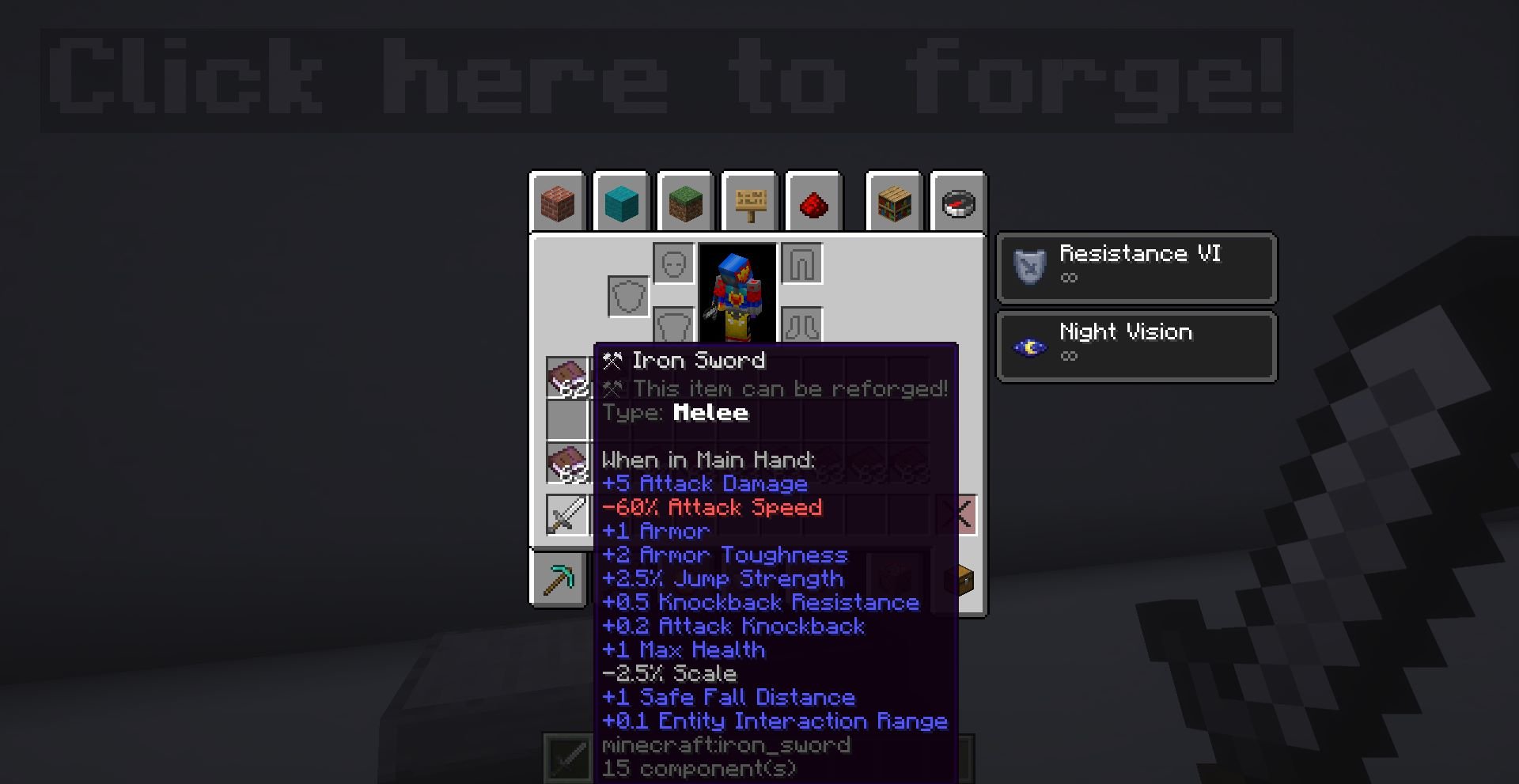
Welcome to ForgeCraft! Have you ever complain about having too little modification on the items? Or just play a lot of survival minecraft and want to modify the game without using any mods? Well, this datapack suits you! This datapack features a Reforge System where you can alter your Weapons, Armor, Tools and Utilities in a different way!

As of right now, there are over 80 Unique Reforges for you to discover and use. They all support multiplayer so you don't have to worry about it working inproperly. However, if you found any bugs and problems with the datapack, let me know by commenting here!

This datapack does have a resourcepack, which is currently in stage 2: All Armor reforge items. Now it is required for the datapack to work properly. To download the resourcepack, here's the link:

Resourcepack download link:

https://www.curseforge.com/minecraft/texture-packs/forgecraft-support-resource-pack

- Available Forge Options (Some reforges can apply to multiple types):

  • 4 [Any] Reforges
  • 18 [Armor] Reforges
  • 15 [Melee] Reforges
  • 12 [Tool] Reforges
  • 12 [Ranged] Reforges

Not Going to provide the details here, go find it yourself!

- 3 New Bosses

- 7 Conditional Mobs (Boss Included)

- 33 Reforges with special abilities

- 22 Reforge related Advancements

- Customizable Projectile System (Might Release it seperately in the furture)

  • Try not to cheat through the reforge items (I know, some of them are hard to get)
  • Please do not put the reforge anvil outside of 1 or 0.5 block height, it may have unintentional behaviour!
  • Please read the README from the source file for some extra details
  • (For V1.62.2 or newer only!) To modify the maximum count for enhancement books applied, you can type the following command:
    /function gamerules:enhancementmaxcount/set {count:10}
    Where "count" is the maximum count to apply

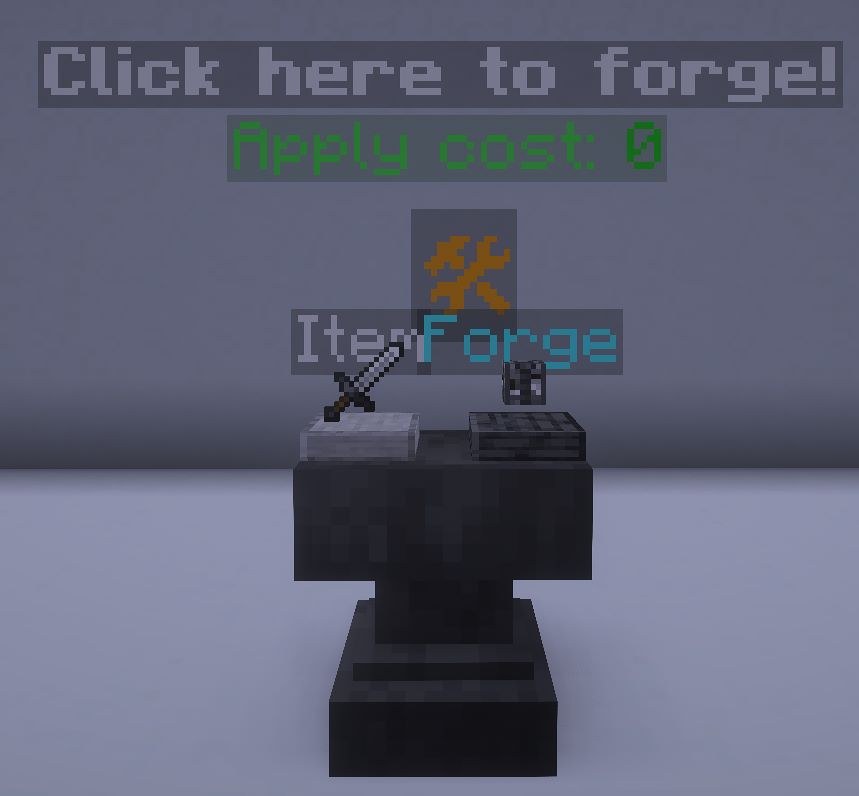
  • Craft the Reforge Anvil from the crafting table and place it like a spawn egg. However, it will NOT rotate.
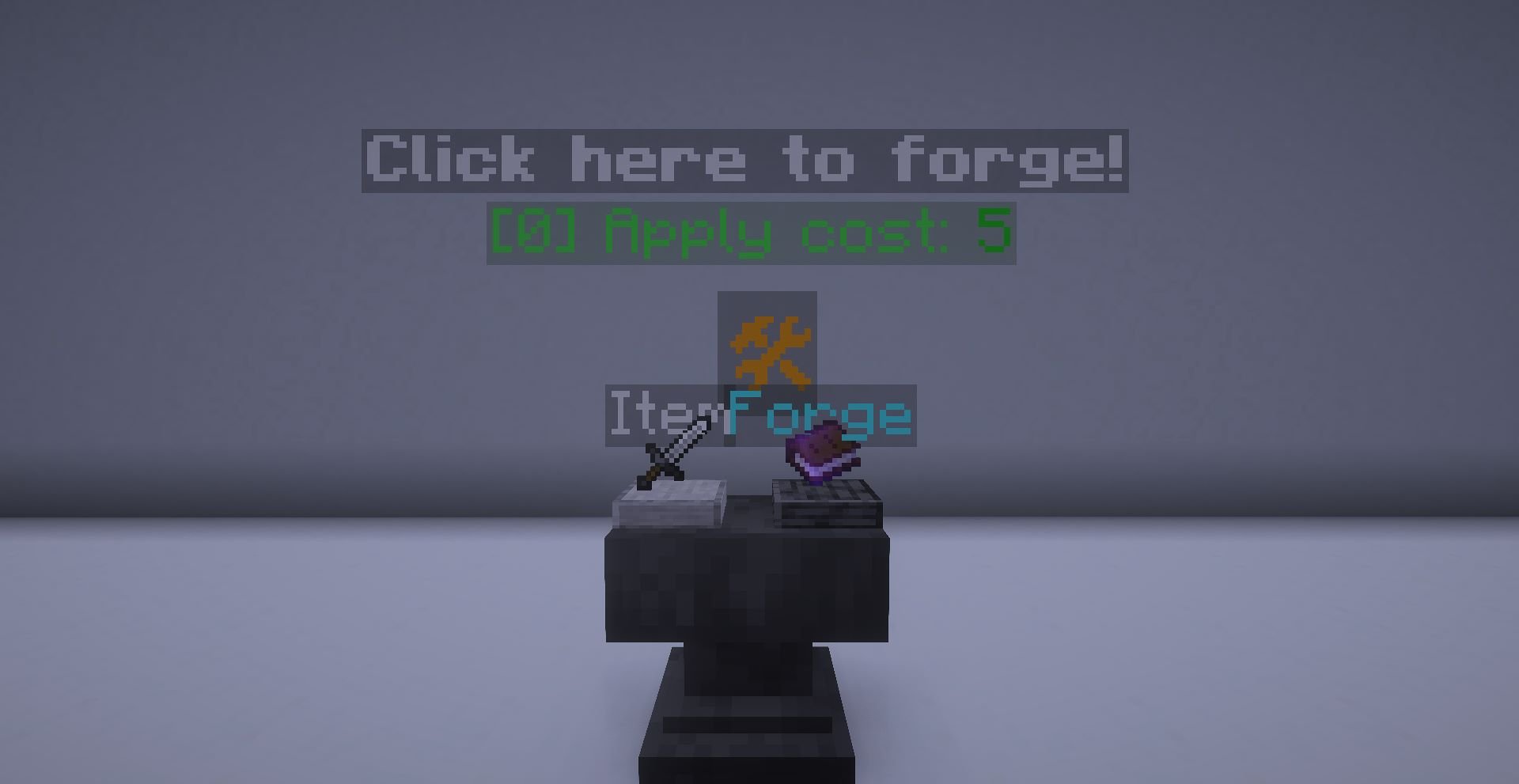
  • To put the item to the slot, right click to place and left click to get it back
  • To forge the item, click on the symbol 🛠. It will only work if the items are correct and you have enough xp levels
  • To get the reforge anvil back, just simply destory the anvil with proper tools, remaining items in the slot will return as a dropped item.
  • Skeletons will not always be holding a bow, they can now hold a sword or a axe with enchantments (They are deadly...)
  • You can get a special reforge from a wandering trader with a low percentage
  • Since that the enderman can be ranged, I would not recommend to build the usual enderman farm as the endermite may die from projectile.
  • Recommend to have a unbreakable shield as some mobs can quickly destroy your normal shield like a paper
  • Some items will have limitation, please read the forge item carefully. (At least bow can work like a charm in left hand due to 'weapon' data is inside the arrow data)
  • The advancement will provide guide on spawning the conditional mobs. Getting advancement will also reward with a bit of xp.

[Version V1.4 & After Only!]

Now you can customize the stats of a item!
Requirement:

  • The item is vanilla reforged by the Vanilla Item Converter

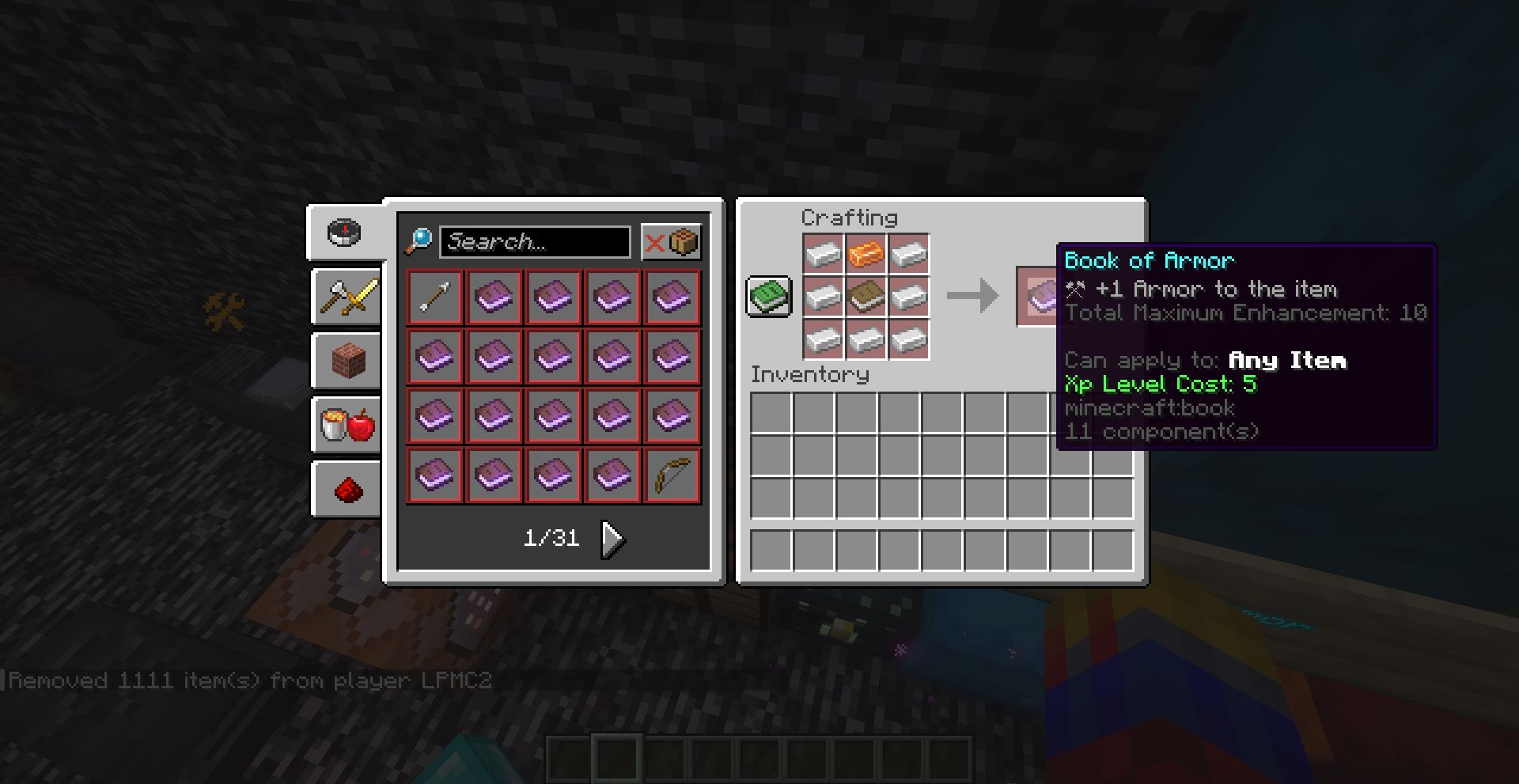
Getting the Stat Booster Item: They are obtainable from crafting recipes, like the one below:

List of Available Boosts:

  • Max Health
  • Armor
  • Armor Toughness
  • Attack Damage
  • Attack Speed
  • Attack Knockback
  • Block Interaction Range
  • Entity Interaction Range
  • Burning Time (Reduce)
  • Safe Fall Distance
  • Gravity (Reduce)
  • Knockback Resistance
  • Jump Strength
  • Block Break Speed
  • Scale (Both Reduce & Increase)
  • Movement Speed
  • Oxygen Bonus
    To apply the boost, just do it the same way as forging the item

You can apply various boosts into one item, but the maximum total applies is 10.

Project description from CurseForge.

Pick your setup

ForgeCraft - Equipment Extension by Minecraft version and loader

Choose the version and loader you play, then open the matching release.

135 available setups

Showing the newest 12 of 29 game versions. Older files are in the list below.

Check the dependencies, then try the file in a copied instance before changing a world you care about.

Recent files

ForgeCraft - Equipment Extension versions and loaders

100 of 100 releases match

Looking for an older file? The official CurseForge project page is in Resources.