HB's Foundation Needed by HB's Satellites HBs_Satellites-forge-1.20.1-1.3.1.jar
requiredMatching file found Matched file: HBs_Foundation-forge-1.20.1-1.7.2.jar
CurseForge · Minecraft mod
Monitor distant chunks and entities; launch attacks from the comfort of your base. Holy Buckets mod series.
Quick answer
HB's Satellites HBs_Satellites-forge-1.20.1-1.3.1.jar targets 1.20.1 with Forge. The project page does not say whether this file belongs on the client, dedicated server, or both. All 3 required mods have matching files.
Where it goes
The project page does not say whether this file belongs on the client, dedicated server, or both.
The source does not explicitly classify this release as client-only or server-only.
HBs_Satellites-forge-1.20.1-1.3.1.jar. Change the file and its required mods may change too.
Install HB's Foundation, Chisels & Bits - For Forge, Balm first. We found matching files for this game-version and loader setup.
We only count dependency files that match this setup. A file for another loader does not fill the gap.
Before you install it
Built for HB's Satellites HBs_Satellites-forge-1.20.1-1.3.1.jar. Pick another file and the loader, install side or required mods may change.
Use HBs_Satellites-forge-1.20.1-1.3.1.jar. It targets 1.20.1 with Forge; another release may have different loader, side or dependency requirements.
Install HB's Foundation, Chisels & Bits - For Forge, Balm first. We found matching files for this game-version and loader setup.
The project page does not say whether this file belongs on the client, dedicated server, or both.
Use the “Get this file” button beside HBs_Satellites-forge-1.20.1-1.3.1.jar. It opens that exact file at the source.
About this project
HB’s Satellites is a Minecraft mod that allows you to view distant lands via the use of a Satellite block and the corresponding Controller and Display blocks for viewing terrain in a futuristic 3D style. The controller block can be used to adjust the viewing area, viewing depth, or height of the display. The terrain is laid out in a beautiful future looking hologram, but it will take some practice to understand what you’re looking at. Hostile and friendly entities will appear as pings on the satellite as well, these are customizable in the config file.
Block Texture Art and Particles: @kovrik337 (discord)
Item Upgrade Texture Art: @DylanJordaan…again
Satellite block can be placed anywhere in the world and will forceload the chunks around it
Controller block links to the Satellite block by matching the wool color. You can right click the colored portion with a wool block to set it directly.
Add as many display blocks as you like to view all around the satellite! Then you can use the controller to navigate around or go deeper down to the caves
Awesome sleek holographic view of the terrain is laid out in allowing the player to explore vast areas or the deep underground all at once
The area on the hologram will light up as you hover over it. Right click a block and it will tell you the target block position you selected!
**Target Controller Block**
Target any position on the map and a hint will show the exact block position
When "Firing" the weapon, the weapon stored inside is triggered and a message is sent to the Target Receiver
The only currently supported weapon is a Redstone torch which sets a Waypoint in the world
**Target Receiver Bock**
Receives the set location from the Target Controller Block and emits a redstone signal when the **Target Controller** is "Fired"
multilinkUpgrade - allows connecting multiple displays to a single satellite (not in use)
oreScannerUpgrade - allows viewing ores on the satellite display (ores to view can be configured in the configs)
rangeUpgrade - increases satellite operational viewing range
depthUpgrade - increases satellite depth viewing range
entityScannerUpgrade - reveals entities as colored pings on the display
playerScannerUpgrade - distinguishes players between green (friendly) and red (enemy) depending on their dyed items
entityDetectorUpgrade - all display blocks emit a redstone signal if an entity occupies their viewing range, strength of signal proportional to entityType
green ping - 3
white ping - 6
blue ping - 9
red ping - 12
Project description from CurseForge.
Pick your setup
Choose the version and loader you play, then open the matching release.
Check the dependencies, then try the file in a copied instance before changing a world you care about.
Recent files
4 Jul 2026
4 Jul 2026
26 Jun 2026
26 Jun 2026
14 Jun 2026
21 Jan 2026
21 Jan 2026
6 Nov 2025
6 Nov 2025
21 Oct 2025
Looking for an older file? The official CurseForge project page is in Resources.
 mod
modDetects broken farms and item leaks, reduces dropped item lag, and safely cleans up dangerous item concentrations
 mod
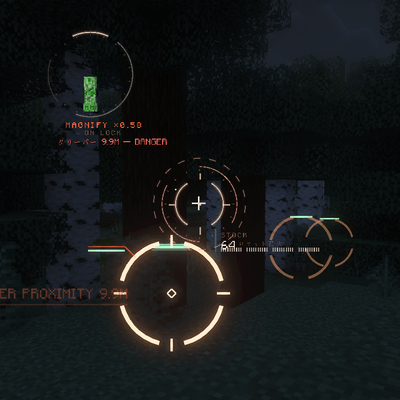
modA cinematic, fully vector-drawn HUD: holographic terrain map, flight instruments, threat alerts, and ten switchable themes. Every element is geometry, not a texture.
 mod
modSticks that make building easier