Minecraft version
Back to mods 
CurseForge · Minecraft mod
Block Swap Reblocked
A simple mod to replace a given block with another.
Choose a version Pick your version below, then grab the matching file.
Quick answer
Which Block Swap Reblocked release should I use?
Latest stable file Block Swap-fabric-1.20.1-6.0.0.0.jar
Game version 1.20.1
Loader Fabric
Block Swap Reblocked Block Swap-fabric-1.20.1-6.0.0.0.jar targets 1.20.1 with Fabric. The project page does not say whether this file belongs on the client, dedicated server, or both. No extra mods listed for this file.
Where it goes
Is Block Swap Reblocked required on the client, server, or both?
The project page does not say whether this file belongs on the client, dedicated server, or both.
Client Source doesn’t say
Dedicated server Source doesn’t say
Loader for this release Fabric
Required install it here Optional supported, not mandatory Not supported do not install here Source doesn’t say do not assume
The source does not explicitly classify this release as client-only or server-only.
What else does Block Swap Reblocked Block Swap-fabric-1.20.1-6.0.0.0.jar need?
Block Swap-fabric-1.20.1-6.0.0.0.jar. Change the file and its required mods may change too.
This file does not list any required mods. Do not add a library just because a different file uses it.
This file does not list any required or optional mods.
Before you install it
Add Block Swap Reblocked without breaking your instance.
Built for Block Swap Reblocked Block Swap-fabric-1.20.1-6.0.0.0.jar. Pick another file and the loader, install side or required mods may change.
- 01
Stick to this file
Use Block Swap-fabric-1.20.1-6.0.0.0.jar. It targets 1.20.1 with Fabric; another release may have different loader, side or dependency requirements.
- 02
Bring the mods it needs
This file does not list any required mods. Do not add a library just because a different file uses it.
- 03
Put it on the correct side
The project page does not say whether this file belongs on the client, dedicated server, or both.
- 04
Pick the file you checked
Use the “Get this file” button beside Block Swap-fabric-1.20.1-6.0.0.0.jar. It opens that exact file at the source.
About this project
What does Block Swap Reblocked add?
Block Swap Reblocked lets you replace any block—or specific block states—with another to unify duplicates across mods. Use it to merge overlapping ores or wood types from big modpacks, both in new worldgen and (optionally) existing chunks.
Why you’d want this
• Consolidate duplicate content (e.g., multiple coppers/logs) into a single canonical block for cleaner recipes and progression.
• Remove certain blocks from a world
What it does • Block and state swapping: map Block A→Block B, or map specific BlockState→BlockState.
• Property carry-over: preserves matching state properties (e.g., log axis) when swapping.
• Worldgen and existing worlds: swaps apply during world generation; you can also enable per‑block retrogen to update already-generated chunks as they load.
• Player placements: optionally replace when a player places the old block (enable per block).
• In‑game editor: browse all blocks, set replacements, and toggle “Retro” (retrogen) and “Player” per block.
◦ Forge: open via the Mods list config screen.
◦ Fabric: supports Mod Menu.
• Lightweight: designed for minimal overhead; retrogen runs only when enabled.
Config
• Location: config/blockswap/block_swap.json5
• Reloads on world/server start. In‑game changes are saved via the editor’s Done button.
Compatibility
• Loaders: Forge and Fabric
• Minecraft: 1.20+
• Java: 17+
• Requires: CorgiLib 4.0.0+
• License: LGPLv3
Project description from CurseForge.
Pick your setup
Block Swap Reblocked by Minecraft version and loader
Choose the version and loader you play, then open the matching release.
Check the dependencies, then try the file in a copied instance before changing a world you care about.
Recent files
Block Swap Reblocked versions and loaders
Block Swap-fabric-1.20.1-6.0.0.0.jar
25 Oct 2025
Client Source doesn’t say Server Source doesn’t say Dependencies No extras listed Listed on Release listing
Check the 1.20.1 · Fabric setup Fabric1.20.1 release
Block Swap-forge-1.20.1-6.0.0.0.jar
24 Oct 2025
Client Source doesn’t say Server Source doesn’t say Dependencies No extras listed Listed on Release listing
Check the 1.20.1 · Forge setup 1.20.1Forge release
Looking for an older file? The official CurseForge project page is in Resources.
 mod
CurseForge · Minecraft
Villacalvo Daily Life
A little mod for Villavalvo's server, includes documentation and currency.
 mod
CurseForge + Modrinth · Minecraft
Quick Skin
Sick of wasting time with Minecraft’s slow launcher just to change your skin? Quick Skin lets you swap skins instantly even on “offline” servers and gives you access to every official Minecraft cape.
 mod
CurseForge · Minecraft
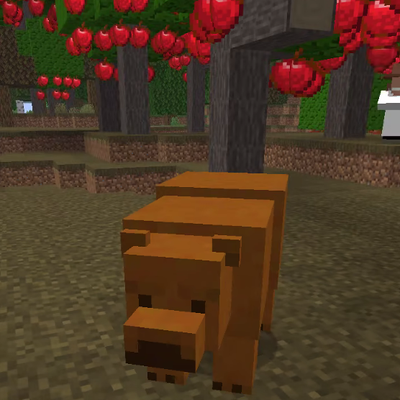
Ku's Apples
A mod that adds in a new biome, the apple tree forest, along with some new entities, trees, and a new way of growing apples!