Fabric API Needed by buildnotes-1.4.0-1.19.jar
requiredMatching file found Matched file: [1.19] Fabric API 0.58.0+1.19

CurseForge · Minecraft mod
A lightweight in-game notetaking and build tracking mod for Fabric Minecraft
Quick answer
buildnotes-1.4.0-1.19.jar targets 1.19 with Fabric. The project page does not say whether this file belongs on the client, dedicated server, or both. All 1 required mods have matching files.
Where it goes
The project page does not say whether this file belongs on the client, dedicated server, or both.
The source does not explicitly classify this release as client-only or server-only.
buildnotes-1.4.0-1.19.jar on 1.19. Every mod below is checked against that same setup.
Install Fabric API first. We found matching files for this game-version and loader setup.
We only count dependency files that match this setup. A file for another loader does not fill the gap.
Before you install it
Built for buildnotes-1.4.0-1.19.jar on 1.19. Pick another file and the loader, install side or required mods may change.
Use buildnotes-1.4.0-1.19.jar. It targets 1.19 with Fabric; another release may have different loader, side or dependency requirements.
Install Fabric API first. We found matching files for this game-version and loader setup.
The project page does not say whether this file belongs on the client, dedicated server, or both.
Use the “Get this file” button beside buildnotes-1.4.0-1.19.jar. It opens that exact file at the source.
About this project
A lightweight in-game notetaking and build tracking mod for Minecraft, built for the Fabric loader. BuildNotes provides a seamless way to document your ideas, track build progress, and share information without ever leaving the game. It works in singleplayer and can be installed on a server for shared, collaborative notes.
BuildNotes is designed to be a flexible tool for players and server administrators alike. All notes and builds are categorized by "Scope," which determines where they are saved and who can see them.
You can pin a single Note and Build to keep them sorted at the top of your lists for quick access. Additionally, the currently pinned Note is displayed on an on-screen HUD during regular gameplay. This allows you to reference block palettes, coordinates, or to-do lists without having to open the mod's menu. The HUD automatically wraps text and hides itself when F1 (hide GUI), F3 (debug screen), or any menu is open.
BuildNotes includes local configuration files found in your config/buildnotes folder. Using config.json, you can fully customize the pinned Note HUD, including:
BOTTOM_RIGHT, TOP_LEFT, CENTER).All text fields are powered by a custom multiline text editor. It includes quality-of-life features like:
Ctrl+Z / Ctrl+Y).Ctrl + Arrow Keys to move word by word).The build tracker is more than just a simple note. It includes dedicated fields for:
When installed on a Fabric server, BuildNotes offers a complete permission system to control who can create, edit, and delete server-scoped notes.
Admin Commands:
/buildnotes allow <player>
/buildnotes disallow <player>
/buildnotes list
/buildnotes allow_all <true|false>
Note
Build
You can download the latest version of BuildNotes from:
This project is licensed under the MIT License. See LICENSE for details.
Project description from CurseForge.
Pick your setup
Choose the version and loader you play, then open the matching release.
Showing the newest 12 of 30 game versions. Older files are in the list below.
Check the dependencies, then try the file in a copied instance before changing a world you care about.
Recent files
12 Oct 2026
Looking for an older file? The official CurseForge project page is in Resources.
 mod
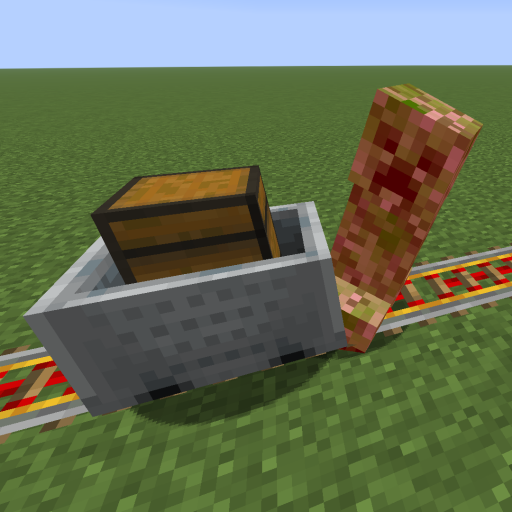
This mod increases damage to moving minecarts; the faster they move, the higher the damage, with virtually no damage limit!
 mod
Allows owners to pick up their pets into an item form.
 mod
Turn Villagers into Items an keep them in your pocket!