Ars Elemental Needed by Ars Zero 2.0.0-beta3 for 1.21.1
requiredMatching file found Matched file: Ars_Elemental-1.21.0-0.7.0.5.jar

CurseForge · Minecraft mod
New cast devices and new glyphs for Ars Nouveau
Quick answer
Ars Zero 2.0.0-beta3 for 1.21.1 targets 1.21, 1.21.1 with NeoForge. The project page does not say whether this file belongs on the client, dedicated server, or both. 1 required mod needs a matching file.
Where it goes
The project page does not say whether this file belongs on the client, dedicated server, or both.
The source does not explicitly classify this release as client-only or server-only.
Ars Zero 2.0.0-beta3 for 1.21.1 on 1.21 NeoForge. Every mod below is checked against that same setup.
Install Ars Elemental, Curios API, Ars Nouveau first, but 1 required mod has no matching file for this setup. Do not mix loader builds to force a match.
We only count dependency files that match this setup. A file for another loader does not fill the gap.
Before you install it
Built for Ars Zero 2.0.0-beta3 for 1.21.1 on 1.21 NeoForge. Pick another file and the loader, install side or required mods may change.
Use Ars Zero 2.0.0-beta3 for 1.21.1. It targets 1.21, 1.21.1 with NeoForge; another release may have different loader, side or dependency requirements.
Install Ars Elemental, Curios API, Ars Nouveau first, but 1 required mod has no matching file for this setup. Do not mix loader builds to force a match.
The project page does not say whether this file belongs on the client, dedicated server, or both.
Use the “Get this file” button beside Ars Zero 2.0.0-beta3 for 1.21.1. It opens that exact file at the source.
About this project
This mod adds a new caster item to Ars Nouveau; the Spell Staff. Unlike the Spell Book, the Staff allows you to continously cast spells as you hold down 'use'. This opens up for new scenarios that were previously not possible. To support such new scenarios, it's necessary to add a new cast method 'Temporal Context Form' and new effects that work in this context.
Check out the video below for a quick rundown of what you can do:
Multi-phase Turret: Quite similar to a normal spell turret, except this one has three distinct start/tick/end phases. Right click with e.g. Staff to set a spell.

Voxels are small block-like entities created by the Conjure Voxel glyph. They can be created in different elemental variants by placing specific glyphs directly after Conjure Voxel:


When voxels collide with each other, they produce elemental interactions. Opposing elements cancel each other out, while compatible elements may merge or combine.
Your Elemental Power affects how voxels interact with environmental hazards. Higher power in a voxel's element increases its resistance to opposing forces.
Questions? Ideas? Feedback? Join the Discord server! (Ars Nouveau - addonchats/Ars Ze
Project description from CurseForge.
Pick your setup
Choose the version and loader you play, then open the matching release.
Check the dependencies, then try the file in a copied instance before changing a world you care about.
Recent files
ars_zero-1.21.1-2.0.0-beta3.jar
2 May 2026
ars_zero-1.21.1-2.0.0-beta2.jar
2 May 2026
Looking for an older file? The official CurseForge project page is in Resources.
 mod
Vanilla+ additions: Jars, signposts, faucets, weather vanes spring launchers, sconces, planters, lights, decoration and automation
 mod
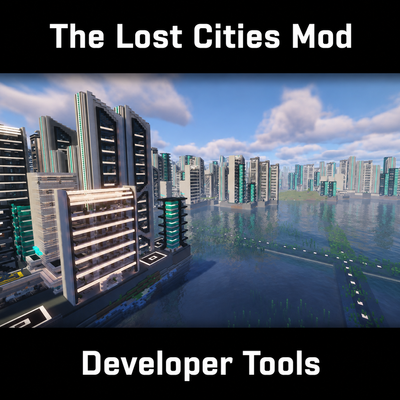
Build Lost Cities packs in game or from schematics, or open one you already have. Comments and .json5 in your files, mistakes caught at load time with a line number, and every step runs from a console. KubeJS compatible.
 mod
SimpleLogin is a mod that provides a secure login and registration system. It uses SQLite for storage and BCrypt for password hashing.