Cloth Config API (Fabric/Forge/NeoForge) Needed by SLcompass 1.5+1.21.8-10.jar
requiredMatching file found Matched file: [Fabric 1.21.9] v20.0.149

CurseForge · Minecraft mod
Hides F3 without compass or map.
Quick answer
SLcompass 1.5+1.21.8-10.jar targets 1.21.8, 1.21.9, 1.21.10 with Fabric. The project page does not say whether this file belongs on the client, dedicated server, or both. All 1 required mods have matching files.
Where it goes
The project page does not say whether this file belongs on the client, dedicated server, or both.
The source does not explicitly classify this release as client-only or server-only.
1.5+1.21.8-10.jar. Change the file and its required mods may change too.
Install Cloth Config API (Fabric/Forge/NeoForge) first. We found matching files for this game-version and loader setup.
We only count dependency files that match this setup. A file for another loader does not fill the gap.
Before you install it
Built for SLcompass 1.5+1.21.8-10.jar. Pick another file and the loader, install side or required mods may change.
Use 1.5+1.21.8-10.jar. It targets 1.21.8, 1.21.9, 1.21.10 with Fabric; another release may have different loader, side or dependency requirements.
Install Cloth Config API (Fabric/Forge/NeoForge) first. We found matching files for this game-version and loader setup.
The project page does not say whether this file belongs on the client, dedicated server, or both.
Use the “Get this file” button beside 1.5+1.21.8-10.jar. It opens that exact file at the source.
About this project
SLCompass automatically enables the full debug screen (F3) when you hold a compass or map. The mod works on servers where it is installed and supports easy configuration through ModMenu.
Automatically displays the normall F3 screen when holding a compass or map.
Server synchronization: if the mod is installed on a server, it is active for all players.
The client automatically remembers servers with the mod, and SLCompass is always enabled on them.
After the game, returns F3 to its original form.
Configurable directly in-game via ModMenu. You can add the IPs of the servers where the mod will work, and also enable the display of coordinates above the hotbar.
SLCompass автоматически включает полный экран отладки (F3), когда вы держите компас или карту. Мод работает и на серверах, где установлен, и поддерживает удобную настройку через ModMenu.
Автоматическое отображение нормального F3 при удержании компаса или карты.
Серверная синхронизация: если мод есть на сервере, он активен для всех игроков.
Клиент автоматически запоминает серверы с модом, и SLCompass всегда включён на них.
После игры возвращает F3 в исходную форму.
Настройка через ModMenu прямо в игре. Вы можете добавить адрес серверов где мод будет работать, а так-же включить отображение координат над хотбаром.
Project description from CurseForge.
Pick your setup
Choose the version and loader you play, then open the matching release.
Check the dependencies, then try the file in a copied instance before changing a world you care about.
Recent files
slcomp-1.5+1.21.10.jar
6 Nov 2025
slcomp-1.5+1.21.4.jar
6 Nov 2025
Looking for an older file? The official CurseForge project page is in Resources.
 mod
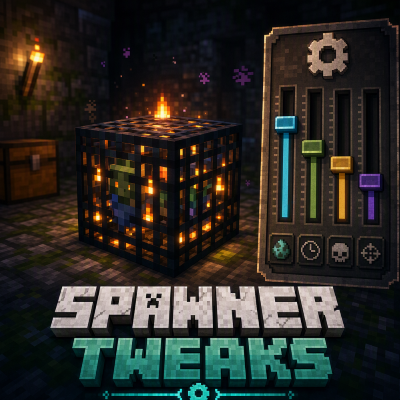
modThis is a Minecraft mod designed to control mob spawners' behaviour.
 mod
modFilter Explorer's Compass structures by dimension and source mod.
 mod
modNot just a boring zoom a full kit for your cinematics in Minecraft