
Minecraft version
Back to mods 
CurseForge · Minecraft mod
Doom's Markers
All new land markers without a whole map mod!
Choose a version Pick your version below, then grab the matching file.
Quick answer
Which Doom's Markers release should I use?
Latest stable file Doom's Markers Forge 1.20.1 v1.4.1
Game version 1.20.1
Loader Forge
Doom's Markers Forge 1.20.1 v1.4.1 targets 1.20.1 with Forge. The project page does not say whether this file belongs on the client, dedicated server, or both. No extra mods listed for this file.
Where it goes
Is Doom's Markers required on the client, server, or both?
The project page does not say whether this file belongs on the client, dedicated server, or both.
Client Source doesn’t say
Dedicated server Source doesn’t say
Loader for this release Forge
Required install it here Optional supported, not mandatory Not supported do not install here Source doesn’t say do not assume
The source does not explicitly classify this release as client-only or server-only.
What else does Doom's Markers Forge 1.20.1 v1.4.1 need?
Doom's Markers Forge 1.20.1 v1.4.1. Change the file and its required mods may change too.
This file does not list any required mods. Do not add a library just because a different file uses it.
This file does not list any required or optional mods.
Before you install it
Add Doom's Markers without breaking your instance.
Built for Doom's Markers Forge 1.20.1 v1.4.1. Pick another file and the loader, install side or required mods may change.
- 01
Stick to this file
Use Doom's Markers Forge 1.20.1 v1.4.1. It targets 1.20.1 with Forge; another release may have different loader, side or dependency requirements.
- 02
Bring the mods it needs
This file does not list any required mods. Do not add a library just because a different file uses it.
- 03
Put it on the correct side
The project page does not say whether this file belongs on the client, dedicated server, or both.
- 04
Pick the file you checked
Use the “Get this file” button beside Doom's Markers Forge 1.20.1 v1.4.1. It opens that exact file at the source.
About this project
What does Doom's Markers add?
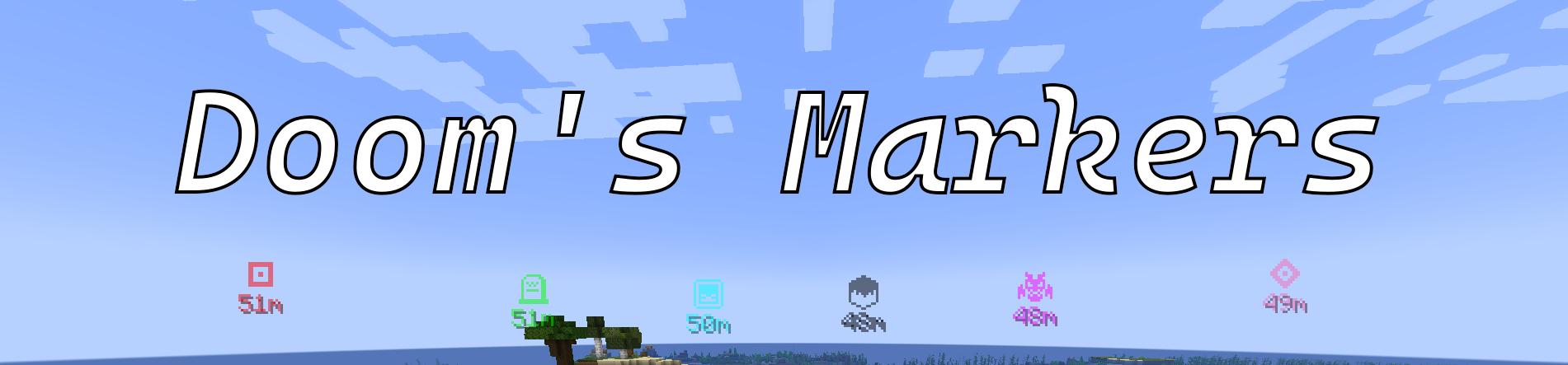



Do you want to mark locations without needing a whole map mod? Want to track your Death locations without any hassle? Want to actually know how far that Buried Treasure map will take you? Want to customise your Markers?
Features
- Place your own Markers
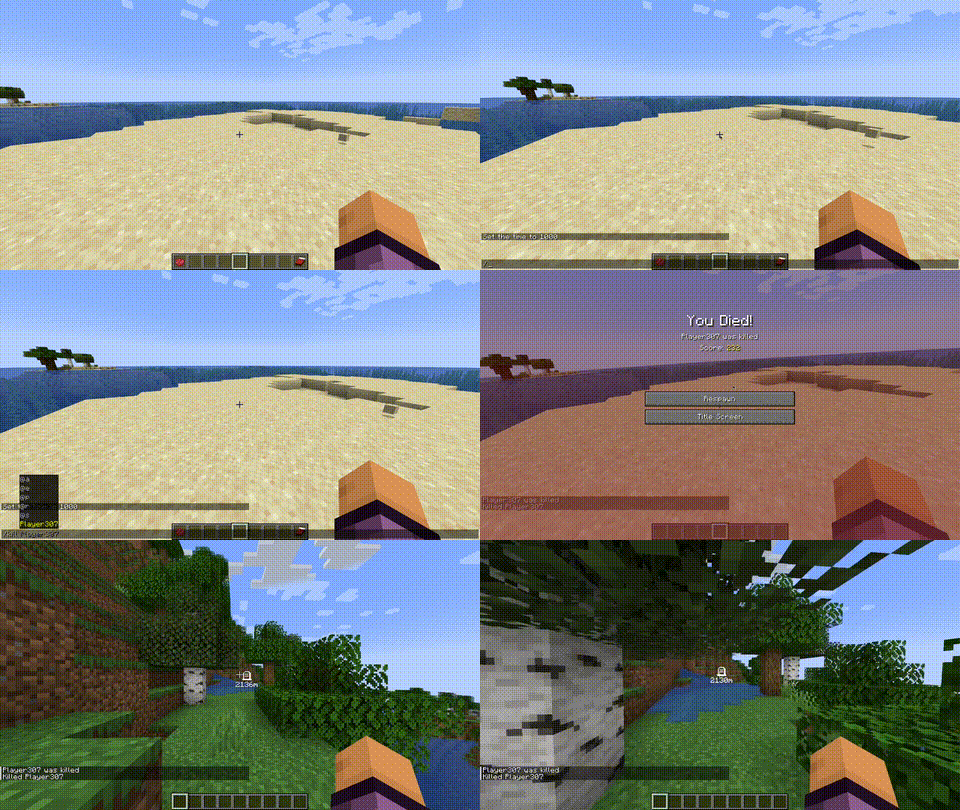
- Death Markers
- Customise your Markers colour and icon using items!
- Display distance to Markers
- Toggle Markers with
M - Create Markers from Map Banners or tracked locations like Buried Treasure or Wooldland Mansions!
Feel free to join my Discord server and give me any suggestions for new features
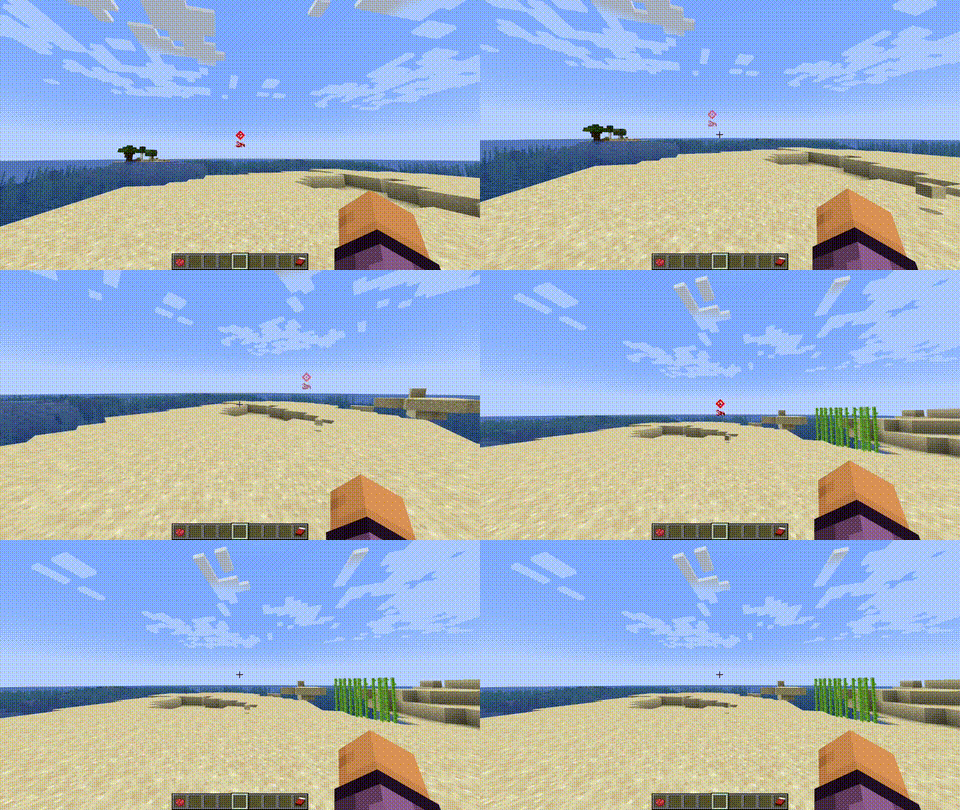
Create Markers with the Use key

Customise a Marker with the Middle mouse button to change the icon or right click with Dye to change the colour. While holding the Use key

Scroll through the icon options while holding the Use key

Delete the Marker by punching it while holding the Use key
Spawns a Death Marker when you die!
Planned
- Share Markers with other players
- Config file for options
Usage
The mod revolved around the Use key. This key defaults to the GRAVE key or `. The toggle key defaults to M but these are both configurable through Minecrafts Keybinds menu.
Mod Requirements
This mod does not require any extra dependencies!
FAQ
Can I use this mod in my modpack?
Absolutely! If you do so, I would love to know about it too :D
Will this be backported to before 1.20.1?
Unless a lot of people request this, probably not.
Will this be updated past 1.20.1?
Absolutely. I am just making this version stable first and then I will update it to newer versions.
Support
Support can be provided on my discord server or you can report any bugs for the mod on the GitHub repository here.
Partnership
If you need a new server check out our partner lagless.gg  Use code Dinonuggies for 20% off!
Project description from CurseForge.
Pick your setup
Doom's Markers by Minecraft version and loader
Choose the version and loader you play, then open the matching release.
Check the dependencies, then try the file in a copied instance before changing a world you care about.
Recent files
Doom's Markers versions and loaders
Doom's Markers Forge 1.20.1 v1.4.1
doomsmarkers-forge-1.20.1-1.4.1.jar
27 Oct 2026
Client Source doesn’t say Server Source doesn’t say Dependencies No extras listed Listed on Release listing
Check the 1.20.1 · Forge setup 1.20.1Forge release
Doom's Markers Fabric 1.20.1 v1.4.1
doomsmarkers-fabric-1.20.1-1.4.1.jar
27 Oct 2026
Client Source doesn’t say Server Source doesn’t say Dependencies No extras listed Listed on Release listing
Check the 1.20.1 · Fabric setup Fabric1.20.1 release
DoomsMarkers Fabric 1.20.1 v1.4.0
doomsmarkers-fabric-1.20.1-1.4.0.jar
25 Oct 2026
Client Source doesn’t say Server Source doesn’t say Dependencies No extras listed Listed on Release listing
Check the 1.20.1 · Fabric setup Fabric1.20.1 release
DoomsMarkers Forge 1.20.1 v1.4.0
doomsmarkers-forge-1.20.1-1.4.0.jar
25 Oct 2026
Client Source doesn’t say Server Source doesn’t say Dependencies No extras listed Listed on Release listing
Check the 1.20.1 · Forge setup 1.20.1Forge release
Doom's Markers Forge v1.3.2
doomsmarkers-forge-1.20.1-1.3.2.jar
15 Jul 2026
Client Source doesn’t say Server Source doesn’t say Dependencies No extras listed Listed on Release listing
Check the 1.20.1 · Forge setup 1.20.1Forge release
Doom's Markers Fabric v1.3.2
doomsmarkers-fabric-1.20.1-1.3.2.jar
15 Jul 2026
Client Source doesn’t say Server Source doesn’t say Dependencies No extras listed Listed on Release listing
Check the 1.20.1 · Fabric setup Fabric1.20.1 release
Doom's Markers Forge 1.20.1 v1.3.1
doomsmarkers-forge-1.20.1-1.3.1.jar
12 May 2026
Client Source doesn’t say Server Source doesn’t say Dependencies No extras listed Listed on Release listing
Check the 1.20.1 · Forge setup 1.20.1Forge release
Doom's Markers Fabric 1.20.1 v1.3.1
doomsmarkers-fabric-1.20.1-1.3.1.jar
12 May 2026
Client Source doesn’t say Server Source doesn’t say Dependencies No extras listed Listed on Release listing
Check the 1.20.1 · Fabric setup Fabric1.20.1 release
Doom's Markers Forge 1.20.1 v1.3.0
doomsmarkers-forge-1.20.1-1.3.0.jar
28 Mar 2026
Client Source doesn’t say Server Source doesn’t say Dependencies No extras listed Listed on Release listing
Check the 1.20.1 · Forge setup 1.20.1Forge release
Doom's Markers Fabric 1.20.1 v1.3.0
doomsmarkers-fabric-1.20.1-1.3.0.jar
28 Mar 2026
Client Source doesn’t say Server Source doesn’t say Dependencies No extras listed Listed on Release listing
Check the 1.20.1 · Fabric setup Fabric1.20.1 release
Doom's Markers Forge 1.20.1 v1.2.0
doomsmarkers-forge-1.20.1-1.2.0.jar
22 Feb 2026
Client Source doesn’t say Server Source doesn’t say Dependencies No extras listed Listed on Release listing
Check the 1.20.1 · Forge setup 1.20.1Forge release
Doom's Markers Fabric 1.20.1 v1.2.0
doomsmarkers-fabric-1.20.1-1.2.0.jar
22 Feb 2026
Client Source doesn’t say Server Source doesn’t say Dependencies No extras listed Listed on Release listing
Check the 1.20.1 · Fabric setup Fabric1.20.1 release
Looking for an older file? The official CurseForge project page is in Resources.
 mod
mod CurseForge · Minecraft
BSP RANKUP
An automatic ranking system designed to work with Luckperms and Forge
 mod
mod CurseForge · Minecraft
Epic fight: Bosses of Miracle
Adds a new challenging bosses, souls-like expansion.
 mod
mod CurseForge · Minecraft
Sky’s Building Pieces - Biomes O’ Plenty Add-On
More building shapes for Biomes O' Plenty woods, stones and gems, with slabs, vertical placement, steps, corners, stairs and walls. Requires Sky's Building Pieces.