Cloth Config API (Fabric/Forge/NeoForge) Needed by DurabilityOverlay-26.2-fabric.b
requiredMatching file found Matched file: [Fabric 26.2] v26.2.155
CurseForge · Minecraft mod
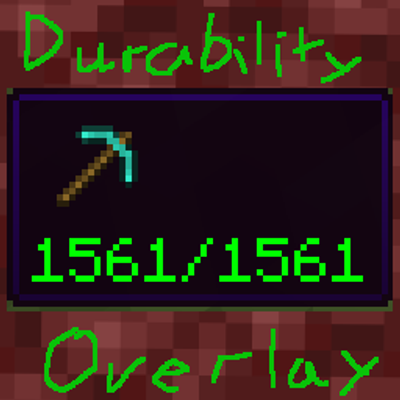
Displays the durability of your tools and weapons in a GUI overlay and in the Item Tooltip.
Quick answer
DurabilityOverlay-26.2-fabric.b targets 26.2 with Fabric. The project page does not say whether this file belongs on the client, dedicated server, or both. All 1 required mods have matching files.
Where it goes
The project page does not say whether this file belongs on the client, dedicated server, or both.
The source does not explicitly classify this release as client-only or server-only.
DurabilityOverlay-26.2-fabric.b. Change the file and its required mods may change too.
Install Cloth Config API (Fabric/Forge/NeoForge) first. We found matching files for this game-version and loader setup.
We only count dependency files that match this setup. A file for another loader does not fill the gap.
Before you install it
Built for DurabilityOverlay-26.2-fabric.b. Pick another file and the loader, install side or required mods may change.
Use DurabilityOverlay-26.2-fabric.b. It targets 26.2 with Fabric; another release may have different loader, side or dependency requirements.
Install Cloth Config API (Fabric/Forge/NeoForge) first. We found matching files for this game-version and loader setup.
The project page does not say whether this file belongs on the client, dedicated server, or both.
Use the “Get this file” button beside DurabilityOverlay-26.2-fabric.b. It opens that exact file at the source.
About this project
This mod adds a durability tooltip at the bottom left of the screen and durability information in the default minecraft tooltip.
The fabric version of the mod requires cloth config. Mod menu is recommended.
You can change settings in the config file (forge):
#disable/enable the overlay
showOverlay = true
#disable/enable durability in item tooltips
showDurabilityTooltip = true
#durability overlay will disappear if item has no durability
toolsOnly = false
#durability overlay wont disappear if no item in hand
alwaysVisible = false
#change size of durability overlay dynamically
dynamicOverlay = true
Project description from CurseForge.
Pick your setup
Choose the version and loader you play, then open the matching release.
Check the dependencies, then try the file in a copied instance before changing a world you care about.
Recent files
DurabilityOverlay-26.2-fabric.b.jar
7 Sept 2026
DurabilityOverlay-1.21.11.a.jar
30 Jun 2026
DurabilityOverlay-1.21.a.jar
20 Nov 2025
DurabilityOverlay-1.21.1.a.jar
20 Nov 2025
DurabilityOverlay-1.21.3.a.jar
20 Nov 2025
DurabilityOverlay-1.21.4.a.jar
20 Nov 2025
DurabilityOverlay-1.21.8.jar
18 Nov 2025
DurabilityOverlay-1.21.9.a.jar
18 Nov 2025
DurabilityOverlay-1.21.10.a.jar
17 Nov 2025
Looking for an older file? The official CurseForge project page is in Resources.
 mod
modStreamCraft Live brings real-time video streaming into Minecraft. Screen share & see each other face-to-face using WebRTC via LiveKit. NOTICE! Make sure you download your OS-specific version. Now available for Windows, Mac (arm64/intel), Linux and Android
 mod
modRechargeable Redstone equipment with chained attacks, 3×3 tools, tree felling, area farming, and an armour pulse.
 mod
modUnofficial companion mod for Patrix's Bonus Items and Addons resource packs, adding its content as placeable Creative Mode blocks.