Minecraft version
Back to mods 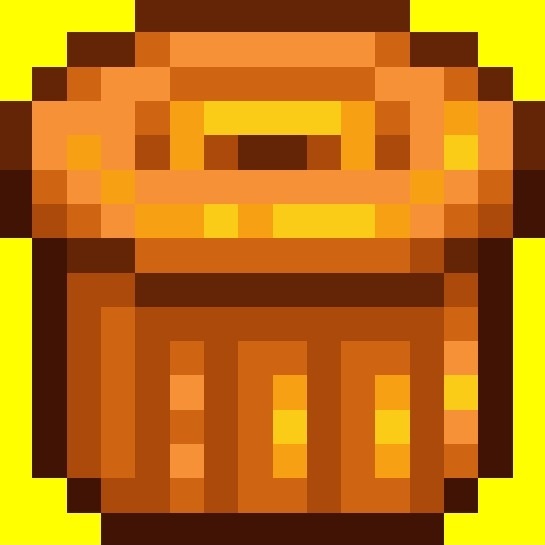
CurseForge · Minecraft mod
Clearing
Remove the items from your inventory
Choose a version Pick your version below, then grab the matching file.
Quick answer
Which Clearing release should I use?
Latest stable file trashcan-3.0.0-neoforge-1.21.1.jar
Game version 1.21.1
Loader NeoForge
Clearing trashcan-3.0.0-neoforge-1.21.1.jar targets 1.21.1 with NeoForge. The project page does not say whether this file belongs on the client, dedicated server, or both. No extra mods listed for this file.
Where it goes
Is Clearing required on the client, server, or both?
The project page does not say whether this file belongs on the client, dedicated server, or both.
Client Source doesn’t say
Dedicated server Source doesn’t say
Loader for this release NeoForge
Required install it here Optional supported, not mandatory Not supported do not install here Source doesn’t say do not assume
The source does not explicitly classify this release as client-only or server-only.
What else does Clearing trashcan-3.0.0-neoforge-1.21.1.jar need?
trashcan-3.0.0-neoforge-1.21.1.jar. Change the file and its required mods may change too.
This file does not list any required mods. Do not add a library just because a different file uses it.
This file does not list any required or optional mods.
Before you install it
Add Clearing without breaking your instance.
Built for Clearing trashcan-3.0.0-neoforge-1.21.1.jar. Pick another file and the loader, install side or required mods may change.
- 01
Stick to this file
Use trashcan-3.0.0-neoforge-1.21.1.jar. It targets 1.21.1 with NeoForge; another release may have different loader, side or dependency requirements.
- 02
Bring the mods it needs
This file does not list any required mods. Do not add a library just because a different file uses it.
- 03
Put it on the correct side
The project page does not say whether this file belongs on the client, dedicated server, or both.
- 04
Pick the file you checked
Use the “Get this file” button beside trashcan-3.0.0-neoforge-1.21.1.jar. It opens that exact file at the source.
About this project
What does Clearing add?
[Idea and Motivation]
My motivation for making this mod is that when I play Minecraft, my inventory is always full, and I'm too lazy to always look for a chest to put it in. And when I no longer want the chest there, I have to remove all the filler items to finally move or take out the chest, which I find annoying. In Minecraft, there are alternatives for getting rid of items, such as the flint and steel, lava, or cactus. Lava could burn down my house because I mostly use wood, the cactus looks unnatural in my house, and the flint and steel uses fire and takes up an inventory slot.
[What my mod offers compared to others]
The reason I made it with copper is that there are too many mods that make it with iron, and frankly, I feel that iron has too many uses for copper. I'm not going to consider the new copper mods because I feel like they're just recolors of iron items. I feel like copper could have been used for other things, that it had potential. That's why, as you can see on my profile, I'm introducing some things made of that mineral. Although I'm not very good at textures, I'm not very professional, so what I'm using is based on material from YouTube, but it was in a different version.
There's another well-known mod that adds an extra slot for trash, but I don't like it because every time I've used it, it has bugs or makes me feel like I'm in creative mode, which discourages me from using it.
[Crafting]
The crafting process is simple, as shown in the images, but you need copper, a copper trapdoor, and a lava bucket. My idea is that the copper covers the lava, and it's the lava that burns the items, which I think is a good idea because most trash can mods include a hopper, which doesn't make sense since the hopper only transfers items from one container to another.
[Usage]
Using it is easy: right-click on the trash can, select and enter the items you want to delete into the slots on the graphical interface, click the "delete" button, and they will be removed.
[Secondary idea]
It's a block, which can also be considered decorative.
[Trash can 2.0]
I added that when deleting items, the sound of lava would play, and that the "trash can" could be used from the inventory by pressing the "supr" or "del" key on the keyboard.
[Trash can 3.0]
I replaced the texture I had for the GUI and the hand with a 2D texture from Stardew Valley, added an achievement, and finally, added translations for some languages, including Spanish and Portuguese.
Project description from CurseForge.
Pick your setup
Clearing by Minecraft version and loader
Choose the version and loader you play, then open the matching release.
Check the dependencies, then try the file in a copied instance before changing a world you care about.
Recent files
Clearing versions and loaders
trashcan-3.0.0-neoforge-1.21.1.jar
8 Dec 2025
Client Source doesn’t say Server Source doesn’t say Dependencies No extras listed Listed on Release listing
Check the 1.21.1 · NeoForge setup 1.21.1NeoForge release
trashcan-2.0.0-neoforge-1.21.1.jar
29 Nov 2025
Client Source doesn’t say Server Source doesn’t say Dependencies No extras listed Listed on Release listing
Check the 1.21.1 · NeoForge setup 1.21.1NeoForge release
Clearing-1.0.0-neoforge-1.21.1.jar
24 Nov 2025
Client Source doesn’t say Server Source doesn’t say Dependencies No extras listed Listed on Release listing
Check the 1.21.1 · NeoForge setup 1.21.1NeoForge beta
Looking for an older file? The official CurseForge project page is in Resources.