Minecraft version
Back to mods 
CurseForge · Minecraft mod
Custom Player Name
Modern version of Fakename maintained and improved, for NeoForge and Fabric
Choose a version Pick your version below, then grab the matching file.
Quick answer
Which Custom Player Name release should I use?
Latest stable file custom_name-0.1-26.2-26.3-fabric-neoforge.jar
Game version 26.2, 26.3
Loader Fabric, NeoForge
Custom Player Name custom_name-0.1-26.2-26.3-fabric-neoforge.jar targets 26.2, 26.3 with Fabric, NeoForge. The project page does not say whether this file belongs on the client, dedicated server, or both. No extra mods listed for this file.
Where it goes
Is Custom Player Name required on the client, server, or both?
The project page does not say whether this file belongs on the client, dedicated server, or both.
Client Source doesn’t say
Dedicated server Source doesn’t say
Loader for this release Fabric, NeoForge
Required install it here Optional supported, not mandatory Not supported do not install here Source doesn’t say do not assume
The source does not explicitly classify this release as client-only or server-only.
What else does Custom Player Name custom_name-0.1-26.2-26.3-fabric-neoforge.jar need?
custom_name-0.1-26.2-26.3-fabric-neoforge.jar. Change the file and its required mods may change too.
This file does not list any required mods. Do not add a library just because a different file uses it.
This file does not list any required or optional mods.
Before you install it
Add Custom Player Name without breaking your instance.
Built for Custom Player Name custom_name-0.1-26.2-26.3-fabric-neoforge.jar. Pick another file and the loader, install side or required mods may change.
- 01
Stick to this file
Use custom_name-0.1-26.2-26.3-fabric-neoforge.jar. It targets 26.2, 26.3 with Fabric, NeoForge; another release may have different loader, side or dependency requirements.
- 02
Bring the mods it needs
This file does not list any required mods. Do not add a library just because a different file uses it.
- 03
Put it on the correct side
The project page does not say whether this file belongs on the client, dedicated server, or both.
- 04
Pick the file you checked
Use the “Get this file” button beside custom_name-0.1-26.2-26.3-fabric-neoforge.jar. It opens that exact file at the source.
About this project
What does Custom Player Name add?
This mod gives you the ability to change anyone's in game player name via the /fakename set command. Your name in chat, in display, and in the playerlist will become whatever you want, and you can even add formatting using "&" instead of the regular "§". This is especially useful in roleplay with configuration to change the permission required to use the commands and whose that can use them, Custom Player Name is only required in the server side.
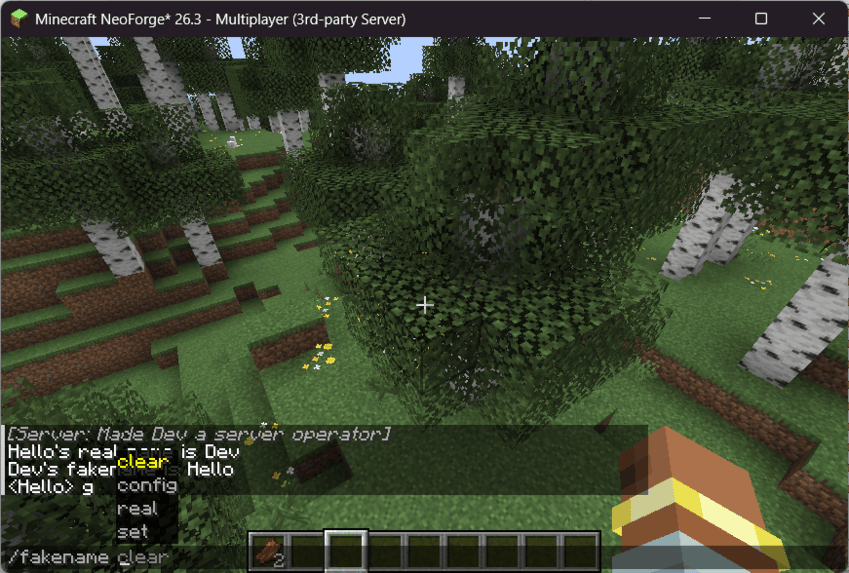
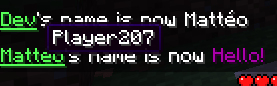

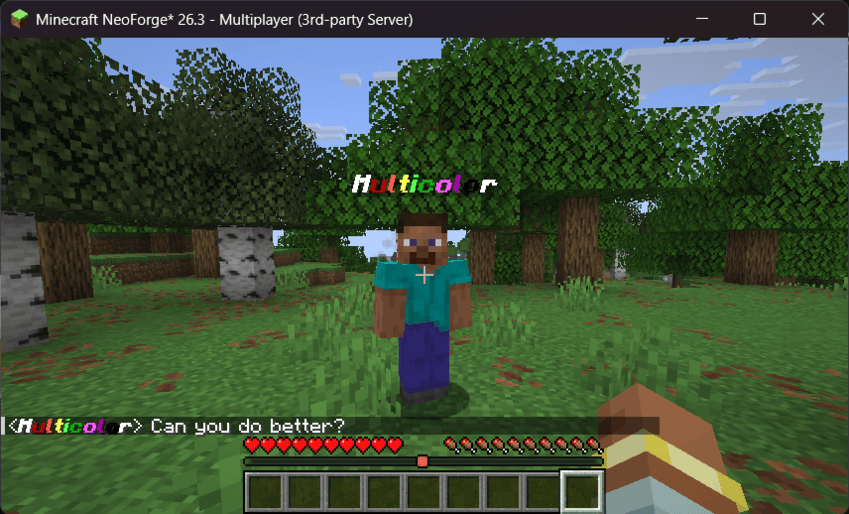
Was AI used in this project?: To a certains extend, yes. Whenever I found myself stuck to look for a solution that could be literally anywhere in the server and common game code, I looked if AI had a clue. Then I would test this solution and correct it. AI was not abused more than this, only to save hours or days of madness of research for one clue in the game source code, and most of the project's code was written by myself. The animated logo was made by MarbledNull, thank you very much Marbled!
Project description from CurseForge.
Pick your setup
Custom Player Name by Minecraft version and loader
Choose the version and loader you play, then open the matching release.
Minecraft version
26.2
2 loader buildsMinecraft version
26.1.2
2 loader buildsMinecraft version
26.1.1
2 loader buildsMinecraft version
26.1
2 loader buildsCheck the dependencies, then try the file in a copied instance before changing a world you care about.
Recent files
Custom Player Name versions and loaders
custom_name-0.1-26.2-26.3-fabric-neoforge.jar
10 Nov 2026
Client Source doesn’t say Server Source doesn’t say Dependencies No extras listed Listed on Release listing
Check the 26.3 · Fabric setup FabricNeoForge26.226.3 release
fakename-0.1-26.1-to-26.1.2-fabric-neoforge.jar
10 Nov 2026
Client Source doesn’t say Server Source doesn’t say Dependencies No extras listed Listed on Release listing
Check the 26.1.2 · Fabric setup FabricNeoForge26.126.1.1 release
fakename-0.0-26.2-to-26.3-fabric-neoforge.jar
6 Nov 2026
Client Source doesn’t say Server Source doesn’t say Dependencies No extras listed Listed on Release listing
Check the 26.3 · Fabric setup FabricNeoForge26.226.3 release
Looking for an older file? The official CurseForge project page is in Resources.
 mod
CurseForge · Minecraft
Sorted - Inventory & Chest Sorting, Quick Stack
Sort your inventory and chests in one click, Quick Stack items into the chest they belong in, and search every chest you have opened. Inventory sorting and chest sorting, client-side, works on vanilla servers and Realms.
 mod
CurseForge · Minecraft
Blackwolf's More Creepers
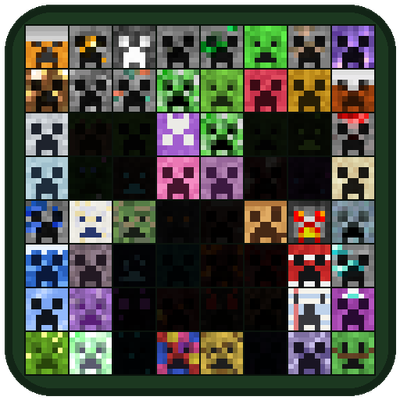
Over 60 new creepers, each with its own home and explosion, and a Creepapedia to fill: bait, compass, defusal kit, glass jars, heads and a friendly creeper of your own to find, catch and collect them all.
 mod
CurseForge + Modrinth · Minecraft
Locate Plus
Find any block, entity or item, not just structures. Scans, surveys, inspects and teleports you there safely. Server-side only, no client install needed.