Minecraft version
Back to mods 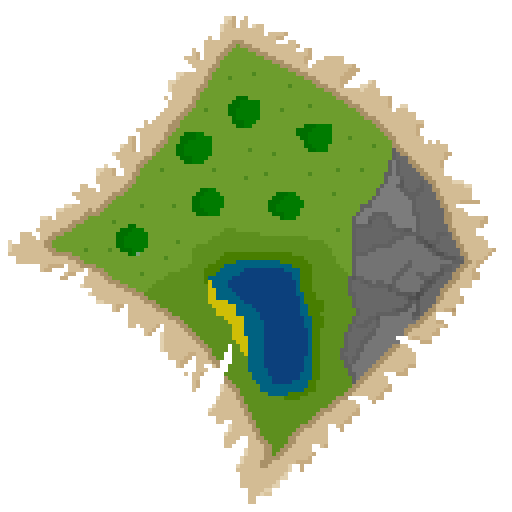
CurseForge · Minecraft mod
Map Improvements
Replaces vanilla's confusing pixel-art maps with clear, true-color cartography and realistic terrain shading.
Choose a version Pick your version below, then grab the matching file.
Quick answer
Which Map Improvements release matches 1.19.4?
Best match for your filters map_improvements-mc1.19.4-0.5.7.jar
Game version 1.19.4
Loader Fabric
Map Improvements map_improvements-mc1.19.4-0.5.7.jar targets 1.19.4 with Fabric. The project page does not say whether this file belongs on the client, dedicated server, or both. No extra mods listed for this file.
Where it goes
Is Map Improvements required on the client, server, or both?
The project page does not say whether this file belongs on the client, dedicated server, or both.
Client Source doesn’t say
Dedicated server Source doesn’t say
Loader for this release Fabric
Required install it here Optional supported, not mandatory Not supported do not install here Source doesn’t say do not assume
The source does not explicitly classify this release as client-only or server-only.
What else does Map Improvements map_improvements-mc1.19.4-0.5.7.jar need?
map_improvements-mc1.19.4-0.5.7.jar on 1.19.4. Every mod below is checked against that same setup.
This file does not list any required mods. Do not add a library just because a different file uses it.
This file does not list any required or optional mods.
Before you install it
Add Map Improvements without breaking your instance.
Built for Map Improvements map_improvements-mc1.19.4-0.5.7.jar on 1.19.4. Pick another file and the loader, install side or required mods may change.
- 01
Stick to this file
Use map_improvements-mc1.19.4-0.5.7.jar. It targets 1.19.4 with Fabric; another release may have different loader, side or dependency requirements.
- 02
Bring the mods it needs
This file does not list any required mods. Do not add a library just because a different file uses it.
- 03
Put it on the correct side
The project page does not say whether this file belongs on the client, dedicated server, or both.
- 04
Pick the file you checked
Use the “Get this file” button beside map_improvements-mc1.19.4-0.5.7.jar. It opens that exact file at the source.
About this project
What does Map Improvements add?
Map Improvements - Reimagined Cartography
Tired of vanilla maps turning your world into a confusing mosaic of clashing pixels? Have you switched to minimap mods like Xaero's, but miss the immersive, tangible feel of holding a map? Map Improvements is here to bring the classic cartography experience into the modern age.
This mod doesn't just tweak vanilla maps—it completely re-invents the rendering engine, transforming them from a cluttered, low-color mess into clear, beautiful, and informative geographical surveys.
Features
Unmatched Clarity and Realism
True-Color, High-Definition Rendering
- Replaces the limited 256-color palette with a full 32-bit RGBA canvas.
- Eliminates chaotic, overly-vibrant patches for a clean, legible, and visually coherent map.
Advanced Terrain Visualization
- Slope-Accurate Shading: Terrain is shaded based on elevation data, simulating how sunlight would illuminate slopes and valleys. This creates an instant, intuitive understanding of the landscape.
- Depth & Height Mapping: Clearly see the contours of riverbeds, lake floors, and forest canopies.
A Smarter Way to Explore
Smooth-Scrolling Fog of War
- Replaces the jarring vanilla checkerboard with a smooth, natural gradient for seamless exploration.
Experimental: Line-of-Sight Vision
- Your map only reveals what is directly visible from your position.
- Realistic Occlusion: Cliffs, mountains, and forests block your view. You can't see what's behind a hill until you have a direct line of sight.
Designed for the Modern Player
The Perfect Partner for Map Atlases
- We fix the rendering, so you can enjoy the management. Designed for flawless integration with Map Atlases for a single, stunning megamap.
Fully Customizable & Sensible Defaults
- Adjustable Render Radius: Control how much terrain is mapped.
- Surface-Only Mapping (Enabled by Default): Your map focuses on the overworld and won't update underground.
- Balance visual quality and performance to match your system.
Compatibility
- Supported Versions:
1.19.4|1.20.1|1.21.1 - Network Protocol: Fully compatible with multiplayer. Servers need the mod for all features.
- Recommended Companion: Map Atlases for seamless map stitching and management.
Why Choose Map Improvements?
If you've ever thought, "I wish vanilla maps were actually usable," this is your answer.
- For Explorers: Create a beautiful and meaningful record of your journey.
- For Builders: Plan your colossal projects with perfect terrain overview.
- For Everyone: Rediscover the magic of holding a map that is a work of art, not a pixelated puzzle.
Rediscover the magic of exploration. Reclaim the vanilla map.
⚠️ Project Status & Expectations
This mod is considered stable and reliable for everyday use on supported versions. However, as a complete rewrite of the game's cartography, it is under active development.
- New features (like the Line-of-Sight vision) are marked as Experimental.
- Your feedback and bug reports are invaluable for further polish and refinement.
We encourage you to try it and see if it transforms your Minecraft experience as intended!
Project description from CurseForge.
Pick your setup
Map Improvements by Minecraft version and loader
Choose the version and loader you play, then open the matching release.
Minecraft version
1.20.1
1 loader buildMinecraft version
1.19.4
1 loader buildCheck the dependencies, then try the file in a copied instance before changing a world you care about.
Recent files
Map Improvements versions and loaders
map_improvements-mc1.19.4-0.5.7.jar
30 Nov 2025
Client Source doesn’t say Server Source doesn’t say Dependencies No extras listed Listed on Release listing
Check the 1.19.4 · Fabric setup 1.19.4Fabric release
Looking for an older file? The official CurseForge project page is in Resources.
 mod
CurseForge + Modrinth · Minecraft
WTHIT
What the hell is that? A fork of Hwyla which is a fork of Waila.
 mod
CurseForge · Minecraft
WI Zoom
The zoom from the Wurst Client as a standalone mod.
 mod
CurseForge + Modrinth · Minecraft
bad packets
Bad Packets allows packet messaging between different modding platforms.