TerraFirmaCraft Needed by TFC AutoIngots tfcautoingots-1.0.2.jar
requiredMatching file found Matched file: TerraFirmaCraft 1.21.1-4.2.16
CurseForge · Minecraft mod
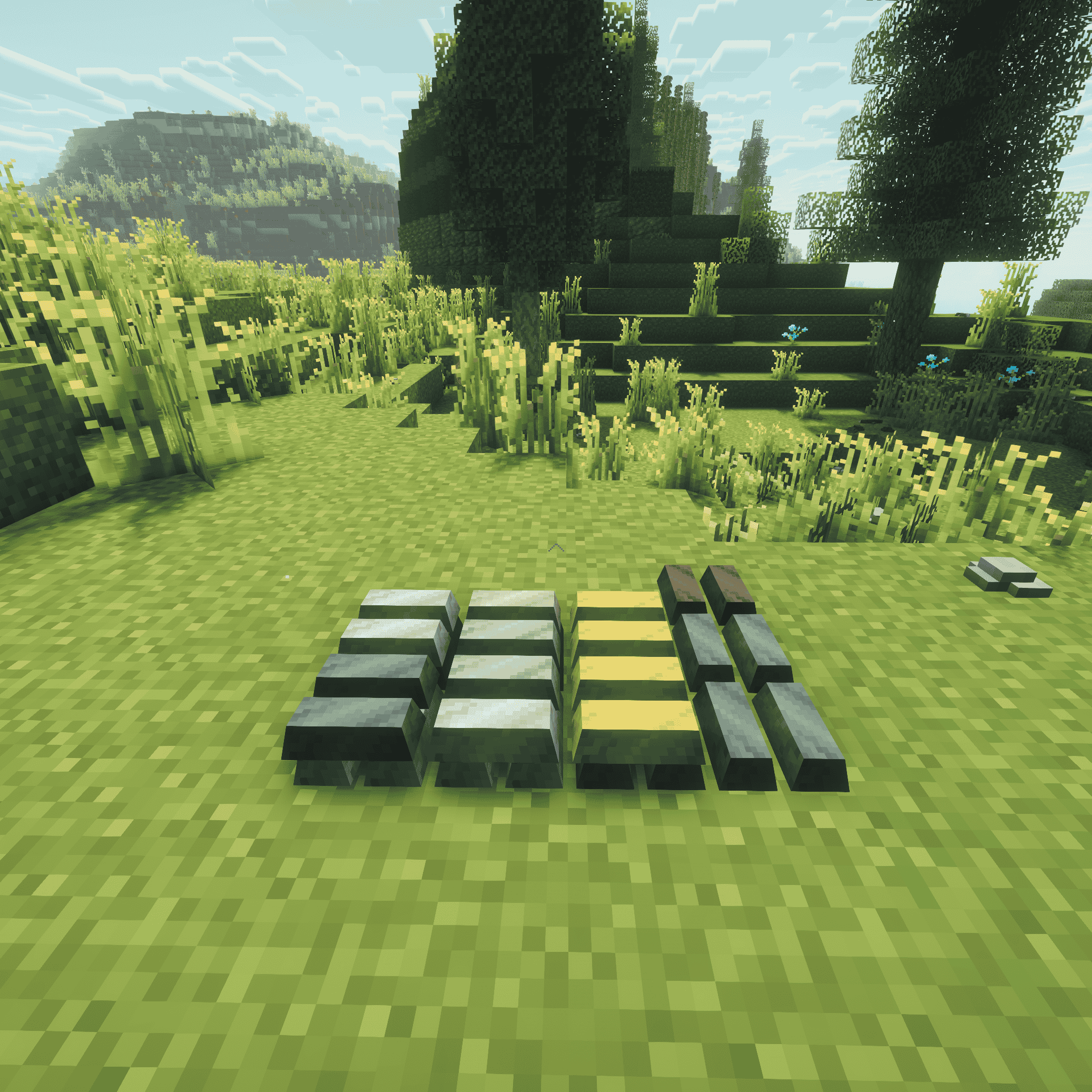
Provide textures for ingots from other mods automatically
Quick answer
TFC AutoIngots tfcautoingots-1.0.2.jar targets 1.21.1 with NeoForge. The project page does not say whether this file belongs on the client, dedicated server, or both. All 2 required mods have matching files.
Where it goes
The project page does not say whether this file belongs on the client, dedicated server, or both.
The source does not explicitly classify this release as client-only or server-only.
tfcautoingots-1.0.2.jar. Change the file and its required mods may change too.
Install TerraFirmaCraft, Patchouli first. We found matching files for this game-version and loader setup. 4 come through another mod in the chain.
4 extra mods were pulled in by other dependencies. Indented rows show who needs each one. We only count dependency files that match this setup. A file for another loader does not fill the gap.
Before you install it
Built for TFC AutoIngots tfcautoingots-1.0.2.jar. Pick another file and the loader, install side or required mods may change.
Use tfcautoingots-1.0.2.jar. It targets 1.21.1 with NeoForge; another release may have different loader, side or dependency requirements.
Install TerraFirmaCraft, Patchouli first. We found matching files for this game-version and loader setup. 4 come through another mod in the chain.
The project page does not say whether this file belongs on the client, dedicated server, or both.
Use the “Get this file” button beside tfcautoingots-1.0.2.jar. It opens that exact file at the source.
About this project
Automatically generates TerraFirmaCraft ingot pile textures for ingots from any mod.
mods foldertfcautoingots_generated resource pack in Options > Resource PacksProject description from CurseForge.
Pick your setup
Choose the version and loader you play, then open the matching release.
Check the dependencies, then try the file in a copied instance before changing a world you care about.
Recent files
22 Dec 2025
2 Dec 2025
Looking for an older file? The official CurseForge project page is in Resources.
 mod
Everything you need to play with friends. Nothing more.
 mod
A Community Edition of Project Expansion,with new items and tools
 mod
Adds more villagers with new professions and workstations. Port of the original More Villagers mod.