Revive Me! - Player Revival Mod Optional for Epic RPG: Party Hud partyhud-neoforge-26.1.2_v1.4
optionalMatching file found Matched file: revive_me-26.1-7.3.2
CurseForge · Minecraft mod
Party HUD shows nearby players’ health bars.
Quick answer
Epic RPG: Party Hud partyhud-neoforge-26.1.2_v1.4 targets 26.1, 26.1.1, 26.1.2 with NeoForge. The project page does not say whether this file belongs on the client, dedicated server, or both. No extra mods listed for this file.
Where it goes
The project page does not say whether this file belongs on the client, dedicated server, or both.
The source does not explicitly classify this release as client-only or server-only.
partyhud-neoforge-26.1.2_v1.4. Change the file and its required mods may change too.
This file does not list any required mods. Do not add a library just because a different file uses it.
9 extra mods were pulled in by other dependencies. Indented rows show who needs each one. We only count dependency files that match this setup. A file for another loader does not fill the gap.
Before you install it
Built for Epic RPG: Party Hud partyhud-neoforge-26.1.2_v1.4. Pick another file and the loader, install side or required mods may change.
Use partyhud-neoforge-26.1.2_v1.4. It targets 26.1, 26.1.1, 26.1.2 with NeoForge; another release may have different loader, side or dependency requirements.
This file does not list any required mods. Do not add a library just because a different file uses it.
The project page does not say whether this file belongs on the client, dedicated server, or both.
Use the “Get this file” button beside partyhud-neoforge-26.1.2_v1.4. It opens that exact file at the source.
About this project
Party HUD is a mod that improves the multiplayer experience in Minecraft by integrating a Party system with a fully customizable HUD. With this mod, players can organize groups and display key information about their teammates: health, negative effects, distance, direction, and compatibility-based status indicators in real time. The HUD is designed to be flexible and adapt to any modpack, with dynamic styles and customization options.
Press H to open the Party HUD menu.
The interface includes 4 tabs on the left side, each with its own function for managing your Party, invitations, members, and settings.
To invite a player, open the Invitations tab, right-click on a player, and select Invite to Party.
To display a teammate in the HUD, you must first add them to Favorites.
This is done from the Members tab by right-clicking a party member and selecting Add to Favorites.
Each player can have up to 8 favorites displayed in the HUD at the same time, while Parties themselves have no member limit.
Right-clicking players or party members gives access to context options depending on the tab and your role in the Party.
These options include inviting players, adding or removing favorites, kicking members, delegating leadership, and teleporting when the server configuration allows it.
Party HUD Parties are integrated with Minecraft's vanilla team system, allowing Party membership to stay synchronized with the built-in team structure.
 |
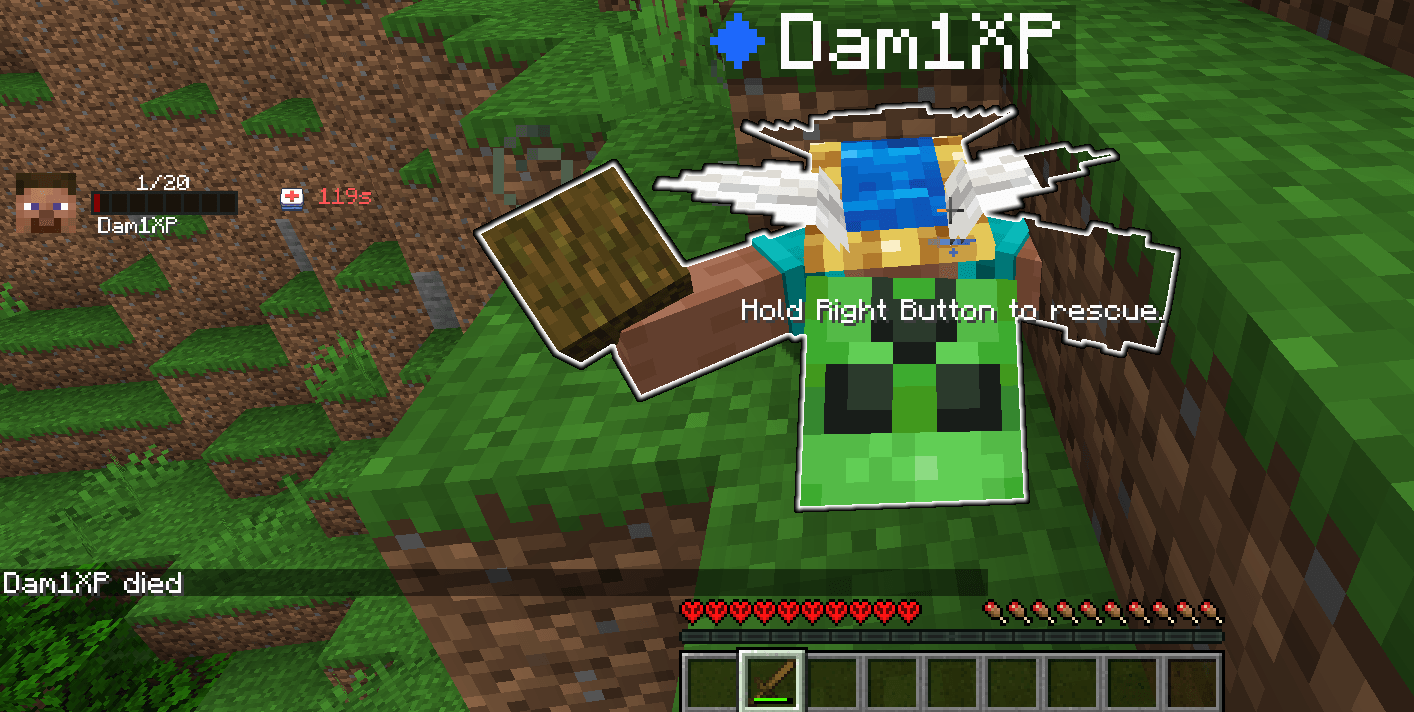
## Hardcore Revival |
Shows an icon and the remaining seconds when a party member is knocked out and can still be rescued.
 |
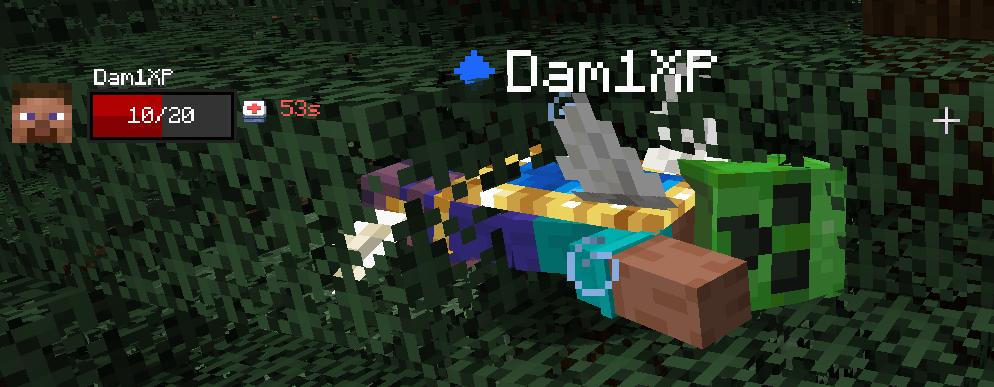
## PlayerRevive |
Shows an icon and the remaining seconds when a party member is downed and can still be revived.
 |
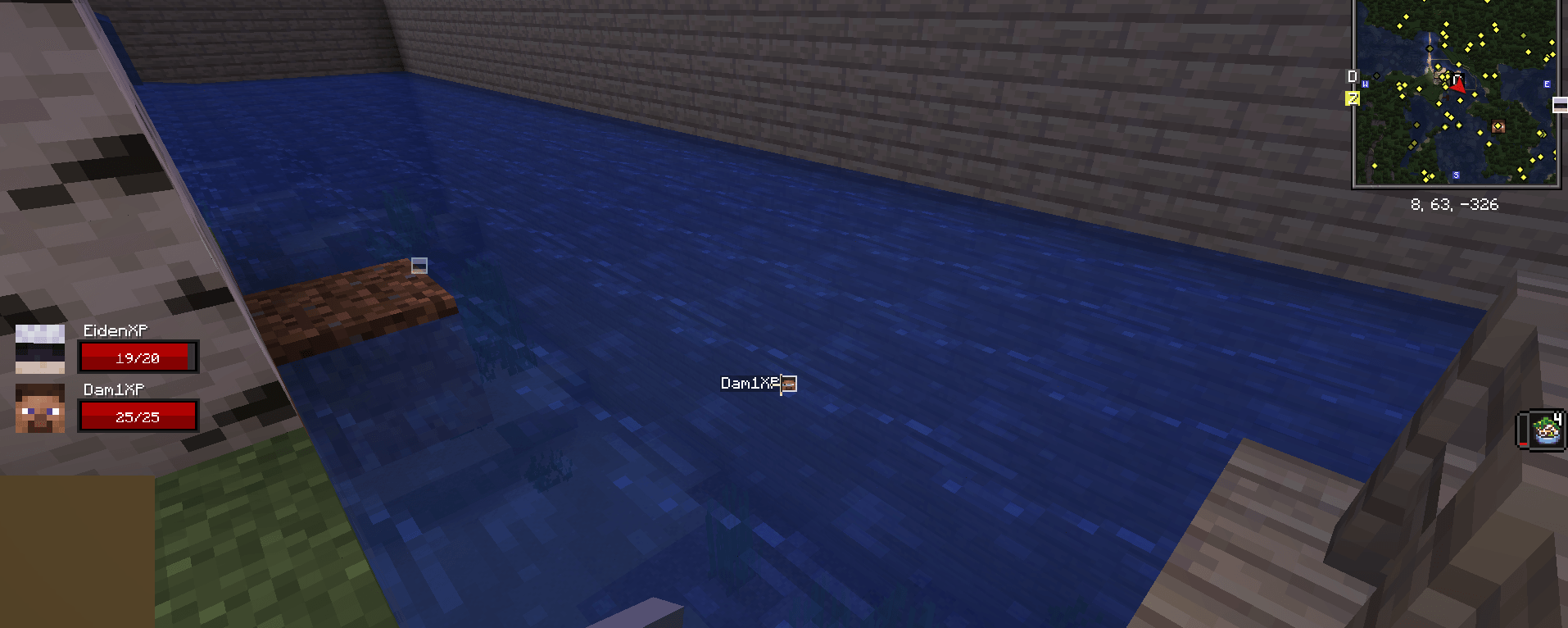
## Xaero's Minimap |
When installed, Party HUD enables an integration option so teammates can be tracked at long distance with a marker under them, making their direction easier to follow at all times.
 |
## FTB Teams |
Disabled by default, but can be enabled through a config option to synchronize Party HUD parties with FTB Teams.
Do you have new ideas, improvements for my mods, or have you found a bug? This is the perfect place to share them!
In our Discord community you can:
💡 Submit proposals and suggestions for improving the mods.
🛠️ Report problems and bugs so we can fix them together.
🎮 Show your creativity: you're free to use my mods in your own modpacks.
📢 Share your modpack on the server and show the community your unique style.
This space is designed for us to grow together, with respect and enthusiasm for creating mods and modpacks. Your contribution is always welcome!
☕ Support me on Ko‑fi💬 Join Discord

Project description from CurseForge.
Pick your setup
Choose the version and loader you play, then open the matching release.
Check the dependencies, then try the file in a copied instance before changing a world you care about.
Recent files
partyhud-neoforge-26.1.2_v1.4.jar
28 Oct 2026
partyhud-forge-2.0.7.jar
27 Oct 2026
27 Oct 2026
partyhud-neoforge-26.1.2_v1.3.jar
24 Sept 2026
partyhud-neo-1.21.1-2.0.4.jar
22 Sept 2026
partyhud-forge-2.0.6.jar
20 Sept 2026
partyhud-neo-1.21.1-2.0.3.jar
7 Sept 2026
partyhud-forge-2.0.5.jar
7 Sept 2026
partyhud-neo-1.21.1-2.0.2.jar
6 Aug 2026
partyhud-neoforge-26.1.2_v1.2.jar
6 Aug 2026
partyhud-forge-2.0.4.jar
5 Aug 2026
partyhud-neoforge-26.1.2_v1.1.jar
1 Aug 2026
Looking for an older file? The official CurseForge project page is in Resources.
 mod
It adds a wide variety of RPG-style attributes
 mod
Blocks chest interaction when hostile mobs are nearby and targeting the player, enforcing combat before looting.
 mod
Real-time damage numbers with 5+ animated styles, fully customizable via resource packs