
Minecraft version
Back to mods 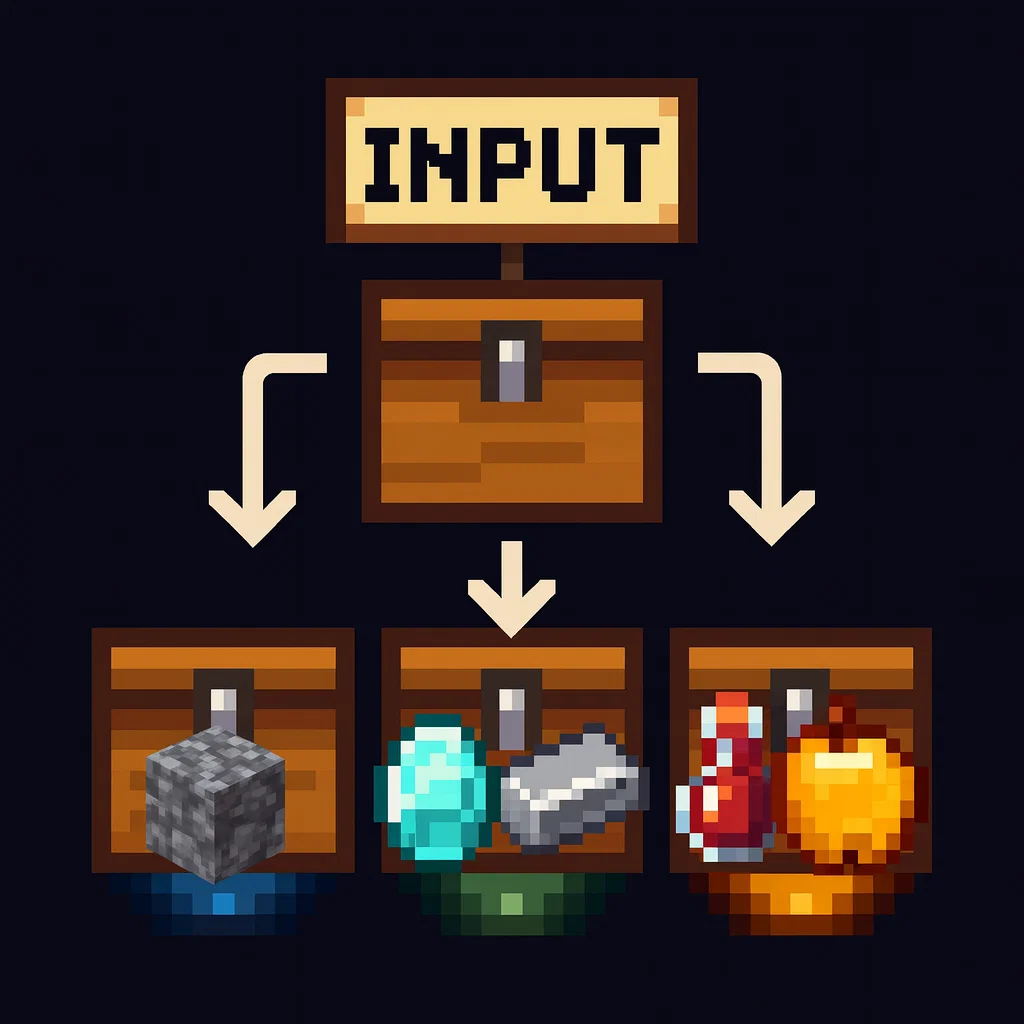
CurseForge · Minecraft mod
SortCraft
SortCraft is a multi-chest item sorter without the redstone. Label chests with signs like [ores] or [tools], right-click your input chest, and items instantly sort themselves. Categories live in simple YAML files you control.
Choose a version Pick your version below, then grab the matching file.
Quick answer
Which SortCraft release matches 26.2 NeoForge?
Best match for your filters sortcraft-neoforge-1.3.2+26.2.jar
Game version 26.2
Loader NeoForge
sortcraft-neoforge-1.3.2+26.2.jar targets 26.2 with NeoForge. The project page does not say whether this file belongs on the client, dedicated server, or both. No extra mods listed for this file.
Where it goes
Is SortCraft required on the client, server, or both?
The project page does not say whether this file belongs on the client, dedicated server, or both.
Client Source doesn’t say
Dedicated server Source doesn’t say
Loader for this release NeoForge
Required install it here Optional supported, not mandatory Not supported do not install here Source doesn’t say do not assume
The source does not explicitly classify this release as client-only or server-only.
What else does sortcraft-neoforge-1.3.2+26.2.jar need?
sortcraft-neoforge-1.3.2+26.2.jar on 26.2 NeoForge. Every mod below is checked against that same setup.
This file does not list any required mods. Do not add a library just because a different file uses it.
This file does not list any required or optional mods.
Before you install it
Add SortCraft without breaking your instance.
Built for sortcraft-neoforge-1.3.2+26.2.jar on 26.2 NeoForge. Pick another file and the loader, install side or required mods may change.
- 01
Stick to this file
Use sortcraft-neoforge-1.3.2+26.2.jar. It targets 26.2 with NeoForge; another release may have different loader, side or dependency requirements.
- 02
Bring the mods it needs
This file does not list any required mods. Do not add a library just because a different file uses it.
- 03
Put it on the correct side
The project page does not say whether this file belongs on the client, dedicated server, or both.
- 04
Pick the file you checked
Use the “Get this file” button beside sortcraft-neoforge-1.3.2+26.2.jar. It opens that exact file at the source.
About this project
What does SortCraft add?



SortCraft
SortCraft is a multi-chest item sorter without the redstone. Label chests with signs like [ores] or [tools], right-click your input chest, and items instantly sort themselves. Categories live in simple YAML files you control.
Visually build and organize your categories using our companion webapp CategoryCraft! You can even load mod jar files to see your modded items!
View our quickstart video or jump to the 5-Minute Quick Start section below for concise instructions.
📦 How It Works
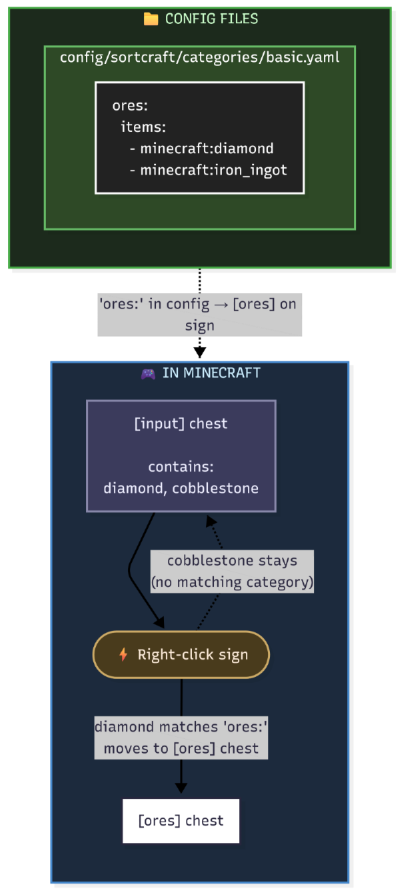
You define categories in YAML config files. Sign text must match your category names. That's it!
What It Looks Like In-Game
| Input Chest | Destination Chest |
|---|---|
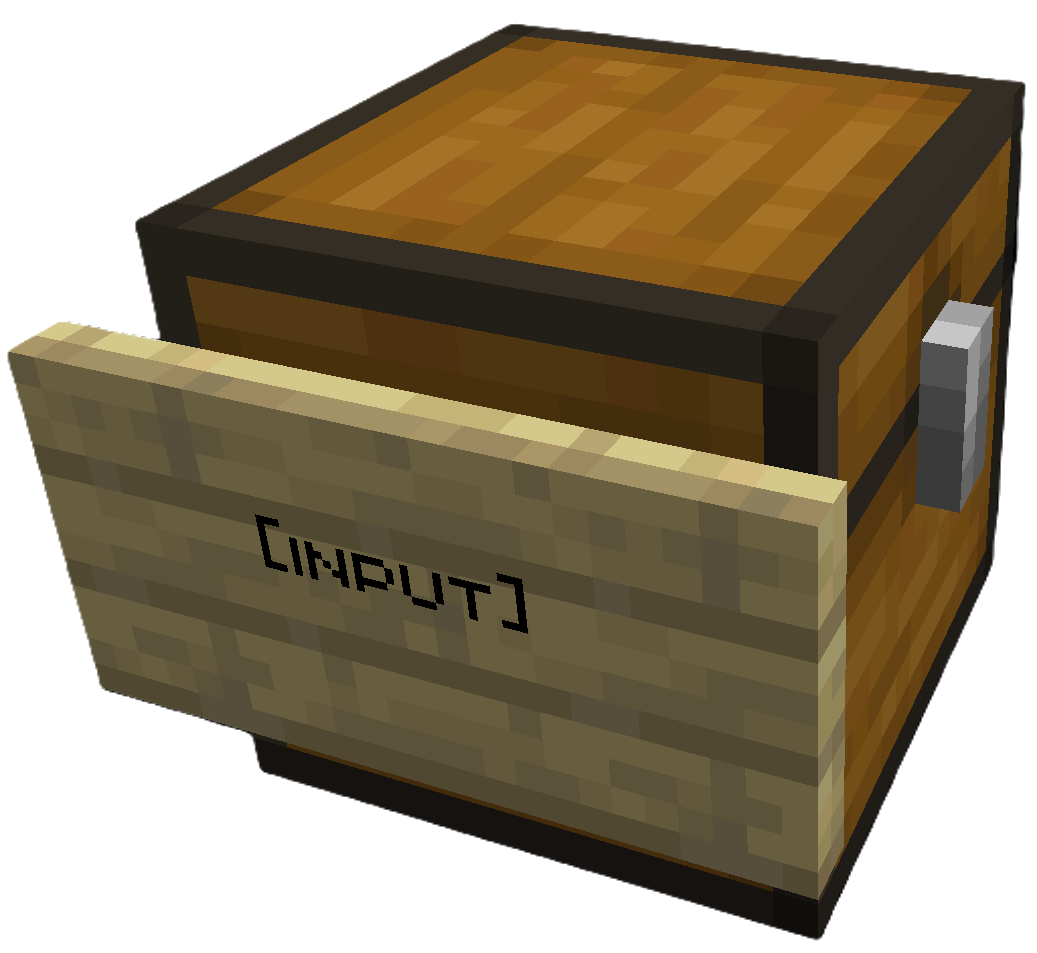 |
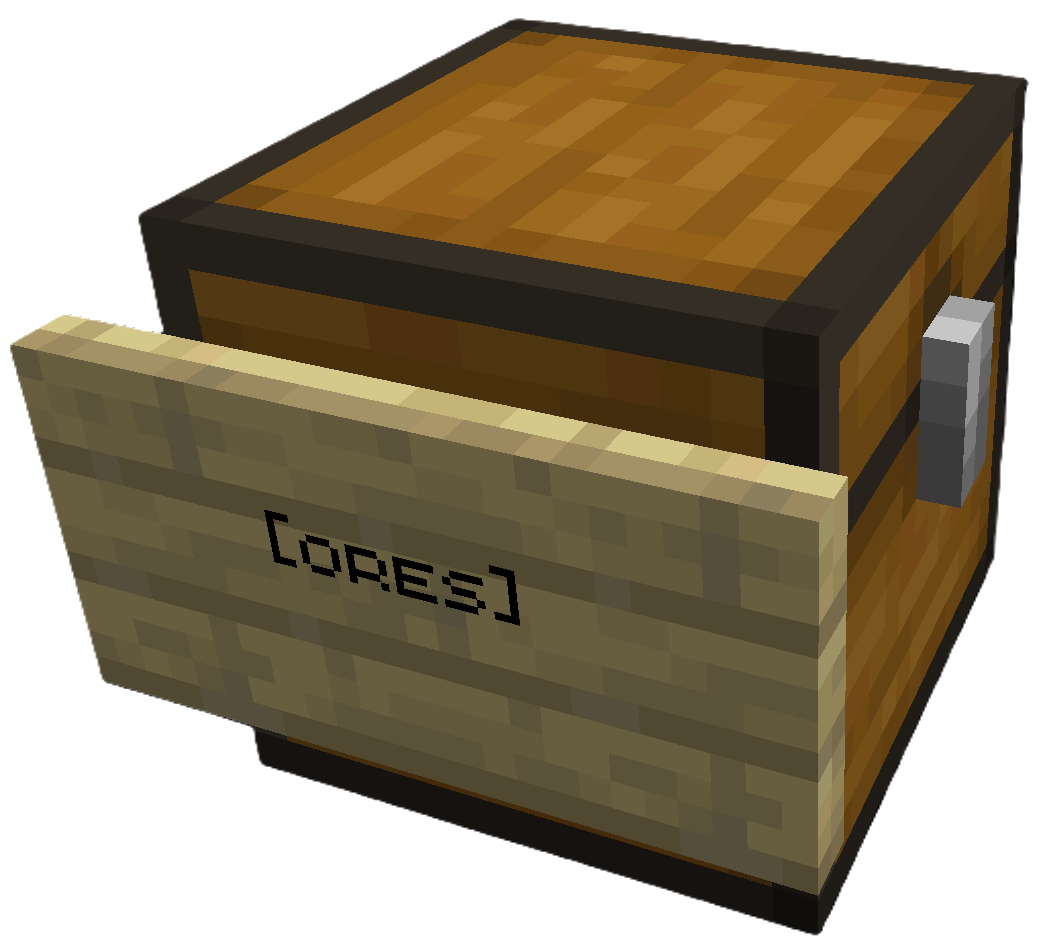 |
Place [input] sign on your source chest |
Place [ores] sign (or any category) on destination |
Right click the [input] sign to sort. All destination chests must be within a configurable search radius of the input chest (default 64 blocks).
Modded Storage: SortCraft works with modded storage blocks like Storage Drawers and Sophisticated Storage. Any block that exposes a Fabric Transfer API
Storage<ItemVariant>or NeoForgeIItemHandlercan be used as a source or destination.
Share Configs: Write a CategoryCraft share ID on the input sign to use a shared category configuration instead of the global one. See Share Configs for how to get a share ID and set it up.
🚀 5-Minute Quick Start
1. Create a category file
Create config/sortcraft/categories/basic.yaml:
ores:
  items:
    - minecraft:diamond
    - minecraft:iron_ingot
    - minecraft:gold_ingot
    - minecraft:copper_ingot
OR use CategoryCraft to build your categories visually.
OR look at the following examples:
2. Build your storage
- Place a chest and attach a sign with
[input]on any line - Place another chest and attach a sign with
[ores]on any line
3. Sort!
Put diamonds, iron, gold, or copper in the input chest, then right-click the [input] sign. Items matching your ores: category move to the [ores] chest.
📚 Documentation
| Guide | Description |
|---|---|
| Commands | All /sort commands |
| Configuration | YAML syntax, priorities, includes, item tags |
| ↳ Concise Example | Quick reference |
| ↳ Full Example | What I use on my server |
| Filters | Sort by enchantments, durability, custom names |
| Regex Patterns | Match items with patterns like /.*:.*_sword/ |
| Core Concepts | Priority system, category inheritance, stacking |
| Troubleshooting | Common issues and solutions |
| Audit Logging | Server admin logging features |
Project description from CurseForge.
Pick your setup
SortCraft by Minecraft version and loader
Choose the version and loader you play, then open the matching release.
Minecraft version
26.2
2 loader buildsMinecraft version
26.1.2
2 loader buildsMinecraft version
26.1.1
2 loader buildsMinecraft version
26.1
2 loader buildsMinecraft version
1.21.11
2 loader buildsMinecraft version
1.21.10
2 loader buildsMinecraft version
1.21.9
2 loader buildsMinecraft version
1.21.8
2 loader buildsMinecraft version
1.21.7
2 loader buildsMinecraft version
1.21.6
2 loader buildsMinecraft version
1.21.5
2 loader buildsShowing the newest 12 of 15 game versions. Older files are in the list below.
Check the dependencies, then try the file in a copied instance before changing a world you care about.
Recent files
SortCraft versions and loaders
sortcraft-neoforge-1.3.2+26.2.jar
22 Jun 2026
Client Source doesn’t say Server Source doesn’t say Dependencies No extras listed Listed on Release listing
Check the 26.2 · NeoForge setup NeoForge26.2 release
Looking for an older file? The official CurseForge project page is in Resources.
 mod
CurseForge · Minecraft
Traveling Merchant Wagon
Build customizable wooden wagons to carry cargo, bring companions, and take your workshop on the road.
 mod
CurseForge · Minecraft
ChatPlus
Movable chat, chat tabs, copy/translate/select/bookmark/screenshot messages, player heads, speech to text, filter messages, scrollbar, etc.
 mod
Modrinth · Minecraft
QDC Biome Portal 2.0
Complete reconstruction of the QDC Biome Portal mod. teleport to nearby biomes by paying a fee, one can also add teleport locations to Fave List. Requires QDC CORE 4.5 as a Core Mod