Minecraft version
Back to mods 
CurseForge · Minecraft mod
UltraNet Booster
A Performance for Ping
Choose a version Pick your version below, then grab the matching file.
Quick answer
Which UltraNet Booster release should I use?
Latest stable file ultranet_booster-1.10.34-forge-1.16.5.jar
Game version 1.16.5
Loader Forge
UltraNet Booster ultranet_booster-1.10.34-forge-1.16.5.jar targets 1.16.5 with Forge. The project page does not say whether this file belongs on the client, dedicated server, or both. No extra mods listed for this file.
Where it goes
Is UltraNet Booster required on the client, server, or both?
The project page does not say whether this file belongs on the client, dedicated server, or both.
Client Source doesn’t say
Dedicated server Source doesn’t say
Loader for this release Forge
Required install it here Optional supported, not mandatory Not supported do not install here Source doesn’t say do not assume
The source does not explicitly classify this release as client-only or server-only.
What else does UltraNet Booster ultranet_booster-1.10.34-forge-1.16.5.jar need?
ultranet_booster-1.10.34-forge-1.16.5.jar. Change the file and its required mods may change too.
This file does not list any required mods. Do not add a library just because a different file uses it.
This file does not list any required or optional mods.
Before you install it
Add UltraNet Booster without breaking your instance.
Built for UltraNet Booster ultranet_booster-1.10.34-forge-1.16.5.jar. Pick another file and the loader, install side or required mods may change.
- 01
Stick to this file
Use ultranet_booster-1.10.34-forge-1.16.5.jar. It targets 1.16.5 with Forge; another release may have different loader, side or dependency requirements.
- 02
Bring the mods it needs
This file does not list any required mods. Do not add a library just because a different file uses it.
- 03
Put it on the correct side
The project page does not say whether this file belongs on the client, dedicated server, or both.
- 04
Pick the file you checked
Use the “Get this file” button beside ultranet_booster-1.10.34-forge-1.16.5.jar. It opens that exact file at the source.
About this project
What does UltraNet Booster add?
🚀 UltraNet Booster — Turbocharge Your Minecraft Connection!
"Turn your Minecraft into a high-performance machine! With UltraNet Booster, your worlds load faster, latency drops dramatically, and everything runs as if you had internet from another planet. Play without lag, explore without limits, and watch your servers fly!"
🧠 How UltraNet Booster Improves Your Connection
A mod cannot increase your actual internet speed — that depends entirely on your ISP.
However, UltraNet Booster optimizes how Minecraft uses the network, reducing packet loss, lowering perceived latency, and improving overall data efficiency.
As a result, gameplay becomes smoother, more stable, and much more responsive.
⚙️ 1. Packet Optimization
Minecraft sends thousands of network packets every minute. UltraNet Booster enhances this process by:
Compressing packets (reducing data size)
Bundling multiple packets together (packet batching)
Removing redundant information
Prioritizing critical packets, such as movement and interaction
➡ Result: Less bandwidth usage, faster responses, and more efficient communication.
⚙️ 2. Latency Smoothing
Even with higher ping, the mod makes gameplay feel smoother by:
Interpolating and predicting the position of players and entities
Synchronizing client and server ticks
Optimizing network buffering to avoid micro-stutters
➡ Result: A more fluid experience, similar to well-optimized competitive games.
⚙️ 3. Packet Loss Mitigation
On unstable connections, lost packets usually cause freezes or stutters.
UltraNet Booster reduces this by:
Reconstructing packets using previous data
Resending only the missing parts of packets
Using an improved acknowledgment system (custom ACK/NAK)
➡ Result: Fewer lag spikes and fewer sudden freezes.
⚙️ 4. Smart Chunk Management
Chunk loading and synchronization can be very network-heavy.
UltraNet Booster improves this by:
Limiting unnecessary chunk updates
Prioritizing visible chunks
Reducing sync frequency for distant chunks
Using intelligent prefetching
➡ Result: Less bandwidth usage and smoother chunk loading.
⚙️ 5. Reduction of Unnecessary Network Traffic
The mod removes several sources of useless bandwidth consumption:
Entities outside the player’s view stop updating
Distant particles and effects are not synced
Telemetry and log data are disabled
Repetitive inventory packets are filtered
➡ Result: A cleaner, more efficient network stream.
🔧 Technical Summary
While the mod cannot increase your real internet speed, it can:
✔ Reduce the total amount of data sent and received
✔ Optimize communication between client and server
✔ Smooth out latency and improve responsiveness
✔ Minimize packet loss and stutter
➡ In practice: your Minecraft becomes faster, lighter, and far more stable.
Project description from CurseForge.
Pick your setup
UltraNet Booster by Minecraft version and loader
Choose the version and loader you play, then open the matching release.
Check the dependencies, then try the file in a copied instance before changing a world you care about.
Recent files
UltraNet Booster versions and loaders
ultranet_booster-1.10.34-forge-1.16.5.jar
11 Dec 2025
Client Source doesn’t say Server Source doesn’t say Dependencies No extras listed Listed on Release listing
Check the 1.16.5 · Forge setup 1.16.5Forge release
ultranet_booster-1.9.18-forge-1.16.5.jar
11 Dec 2025
Client Source doesn’t say Server Source doesn’t say Dependencies No extras listed Listed on Release listing
Check the 1.16.5 · Forge setup 1.16.5Forge release
Looking for an older file? The official CurseForge project page is in Resources.
 mod
mod CurseForge · Minecraft
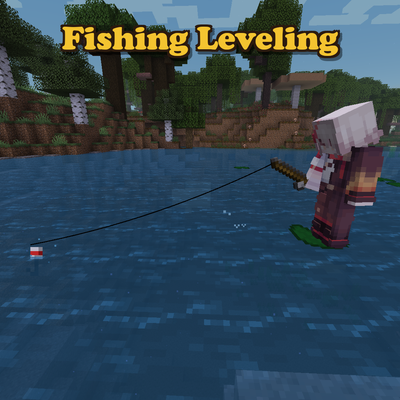
Fishing Leveling
Adds a leveling system to fishing, giving you perks for progression
 mod
mod CurseForge · Minecraft
fighter jets, Military and unstoppable: revamped Epic Hyper-Realistic Tactical Warfare Overhaul
Fly the F-22, F-14, F-16 and F/A-18 with semi-realistic physics, missiles, flares and a full HUD. Launch from a deployable Nimitz-class carrier and call in AI-flown enemy Su-27s with a tactical radio.
 mod
mod CurseForge + Modrinth · Minecraft
Advanced Netherite (Forge / NeoForge)
A configurable, vanilla friendly, open-source mod that adds in more tiers of Netherite!