Minecraft version
Back to mods 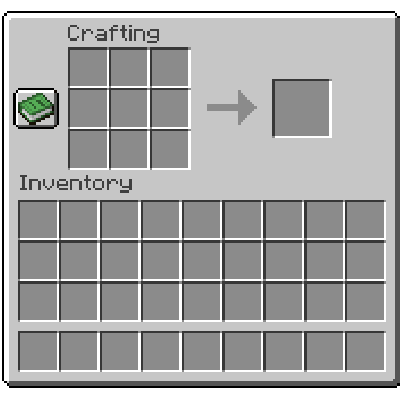
CurseForge · Minecraft mod
Smooth GUI Animations
Adds a beautiful and customizable opening animation to ALL interfaces in the game
Choose a version Pick your version below, then grab the matching file.
Quick answer
Which Smooth GUI Animations release matches 1.20.2 Forge?
Best match for your filters scalinganimations-1.jar
Game version 1.20.2, 1.20.5, 1.20.1
Loader Forge
Smooth GUI Animations scalinganimations-1.jar targets 1.20.2, 1.20.5, 1.20.1 with Forge. The project page does not say whether this file belongs on the client, dedicated server, or both. No extra mods listed for this file.
Where it goes
Is Smooth GUI Animations required on the client, server, or both?
The project page does not say whether this file belongs on the client, dedicated server, or both.
Client Source doesn’t say
Dedicated server Source doesn’t say
Loader for this release Forge
Required install it here Optional supported, not mandatory Not supported do not install here Source doesn’t say do not assume
The source does not explicitly classify this release as client-only or server-only.
What else does Smooth GUI Animations scalinganimations-1.jar need?
scalinganimations-1.jar on 1.20.2 Forge. Every mod below is checked against that same setup.
This file does not list any required mods. Do not add a library just because a different file uses it.
This file does not list any required or optional mods.
Before you install it
Add Smooth GUI Animations without breaking your instance.
Built for Smooth GUI Animations scalinganimations-1.jar on 1.20.2 Forge. Pick another file and the loader, install side or required mods may change.
- 01
Stick to this file
Use scalinganimations-1.jar. It targets 1.20.2, 1.20.5, 1.20.1 with Forge; another release may have different loader, side or dependency requirements.
- 02
Bring the mods it needs
This file does not list any required mods. Do not add a library just because a different file uses it.
- 03
Put it on the correct side
The project page does not say whether this file belongs on the client, dedicated server, or both.
- 04
Pick the file you checked
Use the “Get this file” button beside scalinganimations-1.jar. It opens that exact file at the source.
About this project
What does Smooth GUI Animations add?
Smooth GUI Animations
🎯 Turn boring static Minecraft interfaces into lively and dynamic ones!
✨ Features:
- 🔥 Smooth zoom animations for all interfaces
- 🎮 Works with inventory, crafting tables, chests, menus and other GUIs
- ⚡ Lightweight mod with no performance loss
- 🎨 Natural easing animations for a pleasant user experience
- 🔧 Compatible with most mods
🚀 What will change:
- Inventory (E) - smooth appearance with scaling
- Menu (ESC) - beautiful opening and closing
- Workbenches/Stoves - animated appearance of interfaces
- And much more!
💡 Why you should install it:
- ✅ Improves the visual experience without changing the gameplay
- ✅ Compatible with OptiFine, Sodium, and other optimization mods
- ✅ Does not affect performance
- ✅ Easy installation - no settings required!
Refresh your Minecraft with professional interface animations! 🎉
Project description from CurseForge.
Pick your setup
Smooth GUI Animations by Minecraft version and loader
Choose the version and loader you play, then open the matching release.
Minecraft version
1.21.9
1 loader buildMinecraft version
1.21.8
1 loader buildMinecraft version
1.21.7
1 loader buildMinecraft version
1.21.6
1 loader buildMinecraft version
1.21.5
1 loader buildMinecraft version
1.21.4
1 loader buildMinecraft version
1.21.3
1 loader buildMinecraft version
1.21.2
1 loader buildMinecraft version
1.21.1
1 loader buildMinecraft version
1.21
1 loader buildMinecraft version
1.20.6
1 loader buildShowing the newest 12 of 17 game versions. Older files are in the list below.
Check the dependencies, then try the file in a copied instance before changing a world you care about.
Recent files
Smooth GUI Animations versions and loaders
scalinganimations-1.jar
13 Dec 2025
Client Source doesn’t say Server Source doesn’t say Dependencies No extras listed Listed on Release listing
Check the 1.20.2 · Forge setup 1.20.21.20.51.20.1Forge release
Looking for an older file? The official CurseForge project page is in Resources.
 mod
CurseForge · Minecraft
Anvil reset scroll
This mod introduces Reset Scroll. It allows you to keep your gear forever without worrying about the vanilla anvil repair limits.No Anvil Expensive,No Expensive Never Too Expensive
 mod
CurseForge · Minecraft
Bellows OG - Faster Furnaces, Water Wheels & Ore Doubling
Bellows make furnaces burn twice as fast, water wheels and windmills work them for you, and a grinder turns every ore into two dusts.
 mod
CurseForge · Minecraft
AppleStats :timmer+ AppleSkin+ Jade +GUI Clock+Coordinates+Horse Stat
HUD:A lightweight Jade alternative ,effect timmer ,Target Info,Saturation and Coordinates Monitor ,Waila,HWYLA,show Horse speed and jump stats,death location,Death Finder