Ice and Fire: Dragons Optional for Custom Menu Message CustomMenuMessage_1.20.1_0.1.jar
optionalNo matching file

CurseForge · Minecraft mod
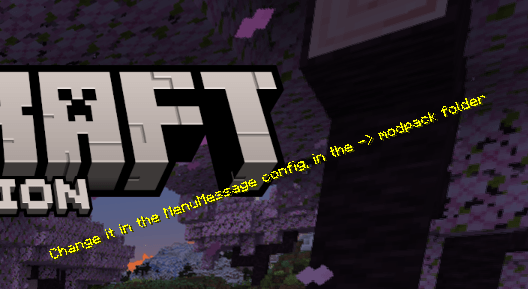
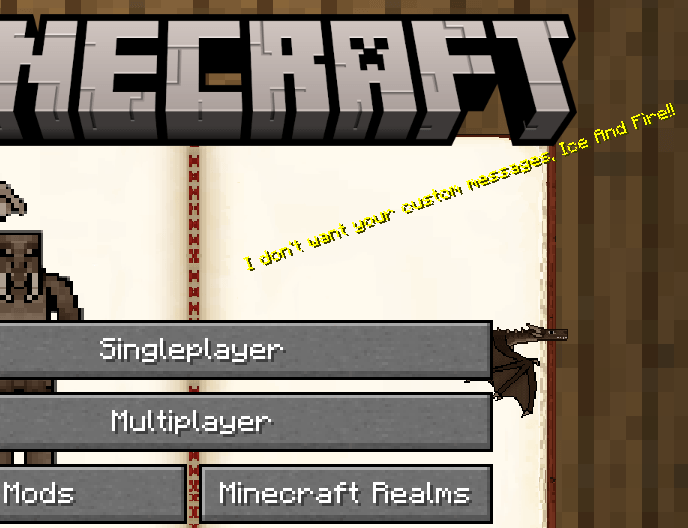
Allow to change the message in the main menu
Quick answer
Custom Menu Message CustomMenuMessage_1.20.1_0.1.jar targets 1.20.1, 1.20 with Forge, NeoForge. The project page does not say whether this file belongs on the client, dedicated server, or both. No extra mods listed for this file.
Where it goes
The project page does not say whether this file belongs on the client, dedicated server, or both.
The source does not explicitly classify this release as client-only or server-only.
CustomMenuMessage_1.20.1_0.1.jar on 1.20 Forge. Every mod below is checked against that same setup.
This file does not list any required mods. Do not add a library just because a different file uses it.
We only count dependency files that match this setup. A file for another loader does not fill the gap.
Before you install it
Built for Custom Menu Message CustomMenuMessage_1.20.1_0.1.jar on 1.20 Forge. Pick another file and the loader, install side or required mods may change.
Use CustomMenuMessage_1.20.1_0.1.jar. It targets 1.20.1, 1.20 with Forge, NeoForge; another release may have different loader, side or dependency requirements.
This file does not list any required mods. Do not add a library just because a different file uses it.
The project page does not say whether this file belongs on the client, dedicated server, or both.
Use the “Get this file” button beside CustomMenuMessage_1.20.1_0.1.jar. It opens that exact file at the source.
About this project
Edit 19/02/2026: I just found out Custom Main Menu exist, I didn't know the existence of this other mod before making mine.
This mod change the splash (menu message) of the game. After being launched once the mod automatically create a json config that can be used to add new messages which are going to be readed by the mod, in the goal to display one of these messages.
Example config:
"Add": "-add- a new message","Remove": "-remove- reroll until a different message is find","Replace": "-replace- a specific messages and display your own instead","Chance": "the -chance- of your message to appears. 1000 = 100%",
"addTestA1ùé$f": "Detect and support as much characters as possible!","chanceA1v$fn": 100,"add": "Hello World","chance": 100,"remove": "This message will not appears!","replaceTarget": "Bad Message","replaceTo": "Bad Message is now a Good Message"
As stated in the example of config just above, the chance value is a probability system.
0 = 0.0% and 1000 = 100.0%. Every chance value will be reduced by a random number between 1 and 1000.
After the probability maths, there is two conditions a message must met in order to be displayed in the menu ->
Please add a comment if you want the mod to be added in another version, or a mod compat to be done!!
Project description from CurseForge.
Pick your setup
Choose the version and loader you play, then open the matching release.
Check the dependencies, then try the file in a copied instance before changing a world you care about.
Recent files
26 Dec 2025
19 Dec 2025
Looking for an older file? The official CurseForge project page is in Resources.
 mod
All-in-one mod that improves performance, reduces memory usage, and fixes many bugs. Compatible with all your favorite performance mods!
 mod
Adds a variety of decorative and colorful blocks to the game
 mod
Stop rerolling villagers. Press Pick trade and select any 2 trades its profession can offer (max-level enchanted books included). Fast trade and saves time.