Thaumaturge Optional for Forestry Additions forestryadditions-0.8.jar
optionalNo matching file
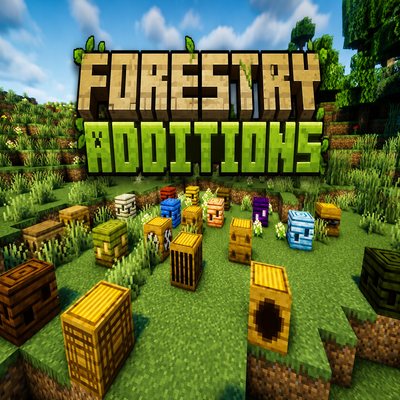
CurseForge · Minecraft mod
New bees, trees, magic and techno. GTceu, Thaumaturgy support!
Quick answer
Forestry Additions forestryadditions-0.8.jar targets 1.20.1 with Forge. The project page does not say whether this file belongs on the client, dedicated server, or both. All 2 required mods have matching files.
Where it goes
The project page does not say whether this file belongs on the client, dedicated server, or both.
The source does not explicitly classify this release as client-only or server-only.
forestryadditions-0.8.jar. Change the file and its required mods may change too.
Install Forestry: CE, Patchouli first. We found matching files for this game-version and loader setup. 4 come through another mod in the chain.
4 extra mods were pulled in by other dependencies. Indented rows show who needs each one. We only count dependency files that match this setup. A file for another loader does not fill the gap.
Before you install it
Built for Forestry Additions forestryadditions-0.8.jar. Pick another file and the loader, install side or required mods may change.
Use forestryadditions-0.8.jar. It targets 1.20.1 with Forge; another release may have different loader, side or dependency requirements.
Install Forestry: CE, Patchouli first. We found matching files for this game-version and loader setup. 4 come through another mod in the chain.
The project page does not say whether this file belongs on the client, dedicated server, or both.
Use the “Get this file” button beside forestryadditions-0.8.jar. It opens that exact file at the source.
About this project
Mod actually support:
* GTCeu content: Industrial Apiary, Industrial Arboterum (other in development)
a little truth
The Main idea behind this mod is to introduce a bit of progression, drawing inspiration from the mechanics found in Forestry, specifically its greenhouses, gardens, genetics, and the processes for cultivating and crossbreeding. All of these have been implemented.
I also added something that I personally felt was missing when playing with Forestry: the ability to emulate the environmental conditions required by bees.
Have you ever found yourself in a Plains biome when you actually needed Tropical drones? To address this, I created greenhouses, which now allow you to operate independently of your current biome or temperature conditions.
https://github.com/uxuxuxuxu10/ForestryAdditions (github for reports)
Project description from CurseForge.
Pick your setup
Choose the version and loader you play, then open the matching release.
Check the dependencies, then try the file in a copied instance before changing a world you care about.
Recent files
24 Nov 2026
8 Nov 2026
forestryadditions-0.7.jar
18 Sept 2026
2 Sept 2026
forestryadditions-0.7.jar
1 Sept 2026
21 Aug 2026
15 Jul 2026
12 Jul 2026
11 Jul 2026
forestryadditions-0.2alpha.jar
8 Jul 2026
6 Jul 2026
Looking for an older file? The official CurseForge project page is in Resources.
 mod
Farming automation mod with planters, machines, modules, and power gen.
 mod
[Let's Do] Prepare dishes from Farm&Charm directly within the game world, using a 3D interface built on the Diegesis system and inspired by the "Hands-on Delight" concept.
 mod
Creates and maintains TACZ data and gunsmith-workbench recipes in-game.