Cloth Config API (Fabric/Forge/NeoForge) Needed by Two Dimensional: Reloaded 0.7.1-alpha+26.1.2
requiredMatching file found Matched file: [Fabric 26.1] v26.1.154
CurseForge · Minecraft mod
Turns Minecraft into a 2D side-scroller
Quick answer
Two Dimensional: Reloaded 0.7.1-alpha+26.1.2 targets 26.1.2 with Fabric. The project page does not say whether this file belongs on the client, dedicated server, or both. All 2 required mods have matching files.
Where it goes
The project page does not say whether this file belongs on the client, dedicated server, or both.
The source does not explicitly classify this release as client-only or server-only.
0.7.1-alpha+26.1.2. Change the file and its required mods may change too.
Install Cloth Config API (Fabric/Forge/NeoForge), Sodium first. We found matching files for this game-version and loader setup.
We only count dependency files that match this setup. A file for another loader does not fill the gap.
Before you install it
Built for Two Dimensional: Reloaded 0.7.1-alpha+26.1.2. Pick another file and the loader, install side or required mods may change.
Use 0.7.1-alpha+26.1.2. It targets 26.1.2 with Fabric; another release may have different loader, side or dependency requirements.
Install Cloth Config API (Fabric/Forge/NeoForge), Sodium first. We found matching files for this game-version and loader setup.
The project page does not say whether this file belongs on the client, dedicated server, or both.
Use the “Get this file” button beside 0.7.1-alpha+26.1.2. It opens that exact file at the source.
About this project

Sometimes living in all three dimensions can be a real stressor, so why not take a load off and live in two instead?
Two Dimensional: Reloaded transforms Minecraft into a 2D side-scroller by removing access to the third dimension and restricting player movement to a single plane along the X axis.
If you ever start to miss your three-dimensional life, just press B to access the background layer.
Based on the original mod Two Dimensional by Mishkis.
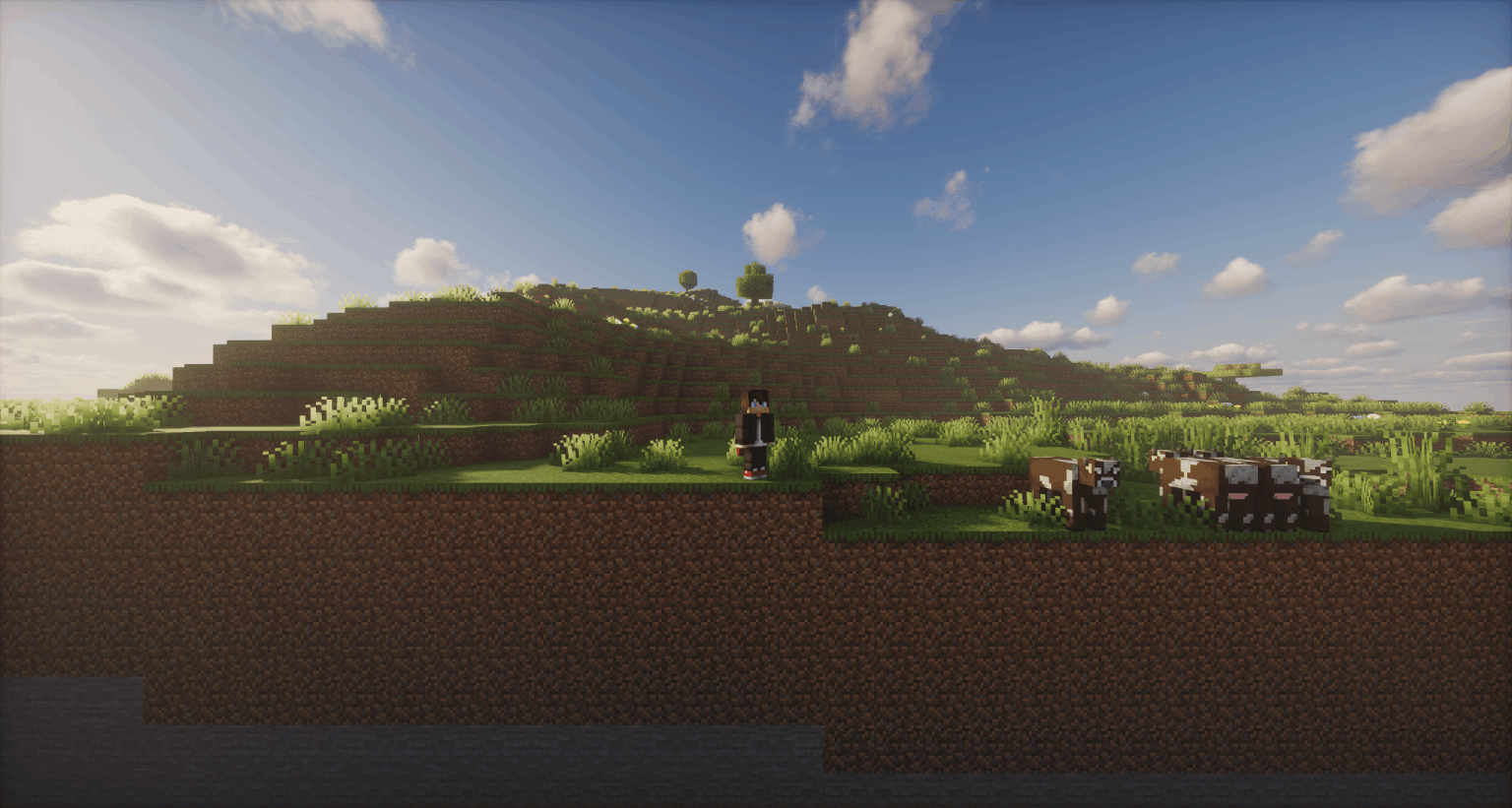
Hold B to turn around, allowing you to place and break blocks on the background layer. (keybind configurable under Two Dimensional: Reloaded → Face Away).
If you feel like the camera viewport size is too small, increase your FOV to see farther out.
Build a Nether portal in the background layer and right click a portal block to travel to the Nether (vanilla cooldowns and timing apply).
Optional Block Placement Guide Feature (Use Cloth Config API + ModMenu to configure) 
Project description from CurseForge.
Pick your setup
Choose the version and loader you play, then open the matching release.
Check the dependencies, then try the file in a copied instance before changing a world you care about.
Recent files
twodimensionalreloaded-0.7.1-alpha+26.1.2.jar
7 Jul 2026
twodimensionalreloaded-0.7.0-alpha+26.1.2.jar
6 Jul 2026
twodimensionalreloaded-0.6.1-alpha+26.1.2.jar
3 Jul 2026
twodimensionalreloaded-0.6.0-alpha+26.1.2.jar
2 Jul 2026
twodimensionalreloaded-0.5.0-alpha+26.1.2.jar
29 Apr 2026
twodimensionalreloaded-0.4.1-alpha+26.1.jar
30 Mar 2026
twodimensionalreloaded-0.3.3-alpha+1.21.11.jar
30 Mar 2026
twodimensionalreloaded-0.4.0-alpha+26.1.jar
29 Mar 2026
twodimensionalreloaded-0.3.2-alpha+1.21.11.jar
19 Mar 2026
twodimensionalreloaded-0.3.1-alpha+1.21.11.jar
18 Mar 2026
twodimensionalreloaded-0.3.0-alpha+1.21.11.jar
27 Jan 2026
twodimensionalreloaded-0.2.7-alpha+1.21.11.jar
25 Jan 2026
Looking for an older file? The official CurseForge project page is in Resources.
 mod
Compatibility addon between Dynamic Trees and BetterEnd
 mod
Compatibility between Dynamic Trees and BetterNether
 mod
Extends Sky’s Terrain Smoother to Biomes O’ Plenty, with matching grass and soil slabs, steps and corners for smoother hillsides and cave floors.