Minecraft version
Back to mods 
CurseForge · Minecraft mod
AE2LabelViewCell
This mod is a simple addon for AE2 that adds tag-filtered View Cells with whitelist/blacklist support.
Choose a version Pick your version below, then grab the matching file.
Quick answer
Which AE2LabelViewCell release matches 1.20.1 Forge?
Best match for your filters AE2LabelViewCell-1.20.1-1.0.1.jar
Game version 1.20.1
Loader Forge
AE2LabelViewCell-1.20.1-1.0.1.jar targets 1.20.1 with Forge. The project page does not say whether this file belongs on the client, dedicated server, or both. No extra mods listed for this file.
Where it goes
Is AE2LabelViewCell required on the client, server, or both?
The project page does not say whether this file belongs on the client, dedicated server, or both.
Client Source doesn’t say
Dedicated server Source doesn’t say
Loader for this release Forge
Required install it here Optional supported, not mandatory Not supported do not install here Source doesn’t say do not assume
The source does not explicitly classify this release as client-only or server-only.
What else does AE2LabelViewCell-1.20.1-1.0.1.jar need?
AE2LabelViewCell-1.20.1-1.0.1.jar on 1.20.1 Forge. Every mod below is checked against that same setup.
This file does not list any required mods. Do not add a library just because a different file uses it.
This file does not list any required or optional mods.
Before you install it
Add AE2LabelViewCell without breaking your instance.
Built for AE2LabelViewCell-1.20.1-1.0.1.jar on 1.20.1 Forge. Pick another file and the loader, install side or required mods may change.
- 01
Stick to this file
Use AE2LabelViewCell-1.20.1-1.0.1.jar. It targets 1.20.1 with Forge; another release may have different loader, side or dependency requirements.
- 02
Bring the mods it needs
This file does not list any required mods. Do not add a library just because a different file uses it.
- 03
Put it on the correct side
The project page does not say whether this file belongs on the client, dedicated server, or both.
- 04
Pick the file you checked
Use the “Get this file” button beside AE2LabelViewCell-1.20.1-1.0.1.jar. It opens that exact file at the source.
About this project
What does AE2LabelViewCell add?
AE2 Label View Cell
Overview
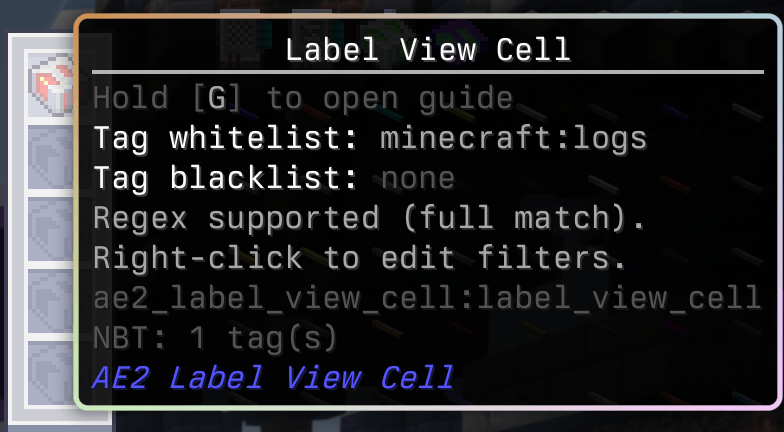
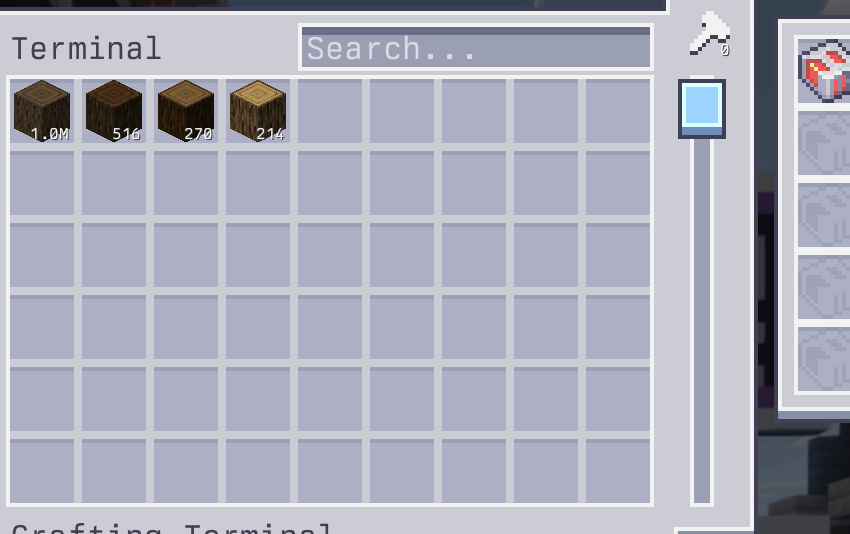
AE2 Label View Cell adds a tag-filtered view cell for Applied Energistics 2. It lets you show or hide items in terminals based on item tags, using a whitelist and blacklist with full-match regex support.
Features
- Tag-based filtering for view cells (whitelist + blacklist).
- Full-match regex patterns for advanced filtering.
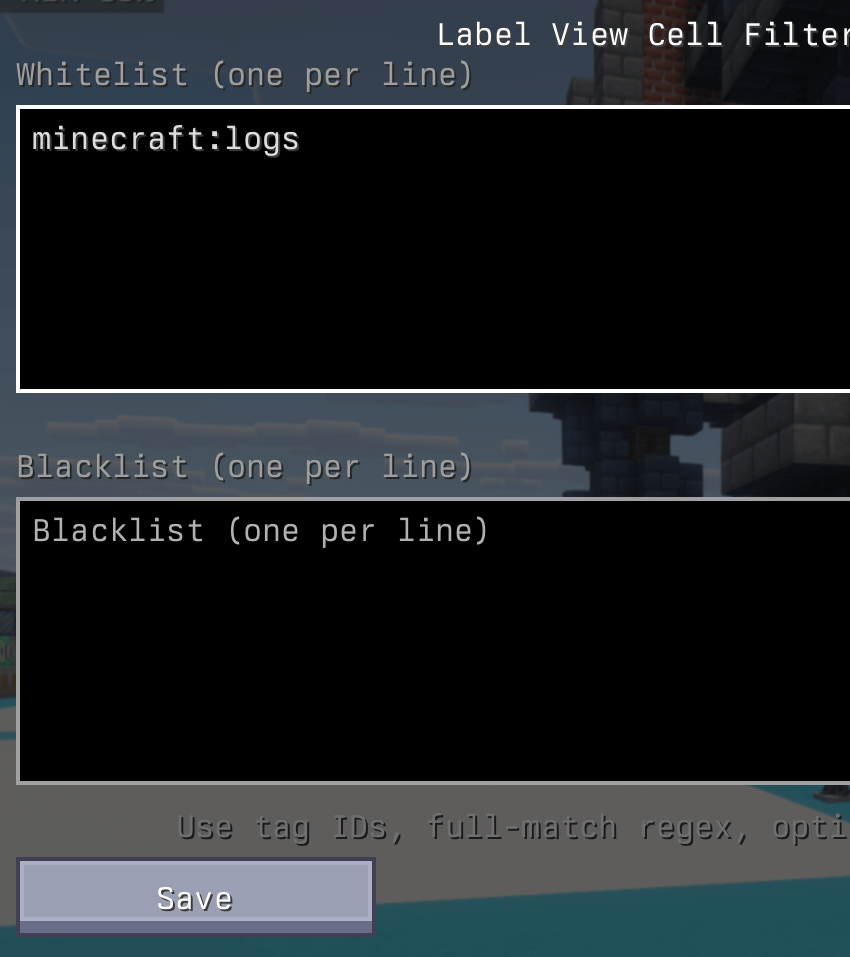
- In-game editor UI for tag lists (no manual NBT editing required).
Crafting
- Shapeless recipe:
ae2:view_cell+minecraft:lever->ae2_label_view_cell:label_view_cell.
Usage
- Craft a Label View Cell and place it into the terminal view cell slots.
- Right-click the cell in hand, or right-click it in your inventory with an empty cursor.
- Enter one tag per line in the whitelist and/or blacklist.
- Save to apply the filters to the terminal display.
Tag Filter Rules
- Whitelist: show items that match any listed tag pattern.
- Blacklist: hide items that match any listed tag pattern.
- Regex: each line is a full-match regex (use
.*to match anything). - Optional leading
#: allowed for tag IDs; it is ignored if present.
Examples
#minecraft:logsshows all log items.forge:ores/.*matches all ore tags.minecraft:.*_woolmatches all wool colors.
Project description from CurseForge.
Pick your setup
AE2LabelViewCell by Minecraft version and loader
Choose the version and loader you play, then open the matching release.
Check the dependencies, then try the file in a copied instance before changing a world you care about.
Recent files
AE2LabelViewCell versions and loaders
AE2LabelViewCell-1.20.1-1.0.1.jar
23 Dec 2025
Client Source doesn’t say Server Source doesn’t say Dependencies No extras listed Listed on Release listing
Check the 1.20.1 · Forge setup 1.20.1Forge release
Looking for an older file? The official CurseForge project page is in Resources.
 mod
Modrinth · Minecraft
[Tacz] Slings
Adds a sling slot for use with tacz
 mod
CurseForge · Minecraft
Colored Light
This mod turns the light from light sources the color they really are and adds adjustable custom light colors for any block. Works with colored dynamic lights.
 mod
Modrinth · Minecraft
Tobacconist
A realistic tobacco farming, curing, processing, blending, and smoking system for Minecraft