Minecraft version
Back to mods 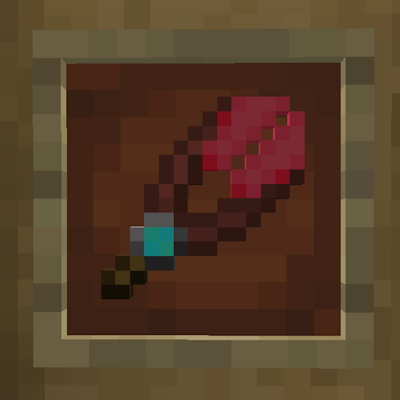
CurseForge · Minecraft mod
ItemCore
ItemCore introduces a core-based resource processing system. Extract cores from items, process them in machines, and improve efficiency with multiple tiers of upgrades.
Choose a version Pick your version below, then grab the matching file.
Quick answer
Which ItemCore release matches 1.16.5 Forge?
Best match for your filters ItemCore-1.0.0
Game version 1.16.5
Loader Forge
ItemCore-1.0.0 targets 1.16.5 with Forge. The project page does not say whether this file belongs on the client, dedicated server, or both. No extra mods listed for this file.
Where it goes
Is ItemCore required on the client, server, or both?
The project page does not say whether this file belongs on the client, dedicated server, or both.
Client Source doesn’t say
Dedicated server Source doesn’t say
Loader for this release Forge
Required install it here Optional supported, not mandatory Not supported do not install here Source doesn’t say do not assume
The source does not explicitly classify this release as client-only or server-only.
What else does ItemCore-1.0.0 need?
ItemCore-1.0.0 on 1.16.5 Forge. Every mod below is checked against that same setup.
This file does not list any required mods. Do not add a library just because a different file uses it.
This file does not list any required or optional mods.
Before you install it
Add ItemCore without breaking your instance.
Built for ItemCore-1.0.0 on 1.16.5 Forge. Pick another file and the loader, install side or required mods may change.
- 01
Stick to this file
Use ItemCore-1.0.0. It targets 1.16.5 with Forge; another release may have different loader, side or dependency requirements.
- 02
Bring the mods it needs
This file does not list any required mods. Do not add a library just because a different file uses it.
- 03
Put it on the correct side
The project page does not say whether this file belongs on the client, dedicated server, or both.
- 04
Pick the file you checked
Use the “Get this file” button beside ItemCore-1.0.0. It opens that exact file at the source.
About this project
What does ItemCore add?
ItemCore
ItemCore is a technology-focused Minecraft mod that introduces a new way to process, optimize, and automate resources using Cores, Machines, and Upgrades.
🔹 Core System
ItemCore revolves around Core items, which represent condensed forms of vanilla and modded resources.
- Cores can be extracted from resources using the Core Extractor.
- Each Core has its own processing time, luck value, and output amount.
- Supports many vanilla resources and is designed to be easily extendable to modded ones.
🔹 Machines
⚙️ Core Processor
A processing machine that transforms Cores into usable resources.
- Input slot for Cores
- Output slot for results
- Progress-based processing with visual feedback
- Fully compatible with automation systems
🛠 Core Extractor
A handheld tool used to extract Cores from raw resources.
- Normal and unbreakable variants
- Simple right-click interaction
- Designed for early-game and progression use
🔹 Upgrades
ItemCore machines can be enhanced using multiple upgrade types:
- Speed Upgrades – Reduce processing time
- Production Upgrades – Increase output quantity
- Output Upgrades – Control output behavior
- Void Upgrade – Prevent overflow and manage excess items
Each upgrade has multiple tiers for scalable progression.
🔹 Automation & Compatibility
- Works with hoppers and inventories
- Designed to integrate smoothly with automation-heavy modpacks
- Supports modded resources (Create, Mekanism, EnderIO, and more)
🔹 Why use ItemCore?
- Clean and modular resource processing
- Automation-friendly machines
- Easy datapack and JSON extensibility
- Perfect for tech-based and progression modpacks
Adding New Cores in ItemCore
ItemCore allows you to add new cores for both vanilla and modded resources by editing JSON files. Here's how to safely add or modify cores.
1️⃣ Core Definition File
Location: resources/data/itemcore/cores.json
Each core is defined as a JSON object with the following structure:
{
  "name": "Copper",
  "resource": "create:copper_ingot",
  "overlayColor1": "0xFFD1A4",
  "overlayColor2": "0xFFA500",
  "process_time": 120,
  "luck": 30,
  "count": 2
}
- name – The display name of the core
- resource – The item it represents (vanilla or modded)
- overlayColor1 and overlayColor2 – Colors used for the core overlay
- process_time – Time (in ticks) required to process the core
- luck – Luck factor for extraction/production
- count – Number of cores produced
Add your new core object to the JSON array. Make sure the resource exists in the game.
2️⃣ Core Tag File
Location: resources/data/itemcore/tags/items/core.json
This file defines which items are recognized as cores for recipes and automation. Example:
{
  "replace": false,
  "values": [
    "itemcore:coal_core",
    "itemcore:iron_core",
    "itemcore:copper_core"
  ]
}
- Add your new cores here to ensure they are correctly recognized by machines and recipes.
- The replace field controls whether this file replaces existing tag values (true) or adds to them (false).
⚠️ Important Notes
- Do not delete vanilla cores from the tag file unless you fully understand the consequences. Machines and recipes depend on them.
- Always double-check the resource exists in the game or the mod you reference.
- For modded cores, make sure the mod is loaded; otherwise, the core will fail to register.
Following these steps ensures your custom cores work seamlessly with ItemCore's machines and recipes.
ItemCore is built to be simple to use, powerful to automate, and easy to expand. More features and mod integrations are planned!
Project description from CurseForge.
Pick your setup
ItemCore by Minecraft version and loader
Choose the version and loader you play, then open the matching release.
Check the dependencies, then try the file in a copied instance before changing a world you care about.
Recent files
ItemCore versions and loaders
ItemCore-1.0.0
ItemCore-1.0.0.jar
27 Dec 2025
Client Source doesn’t say Server Source doesn’t say Dependencies No extras listed Listed on Release listing
Check the 1.16.5 · Forge setup 1.16.5Forge release
Looking for an older file? The official CurseForge project page is in Resources.
 mod
CurseForge · Minecraft
No Trade Cycling, Just Pick
Stop rerolling villagers. Press Pick trade and select any 2 trades its profession can offer (max-level enchanted books included). Fast trade and saves time.
 mod
CurseForge · Minecraft
Bellows OG - Faster Furnaces, Water Wheels & Ore Doubling
Bellows make furnaces burn twice as fast, water wheels and windmills work them for you, and a grinder turns every ore into two dusts.
 mod
CurseForge · Minecraft
Etr Economy
EtrEconomymod (etreco) is an economy, trade, and machine-based Minecraft mod It adds player-to-player commerce, jobs, banking tools, and RF-powered machines for survival and multiplayer servers. Have A Fun While Playing :D