Minecraft version
Back to mods 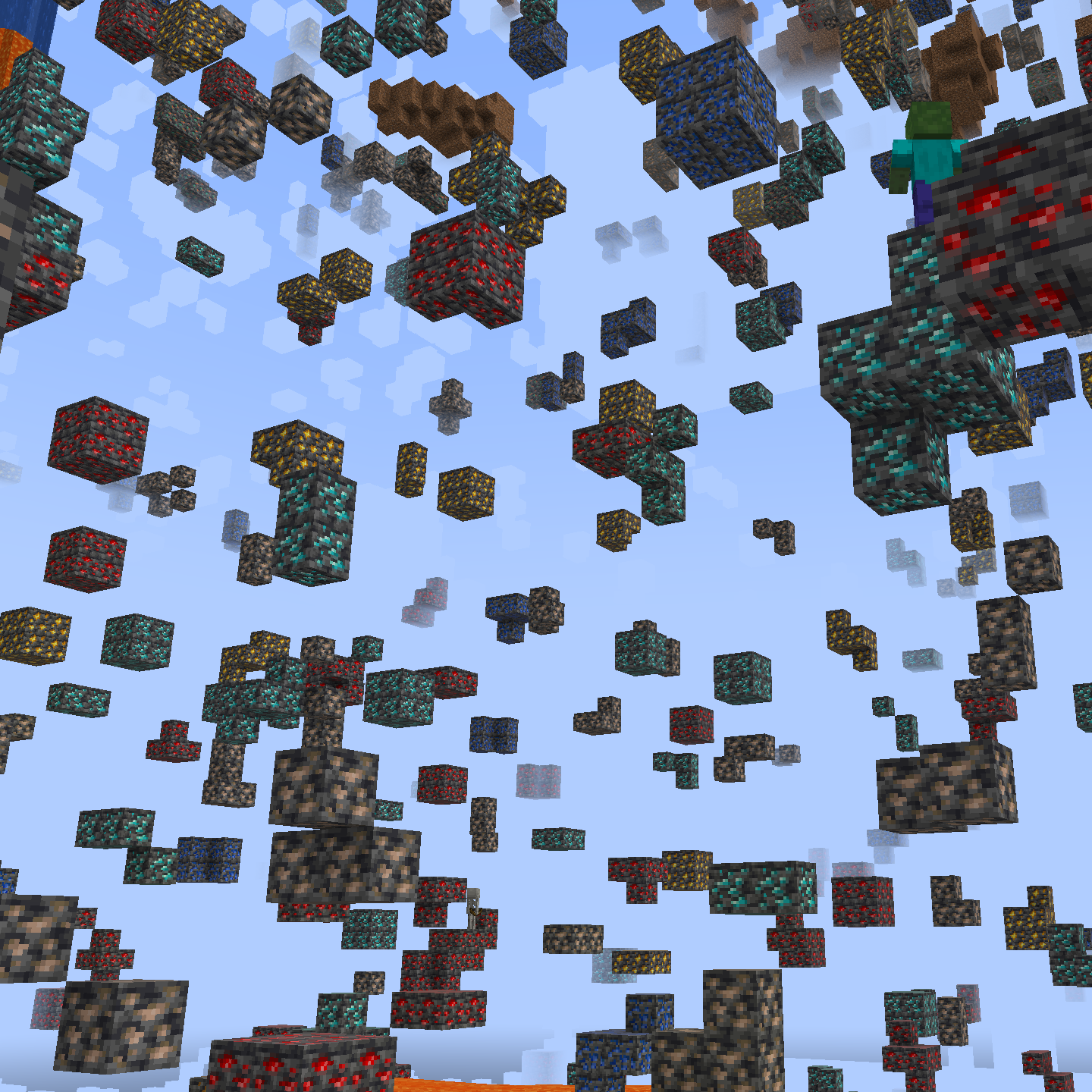
CurseForge · Minecraft mod
X Ray
Find ores in mines faster and easier.
Choose a version Pick your version below, then grab the matching file.
Quick answer
Which X Ray release should I use?
Latest stable file x-ray-v1.1.1.jar
Game version 1.16.3, 1.17.1, 1.21.2-Snapshot
Loader Fabric, Forge, NeoForge
X Ray x-ray-v1.1.1.jar targets 1.16.3, 1.17.1, 1.21.2-Snapshot with Fabric, Forge, NeoForge. The project page does not say whether this file belongs on the client, dedicated server, or both. No extra mods listed for this file.
Where it goes
Is X Ray required on the client, server, or both?
The project page does not say whether this file belongs on the client, dedicated server, or both.
Client Source doesn’t say
Dedicated server Source doesn’t say
Loader for this release Fabric, Forge, NeoForge
Required install it here Optional supported, not mandatory Not supported do not install here Source doesn’t say do not assume
The source does not explicitly classify this release as client-only or server-only.
What else does X Ray x-ray-v1.1.1.jar need?
x-ray-v1.1.1.jar. Change the file and its required mods may change too.
This file does not list any required mods. Do not add a library just because a different file uses it.
This file does not list any required or optional mods.
Before you install it
Add X Ray without breaking your instance.
Built for X Ray x-ray-v1.1.1.jar. Pick another file and the loader, install side or required mods may change.
- 01
Stick to this file
Use x-ray-v1.1.1.jar. It targets 1.16.3, 1.17.1, 1.21.2-Snapshot with Fabric, Forge, NeoForge; another release may have different loader, side or dependency requirements.
- 02
Bring the mods it needs
This file does not list any required mods. Do not add a library just because a different file uses it.
- 03
Put it on the correct side
The project page does not say whether this file belongs on the client, dedicated server, or both.
- 04
Pick the file you checked
Use the “Get this file” button beside x-ray-v1.1.1.jar. It opens that exact file at the source.
About this project
What does X Ray add?
X Ray
Mod/Datapack that removes stone and other blocks to keep ores visible. Also works in the nether.
X-Ray is a powerful mod that radically changes the way you explore the world of Minecraft. It allows you to see through ordinary blocks, highlighting valuable resources, structures, and objects.
To use it, you need to take a filled map in any hand.
⚠️ WARNING: This project makes permanent, irreversible changes to your world.
Removing it will not restore anything. Back up your world or test in a new save before using.

Usage
The mod is activated automatically and requires no additional settings. However, if you want to temporarily disable the mod, use the command /trigger bizcub.x_ray.t. Information about the mod's current status will then appear in the chat.
Dependencies
- Fabric loader requires Fabric API
Project description from CurseForge.
Pick your setup
X Ray by Minecraft version and loader
Choose the version and loader you play, then open the matching release.
Minecraft version
26.2
4 loader buildsMinecraft version
26.1.2
4 loader buildsMinecraft version
26.1.1
4 loader buildsMinecraft version
26.1
4 loader buildsMinecraft version
1.21.11-snapshot
4 loader buildsMinecraft version
1.21.11
4 loader buildsMinecraft version
1.21.10
4 loader buildsMinecraft version
1.21.9-snapshot
4 loader buildsMinecraft version
1.21.9
4 loader buildsMinecraft version
1.21.8
4 loader buildsMinecraft version
1.21.7
4 loader buildsShowing the newest 12 of 54 game versions. Older files are in the list below.
Check the dependencies, then try the file in a copied instance before changing a world you care about.
Recent files
X Ray versions and loaders
x-ray-v1.1.1.jar
14 Aug 2026
Client Source doesn’t say Server Source doesn’t say Dependencies No extras listed Listed on Release listing
Check the 26.3 · Fabric setup 1.16.31.17.11.21.2-Snapshot1.21 release
x-ray-v1.1.jar
11 Feb 2026
Client Source doesn’t say Server Source doesn’t say Dependencies No extras listed Listed on Release listing
Check the 26.3 · Fabric setup 1.16.31.17.11.21.2-Snapshot1.21 release
x-ray-v1.0.jar
27 Dec 2025
Client Source doesn’t say Server Source doesn’t say Dependencies No extras listed Listed on Release listing
Check the 26.3 · Fabric setup 1.16.31.17.11.21.2-Snapshot1.21 release
Looking for an older file? The official CurseForge project page is in Resources.
 mod
CurseForge · Minecraft
Nook of the Dead
Beyond the If Mirror, a world where it all went wrong. Go prepared, find suppressant before your time runs out, and be ready not to come back - a Nookworks add-on.
 mod
CurseForge · Minecraft
Walkie-Talkie Plus
Walkie-Talkie for NeoForge 1.21.1: immersive radio communication with battery/FE charging, configurable channels, and built-in internet stream broadcasting via Simple Voice Chat.
 mod
CurseForge · Minecraft
Benjamon
Benjamon is a modwhere you can catch benjamons