Minecraft version
Back to mods 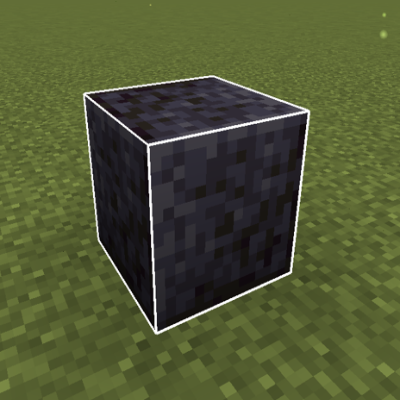
CurseForge · Minecraft mod
Block Outline Customizer
A mod that let you customize the outline of blocks when you hover them.
Choose a version Pick your version below, then grab the matching file.
Quick answer
Which Block Outline Customizer release matches 26.2?
Best match for your filters boc-26.2-fabric-1.4.0.jar
Game version 26.2
Loader Fabric
Block Outline Customizer boc-26.2-fabric-1.4.0.jar targets 26.2 with Fabric. The project page does not say whether this file belongs on the client, dedicated server, or both. No extra mods listed for this file.
Where it goes
Is Block Outline Customizer required on the client, server, or both?
The project page does not say whether this file belongs on the client, dedicated server, or both.
Client Source doesn’t say
Dedicated server Source doesn’t say
Loader for this release Fabric
Required install it here Optional supported, not mandatory Not supported do not install here Source doesn’t say do not assume
The source does not explicitly classify this release as client-only or server-only.
What else does Block Outline Customizer boc-26.2-fabric-1.4.0.jar need?
boc-26.2-fabric-1.4.0.jar on 26.2. Every mod below is checked against that same setup.
This file does not list any required mods. Do not add a library just because a different file uses it.
This file does not list any required or optional mods.
Before you install it
Add Block Outline Customizer without breaking your instance.
Built for Block Outline Customizer boc-26.2-fabric-1.4.0.jar on 26.2. Pick another file and the loader, install side or required mods may change.
- 01
Stick to this file
Use boc-26.2-fabric-1.4.0.jar. It targets 26.2 with Fabric; another release may have different loader, side or dependency requirements.
- 02
Bring the mods it needs
This file does not list any required mods. Do not add a library just because a different file uses it.
- 03
Put it on the correct side
The project page does not say whether this file belongs on the client, dedicated server, or both.
- 04
Pick the file you checked
Use the “Get this file” button beside boc-26.2-fabric-1.4.0.jar. It opens that exact file at the source.
About this project
What does Block Outline Customizer add?
Block Outline Customizer
Customize your block selection outline with RGB colors, opacity, and more!
Tired of the plain black selection outline in Minecraft? Block Outline Customizer lets you personalize it with custom colors, RGB mode, adjustable transparency, and variable thickness!
Features
Full Color Control
- Custom RGB Colors: Set any color you want (0-255 for Red, Green, Blue)
- RGB Mode: Color shifting RGB style with adjustable speed
Outline Customization
- Adjustable Opacity: From fully transparent to completely opaque (0.0 - 1.0)
- Variable Width: Thicker or thinner outlines (1.0 - 10.0)*
- Smooth Animations: Buttery smooth rainbow cycling
Easy Configuration
- In-Game GUI: Press a keybind to open settings (no file editing!)
- Real-Time Updates: Changes apply immediately
- Persistent Settings: Your preferences are saved automatically
How to Use
- Install the mod (requires NeoForge or Fabric)
- Launch Minecraft and load into a world
- Press
U(default keybind) to open the settings menu - Customize your outline colors, opacity, and width
- Enable RGB mode for RGB colors!
- Click Done - your settings are saved automatically
Change Keybind: Options → Controls → Key Binds → Block Outline Settings
Version Support
Fabric: 1.20.1, 1.20.6, 1.21.1 to 1.21.11, 26.1.X
NeoForge: 1.20.6, 1.21.1 to 1.21.11, 26.1.X
Forge: 1.20.1
Installation
Requirements:
- NeoForge or Fabric (for your Minecraft version)
- Minecraft 1.21.1 - 1.21.11 or 26.1.X | Minecraft 1.20.1 for Forge
- The .jar file
Steps:
- Download and install NeoForge or Fabric
- Download the mod for your Minecraft version
- Place the
.jarfile in yourmodsfolder - Launch Minecraft with the correct profile
- Enjoy!
Keybinds
U- Open Block Outline Settings GUI
Keybind can be changed in Minecraft's controls menu
FAQ
Q: Does this work in multiplayer?
A: Yes! Settings are client-side only and don't affect server gameplay.
Q: Is this compatible with OptiFine/Sodium?
A: Should be compatible, but not extensively tested. Report issues if found!
Q: Can I use this in modpacks?
A: Absolutely! No permission needed, just credit is appreciated. Tested with ATM10 and works perfectly!
Q: Will you backport to older versions?
A: Currently focused on 1.21.x. May consider 1.20.x and less if there's demand.
If you enjoy this mod:
- ⭐ Leave a rating on CurseForge
- Share with friends
- Report bugs to help improve it
Project description from CurseForge.
Pick your setup
Block Outline Customizer by Minecraft version and loader
Choose the version and loader you play, then open the matching release.
Minecraft version
26.2
2 loader buildsMinecraft version
26.1.2
2 loader buildsMinecraft version
26.1.1
2 loader buildsMinecraft version
26.1
2 loader buildsMinecraft version
1.21.11
2 loader buildsMinecraft version
1.21.10
2 loader buildsMinecraft version
1.21.9
2 loader buildsMinecraft version
1.21.8
2 loader buildsMinecraft version
1.21.7
2 loader buildsMinecraft version
1.21.6
2 loader buildsMinecraft version
1.21.5
2 loader buildsShowing the newest 12 of 18 game versions. Older files are in the list below.
Check the dependencies, then try the file in a copied instance before changing a world you care about.
Recent files
Block Outline Customizer versions and loaders
boc-26.2-fabric-1.4.0.jar
8 Jul 2026
Client Source doesn’t say Server Source doesn’t say Dependencies No extras listed Listed on Release listing
Check the 26.2 · Fabric setup Fabric26.2 release
boc-26.2-neoforge-1.4.0.jar
8 Jul 2026
Client Source doesn’t say Server Source doesn’t say Dependencies No extras listed Listed on Release listing
Check the 26.2 · NeoForge setup NeoForge26.2 release
boc-26.2-neoforge-1.3.2.jar
17 Jun 2026
Client Source doesn’t say Server Source doesn’t say Dependencies No extras listed Listed on Release listing
Check the 26.2 · NeoForge setup NeoForge26.2 release
boc-26.2-fabric-1.3.2.jar
17 Jun 2026
Client Source doesn’t say Server Source doesn’t say Dependencies No extras listed Listed on Release listing
Check the 26.2 · Fabric setup Fabric26.2 release
Looking for an older file? The official CurseForge project page is in Resources.
 mod
Modrinth · Minecraft
ServerCore
A mod that aims to optimize the minecraft server.
 mod
Modrinth · Minecraft
Custom Dimensions
Server-side Fabric mod for custom dimensions, two-way portals, and per-dimension worldgen datapacks.
 mod
CurseForge · Minecraft
Ember's Atlas
A fast, configurable, and powerful map mod built for modpacks and servers