Cloth Config API (UNUSED) Needed by Sleeptimer {1.21-1.21.11}
requiredNo matching file

CurseForge · Minecraft mod
Complete time management: time, moon phases, day/night alerts, customizable messages, and more
Quick answer
Sleeptimer {1.21-1.21.11} targets 1.21, 1.21.8, 1.21.5 with Fabric. The project page does not say whether this file belongs on the client, dedicated server, or both. 1 required mod needs a matching file.
Where it goes
The project page does not say whether this file belongs on the client, dedicated server, or both.
The source does not explicitly classify this release as client-only or server-only.
Sleeptimer {1.21-1.21.11} on 1.21.2. Every mod below is checked against that same setup.
Install Cloth Config API (UNUSED) first, but 1 required mod has no matching file for this setup. Do not mix loader builds to force a match.
We only count dependency files that match this setup. A file for another loader does not fill the gap.
Before you install it
Built for Sleeptimer {1.21-1.21.11} on 1.21.2. Pick another file and the loader, install side or required mods may change.
Use Sleeptimer {1.21-1.21.11}. It targets 1.21, 1.21.8, 1.21.5 with Fabric; another release may have different loader, side or dependency requirements.
Install Cloth Config API (UNUSED) first, but 1 required mod has no matching file for this setup. Do not mix loader builds to force a match.
The project page does not say whether this file belongs on the client, dedicated server, or both.
Use the “Get this file” button beside Sleeptimer {1.21-1.21.11}. It opens that exact file at the source.
About this project
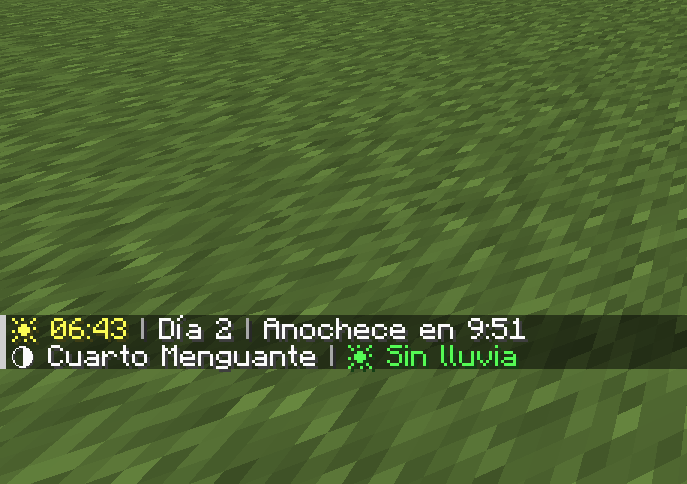
Press **H** at any time to see:
⏰ **Current time** in 24-hour format (e.g., 2:30 p.m.)
📅 **Day of the world** (e.g., Day 5)
🌅 **Time until sunset/sunrise** (e.g., Sunset in 3:42)
🌙 **Current moon phase** (Full Moon, First Quarter, New Moon, etc.)
💧 **Rain/storm duration** (e.g., Raining for 2:15)
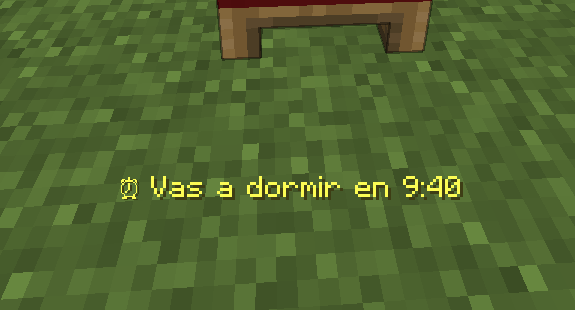
When you click on a bed during the day, a message appears indicating
**exactly how long it will be** before you can sleep (e.g., “⏰ You can sleep in 4:23”)
**Nightfall**: Alert 1 minute before nightfall
**Sunrise**: Notification when it is safe to go out
**Optional sounds**: Bells accompanying alerts
Don't like the default messages? Change them!
Write your own texts for each alert
Use color codes (§e=yellow, §a=green, §c=red, §b=blue, §6=orange)
Use %s to insert the time wherever you want
**Examples:**
§e⏰ You can sleep in %s → “⏰ You can sleep in 3:42”
§cGo to bed in %s! → “Go to bed in 3:42!”
§b%s left to dream → “3:42 left to dream”
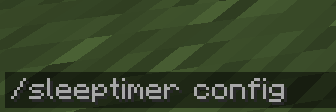
Open the configuration menu from:
/sleeptimer config | Option | Description |
|---|---|
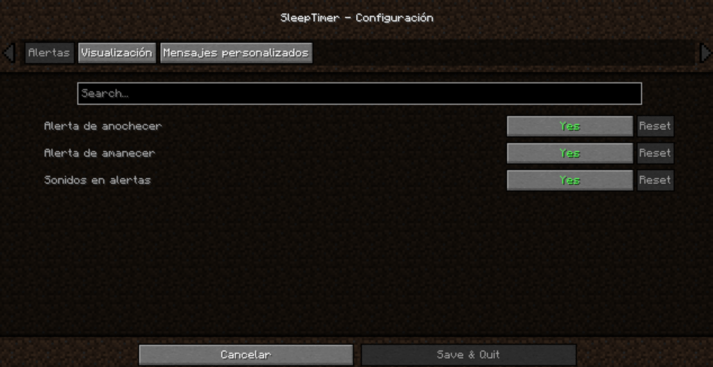
| Sunset alert | Notification 1 minute before sunset |
| Sunrise alert | Notification at sunrise |
| Sounds in alerts | Play sound with alerts |
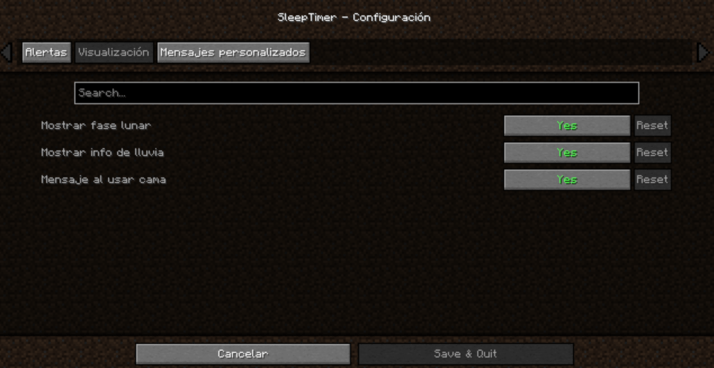
| Option | Description |
|---|---|
| Show moon phase | View moon phase when pressing H |
| Show rain info | View rain time when pressing H |
| Message when using bed | Show sleep time when clicking on bed |
| Option | Description |
|---|---|
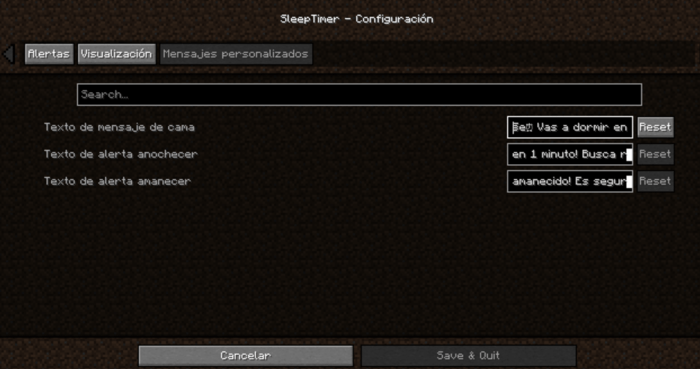
| Bedtime message text | Customize the message when using bed (use %s for the time) |
| Sunset alert text | Customize the sunset alert |
| Sunrise alert text | Customize the sunrise alert |
Don't like the **H** key? Change it easily:
Fully translated into **13 languages**:
| Language | Code |
|----------|------|
| 🇪🇸 Spanish | es_es |
| 🇬🇧 English | en_us |
| 🇫🇷 French | fr_fr |
| 🇩🇪 German | de_de |
| 🇵🇹 Portuguese (Brazil) | pt_br |
| 🇮🇹 Italian | it_it |
| 🇯🇵 Japanese | ja_jp |
| 🇷🇺 Russian | ru_ru  |
| 🇨🇳 Chinese (Simplified) | zh_cn |
| 🇰🇷 Korean | ko_kr |
| 🇵🇱 Polish | pl_pl |
| 🇹🇷 Turkish | tr_tr |
| 🇳🇱 Dutch | nl_nl |
The mod automatically detects your Minecraft language.
.minecraft/mods folder > ℹ️ **Note**: Cloth Config API is included in the mod, you don't need to download it separately.
| Requirement | Version |
|---|---|
| Minecraft | 1.20.1 |
| Fabric Loader | 0.18.4+ |
| Fabric API | Lastest version |
For use in your custom messages:
| Code | Color |
|---|---|
| §0 | Black |
| §1 | Dark blue |
| §2 | Dark green |
| §3 | Cyan |
| §4 | Dark red |
| §5 | Purple |
| §6 | Orange |
| §7 | Gray |
| §8 | Dark gray |
| §9 | Blue |
| §a | Green |
| §b | Light blue |
| §c | Red |
| §d | Pink |
| §e | Yellow |
| §f | White |
**Formats:**
| Code | Effect |
|---|---|
| §l | Bold |
| §o | Italics |
| §n | Underlined |
| §m | |
| §r | Reset formatting |
Found a problem?
This mod is open source under the **CC0-1.0** license.
Project description from CurseForge.
Pick your setup
Choose the version and loader you play, then open the matching release.
Showing the newest 12 of 18 game versions. Older files are in the list below.
Check the dependencies, then try the file in a copied instance before changing a world you care about.
Recent files
sleeptimer-1.21.1.21.4.jar
2 Jan 2026
Looking for an older file? The official CurseForge project page is in Resources.
 mod
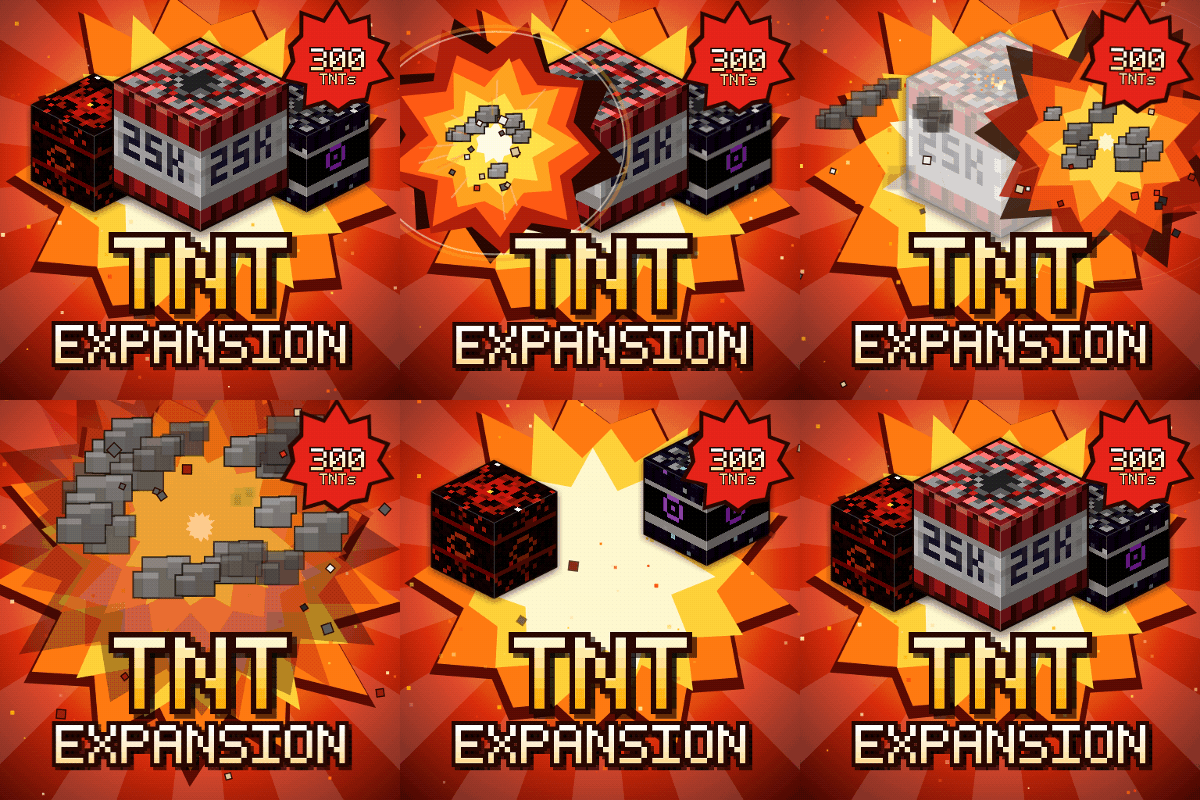
300 craftable TNTs, from harmless mini TNTs to nukes, black holes, a TNT x100,000 and THE ABSOLUTE CORRUPTION OF ALL EXISTENCE (power -∞). Build your own at the Workbench and see every TNT in 3D in the guide book.
 mod
Shows the synced lyrics of whatever you're playing out in the world around you!
 mod
Optimization mod that focuses on things other than rendering