Minecraft version
Back to mods 
CurseForge · Minecraft mod
FixMCStats
Mod that aims to fix multiple issues with the Minecraft statistics.🤓
Choose a version Pick your version below, then grab the matching file.
Quick answer
Which FixMCStats release should I use?
Latest stable file fix-mc-stats-neoforge-26.2-2.4.2.jar
Game version 26.2
Loader NeoForge
FixMCStats fix-mc-stats-neoforge-26.2-2.4.2.jar targets 26.2 with NeoForge. The project page does not say whether this file belongs on the client, dedicated server, or both. No extra mods listed for this file.
Where it goes
Is FixMCStats required on the client, server, or both?
The project page does not say whether this file belongs on the client, dedicated server, or both.
Client Source doesn’t say
Dedicated server Source doesn’t say
Loader for this release NeoForge
Required install it here Optional supported, not mandatory Not supported do not install here Source doesn’t say do not assume
The source does not explicitly classify this release as client-only or server-only.
What else does FixMCStats fix-mc-stats-neoforge-26.2-2.4.2.jar need?
fix-mc-stats-neoforge-26.2-2.4.2.jar. Change the file and its required mods may change too.
This file does not list any required mods. Do not add a library just because a different file uses it.
This file does not list any required or optional mods.
Before you install it
Add FixMCStats without breaking your instance.
Built for FixMCStats fix-mc-stats-neoforge-26.2-2.4.2.jar. Pick another file and the loader, install side or required mods may change.
- 01
Stick to this file
Use fix-mc-stats-neoforge-26.2-2.4.2.jar. It targets 26.2 with NeoForge; another release may have different loader, side or dependency requirements.
- 02
Bring the mods it needs
This file does not list any required mods. Do not add a library just because a different file uses it.
- 03
Put it on the correct side
The project page does not say whether this file belongs on the client, dedicated server, or both.
- 04
Pick the file you checked
Use the “Get this file” button beside fix-mc-stats-neoforge-26.2-2.4.2.jar. It opens that exact file at the source.
About this project
What does FixMCStats add?
FixMCStats
Mod that aims to fix multiple issues with the Minecraft statistics.🤓
Fixes
The client side part only fixes issues with the statistics screen. You can use the mod on every server or in solo and this part will work. The server side part/fixes needs the mod to be installed on server side to work or that you play in solo.
Client side bug fixes :
- MC-80827 : Mob statistics have missing space between mob name and description (v1.0.0+)
- MC-139386 : Rare blocks and items highlighted in the Statistics page do not show rarity colours (v1.0.0-v2.0.0)
- MC-178516 : Statistics are not sorted correctly in languages using non-ASCII letters** (v1.3.0+)
- MC-189484 : Statistics screen Tab selection is not centered (v1.0.0)
- MC-213103 : Item statistics are sorted arbitrarily by default (v1.0.0+)
- MC-213104 : When resizing the Minecraft window while in the statistics screen, the tab resets to "General" (v1.0.0-v1.1.1)
Server side bug fixes (This works in Solo too) :
- MC-29519 : Damage dealt stat doesn't increase when using projectiles to attack entities (v1.0.0+)
- MC-36696 : Clicking on the statistics button on the menu screen advances the game by 1 tick (v1.3.2-v1.3.5)
- MC-65198 : Craft statistics doesn't increase correctly when crafting items with shift-click or drop actions in stonecutter, crafting table and smithing table (v1.0.0+)
- MC-111435 : Damage dealt stat doesn't increase when the sweeping attack damages nearby entities (v1.0.0-v2.1.0)
- MC-121541 : Scoreboard objective criteria for distance fallen doesn't track fall distance when player lands in liquid, powder snow, or cobweb (v1.3.0+) ***
- MC-122656 : Breaking elytra and trident never increase score (v1.0.0+)
- MC-128079 : Statistic for using shears doesn't increase when mining certain blocks (v1.0.0-v1.3.2)
- MC-144005 : Crafting stat for cooked items doesn't increase using campfires (v1.0.0+)
- MC-147347 : Lighting a creeper with a flint and steel doesn't count as mob killed in statistics (v1.0.0+)
- MC-148457 : Crawling increments the "Distance Walked" statistic* (v1.0.0+)
- MC-154487 : Crafting potion stat doesn't increase using brewing stands (v1.0.0+) Since MC 1.21 the issue had been fixed partially for shift clicking by Mojang with the MC-271199 fix but issue still appears for other clicking and is fixed by the mod
- MC-157098 : Statistics crafting counter fails to increment on partially full inventory (v1.0.0-v1.1.0 ) Since MC 1.21 the bug had been fixed even if the issue is still opened
- MC-176806 : Stat for using glowstone doesn't increase score when charging a respawn anchor (v1.0.0+)
- MC-182814 : Drinking honey bottles increases used stat by two and runs the consume advancement trigger twice (v1.0.0-v1.1.1) Since MC 1.21.2 with changes made by suppressing the HoneyBottleItem class Mojang indirectly fix it
- MC-211938 : Climbing scaffolding increases the jump stat every block climbed (v1.0.0+)
- MC-214457 : You don't get the "Ol' Betsy" advancement if the crossbow breaks (v1.0.0+)
- MC-231743 : Pottable plant used stat doesn't increase when placing plants into flower pots (v1.0.0+)
- MC-245962 : Times mined statistic displays wrong value for some blocks (v1.3.0+)
- MC-254512 : Breaking a crossbow increases used air statistic (v1.0.0+)
- MC-256638 : Riding a camel increments the 'Distance by Horse' statistic (v1.0.0+) *
- MC-259687 : "Distance by Elytra" statistic is approximately doubled (v1.0.0-v1.1.1)
- MC-264274 : Lily pad and frogspawn do not increment "used" statistic when placed on water (v1.0.0+)
- MC-265376 : Kills by Goats are not counted in statistics (v1.1.0+)
- MC-267006 : The Distance Flown statistics rapidly increases when you are standing in Ender Dragon's hitbox (v1.0.0-v1.1.1)
- MC-268093 : Breaking a decorated pot with an arrow doesn't affect statistics (v1.1.0+)
- MC-273933 : "Times Used" statistic does not increase for armor when used on an armor stands (v2.0.0+)
- MC-276994 : The "used" statistic for music discs no longer increments when used on a jukebox (v2.2.0+)
- MC-277294 : Distance by mules and donkeys counts towards 'Distance by Horse' statistic* (v2.0.0+)
- MC-301722 : minecraft.custom:minecraft.happy_ghast_one_cm statistic increases while turning when not moving (v2.0.0+)
- MC-304642 : Being attacked from behind while holding up a shield increments "minecraft.used:minecraft.shield" (v2.2.0+)
* the fix add a custom statistic and can be deactivated in the mod config file

** the fix use your computer configured language (or the JVM one if using arg) simply change
the translation in MC will not fix the bug

*** the issue had been fixed partially by Mojang since 1.21.5 but still exists for some blocks
Patches commands (v2.0.0+)
Two commands exists now to allow you to toggle the patches if you needed and to get infos about a specific patch. The first is /fixmcstats-client for the client-side patches part, of course you need to have the mod installed client side to have it. The second is /fixmcstats-server for the server-side patches part, of course you need to have the mod installed server side to have it (or play in solo) this command can be used only by operators.
/fixmcstats-... status [PATCH ID]show you if the patch is active or not/fixmcstats-... link [PATCH ID]display in the chat the Mojang linked issue that you can click to open it in your browser/fixmcstats-... activate [PATCH ID]activate the patch/fixmcstats-... deactivate [PATCH ID]deactivate the patch
New configs for commands and custom statistics (v2.2.2+)
The mod is using commands and custom statistics which can lead to desync in the registries between dedicated servers and players. It will on Fabric block the join and on NeoForge create bugs with the commands arguments. There are two new configs added that allows you to disable the commands or the usage of custom stats. Theses issues only appears when the mod is installed on a hosted server.
disallow-commands-on-dedicated-serverby setting it to true in the server config file it will not register the command stuff. You will not be able to use the commands to turn on/off patches, but you still can manage them in the config file.use-custom-statssome patches uses custom stats like for example the patch linked to riding a camel. If this option is activated(default value) and a patch (using custom stats) is activated too, instead of incrementing the custom stat it will just prevent the default stat used by MC to be increased.
Additional notes for server owners
If you are hosting a Fabric server with the mod installed :
- If you still want to use the custom stats, the commands or both the players joining your server will be forced to have the mod installed and use Fabric. (default behavior no changes needed in the config)
- If you want all players to be able to join : you have to disallow the commands and deactivate the use-custom-stats option in the config.
- If you want all the Neoforge users to join even if they have the mod installed it won't work without disallow the commands and deactivate the usage of custom stats.
- If you want all fabric users to join : you have to deactivate the use-custom-stats option and disallow the use of commands too in the config.
-> Side effect for the players that have the mod installed operators will not be able to use the /fix-mc-stats-server command. And the custom statistics will be still shown in their Statistics view but won't be incremented.
If you are hosting a Neoforge server with the mod installed everyone is able to join but some stuff will not work:
- If you want to use the custom stats the players that didn't have the mod installed will not see them in their Statistics view however the stats will be incremented correctly on the server.
- If you allow the mod commands usage /fix-mc-stats-server command will not work correctly for operators that didn't have the mod installed
Localization:
Some phrases from the mod may not be translated or been wrongly translated in your language actually only French(ca, fr), English(gb, us, ca, au) are fully supported. German, Polish, Russian, Chinese Simplified, Arabic, Spanish(ar,es,mx) and Portuguese(pt,br) are translated using external tools like DeepL and Google trad. Help and PR from fluent speakers are greatly appreciated.
Project description from CurseForge.
Pick your setup
FixMCStats by Minecraft version and loader
Choose the version and loader you play, then open the matching release.
Minecraft version
26.1.2-rc-1
2 loader buildsMinecraft version
26.1.2
3 loader buildsMinecraft version
26.1.1-rc-1
3 loader buildsMinecraft version
26.1.1
3 loader buildsMinecraft version
26.1
3 loader buildsMinecraft version
1.21.11
3 loader buildsMinecraft version
1.21.10
2 loader buildsMinecraft version
1.21.9
2 loader buildsMinecraft version
1.21.8
2 loader buildsMinecraft version
1.21.7
2 loader buildsMinecraft version
1.21.6
2 loader buildsShowing the newest 12 of 21 game versions. Older files are in the list below.
Check the dependencies, then try the file in a copied instance before changing a world you care about.
Recent files
FixMCStats versions and loaders
fix-mc-stats-neoforge-26.2-2.4.2.jar
21 Aug 2026
Client Source doesn’t say Server Source doesn’t say Dependencies No extras listed Listed on Release listing
Check the 26.2 · NeoForge setup NeoForge26.2 release
fix-mc-stats-fabric-26.2-2.4.2.jar
21 Aug 2026
Client Source doesn’t say Server Source doesn’t say Dependencies No extras listed Listed on Release listing
Check the 26.2 · Fabric setup FabricQuilt26.2 release
fix-mc-stats-neoforge-26.1-2.4.2.jar
21 Aug 2026
Client Source doesn’t say Server Source doesn’t say Dependencies No extras listed Listed on Release listing
Check the 26.1.2 · NeoForge setup NeoForge26.126.1.126.1.2 release
fix-mc-stats-fabric-26.1-2.4.2.jar
21 Aug 2026
Client Source doesn’t say Server Source doesn’t say Dependencies No extras listed Listed on Release listing
Check the 26.1.2 · Fabric setup FabricQuilt26.126.1.1 release
fix-mc-stats-neoforge-1.21.11-2.4.2.jar
21 Aug 2026
Client Source doesn’t say Server Source doesn’t say Dependencies No extras listed Listed on Release listing
Check the 1.21.11 · NeoForge setup NeoForge1.21.11 release
fix-mc-stats-fabric-1.21.11-2.4.2.jar
21 Aug 2026
Client Source doesn’t say Server Source doesn’t say Dependencies No extras listed Listed on Release listing
Check the 1.21.11 · Fabric setup FabricQuilt1.21.11 release
fix-mc-stats-neoforge-1.21-2.4.2.jar
21 Aug 2026
Client Source doesn’t say Server Source doesn’t say Dependencies No extras listed Listed on Release listing
Check the 1.21.1 · NeoForge setup 1.211.21.1NeoForge release
fix-mc-stats-fabric-1.21-2.4.2.jar
21 Aug 2026
Client Source doesn’t say Server Source doesn’t say Dependencies No extras listed Listed on Release listing
Check the 1.21.1 · Fabric setup 1.21Fabric1.21.1Quilt release
fix-mc-stats-neoforge-26.2-2.4.1.jar
26 Jul 2026
Client Source doesn’t say Server Source doesn’t say Dependencies No extras listed Listed on Release listing
Check the 26.2 · NeoForge setup NeoForge26.2 release
fix-mc-stats-neoforge-26.2-2.4.0.jar
18 Jun 2026
Client Source doesn’t say Server Source doesn’t say Dependencies No extras listed Listed on Release listing
Check the 26.2 · NeoForge setup NeoForge26.2 release
fix-mc-stats-fabric-26.2-2.4.0.jar
18 Jun 2026
Client Source doesn’t say Server Source doesn’t say Dependencies No extras listed Listed on Release listing
Check the 26.2 · Fabric setup FabricQuilt26.2 release
fix-mc-stats-neoforge-26.1-2.3.1.jar
18 Jun 2026
Client Source doesn’t say Server Source doesn’t say Dependencies No extras listed Listed on Release listing
Check the 26.1.2 · NeoForge setup NeoForge26.126.1.126.1.2 release
Looking for an older file? The official CurseForge project page is in Resources.
 mod
mod CurseForge + Modrinth · Minecraft
Hovering Hotbar
Makes your hotbar seemingly float in place by shifting it a few pixels upward.
 mod
mod CurseForge · Minecraft
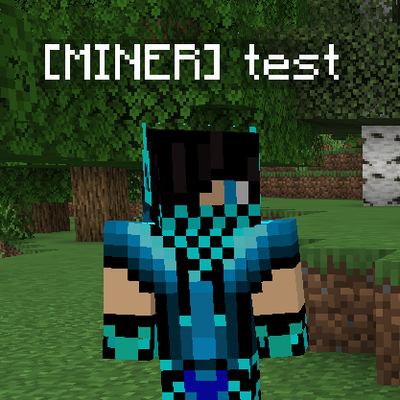
Player Tags, Prefixes & Health
Add custom player tags and prefixes, and display player health in Minecraft.
 mod
mod CurseForge · Minecraft
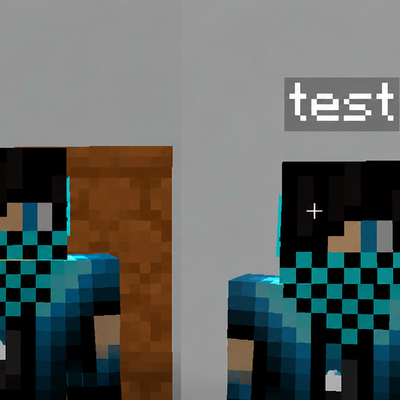
Hide Name Tags (Hide Player Names)
Hide player name tags and usernames with simple server commands.