Fabric API Needed by Tool Trims Mod 2.0.10+tt3.0.x+mc26.1.2
requiredMatching file found Matched file: 0.155.2+26.1.2

CurseForge · Minecraft mod
Fabric port of JoeFly's Tool Trims datapack
Quick answer
Tool Trims Mod 2.0.10+tt3.0.x+mc26.1.2 targets 26.1, 26.1.1, 26.1.2 with Fabric. Installation on the client is optional. Installation on the dedicated server is optional. All 1 required mods have matching files.
Where it goes
Installation on the client is optional. Installation on the dedicated server is optional.
The source marks this as usable on both the client and server.
2.0.10+tt3.0.x+mc26.1.2 on Fabric. Every mod below is checked against that same setup.
Install Fabric API first. We found matching files for this game-version and loader setup.
We only count dependency files that match this setup. A file for another loader does not fill the gap.
Before you install it
Built for Tool Trims Mod 2.0.10+tt3.0.x+mc26.1.2 on Fabric. Pick another file and the loader, install side or required mods may change.
Use 2.0.10+tt3.0.x+mc26.1.2. It targets 26.1, 26.1.1, 26.1.2 with Fabric; another release may have different loader, side or dependency requirements.
Install Fabric API first. We found matching files for this game-version and loader setup.
Installation on the client is optional. Installation on the dedicated server is optional.
Use the “Get this file” button beside 2.0.10+tt3.0.x+mc26.1.2. It opens that exact file at the source.
About this project

A fabric port of JoeFly's Tool Trims datapack. Check the project page for more details.
Making it a mod allows a few improvements:
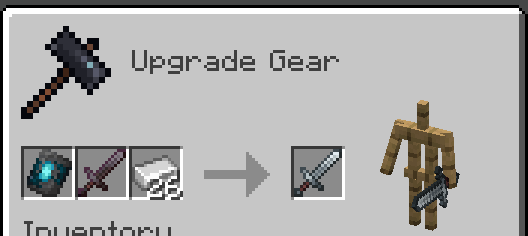

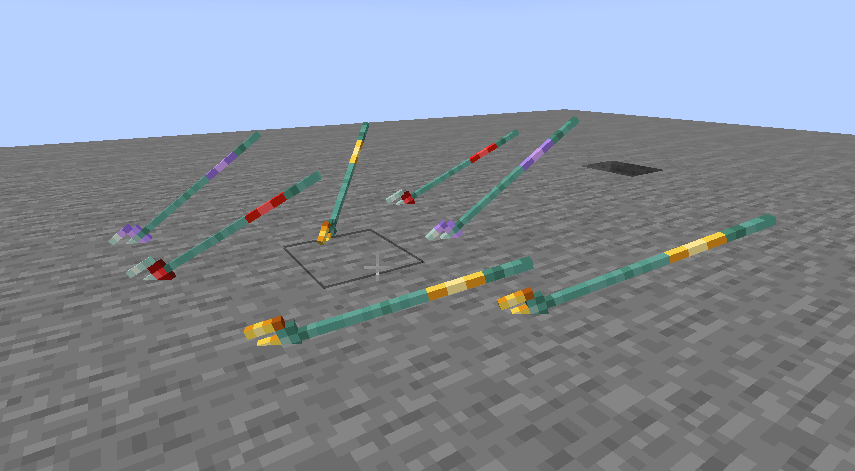
The mod contains backwards compatibility mechanics for the datapack. First, you should remove the datapack, as the mod and datapack are not intended to be used in tandem (It doesn't matter if you remove the datapack before or after installing the mod). If it detects the datapack was previously used, it will enable the tooltrims_deleteToolsmithingTable gamerule, which destroys smithing tables within 6 blocks of players and drops its ingredients (2 copper and 4 planks). This can be reversed using /gamerule tooltrims_deleteToolsmithingTable false. You can also enable the legacy resource pack, which makes templates and toolsmithing tables look right before they are upgraded or deleted.
You can use the command /tooltrims migrate to migrate the tool or template you are holding so it uses the modded trim system instead of the datapack trim system. Templates from the datapack cannot be used in the smithing table until you upgrade them. For tools, the difference is only noticeable if you look at the NBT/component data or if you try to re-trim the tool, in which case both the old and new trims will show up in the tooltip.
If you want to revert back to using the datapack, install the datapack at the same time as the mod (ignoring the warning message), enable the legacy resource pack, and use the command /tooltrims demigrate to demigrate your tool or template. Once you have demigrated all your items, uninstall the mod and install the normal tool trims resourcepack.
Compatible with EMI (trimming recipes show up) and Enchancement (crossbow texture works correctly). Currently incompatible with Trimmable Tools.
The Enchancement compat textures were created by doctor4t and cybercat5555 for the mod Enchancement, and were edited and used with permission.
All other textures were created or otherwise owned by JoeFly and used with permission.
For now I support the latest version of Minecraft (currently 1.21.11) and its corresponding hotfix versions, plus 1.21.1. All other versions are unsupported. All issues pertaining to unsupported versions will not be addressed.
It is possible, although not promised, that in the future there will be trims for modded tools.
Please report issues on my repository and not to JoeFly.
Project description from CurseForge.
Pick your setup
Choose the version and loader you play, then open the matching release.
Showing the newest 12 of 34 game versions. Older files are in the list below.
Check the dependencies, then try the file in a copied instance before changing a world you care about.
Recent files
tooltrims-2.0.10+tt3.0.x+mc26.1.2.jar
8 Aug 2026
tooltrims-2.0.10+tt3.0.x+mc26.2.jar
8 Aug 2026
tooltrims-2.0.9+tt3.0.x+mc26.1.2.jar
8 Aug 2026
tooltrims-2.0.8+tt3.0.x+mc26.2.jar
8 Aug 2026
tooltrims-2.0.8+tt3.0.x+mc26.1.2.jar
7 Aug 2026
tooltrims-2.0.7+tt3.0.x+mc26.1.2.jar
7 Aug 2026
tooltrims-2.0.7+tt3.0.x+mc26.2.jar
7 Aug 2026
tooltrims-2.0.6+tt3.0.x+mc26.1.2.jar
28 Jul 2026
tooltrims-2.0.6+tt3.0.x+mc26.2.jar
28 Jul 2026
tooltrims-2.0.5+tt3.0.x+mc26.1.2.jar
23 Jul 2026
tooltrims-2.0.5+tt3.0.x+mc26.2.jar
23 Jul 2026
tooltrims-2.0.4+tt3.0.x+mc26.2.jar
26 Jun 2026
Looking for an older file? The official CurseForge project page is in Resources.