Minecraft version
Back to mods 
CurseForge · Minecraft mod
AnchorPoint
Saves your coordinates on logout so you can share your location or return safely.
Choose a version Pick your version below, then grab the matching file.
Quick answer
Which AnchorPoint release should I use?
Latest stable file AnchorPoint 1.0.0 (NEWEST)
Game version 1.21.9, 1.21.10, 1.21.11
Loader Fabric
AnchorPoint 1.0.0 (NEWEST) targets 1.21.9, 1.21.10, 1.21.11 with Fabric. The project page does not say whether this file belongs on the client, dedicated server, or both. No extra mods listed for this file.
Where it goes
Is AnchorPoint required on the client, server, or both?
The project page does not say whether this file belongs on the client, dedicated server, or both.
Client Source doesn’t say
Dedicated server Source doesn’t say
Loader for this release Fabric
Required install it here Optional supported, not mandatory Not supported do not install here Source doesn’t say do not assume
The source does not explicitly classify this release as client-only or server-only.
What else does AnchorPoint 1.0.0 (NEWEST) need?
AnchorPoint 1.0.0 (NEWEST). Change the file and its required mods may change too.
This file does not list any required mods. Do not add a library just because a different file uses it.
This file does not list any required or optional mods.
Before you install it
Add AnchorPoint without breaking your instance.
Built for AnchorPoint 1.0.0 (NEWEST). Pick another file and the loader, install side or required mods may change.
- 01
Stick to this file
Use AnchorPoint 1.0.0 (NEWEST). It targets 1.21.9, 1.21.10, 1.21.11 with Fabric; another release may have different loader, side or dependency requirements.
- 02
Bring the mods it needs
This file does not list any required mods. Do not add a library just because a different file uses it.
- 03
Put it on the correct side
The project page does not say whether this file belongs on the client, dedicated server, or both.
- 04
Pick the file you checked
Use the “Get this file” button beside AnchorPoint 1.0.0 (NEWEST). It opens that exact file at the source.
About this project
What does AnchorPoint add?
AnchorPoint - Save your location on logout

AnchorPoint lets you organise, browse, and manage your folders and entries directly in-game with a clean, Minecraft-native interface.
It’s built for fast navigation, clear selection, and minimal friction, whether you’re opening details, filtering content, or managing favourites.
AnchorPoint focuses on interaction quality rather than feature bloat, aiming to feel like it belongs in vanilla Minecraft while still offering powerful control.
Features
- Search with include / exclude keywords
- Multi-select using Shift and Ctrl
- Double-click to open detail screens
- Favourite entries for quick access
- Folder filtering and sorting
- Lightweight, consistent UI
- Built-in settings screen
Design Goals
- Fast and predictable interactions
- No unnecessary clutter
- UI that matches Minecraft’s visual language
- Easy to extend and configure
Supported Platforms
AnchorPoint is currently only available for Fabric on Minecraft: Java Edition version 1.21.11, 1.21.10, 1.21.9.
License
AnchorPoint is licensed under Creative Commons Attribution–NoDerivatives 4.0 (CC BY-ND 4.0) with additional distribution terms.
Allowed:
- Use the mod freely
- Include the unaltered .jar in modpacks
- Record and monetize videos or streams featuring the mod (with a link to the official project page)
Not allowed:
- Modify, remix, or fork the mod
- Redistribute modified versions
- Re-upload or mirror the .jar file on other sites
Distribution is permitted only via official project pages (e.g. Modrinth, CurseForge).
Project description from CurseForge.
Pick your setup
AnchorPoint by Minecraft version and loader
Choose the version and loader you play, then open the matching release.
Minecraft version
1.21.10
1 loader buildMinecraft version
1.21.9
1 loader buildCheck the dependencies, then try the file in a copied instance before changing a world you care about.
Recent files
AnchorPoint versions and loaders
AnchorPoint 1.0.0 (NEWEST)
anchorpoint-1.0.0.jar
29 Jan 2026
Client Source doesn’t say Server Source doesn’t say Dependencies No extras listed Listed on Release listing
Check the 1.21.11 · Fabric setup Fabric1.21.91.21.101.21.11 release
Looking for an older file? The official CurseForge project page is in Resources.
 mod
mod CurseForge + Modrinth · Minecraft
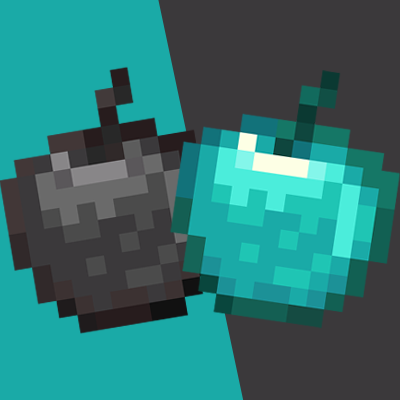
More Than Apples
This mod adds new apples and carrot and some unique effects that grant stronger buffs than normal golden foods and It also introduces a new biome and a set of new advancements
 mod
mod CurseForge + Modrinth · Minecraft
NEEPMeat
A tech mod with pipes, computers, guns, rusty machinery and meat.
 mod
mod CurseForge · Minecraft
Only TP
Restricts players to using only TP-related commands, or completely disables all non-TP commands.