Fabric API Needed by Blocks Previewer 2.2.0 Fabric 26.3
requiredMatching file found Matched file: [26.3] Fabric API 0.166.0+26.3

CurseForge · Minecraft mod
Client-side mod to preview how blocks will be orientated when placed!
Quick answer
Blocks Previewer 2.2.0 Fabric 26.3 targets 26.3 with Fabric. The project page does not say whether this file belongs on the client, dedicated server, or both. All 3 required mods have matching files.
Where it goes
The project page does not say whether this file belongs on the client, dedicated server, or both.
The source does not explicitly classify this release as client-only or server-only.
Blocks Previewer 2.2.0 Fabric 26.3 on 26.3. Every mod below is checked against that same setup.
Install Fabric API, Craft Config Lib, Craft Config Lib first. We found matching files for this game-version and loader setup.
We only count dependency files that match this setup. A file for another loader does not fill the gap.
Before you install it
Built for Blocks Previewer 2.2.0 Fabric 26.3 on 26.3. Pick another file and the loader, install side or required mods may change.
Use Blocks Previewer 2.2.0 Fabric 26.3. It targets 26.3 with Fabric; another release may have different loader, side or dependency requirements.
Install Fabric API, Craft Config Lib, Craft Config Lib first. We found matching files for this game-version and loader setup.
The project page does not say whether this file belongs on the client, dedicated server, or both.
Use the “Get this file” button beside Blocks Previewer 2.2.0 Fabric 26.3. It opens that exact file at the source.
About this project
Ever placed a stair or piston the wrong way and had to break it again? Blocks Previewer lets you see how a block will be oriented before it’s placed, saving your time and frustration, especially useful for builders and redstoners.
This is a purely client-sided mod, and does not interact the server. Works similarly to Create’s placement preview, but for any block in Minecraft.
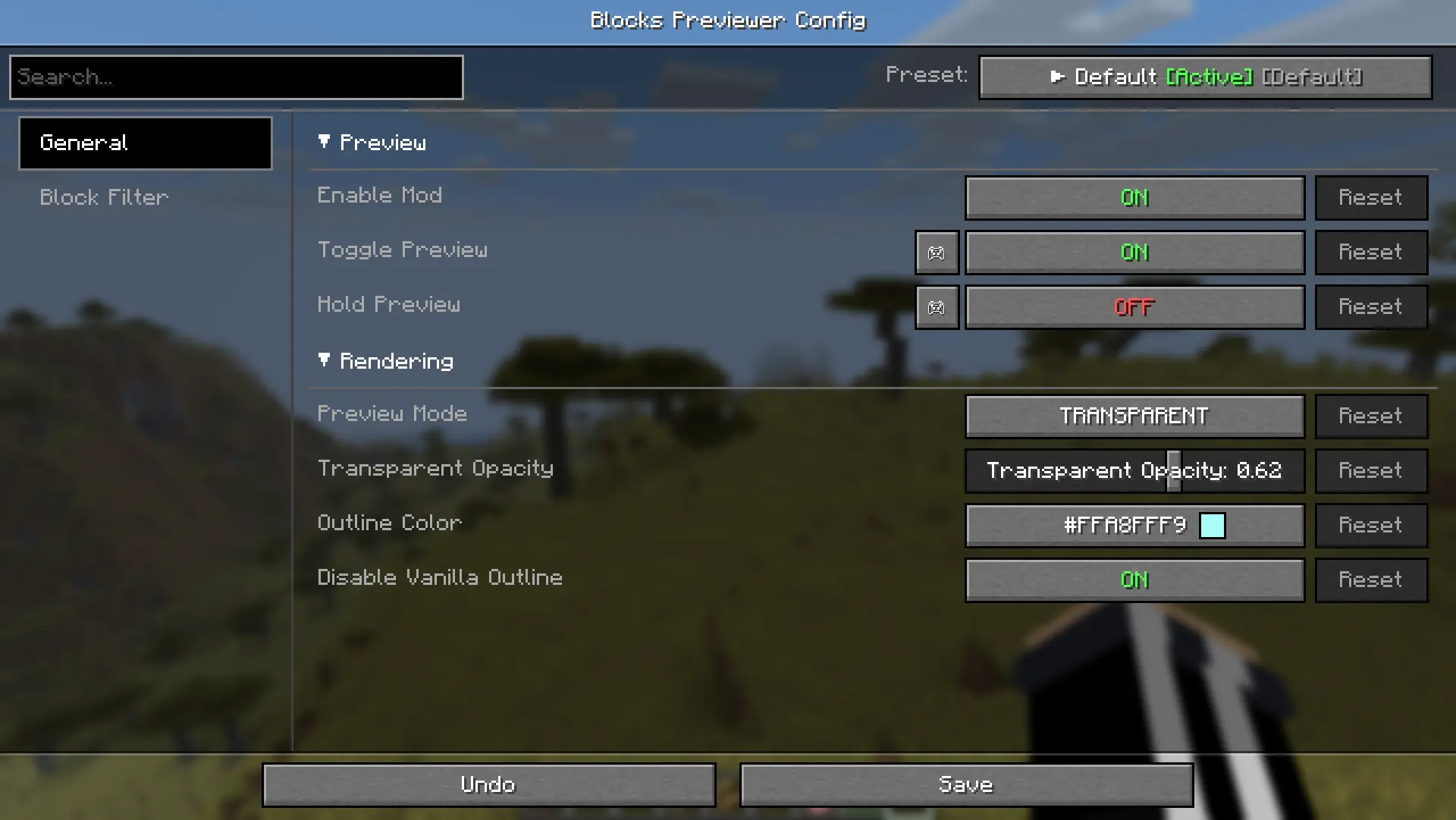
To open config for the mod, use the command /blockspreviewer or by using Mod Menu for Fabric or the built in (neo)Forge config menu.
Controls
(Both keys are fully configurable in the controls menu.)
Block filtering
TRANSPARENT mode
OUTLINE mode

CONFIGS
Mod Menu is optional. All else is required.
| Modrinth | Curseforge |
|---|---|
| Craft Config Lib | Craft Config Lib |
| Fabric API | Fabric API |
| Mod Menu | Mod Menu |
Project description from CurseForge.
Pick your setup
Choose the version and loader you play, then open the matching release.
Showing the newest 12 of 32 game versions. Older files are in the list below.
Check the dependencies, then try the file in a copied instance before changing a world you care about.
Recent files
blocks_previewer-2.2.0-26.3-fabric.jar
6 Nov 2026
Looking for an older file? The official CurseForge project page is in Resources.
 mod
A mod for Minecraft helping control input method
 mod
Well-rounded client-side optimization mod. Extremely compatible Vulkan backend for 1.21.11-26.1.2. By Polyfrost, best with OneClient.
 mod
Open the skill tree tab by pressing the K key to unlock skills that empower the player.