Jauml Needed by RE:Constructed Wands reconstructedwands-neoforge-26.3-2.0.0.jar
requiredMatching file found Matched file: 3.0.0 · neoforge · 26.3
CurseForge · Minecraft mod
Unofficial NeoForge And Fabric Port of Construction Wand.
Quick answer
RE:Constructed Wands reconstructedwands-neoforge-26.3-2.0.0.jar targets 26.3 with NeoForge. The project page does not say whether this file belongs on the client, dedicated server, or both. All 1 required mods have matching files.
Where it goes
The project page does not say whether this file belongs on the client, dedicated server, or both.
The source does not explicitly classify this release as client-only or server-only.
reconstructedwands-neoforge-26.3-2.0.0.jar. Change the file and its required mods may change too.
Install Jauml first. We found matching files for this game-version and loader setup.
We only count dependency files that match this setup. A file for another loader does not fill the gap.
Before you install it
Built for RE:Constructed Wands reconstructedwands-neoforge-26.3-2.0.0.jar. Pick another file and the loader, install side or required mods may change.
Use reconstructedwands-neoforge-26.3-2.0.0.jar. It targets 26.3 with NeoForge; another release may have different loader, side or dependency requirements.
Install Jauml first. We found matching files for this game-version and loader setup.
The project page does not say whether this file belongs on the client, dedicated server, or both.
Use the “Get this file” button beside reconstructedwands-neoforge-26.3-2.0.0.jar. It opens that exact file at the source.
About this project
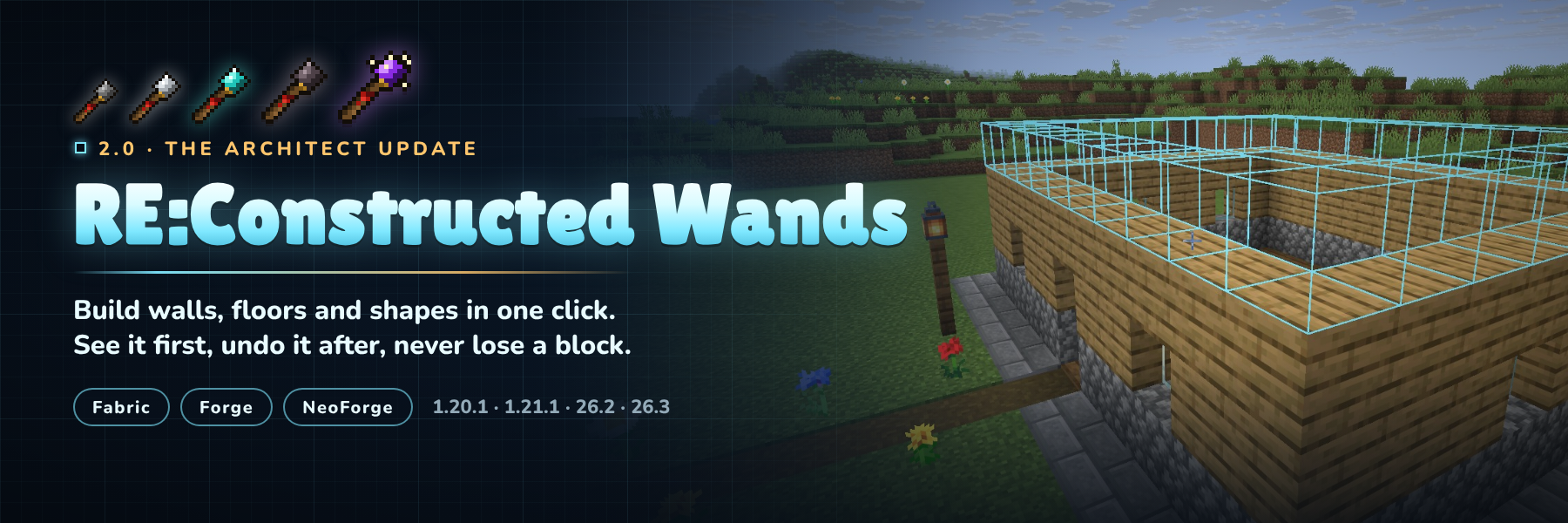
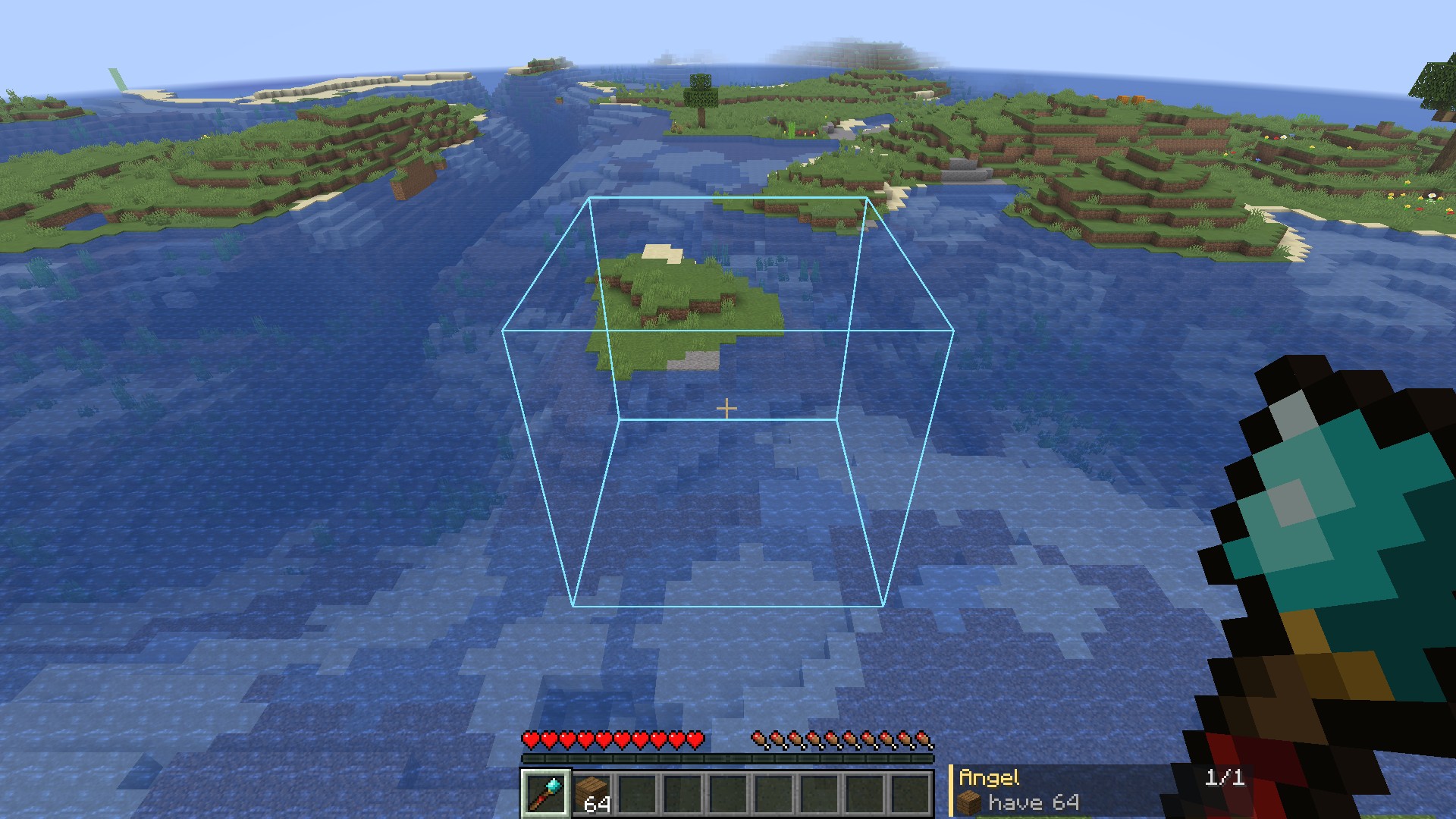
Build the boring parts in one click. Point a wand at a wall and the next layer appears. Fill a floor, clear a cliff face, swap cobblestone for stone bricks, or click twice and get a ring, a box or a whole wall. You see every block before you click, you can undo anything, and the wand takes its blocks from your shulker boxes, bundles, Ender Chest or a chest you bind it to.
Fabric and NeoForge (Forge on 1.20.1) · Minecraft 1.20.1, 1.21.1, 26.2 and 26.3 · install on server and client

Version 2.0 rebuilds the whole mod. Here's what changed from 1.x:
/wands reload
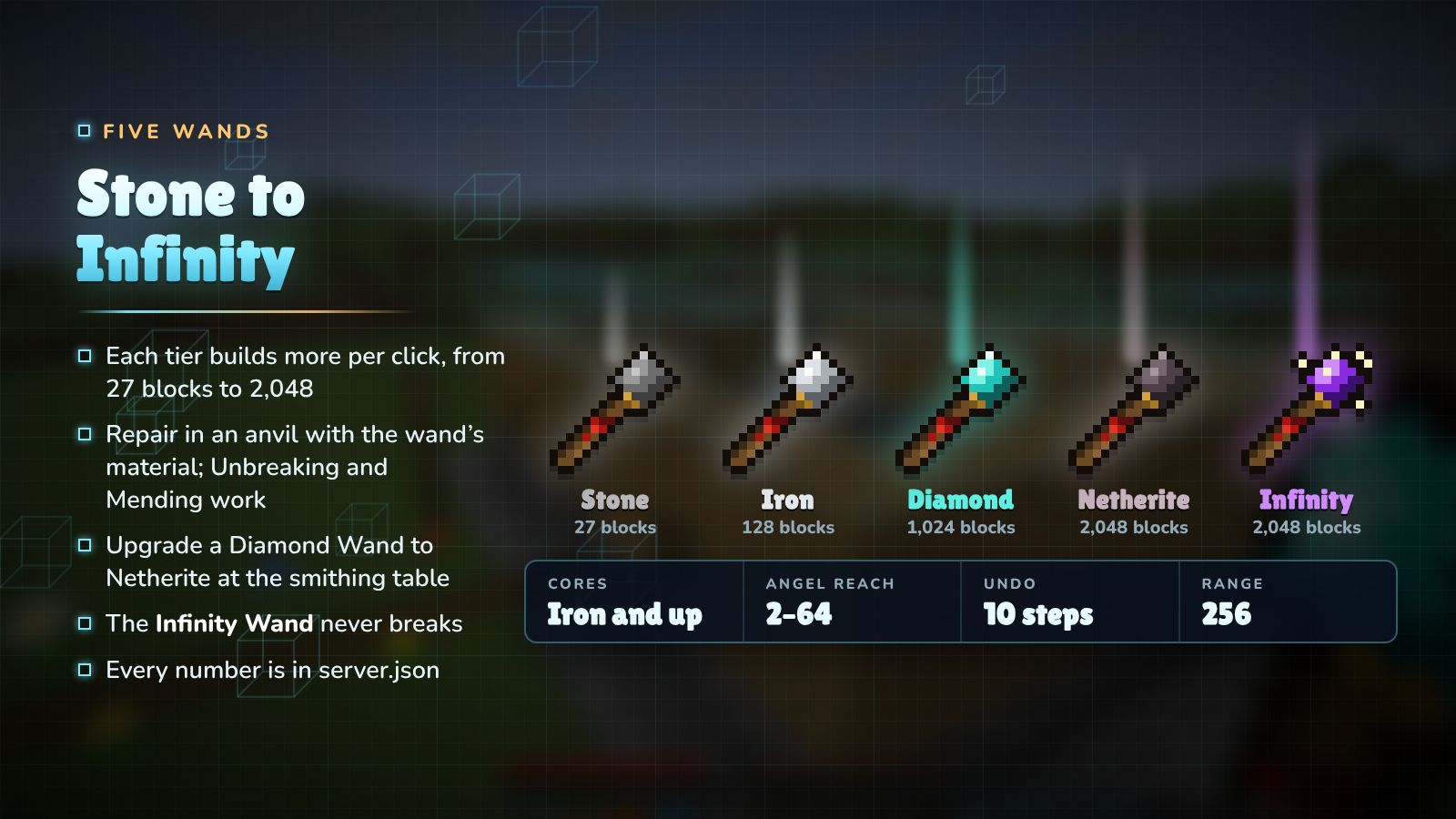
| Wand | Durability | Blocks per click | Angel reach | Destruction / Exchange | Cores |
|---|---|---|---|---|---|
| Stone | 131 | 27 | 2 | 4 | no |
| Iron | 250 | 128 | 4 | 9 | yes |
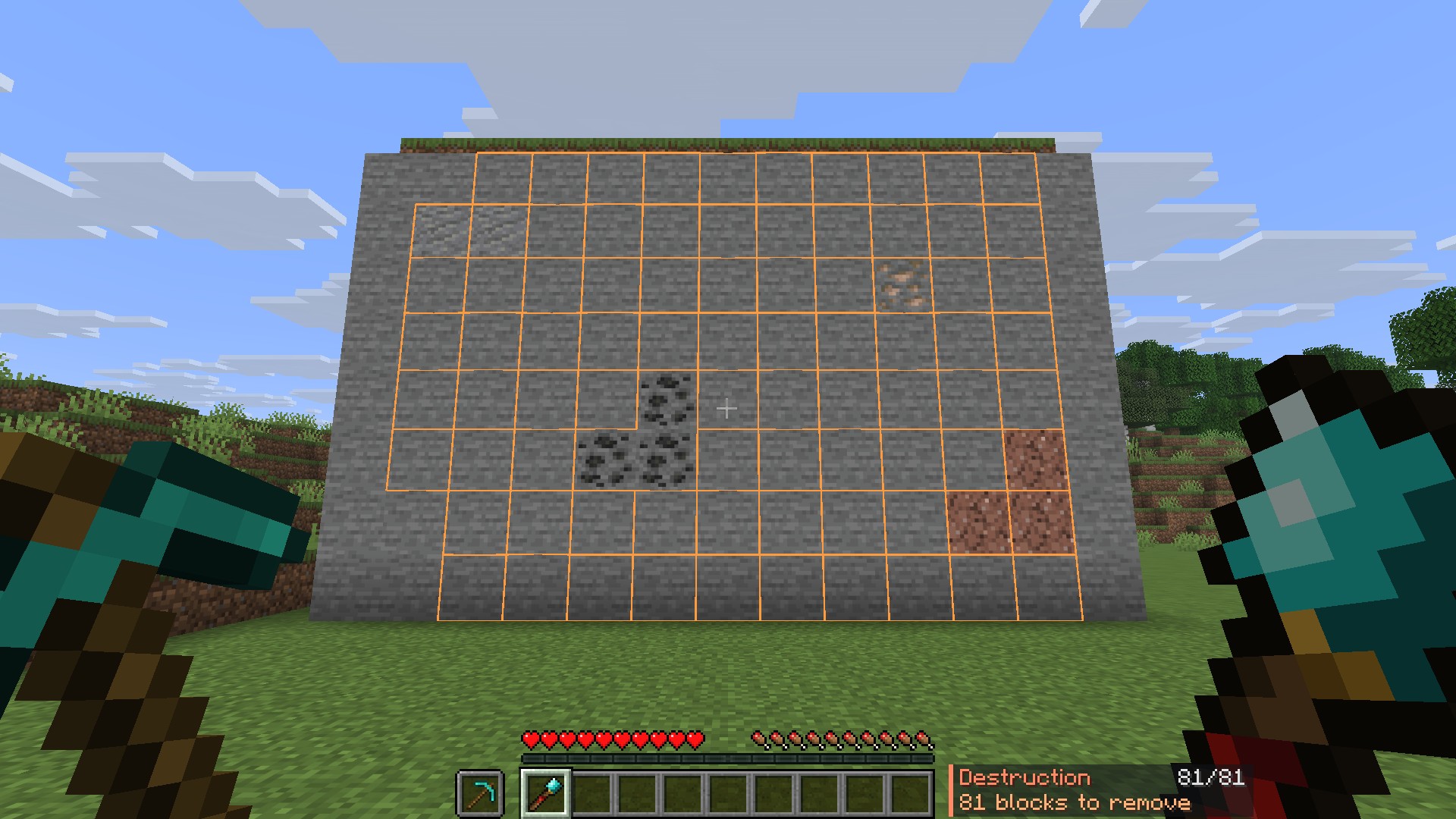
| Diamond | 1,561 | 1,024 | 16 | 81 | yes |
| Netherite | 2,031 | 2,048 | 32 | 128 | yes |
| Infinity | unbreakable | 2,048 (8,192 in creative) | 64 | 128 | yes |
Wands repair in an anvil with their material and take Unbreaking and Mending. The Netherite Wand is a smithing upgrade of the Diamond Wand. Server owners can change every number in server.json.

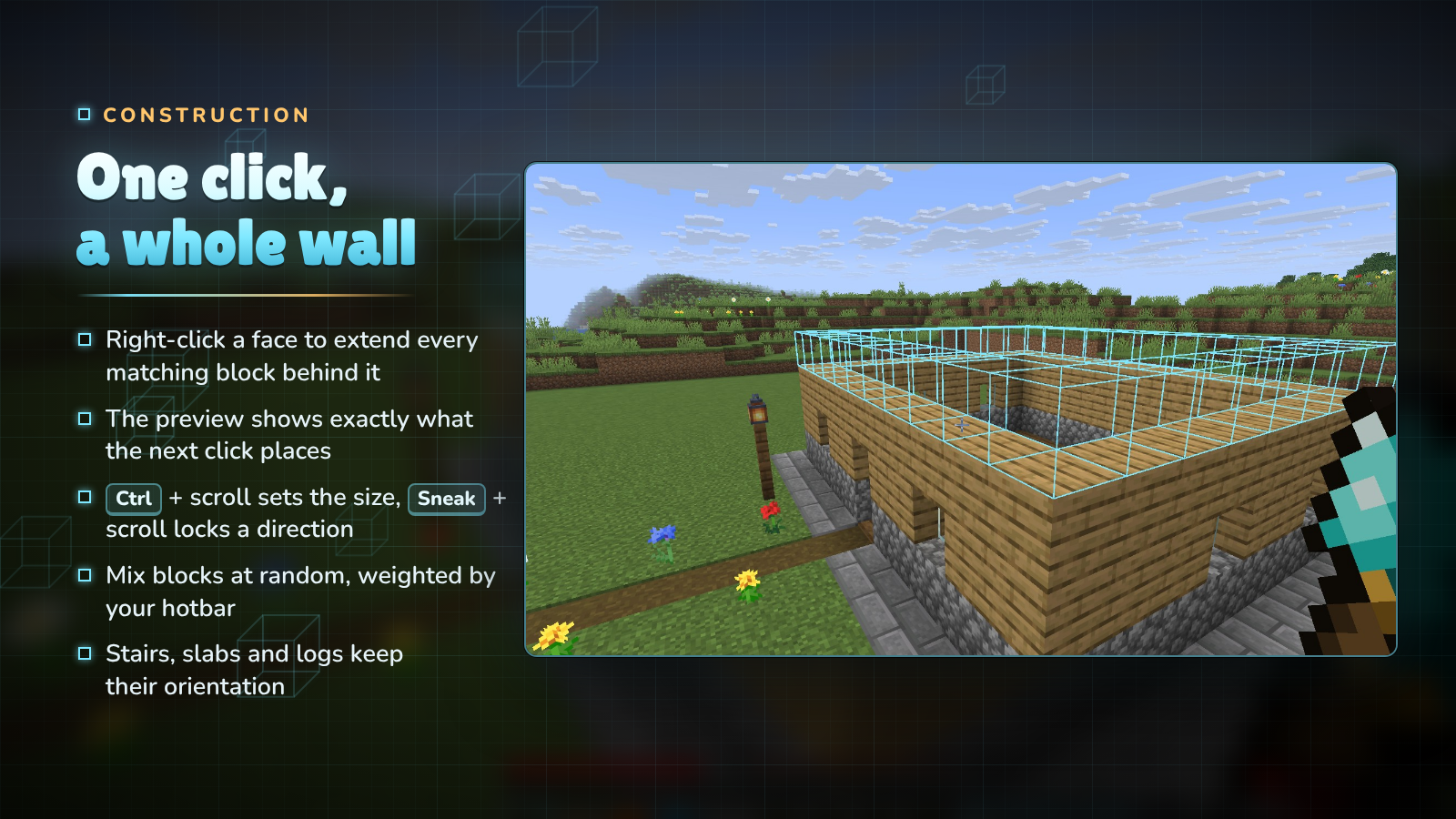
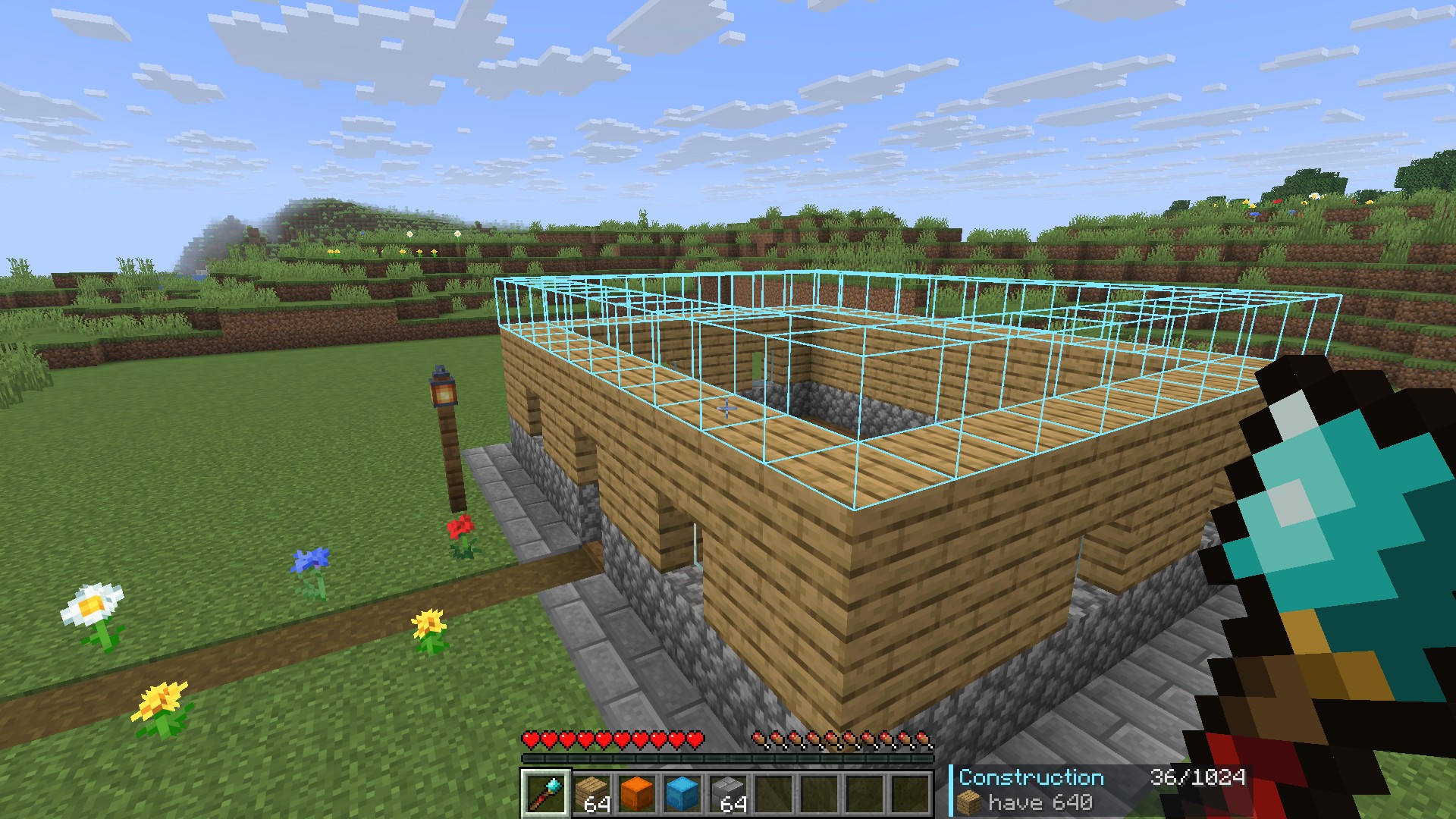
Right-click the face of a block and the wand copies that face across every matching block behind it: the top of a floor adds a layer, the side of a wall makes it thicker, the edge of a path makes it wider. The outline shows exactly what the next click will place, and turns red where you are short of blocks.

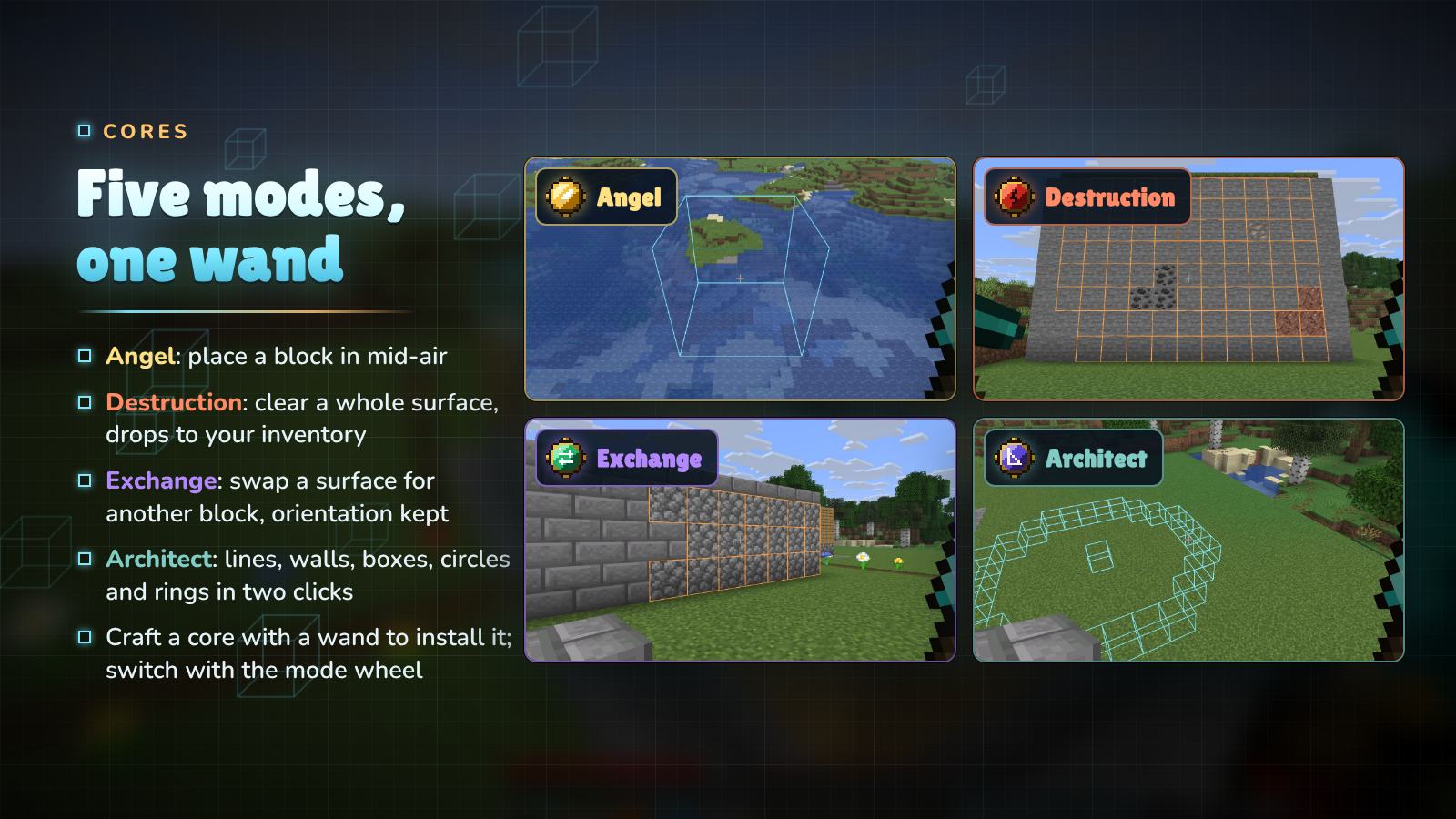
Craft a core together with an Iron, Diamond, Netherite or Infinity Wand to install it. A wand holds every core at once; switch modes with the mode wheel (hold R) or the settings screen.

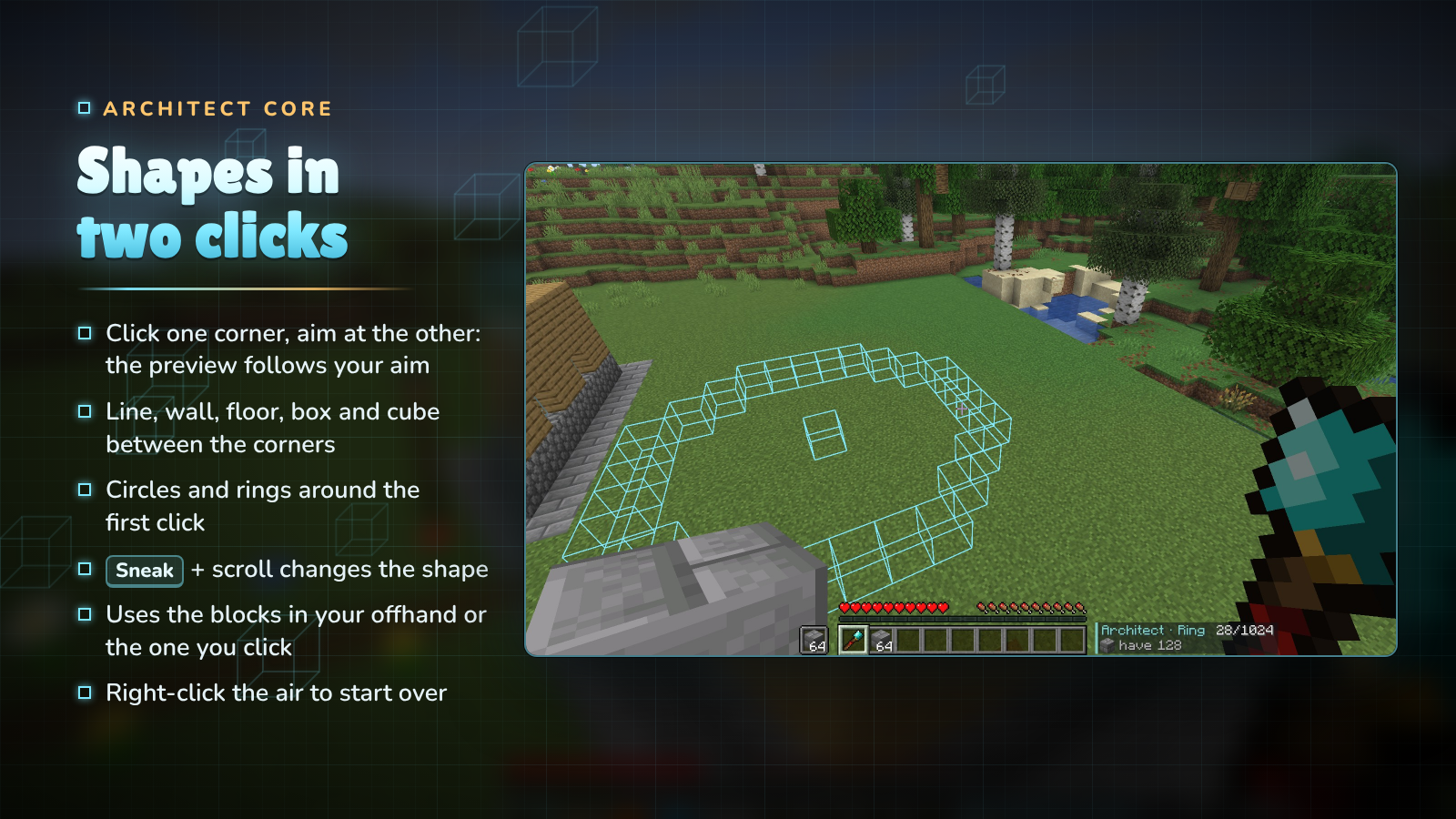
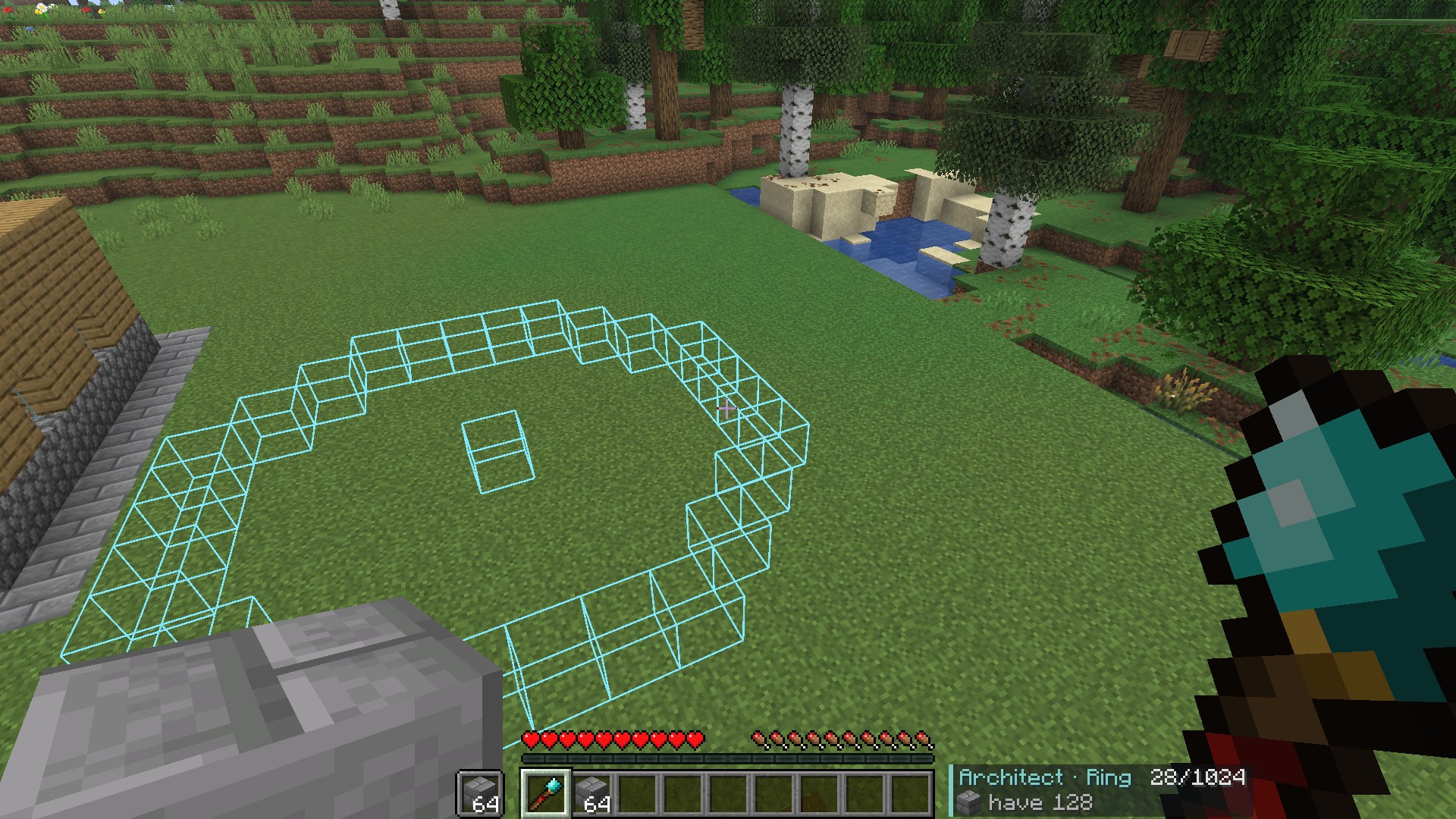
Right-click the first corner, then aim at the second: the preview follows your aim and the next right-click builds it. A line, wall, floor, box or cube fills the space between the two corners; a circle or ring is centred on the first click and reaches out to the second. Pick the shape with Sneak + scroll, and right-click the air to clear the first click and start again.

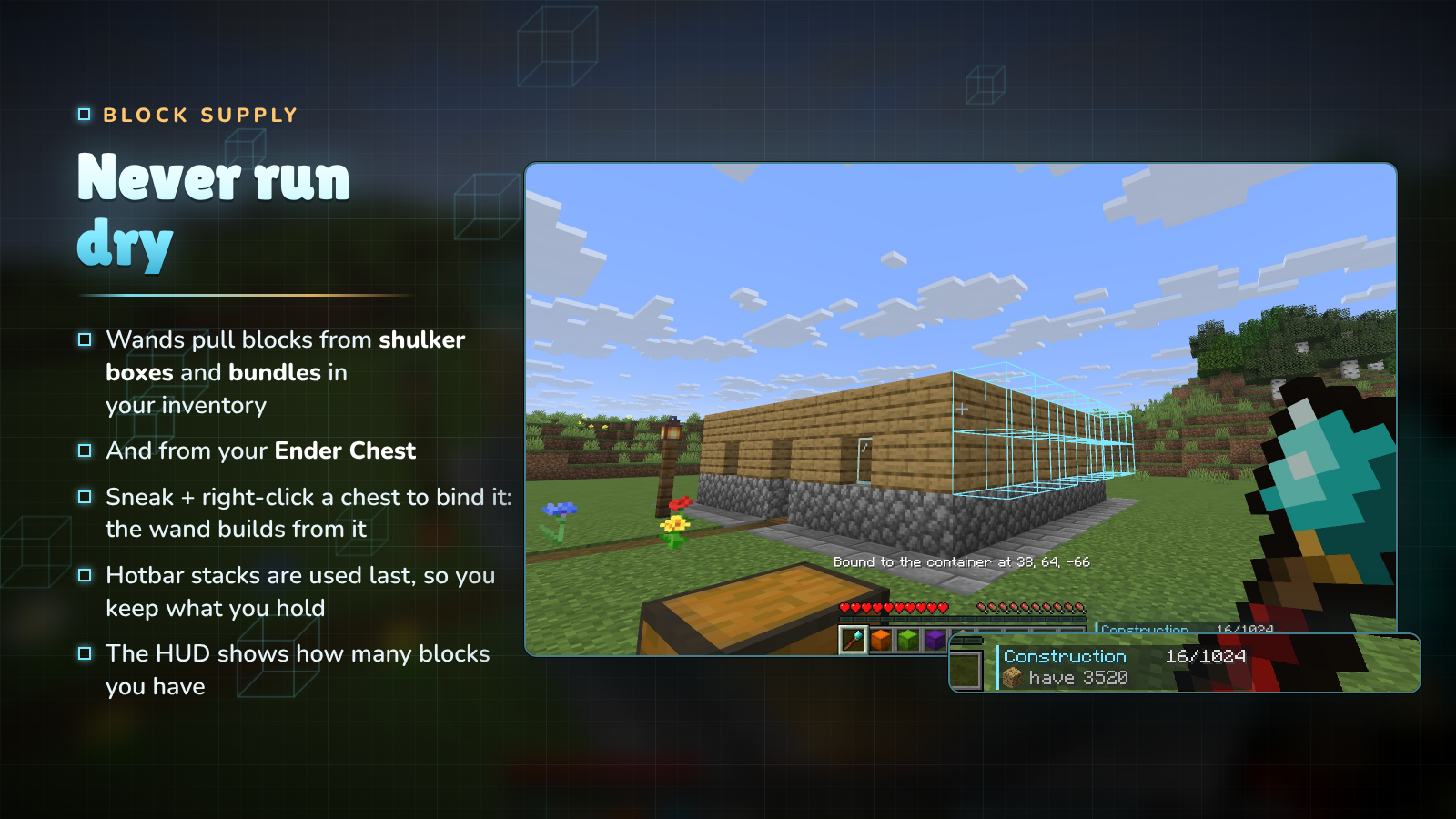
Wands look for blocks in this order:
The HUD shows how many blocks you have across all of them. Only plain blocks are used: a renamed or enchanted stack is never placed by mistake.

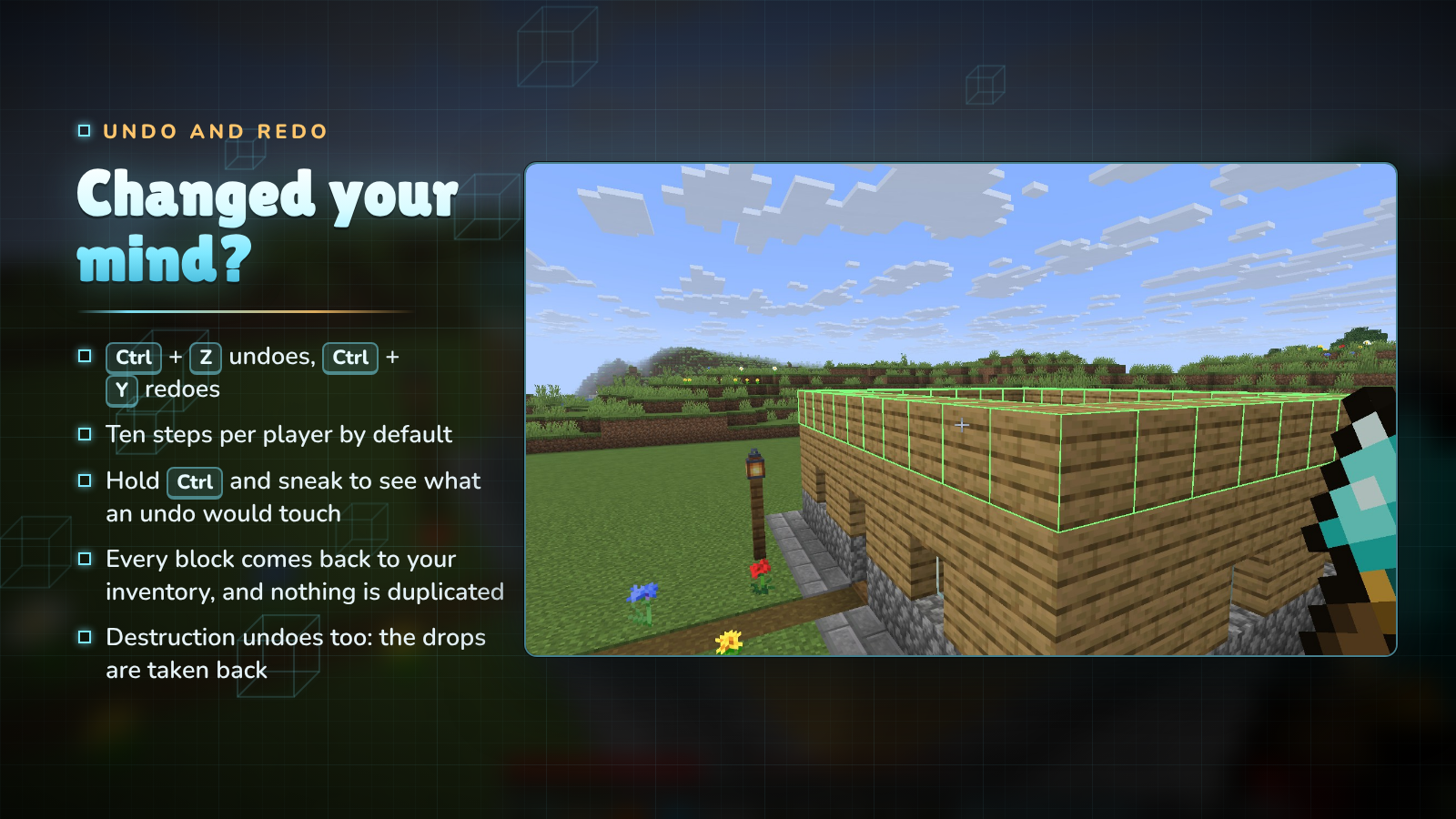
Ctrl + Z undoes your last wand action and Ctrl + Y redoes it, ten steps back by default. Hold Ctrl and sneak to see what an undo would touch. Undo gives back exactly the blocks it removes and takes back exactly the drops a Destruction gave you, so it can never be used to duplicate items. The 1.x gesture (hold Ctrl, sneak and right-click) still works.

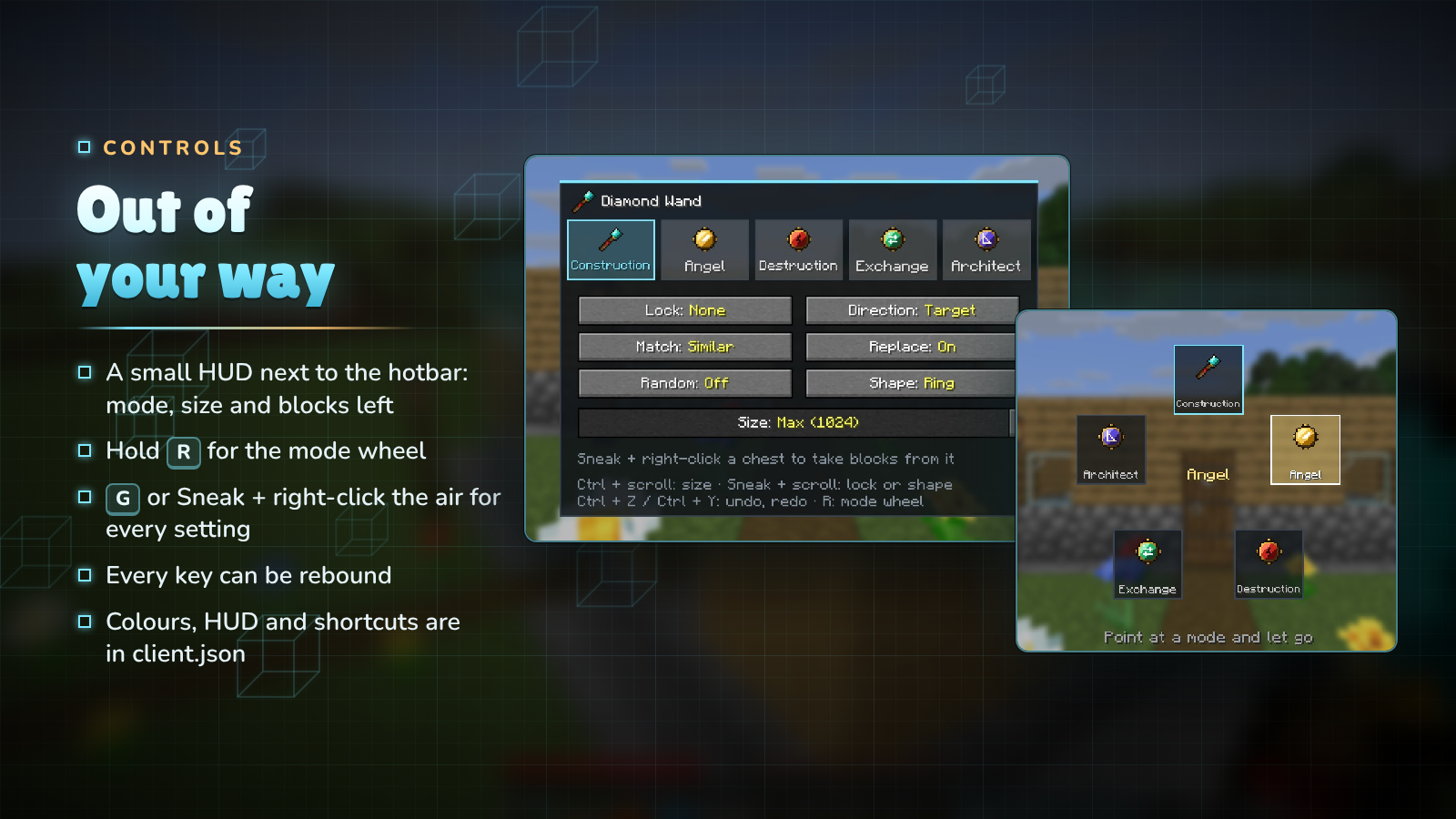
| Input | What it does |
|---|---|
| Right-click a block | use the current mode |
| Right-click the air | Angel: place in mid-air · Architect: clear the corner |
| G, or Sneak + right-click the air | settings screen |
| Hold R | mode wheel: point at a mode and let go |
| Ctrl + scroll | size |
| Sneak + scroll | direction lock, or the Architect's shape |
| Ctrl + Z / Ctrl + Y | undo / redo |
| Sneak + right-click a container | bind or unbind it as a block source |
Every key can be rebound in the controls menu, and client.json turns off the HUD, the previews, the scroll gestures or the shortcuts and changes the preview colours.

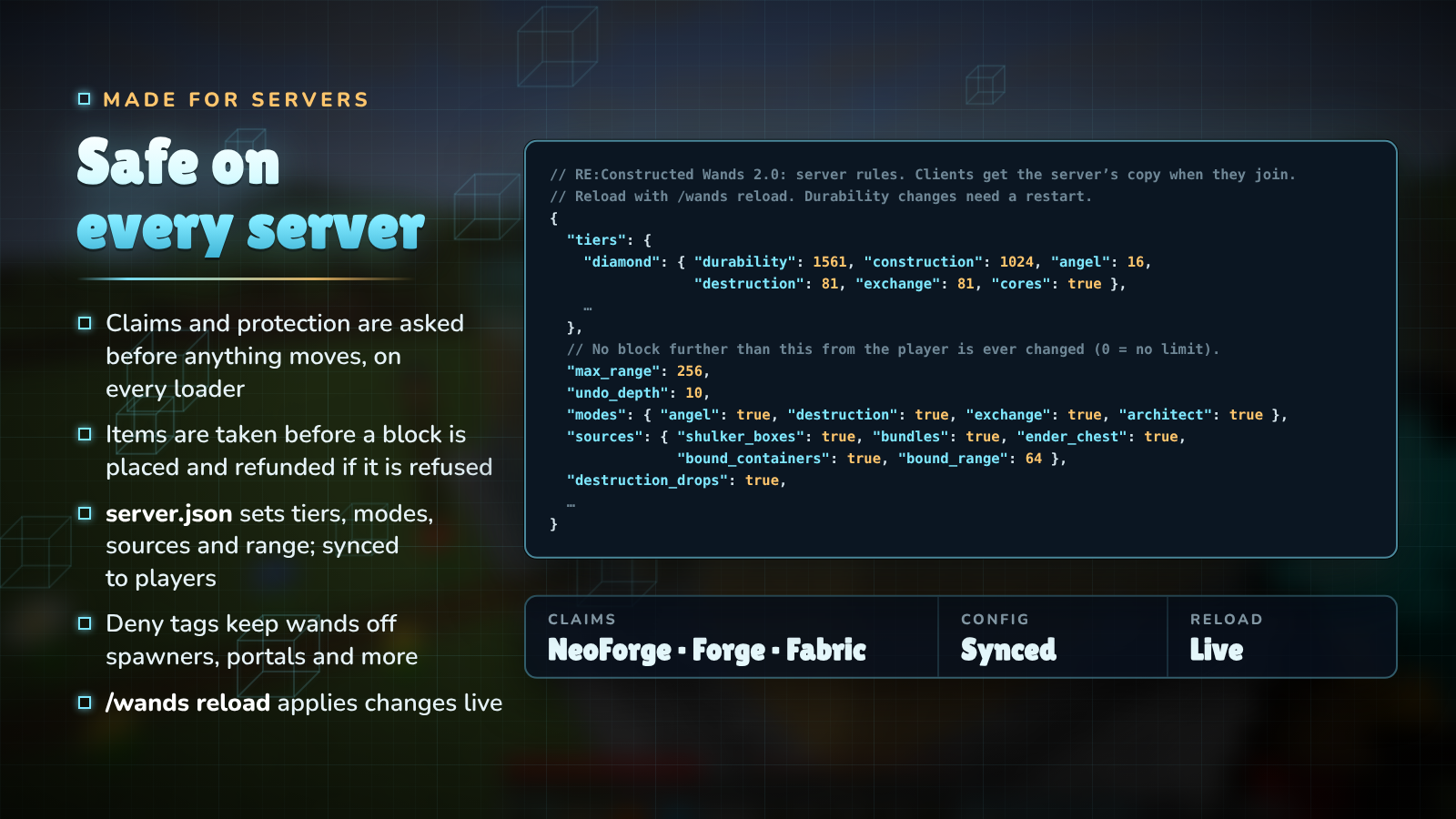
config/reconstructedwands/server.json: tier limits and durability, which cores work, the creative limit, the maximum range, undo depth, block sources, whether Destruction gives drops, and groups of similar blocks. It is sent to every player, so previews always match what the server will do. /wands reload applies changes live.#reconstructedwands:denied are never placed, removed or swapped by a wand (bedrock, spawners, portals, command blocks and more by default); #reconstructedwands:no_dismantle protects ores and suspicious sand from Destruction and Exchange.

| Minecraft | Fabric | NeoForge / Forge | Java |
|---|---|---|---|
| 26.3 | ✔ (Fabric API) | ✔ NeoForge | 25 |
| 26.2 | ✔ (Fabric API) | ✔ NeoForge | 25 |
| 1.21.1 | ✔ (Fabric API) | ✔ NeoForge | 21 |
| 1.20.1 | ✔ (Fabric API) | ✔ Forge | 17 |
Pick the file whose name has your Minecraft version and loader, for example reconstructedwands-fabric-1.21.1-2.0.0.jar.

Do my 1.x wands still work? Yes. Item IDs are unchanged and wands keep their cores and settings.
Is it needed on the server and the client? Both. It adds items, and the client draws the previews and the HUD.
Will it let players grief claimed land? No. Every block is checked with the loader's protection hooks before anything changes, the same way a block placed by hand is.
Can I stop wands from touching certain blocks? Yes: add them to #reconstructedwands:denied with a datapack.
Can I make wands weaker or stronger? Yes. Every tier's limits and durability are in server.json, and any core can be turned off.
Does Destruction work with Fortune and Silk Touch? Yes. Drops are worked out with the tool in your offhand.


Discord · Source and issues · Support Us · Made by NightBeam Studio
Project description from CurseForge.
Pick your setup
Choose the version and loader you play, then open the matching release.
Check the dependencies, then try the file in a copied instance before changing a world you care about.
Recent files
24 Oct 2026
24 Oct 2026
24 Oct 2026
24 Oct 2026
24 Oct 2026
24 Oct 2026
24 Oct 2026
24 Oct 2026
4 Aug 2026
4 Aug 2026
4 Aug 2026
4 Aug 2026
Looking for an older file? The official CurseForge project page is in Resources.
 mod
modReduced delay between music tracks, next track keybind, now playing widget and more
 mod
modKeeps server resource packs loaded, so they don't need to be reloaded when you rejoin.
 mod
modEarn separate experience for each skill just by playing — walking, mining, fighting, swimming, fishing, etc. — and level them up for attribute bonuses that grow with every level.