Minecraft version
Back to mods 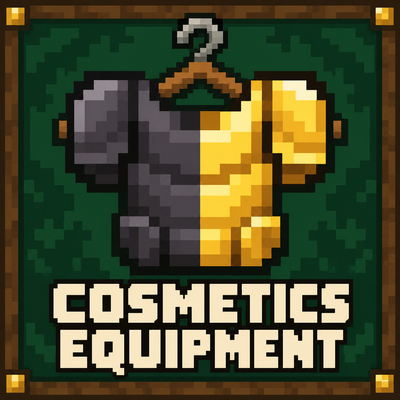
CurseForge · Minecraft mod
Cosmetics Equipment
Wear armor for protection and use cosmetic slots for style. Purely visual and easy to use.
Choose a version Pick your version below, then grab the matching file.
Quick answer
Which Cosmetics Equipment release should I use?
Latest stable file cosmetics-2.0.0-beta.1.jar
Game version 1.20.1
Loader Forge
Cosmetics Equipment cosmetics-2.0.0-beta.1.jar targets 1.20.1 with Forge. The project page does not say whether this file belongs on the client, dedicated server, or both. No extra mods listed for this file.
Where it goes
Is Cosmetics Equipment required on the client, server, or both?
The project page does not say whether this file belongs on the client, dedicated server, or both.
Client Source doesn’t say
Dedicated server Source doesn’t say
Loader for this release Forge
Required install it here Optional supported, not mandatory Not supported do not install here Source doesn’t say do not assume
The source does not explicitly classify this release as client-only or server-only.
What else does Cosmetics Equipment cosmetics-2.0.0-beta.1.jar need?
cosmetics-2.0.0-beta.1.jar. Change the file and its required mods may change too.
This file does not list any required mods. Do not add a library just because a different file uses it.
This file does not list any required or optional mods.
Before you install it
Add Cosmetics Equipment without breaking your instance.
Built for Cosmetics Equipment cosmetics-2.0.0-beta.1.jar. Pick another file and the loader, install side or required mods may change.
- 01
Stick to this file
Use cosmetics-2.0.0-beta.1.jar. It targets 1.20.1 with Forge; another release may have different loader, side or dependency requirements.
- 02
Bring the mods it needs
This file does not list any required mods. Do not add a library just because a different file uses it.
- 03
Put it on the correct side
The project page does not say whether this file belongs on the client, dedicated server, or both.
- 04
Pick the file you checked
Use the “Get this file” button beside cosmetics-2.0.0-beta.1.jar. It opens that exact file at the source.
About this project
What does Cosmetics Equipment add?
Cosmetics Equipment
Choose your look while keeping the protection and abilities of your real equipment. Cosmetics Equipment adds four appearance slots for your head, chest, legs, and feet.
Wardrobe remaster — 2.0.0 beta
- A Minecraft-style wardrobe with a live player preview.
- Separate cosmetic slots for armor, pumpkins, skulls, and Elytra.
- Switch each slot between Style and Gear, or toggle your whole outfit.
- Compare gear previews your real equipment without changing what other players see.
- Multiplayer appearance syncing, configurable inventory button placement, and a quick-toggle keybind.
- Existing Cosmetics player save data remains readable.
How to use
- Press G, or click the W button beside your inventory.
- Place a wearable in its matching cosmetic slot. Shift-click also works.
- Use Style / Gear to choose which appearance to show.
An empty cosmetic slot shows your real equipment. Cosmetic items grant no protection, enchantment effects, flight, or other gameplay abilities. This mod does not add new armor items.
Installation
Minecraft 1.20.1 · Forge · Java 17
Install the same version on the server and every client. Remove the old Cosmetics jar before installing the update. No additional mod dependencies are required.
The remaster is a beta. Back up your world before upgrading. Other loaders and Minecraft versions are not supported by this release; compatibility with every modpack is not guaranteed.
Death settings
Cosmetic items are kept when keepInventory or keepCosmetics is enabled. If both are disabled, they drop on death. Appearance preferences survive respawning.
/gamerule keepCosmetics true
Configuration
Client settings: config/cosmetics-client.toml
World/server settings: <world>/serverconfig/cosmetics-server.toml
Change keybinds in Options → Controls → Cosmetics. Server owners can disable appearances while still allowing players to reclaim stored items.
Inspired by Cosmetic Armor Reworked.
Project description from CurseForge.
Pick your setup
Cosmetics Equipment by Minecraft version and loader
Choose the version and loader you play, then open the matching release.
Check the dependencies, then try the file in a copied instance before changing a world you care about.
Recent files
Cosmetics Equipment versions and loaders
cosmetics-2.0.0-beta.1.jar
5 Oct 2026
Client Source doesn’t say Server Source doesn’t say Dependencies No extras listed Listed on Release listing
Check the 1.20.1 · Forge setup 1.20.1Forge release
Looking for an older file? The official CurseForge project page is in Resources.
 mod
CurseForge · Minecraft
Limitless: Beyond Infinity
Become Satoru Gojo in Minecraft: Infinity, Six Eyes, Blue, Red, 200% Hollow Purple, Unlimited Void Domain Expansion, Falling Blossom, Absolute Perception, Ore Vision, Radial Menu, and anime voice lines. (EN / ES)
 mod
CurseForge · Minecraft
Unyielding
Companion mod for Cobblemon Unyielding: ranks, gym leader tags, a spawn leaderboard with a dancing podium, a Tome of Souls, and giant items
 mod
CurseForge · Minecraft
[YM!] Veil Iris Lights Compat (VILC)
Veil light rendering for Iris shaderpacks