Minecraft version
Back to mods 
CurseForge · Minecraft mod
Sound Visualizer
About Minecraft mod that improves the visual perception of sounds. It adds customizable Directional Sound Indicators and improves the vanilla Subtitles.
Choose a version Pick your version below, then grab the matching file.
Quick answer
Which Sound Visualizer release should I use?
Latest stable file sound_visualizer-1.0.2-fabric-26.1.jar
Game version 26.1, 26.1.1, 26.1.2
Loader Fabric
Sound Visualizer sound_visualizer-1.0.2-fabric-26.1.jar targets 26.1, 26.1.1, 26.1.2 with Fabric. The project page does not say whether this file belongs on the client, dedicated server, or both. No extra mods listed for this file.
Where it goes
Is Sound Visualizer required on the client, server, or both?
The project page does not say whether this file belongs on the client, dedicated server, or both.
Client Source doesn’t say
Dedicated server Source doesn’t say
Loader for this release Fabric
Required install it here Optional supported, not mandatory Not supported do not install here Source doesn’t say do not assume
The source does not explicitly classify this release as client-only or server-only.
What else does Sound Visualizer sound_visualizer-1.0.2-fabric-26.1.jar need?
sound_visualizer-1.0.2-fabric-26.1.jar. Change the file and its required mods may change too.
This file does not list any required mods. Do not add a library just because a different file uses it.
This file does not list any required or optional mods.
Before you install it
Add Sound Visualizer without breaking your instance.
Built for Sound Visualizer sound_visualizer-1.0.2-fabric-26.1.jar. Pick another file and the loader, install side or required mods may change.
- 01
Stick to this file
Use sound_visualizer-1.0.2-fabric-26.1.jar. It targets 26.1, 26.1.1, 26.1.2 with Fabric; another release may have different loader, side or dependency requirements.
- 02
Bring the mods it needs
This file does not list any required mods. Do not add a library just because a different file uses it.
- 03
Put it on the correct side
The project page does not say whether this file belongs on the client, dedicated server, or both.
- 04
Pick the file you checked
Use the “Get this file” button beside sound_visualizer-1.0.2-fabric-26.1.jar. It opens that exact file at the source.
About this project
What does Sound Visualizer add?
Sound Visualizer
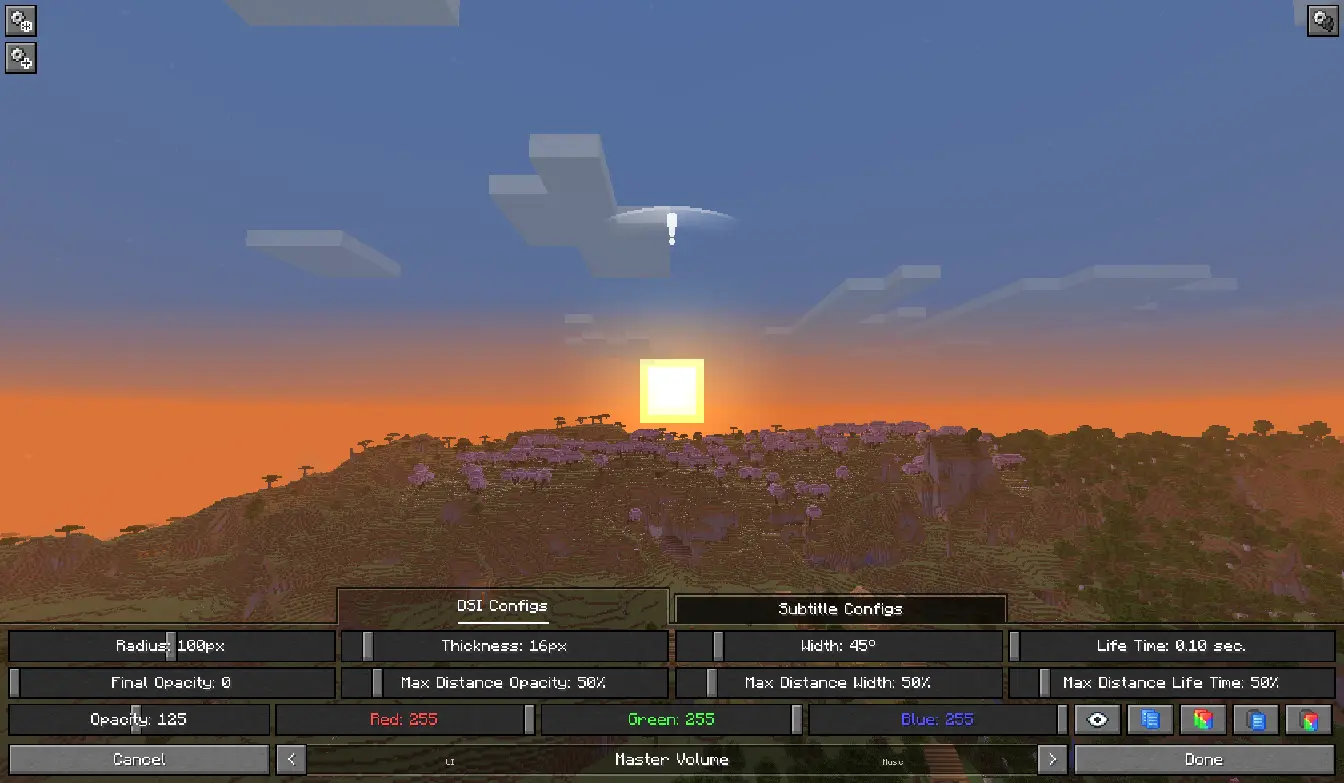
Sound Visualizer allows you to improve your perception of the game, in particular your orientation towards sounds.
The mod supports quite fine-grained customization of everything it adds. You can customize the display of all indicators for specific sources, such as Blocks, as well as for individual sounds. You can configure everything both in a dedicated menu with a preview option and in the configuration file.
Features

Directional Sound Indicator
Which appears when a sound is played nearby. The indicator alerts the player and shows the direction of the sound. The indicator can have a customizable radius, width, color, opacity, etc. for each source or specific sound.

Enhanced Subtitles
Essentially, they're vanilla subtitles with the ability to be modified. Like DSI, they feature customizable color, background transparency, text transparency, and more for each source or specific sound. You can also change their position on the screen, their size, and even the text within them (add prefixes and suffixes, or completely change the text to your own).
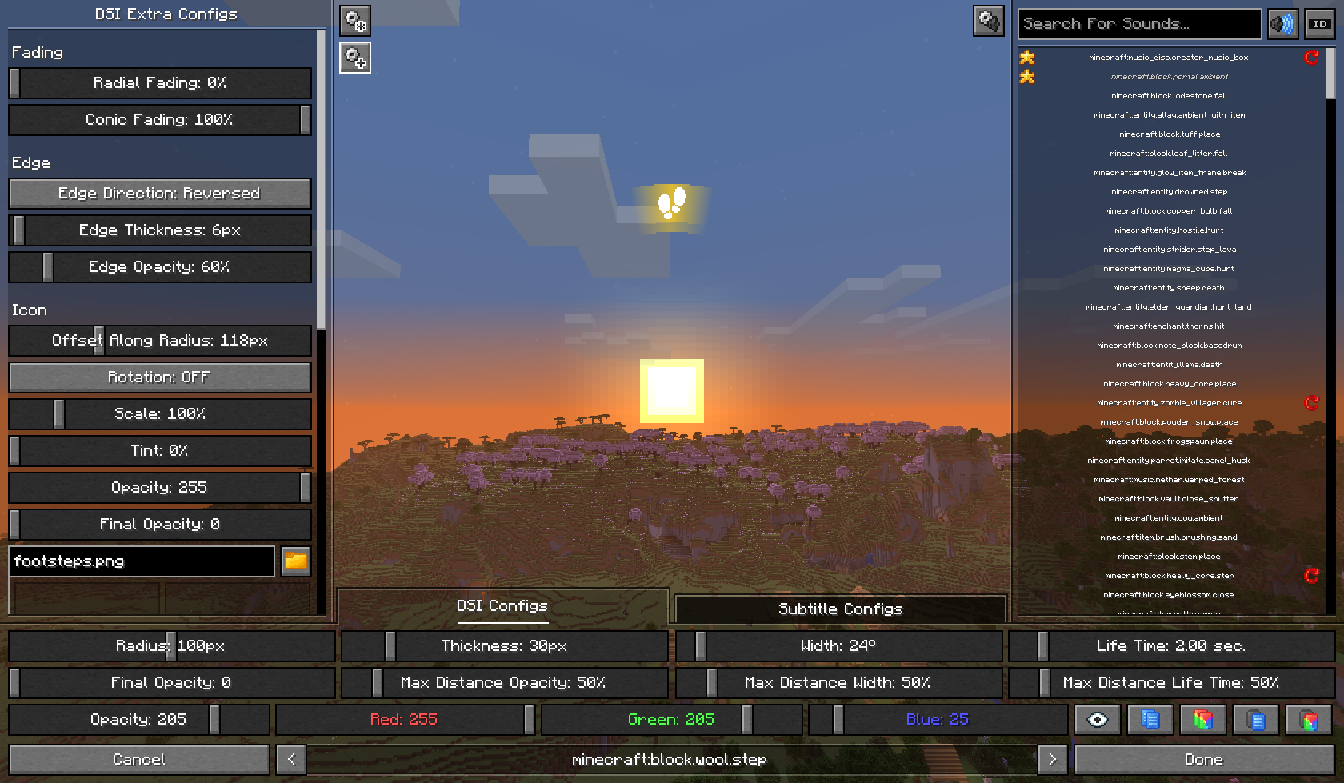
Configuration Screen
A menu that allows you to customize indicators and subtitles. To open the menu, go to "Options" and click the button next to the "Music & Sound Options", or use the keyboard shortcut [ALT + V]. Recommend using hotkeys and some features for faster and more convenient setup.
Contact
If you have any issues, suggestions for improvement, or questions regarding the mod, you can add them on the Issue Tracker.
Project description from CurseForge.
Pick your setup
Sound Visualizer by Minecraft version and loader
Choose the version and loader you play, then open the matching release.
Minecraft version
26.1.1
2 loader buildsMinecraft version
26.1
2 loader buildsMinecraft version
1.21.11
2 loader buildsMinecraft version
1.21.10
1 loader buildMinecraft version
1.21.9
1 loader buildMinecraft version
1.21.8
2 loader buildsMinecraft version
1.21.7
2 loader buildsMinecraft version
1.21.6
2 loader buildsMinecraft version
1.21.5
2 loader buildsMinecraft version
1.21.4
2 loader buildsMinecraft version
1.21.3
2 loader buildsShowing the newest 12 of 16 game versions. Older files are in the list below.
Check the dependencies, then try the file in a copied instance before changing a world you care about.
Recent files
Sound Visualizer versions and loaders
sound_visualizer-1.0.2-fabric-26.1.jar
30 May 2026
Client Source doesn’t say Server Source doesn’t say Dependencies No extras listed Listed on Release listing
Check the 26.1.2 · Fabric setup Fabric26.126.1.126.1.2 release
sound_visualizer-1.0.2-fabric-1.21.11.jar
30 May 2026
Client Source doesn’t say Server Source doesn’t say Dependencies No extras listed Listed on Release listing
Check the 1.21.11 · Fabric setup Fabric1.21.11 release
sound_visualizer-1.0.2-fabric-1.21.7.jar
30 May 2026
Client Source doesn’t say Server Source doesn’t say Dependencies No extras listed Listed on Release listing
Check the 1.21.8 · Fabric setup Fabric1.21.81.21.7 release
sound_visualizer-1.0.2-fabric-1.21.6.jar
30 May 2026
Client Source doesn’t say Server Source doesn’t say Dependencies No extras listed Listed on Release listing
Check the 1.21.6 · Fabric setup Fabric1.21.6 release
sound_visualizer-1.0.2-fabric-1.21.5.jar
30 May 2026
Client Source doesn’t say Server Source doesn’t say Dependencies No extras listed Listed on Release listing
Check the 1.21.5 · Fabric setup Fabric1.21.5 release
sound_visualizer-1.0.2-fabric-1.21.4.jar
30 May 2026
Client Source doesn’t say Server Source doesn’t say Dependencies No extras listed Listed on Release listing
Check the 1.21.4 · Fabric setup Fabric1.21.4 release
sound_visualizer-1.0.2-fabric-1.21.3.jar
30 May 2026
Client Source doesn’t say Server Source doesn’t say Dependencies No extras listed Listed on Release listing
Check the 1.21.3 · Fabric setup Fabric1.21.3 release
sound_visualizer-1.0.2-fabric-1.21.1.jar
30 May 2026
Client Source doesn’t say Server Source doesn’t say Dependencies No extras listed Listed on Release listing
Check the 1.21.1 · Fabric setup 1.21Fabric1.21.1 release
sound_visualizer-1.0.2-fabric-1.20.6.jar
30 May 2026
Client Source doesn’t say Server Source doesn’t say Dependencies No extras listed Listed on Release listing
Check the 1.20.6 · Fabric setup Fabric1.20.6 release
sound_visualizer-1.0.2-fabric-1.20.1.jar
30 May 2026
Client Source doesn’t say Server Source doesn’t say Dependencies No extras listed Listed on Release listing
Check the 1.20.1 · Fabric setup Fabric1.20.1 release
sound_visualizer-1.0.2-neoforge-26.1.jar
30 May 2026
Client Source doesn’t say Server Source doesn’t say Dependencies No extras listed Listed on Release listing
Check the 26.1.2 · NeoForge setup NeoForge26.126.1.126.1.2 release
sound_visualizer-1.0.2-neoforge-1.21.11.jar
30 May 2026
Client Source doesn’t say Server Source doesn’t say Dependencies No extras listed Listed on Release listing
Check the 1.21.11 · NeoForge setup NeoForge1.21.11 release
Looking for an older file? The official CurseForge project page is in Resources.
 mod
CurseForge · Minecraft
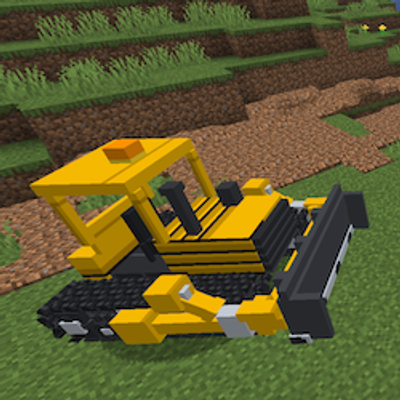
PeterWolf's Groundworks Bulldozer
A fully controllable bulldozer designed for pushing, spreading and leveling granular terrain. Move large amounts of material using an adjustable front blade.
 mod
CurseForge · Minecraft
Touhou Little Maid: Fairy Comprehensive Expansion
A comprehensive Fairy Maid expansion: equipment GUI, skins, combat skills, AI chat, affection and evolution. Maids are 50% smaller, and once tamed they'll ask for food, bring flowers, steal food to show off, dance, and respond to what you say.
 mod
CurseForge · Minecraft
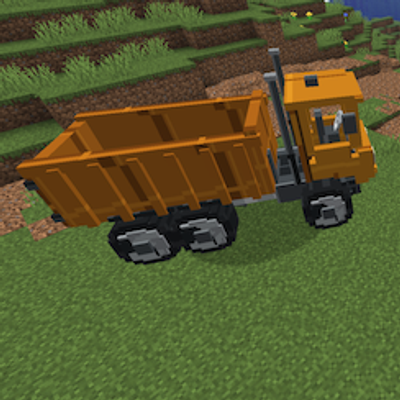
PeterWolf's Groundworks Dump Truck
A heavy-duty dump truck for transporting and unloading bulk construction materials.