Minecraft version
Back to mods 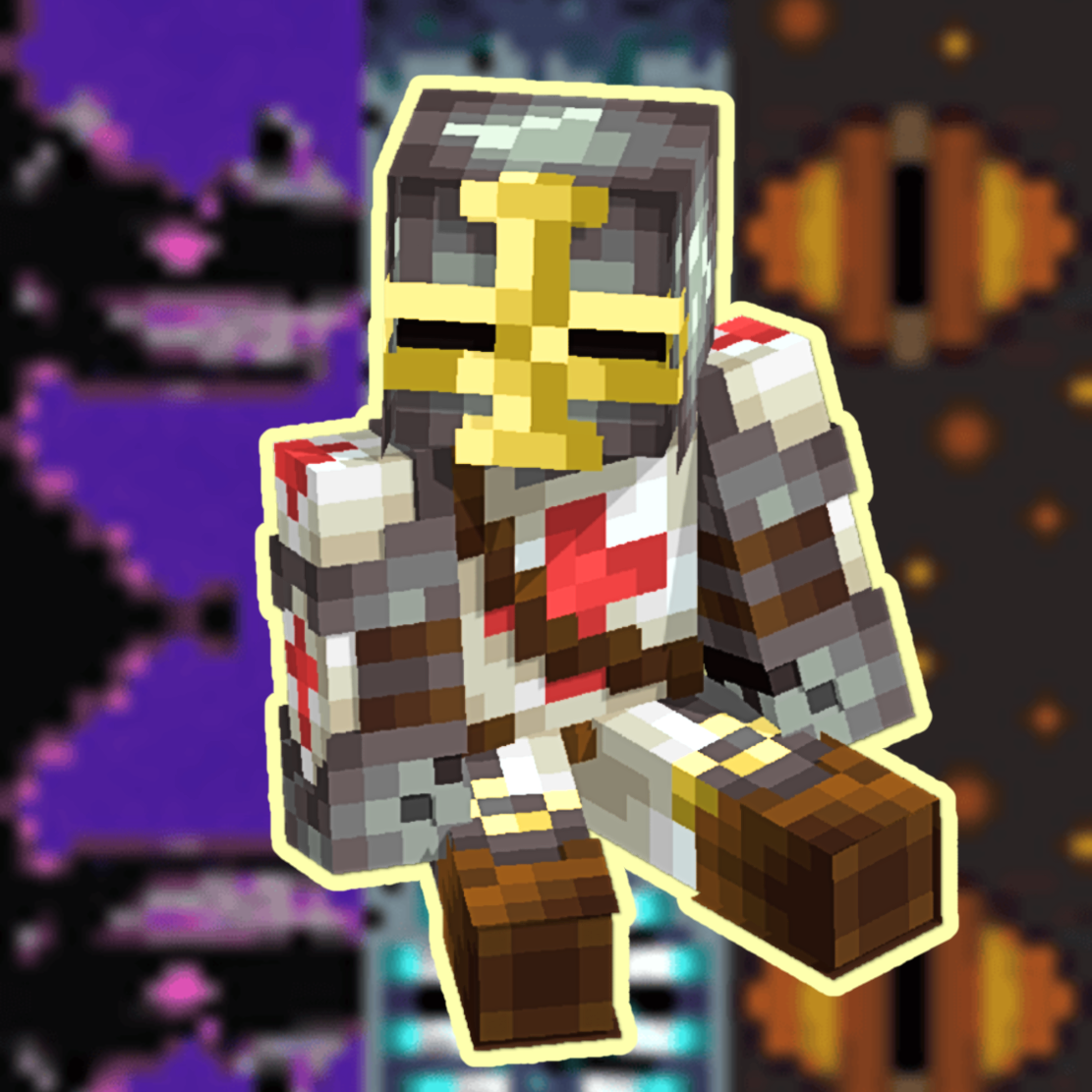
CurseForge · Minecraft mod
Paladin's Churches
Paladin's Churches adds the ability to be part of one of three churches. Churches act as teams and grant abilities.
Choose a version Pick your version below, then grab the matching file.
Quick answer
Which Paladin's Churches release should I use?
Latest stable file paladins_churches-1.2.0
Game version 1.21.1
Loader NeoForge
Paladin's Churches paladins_churches-1.2.0 targets 1.21.1 with NeoForge. The project page does not say whether this file belongs on the client, dedicated server, or both. No extra mods listed for this file.
Where it goes
Is Paladin's Churches required on the client, server, or both?
The project page does not say whether this file belongs on the client, dedicated server, or both.
Client Source doesn’t say
Dedicated server Source doesn’t say
Loader for this release NeoForge
Required install it here Optional supported, not mandatory Not supported do not install here Source doesn’t say do not assume
The source does not explicitly classify this release as client-only or server-only.
What else does Paladin's Churches paladins_churches-1.2.0 need?
paladins_churches-1.2.0. Change the file and its required mods may change too.
This file does not list any required mods. Do not add a library just because a different file uses it.
This file does not list any required or optional mods.
Before you install it
Add Paladin's Churches without breaking your instance.
Built for Paladin's Churches paladins_churches-1.2.0. Pick another file and the loader, install side or required mods may change.
- 01
Stick to this file
Use paladins_churches-1.2.0. It targets 1.21.1 with NeoForge; another release may have different loader, side or dependency requirements.
- 02
Bring the mods it needs
This file does not list any required mods. Do not add a library just because a different file uses it.
- 03
Put it on the correct side
The project page does not say whether this file belongs on the client, dedicated server, or both.
- 04
Pick the file you checked
Use the “Get this file” button beside paladins_churches-1.2.0. It opens that exact file at the source.
About this project
What does Paladin's Churches add?
Paladin's Churches adds 3 churches. Each church unlocks 3 abilities and acts as teams; disabling friendly fire with others of your team, changing color of username, etc.
The Churches are:
CHURCH OF THE END:
- After pressing the J key, you gain the LEVITATION effect for 10 seconds. PRESS J AGAIN TO END EFFECT EARLY. NO FALL DAMAGE. 20 second cooldown.
- By pressing the K key, you fire an ender pearl. 20 second cooldown.
- By pressing the L key, you fire a dragon breath attack. 30 second cooldown.
<time datetime="2026-01-21T15:11:39.663Z"></time>
CHURCH OF THE NETHER:
- Permanent Fire Resistance Effect
- By pressing the K key, you fire a ghast fire ball. 35 second cooldown.
- Gain SPEED, JUMP BOOST, and DOLPHIN'S GRACE when in a HOT BIOME (such as the Nether or a Desert/Badlands) but get WEAKNESS when in a COLD BIOME (such as a snow biome)
<time datetime="2026-01-19T02:10:09.161Z"></time>
CHURCH OF THE DEEP DARK:
- After pressing the J key, all players/mobs within 16 blocks gain the GLOWING effect for 30 seconds. 60 second cooldown.
- Immune to the DARKNESS and BLINDNESS effects.
- By pressing the K key, fire a beam/projectile that on hit does low damage and causes the DARKNESS effect for 10 seconds. 35 second cooldown
An operator can start this mods functionality using the command /startchurches
A operator can set a players church by using /church <player> <church>
This mod was made for the Paladins SMP a new server started by me Eye88. Feel free to go check out my yt channel to see this mod in action (sometime soon)
YT: https://www.youtube.com/channel/UCQcK4ehYhDf69NANg3bia0A
Project description from CurseForge.
Pick your setup
Paladin's Churches by Minecraft version and loader
Choose the version and loader you play, then open the matching release.
Check the dependencies, then try the file in a copied instance before changing a world you care about.
Recent files
Paladin's Churches versions and loaders
paladins_churches-1.2.0
paladins_churches-1.2.0-neoforge-1.21.1.jar
22 Feb 2026
Client Source doesn’t say Server Source doesn’t say Dependencies No extras listed Listed on Release listing
Check the 1.21.1 · NeoForge setup 1.21.1NeoForge release
paladins_churches-1.1.1-neoforge-1.21.1 - Copy.jar
1 Feb 2026
Client Source doesn’t say Server Source doesn’t say Dependencies No extras listed Listed on Release listing
Check the 1.21.1 · NeoForge setup 1.21.1NeoForge release
paladins_churches-1.1.0-neoforge-1.21.1.jar
30 Jan 2026
Client Source doesn’t say Server Source doesn’t say Dependencies No extras listed Listed on Release listing
Check the 1.21.1 · NeoForge setup 1.21.1NeoForge release
Paladin's Churches 1.0
paladins_churches-1.0.0-neoforge-1.21.1.jar
21 Jan 2026
Client Source doesn’t say Server Source doesn’t say Dependencies No extras listed Listed on Release listing
Check the 1.21.1 · NeoForge setup 1.21.1NeoForge release
Looking for an older file? The official CurseForge project page is in Resources.
 mod
CurseForge · Minecraft
TAKOU TRADES
This mod adds a new system for trading in minecraft.
 mod
CurseForge · Minecraft
Polis
A registry for land, contracts, money and a court - it records what players do and never prevents it.
 mod
CurseForge · Minecraft
Wave Maker
Wake Maker is a mod that allows you to create waves of monsters that will attack you.