Minecraft version
Back to mods 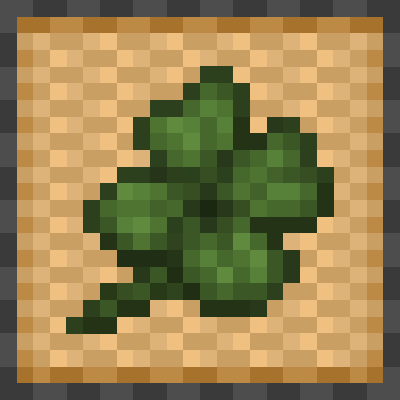
CurseForge · Minecraft mod
Lucky Clover!
This mod adds cute (rare) consumable four leaf clovers to minecraft!
Choose a version Pick your version below, then grab the matching file.
Quick answer
Which Lucky Clover! release should I use?
Latest stable file luckyclover-1.1.0-1.20.1.jar
Game version 1.20.1
Loader Forge
Lucky Clover! luckyclover-1.1.0-1.20.1.jar targets 1.20.1 with Forge. The project page does not say whether this file belongs on the client, dedicated server, or both. No extra mods listed for this file.
Where it goes
Is Lucky Clover! required on the client, server, or both?
The project page does not say whether this file belongs on the client, dedicated server, or both.
Client Source doesn’t say
Dedicated server Source doesn’t say
Loader for this release Forge
Required install it here Optional supported, not mandatory Not supported do not install here Source doesn’t say do not assume
The source does not explicitly classify this release as client-only or server-only.
What else does Lucky Clover! luckyclover-1.1.0-1.20.1.jar need?
luckyclover-1.1.0-1.20.1.jar. Change the file and its required mods may change too.
This file does not list any required mods. Do not add a library just because a different file uses it.
This file does not list any required or optional mods.
Before you install it
Add Lucky Clover! without breaking your instance.
Built for Lucky Clover! luckyclover-1.1.0-1.20.1.jar. Pick another file and the loader, install side or required mods may change.
- 01
Stick to this file
Use luckyclover-1.1.0-1.20.1.jar. It targets 1.20.1 with Forge; another release may have different loader, side or dependency requirements.
- 02
Bring the mods it needs
This file does not list any required mods. Do not add a library just because a different file uses it.
- 03
Put it on the correct side
The project page does not say whether this file belongs on the client, dedicated server, or both.
- 04
Pick the file you checked
Use the “Get this file” button beside luckyclover-1.1.0-1.20.1.jar. It opens that exact file at the source.
About this project
What does Lucky Clover! add?
NOTE: This Mod Requires CuriosAPI
This mod adds Four Leaf Clovers to Minecraft!  When consumed it provides the player with 20 seconds of Luck.The plant can be found growing in Forests, Sparse Jungles, & Swamps.
  They have a Light Level of 5 & spawn particles in a small radius to make it easier for players to find them during the Night.
Additionally, they have a golden variety that is used to brew Luck Potions  (thick potion + golden clover). These can be found in chests where golden apples are also likely to spawn.
Golden Clovers provide the player with 45 seconds of Luck & reduced Golden Apple effects.
Golden Pendants can be found  in Nether Bastion Treasure Chests, this gives the player +3 luck
  attribute.
A Lucky Horseshoe  can be found in chests in dungeons, abandoned mineshafts and chests belonging to illagers. This gives the player +1 luck attribute.
Update 1.1.0 - 15 January 2026 Random Update
- Updated Textures
- Achievements
- New Items & Food
- Gold Ring Curio
- Compatability with Farmers Delight and Farmers Respite (these are not required to use this mod)
- Ham, Smoked Ham, and Egg Textures are from Farmers Delight to have a Consistent Art Style
Adds Decorative Wood Blocks - Wood Siding


Adds a Dreamcatcher Block

Project description from CurseForge.
Pick your setup
Lucky Clover! by Minecraft version and loader
Choose the version and loader you play, then open the matching release.
Check the dependencies, then try the file in a copied instance before changing a world you care about.
Recent files
Lucky Clover! versions and loaders
luckyclover-1.1.0-1.20.1.jar
22 Jan 2026
Client Source doesn’t say Server Source doesn’t say Dependencies No extras listed Listed on Release listing
Check the 1.20.1 · Forge setup 1.20.1Forge release
Looking for an older file? The official CurseForge project page is in Resources.
 mod
mod CurseForge + Modrinth · Minecraft
BBL Utility
Various useful items and blocks including block breakers and placers. fluid placers and collectors and resource generators
 mod
mod CurseForge + Modrinth · Minecraft
Living Sponge
Drain and Fill the Oceans with Living Sponges!
 mod
mod CurseForge + Modrinth · Minecraft
EnchantOnce
A configurable mod that reworks enchanting and repairing (anvils): fixed XP costs, enchant extraction, book copying, full gear duplication, and more — all using vanilla mechanics.