Create Aeronautics Optional for smartbuildlib-3.0.0.jar
optionalNo matching file
CurseForge · Minecraft mod
Library for Improved construction system (Now supports Create Aero)
Quick answer
smartbuildlib-3.0.0.jar targets 26.2 with NeoForge. The project page does not say whether this file belongs on the client, dedicated server, or both. No extra mods listed for this file.
Where it goes
The project page does not say whether this file belongs on the client, dedicated server, or both.
The source does not explicitly classify this release as client-only or server-only.
smartbuildlib-3.0.0.jar. Change the file and its required mods may change too.
This file does not list any required mods. Do not add a library just because a different file uses it.
We only count dependency files that match this setup. A file for another loader does not fill the gap.
Before you install it
Built for smartbuildlib-3.0.0.jar. Pick another file and the loader, install side or required mods may change.
Use smartbuildlib-3.0.0.jar. It targets 26.2 with NeoForge; another release may have different loader, side or dependency requirements.
This file does not list any required mods. Do not add a library just because a different file uses it.
The project page does not say whether this file belongs on the client, dedicated server, or both.
Use the “Get this file” button beside smartbuildlib-3.0.0.jar. It opens that exact file at the source.
About this project


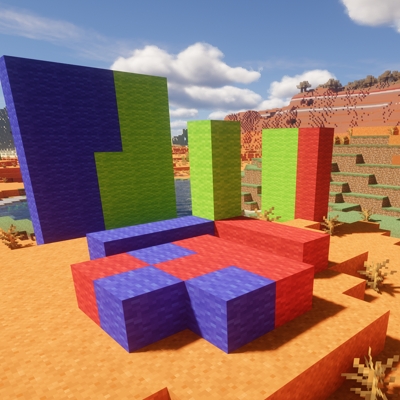
This is a library mod whose task is to select a specific area with a mouse click and save it for further manipulation.The mod is intended to be used only as an API for other modifications, it no longer performs any other functions.
Most functions have been significantly redesigned:
-There is no default button; to activate selection mode, you must first go to the menu, control settings, and assign a key.
-Selection modes have been added:
First mode - "1D"
Second mode - 2D
Third mode - 3D
Fourth mode - 3D Openbox (available only starting with version Smart Build Lib 2.2.0)



In version 2.3, to select a mode, click the special button, then move the mouse toward the mode you want, click the special button again, and then you can start building
Project description from CurseForge.
Pick your setup
Choose the version and loader you play, then open the matching release.
Check the dependencies, then try the file in a copied instance before changing a world you care about.
Recent files
4 Jul 2026
2 Jul 2026
1 Jul 2026
27 May 2026
3 May 2026
22 Feb 2026
16 Feb 2026
15 Feb 2026
10 Feb 2026
7 Feb 2026
1 Feb 2026
27 Jan 2026
Looking for an older file? The official CurseForge project page is in Resources.
 mod
Apocalypse factions: settlers, raiders, a military remnant, trade caravans and a radiation cult. Earn reputation, trade, take bounties and recruit survivors.
 mod
Unofficial Fan Project. Rescue captive princesses from dangerous places and make them your companions. Requires Minecraft 1.20.1, Forge 47.4.28+, GeckoLib 4.4.9+
 mod
Companion mod for Cobblemon Unyielding: ranks, gym leader tags, a spawn leaderboard with a dancing podium, a Tome of Souls, and giant items