Minecraft version
Back to mods 
CurseForge · Minecraft mod
NLibCutscene
NLibCutscene is a professional-grade tool for creating cinematics and machinimas directly inside Minecraft.
Choose a version Pick your version below, then grab the matching file.
Quick answer
Which NLibCutscene release matches 1.20.4 Forge?
Best match for your filters nlibcutscene-1.jar
Game version 1.20.2, 1.20.5, 1.20.1
Loader Forge
nlibcutscene-1.jar targets 1.20.2, 1.20.5, 1.20.1 with Forge. The project page does not say whether this file belongs on the client, dedicated server, or both. No extra mods listed for this file.
Where it goes
Is NLibCutscene required on the client, server, or both?
The project page does not say whether this file belongs on the client, dedicated server, or both.
Client Source doesn’t say
Dedicated server Source doesn’t say
Loader for this release Forge
Required install it here Optional supported, not mandatory Not supported do not install here Source doesn’t say do not assume
The source does not explicitly classify this release as client-only or server-only.
What else does nlibcutscene-1.jar need?
nlibcutscene-1.jar on 1.20.4 Forge. Every mod below is checked against that same setup.
This file does not list any required mods. Do not add a library just because a different file uses it.
This file does not list any required or optional mods.
Before you install it
Add NLibCutscene without breaking your instance.
Built for nlibcutscene-1.jar on 1.20.4 Forge. Pick another file and the loader, install side or required mods may change.
- 01
Stick to this file
Use nlibcutscene-1.jar. It targets 1.20.2, 1.20.5, 1.20.1 with Forge; another release may have different loader, side or dependency requirements.
- 02
Bring the mods it needs
This file does not list any required mods. Do not add a library just because a different file uses it.
- 03
Put it on the correct side
The project page does not say whether this file belongs on the client, dedicated server, or both.
- 04
Pick the file you checked
Use the “Get this file” button beside nlibcutscene-1.jar. It opens that exact file at the source.
About this project
What does NLibCutscene add?
NLibCutscene is a professional-grade tool for creating cinematics and machinimas directly inside Minecraft. We ditched complex chat commands for a Modern GUI and a robust Motion Capture system. Just hit record, move around, and the mod transforms your flight into a smooth, professional animation.
Embed Removed: https://www.youtube-nocookie.com/embed/tpK35rMM8U0
Ideal for map makers, server admins, and content creators who demand video-editor quality within the game.
✨ Key Features
🎥 Motion Capture
No need to manually input coordinates. Press "Record", and the mod captures your flight path, head rotation, and camera tilt in real-time.
🖥️ Modern Dark GUI
A completely redesigned interface featuring a "Deep Dark" aesthetic. Translucent panels, minimalist buttons, and an animated starry background make editing cutscenes a visual treat.
You can also start a cutscene using the command:
/startct "cutscene name"
🔄 Advanced Camera Control
- Camera Roll: Full support for Z-axis rotation. Use Z and X keys while recording to add dramatic Dutch angles.
- Camera Shake: Add customizable shake effects to any keyframe (perfect for explosions or heavy impacts).
- Fly-Through Mode: Create complex paths where the camera glides through points using Catmull-Rom splines without stopping.
📈 Interpolation Logic
Choose the math behind the movement for every segment:
- 🌊 Catmull-Rom: Smooth spline interpolation through points (continuous movement).
- 🚀 Ease In/Out: Cinematic acceleration and deceleration.
- 🟦 Linear: Constant speed (robotic movement).
- ⚡ Instant: Hard cut (teleport).
📂 Configuration & Data
All cutscenes are saved in clean, readable JSON files. This makes it easy to share paths, add them to modpacks, or fine-tune values using a text editor.
File Location: config/cutscenemod/cutscenes/<cutscene_name>.json 📝 JSON Structure Example
You can manually edit these files for pixel-perfect precision: JSON
{
  "startFromPlayer": true,        // Start path from player's current location
  "startTransitionTime": 2.5,     // Time to fly to the first point
  "startInterpolation": "ease_out",
  "endToPlayer": true,            // Return to player after finish
  "endTransitionTime": 3.0,
  "endInterpolation": "ease_in",
  "points": [
    {
      "x": 5.67,
      "y": -58.38,
      "z": 0.29,
      "yaw": 177.0,
      "pitch": 0.45,
      "roll": 15.0,               // Camera Roll (Tilt) in degrees
      "moveDuration": 3.0,        // Time to travel to this point
      "holdDuration": 0.0,        // Wait time (ignored if isSmooth=true)
      "interpolation": "catmull_rom", // Smoothing type
      "cameraShake": true,        // Enable camera shake
      "shakeIntensity": 0.5,      // Shake power
    },
    {
      "x": 8.95,
      "y": -58.37,
      "z": -5.36,
      "yaw": 176.99,
      "pitch": 0.44,
      "roll": 0.0,
      "moveDuration": 3.0,
      "holdDuration": 1.0,
      "interpolation": "ease_in_out",
      "cameraShake": false,
      "shakeIntensity": 0.5,
    }
  ]
}
Project description from CurseForge.
Pick your setup
NLibCutscene by Minecraft version and loader
Choose the version and loader you play, then open the matching release.
Minecraft version
1.20.5
1 loader buildMinecraft version
1.20.4
1 loader buildMinecraft version
1.20.3
1 loader buildMinecraft version
1.20.2
1 loader buildMinecraft version
1.20.1
1 loader buildMinecraft version
1.20
1 loader buildCheck the dependencies, then try the file in a copied instance before changing a world you care about.
Recent files
NLibCutscene versions and loaders
nlibcutscene-1.jar
27 Jan 2026
Client Source doesn’t say Server Source doesn’t say Dependencies No extras listed Listed on Release listing
Check the 1.20.4 · Forge setup 1.20.21.20.51.20.1Forge release
Looking for an older file? The official CurseForge project page is in Resources.
 mod
CurseForge · Minecraft
No Narrator
No Narrator 是一个轻量的客户端 模组,它可以禁用用于切换内置旁白的 Ctrl+B 快捷键,防止意外启动。No Narrator is a lightweight client-side Minecraft mod that disables the Ctrl+B Narrator toggle, preventing accidental activation. It doesn’t affect other keybinds and needs no configuration
 mod
CurseForge · Minecraft
Pyrotechnic Elytra
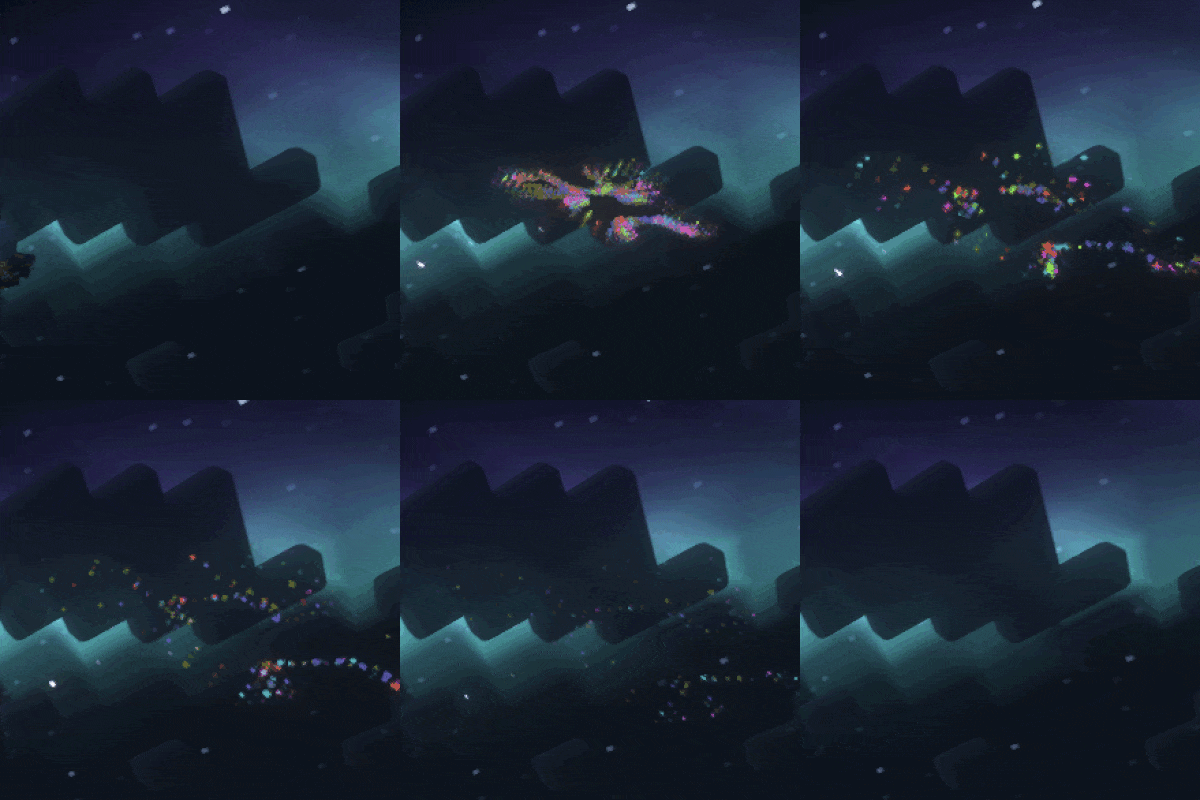
Create a show everywhere you fly!
 mod
CurseForge · Minecraft
Soul fire'd
Let Soul Fire burn!