Minecraft version
Back to mods 
CurseForge · Minecraft mod
Immersive Tool & Armor Degradation
Dynamic dirt, blood, rust, and combat grime – fully procedural, fully gameplay-integrated, and compatible with almost every item out of the box.
Choose a version Pick your version below, then grab the matching file.
Quick answer
Which Immersive Tool & Armor Degradation release should I use?
Latest stable file ImmersiveToolAging-1.2_1.20.1.jar
Game version 1.20.1
Loader Fabric
Immersive Tool & Armor Degradation ImmersiveToolAging-1.2_1.20.1.jar targets 1.20.1 with Fabric. The project page does not say whether this file belongs on the client, dedicated server, or both. No extra mods listed for this file.
Where it goes
Is Immersive Tool & Armor Degradation required on the client, server, or both?
The project page does not say whether this file belongs on the client, dedicated server, or both.
Client Source doesn’t say
Dedicated server Source doesn’t say
Loader for this release Fabric
Required install it here Optional supported, not mandatory Not supported do not install here Source doesn’t say do not assume
The source does not explicitly classify this release as client-only or server-only.
What else does Immersive Tool & Armor Degradation ImmersiveToolAging-1.2_1.20.1.jar need?
ImmersiveToolAging-1.2_1.20.1.jar. Change the file and its required mods may change too.
This file does not list any required mods. Do not add a library just because a different file uses it.
This file does not list any required or optional mods.
Before you install it
Add Immersive Tool & Armor Degradation without breaking your instance.
Built for Immersive Tool & Armor Degradation ImmersiveToolAging-1.2_1.20.1.jar. Pick another file and the loader, install side or required mods may change.
- 01
Stick to this file
Use ImmersiveToolAging-1.2_1.20.1.jar. It targets 1.20.1 with Fabric; another release may have different loader, side or dependency requirements.
- 02
Bring the mods it needs
This file does not list any required mods. Do not add a library just because a different file uses it.
- 03
Put it on the correct side
The project page does not say whether this file belongs on the client, dedicated server, or both.
- 04
Pick the file you checked
Use the “Get this file” button beside ImmersiveToolAging-1.2_1.20.1.jar. It opens that exact file at the source.
About this project
What does Immersive Tool & Armor Degradation add?
Immersive Tool Aging
Dynamic dirt, blood, rust, and combat grime – fully procedural, fully gameplay-integrated, and compatible with almost every item out of the box.

Key Features
Procedural Dirt & Damage (Mod-Friendly, Zero Setup)
- No resource packs required: overlays are generated at runtime using noise and pixel hashing.
- Works on tools, weapons, armor, and shields (including banner patterns).
- Over 15 tracked substances: dirt, sand, snow, ash, blood, slime, ink, rust, burns, and more.
- Supports emissive fluids like Glow Ink, Warden blood, and Enderman blood.
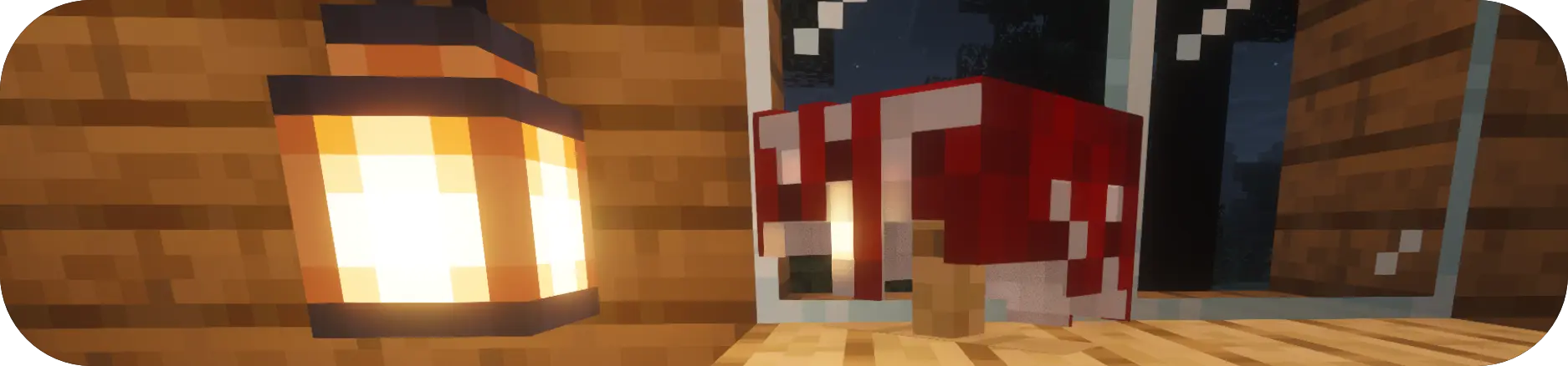
Blood Has Consequences
Visual blood directly influences gameplay and mob behavior:
- The Scent of Blood: At night, heavily bloodied players may (very rarely!) attract wolf packs.
- Animals or Villager run; if you are covered in blood.
- Monsters could smell you from further away.
- Warden Repulsion: Most hostile mobs avoid players covered in Warden blood.
- Wither Aura: High Wither blood creates a damaging debuff aura.
- End Glitches: End blood on held items can randomly teleport the player.
- Harmful Substances Attacking with dirty weapons may apply minor effects on hit targets.
Combat Splatter, Decals & Footprints
- Hits splatter mob-specific fluids on gear and terrain.
- Blood puddles form; step in them to dirty your boots leave temporary bloody footprints.
- Squids release ink that inflicts Blindness or Glowing.
Recommended image:
A battleground with puddles, footprints, and varied mob blood colors.
Environment-Aware Dirt
- Dropped items absorb fluids and pick up environmental dirt from blocks they touch.
- Loot on spawned mobs comes with biome-appropriate aging.
- Slot-specific stains: boots develop gradients from grass; helmets and chestplates show patchy scuffs.

Rust, Burns & Maintenance
- Metallic gear rusts when exposed to water or rain, increasing durability loss.
- Water removes dirt, but Rust and Burns require a Grindstone.
- Dirty food applies themed debuffs (e.g., Mining Fatigue from sand, teleportation from End blood).

Cleaning & Inventory Logic
- Clean items by rain, swimming, Water Cauldrons, or splash water bottles.
- Splash bottles also dissolve ground decals.
- Inventory contagion keeps items stackable: merging stacks applies the highest dirt level.
Performance & Compatibility
- Texture overlays are cached for minimal overhead.
- A central performance handler culls old decals and footprints under server load.
- Sodium detection prevents conflicts: overlays disable automatically if Sodium runs without Indium.
Design Philosophy
Immersive Tool Aging aims for immersion, mechanical relevance, and low friction.
- Universal procedural generation: Works with any item without configs or external assets.
- Performance-first: Caching and adaptive culling protect FPS/TPS.
- Anti-tedium inventory: Smart stacking avoids clutter and lots of stacks of 1 item that can't stack.
- Form follows function: Visual wear reflects actual mechanics (rust = faster durability loss). But in a organic way and without to much impact.
- Diegetic interaction: Cleaning and repair happen through world actions, not menus.
- Context-aware and lore-driven: Mob fluids and environmental materials behave uniquely. There are a lot of suprises and interactions that just make sense. (If you've got more ideas join my Discord!!)
- Soft-failure integration: Features blend into vanilla logic and disable gracefully if needed.
Planned Direction
Expected future focuses include:
- Configuration options
- Additional environmental substances and unique mob fluids.
- More mob behavior tied to biological contaminants, maybe villagers give bad trades if you are dirty.
- Blood dripping from your armor or tools if you've freshly gotten them dirty.
- Wetness and wet steps, imagine leaving water on your carpet after you've came home during a storm. Along with water puddles you can step on that reflect light like you'd expect.
- More item compatability. Doesnt support modded items that have their own 3d models too well if at all.
- Doesnt support vanilla items like: Tridend, Skulls or Playerheads (Bloody skulls would be so cool)
- Explosion decals
- Some more unique features for unique monster blood.
- Player's skins could get dirty
About the Project
Immersive Tool Aging is created by an individual developer.
This is my first released mod, built to push immersion as far as possible while maintaining performance and a vanilla(ish) feel.

Project description from CurseForge.
Pick your setup
Immersive Tool & Armor Degradation by Minecraft version and loader
Choose the version and loader you play, then open the matching release.
Minecraft version
1.20.1
1 loader buildCheck the dependencies, then try the file in a copied instance before changing a world you care about.
Recent files
Immersive Tool & Armor Degradation versions and loaders
ImmersiveToolAging-1.2_1.20.1.jar
5 Feb 2026
Client Source doesn’t say Server Source doesn’t say Dependencies No extras listed Listed on Release listing
Check the 1.20.1 · Fabric setup Fabric1.20.1 release
ImmersiveToolAging-1.2_1.21.1.jar
ImmersiveToolAging-1.2.jar
30 Jan 2026
Client Source doesn’t say Server Source doesn’t say Dependencies No extras listed Listed on Release listing
Check the 1.21.1 · Fabric setup Fabric1.21.1 release
Looking for an older file? The official CurseForge project page is in Resources.
 mod
CurseForge · Minecraft
Immortal Cultivation Armor
A mod with chinese cultivation elements
 mod
CurseForge · Minecraft
RGB Color Blocks
Massive RGB building block palette for Minecraft
 mod
CurseForge · Minecraft
Villager's Nose Port
Villager's Nose (1.7.10) by StarSheep on 1.12.2 Cleanroom. NOT SERIOUS! Assets load from your copy of the original via ArchaicLib.